EXAMPLES
Every Umfeld example
All 321 sketches from the
umfeld-examples repository.
Click a thumbnail to read its full application.cpp. To run one in the browser,
build it to WebAssembly — see the Playground.
Basics
cursor cursor
Basics/cursor
open on Codeberg ↗
#include "Umfeld.h"

using namespace umfeld;

// demonstrates `cursor(kind)` system cursors (SDL backend, no asset needed)
// and a `PImage`-based custom cursor.
//
//   1 ARROW   2 CROSS   3 HAND   4 MOVE   5 TEXT   6 WAIT
//   7 custom image cursor
//   0 hide (noCursor)   r show default (cursor)

PImage*     cursor_image = nullptr;
std::string current      = "ARROW";

void settings() {
    size(1024, 768);
}

void setup() {
    cursor_image = loadImage("cursor.png");
    cursor_image->resize(32, 32); // small hotspot-friendly size
    cursor(ARROW);
}

void draw() {
    background(216);
    fill(0);
    debug_text("current cursor: " + current, 20, 30);
    debug_text("1 ARROW  2 CROSS  3 HAND  4 MOVE  5 TEXT  6 WAIT", 20, 60);
    debug_text("7 custom image   0 hide   r show default", 20, 80);
}

void keyPressed() {
    switch (key) {
        case '1': cursor(ARROW); current = "ARROW"; break;
        case '2': cursor(CROSS); current = "CROSS"; break;
        case '3': cursor(HAND); current = "HAND"; break;
        case '4': cursor(MOVE); current = "MOVE"; break;
        case '5': cursor(TEXT); current = "TEXT"; break;
        case '6': cursor(WAIT); current = "WAIT"; break;
        case '7':
            cursor(cursor_image, 16, 16); // hotspot at image center
            current = "custom image";
            break;
        case '0': noCursor(); current = "hidden"; break;
        case 'r': cursor(); current = "visible (default)"; break;
        default: break;
    }
}
 events
Basics/events
open on Codeberg ↗
#include "Umfeld.h"

using namespace umfeld;

const color_t light_green = color(171, 255, 0);
const color_t soft_red    = color(255, 63, 89);

void settings() {
    size(1024, 768);
    config.ignore_key_repeat(true);
}

void setup() {
    strokeWeight(8);
    noStroke();
}

void draw() {
    background(216);
    const float size = 100.0;
    const float x    = width / 2.0;
    const float y    = height / 2.0;
    fill(soft_red);
    circle(x - size * 2.2, y + size, size);
    fill(light_green);
    circle(x - size, y + size, size);
}

void keyPressed() {
    println("pressed :", (char) key);
}

void keyReleased() {
    println("released:", (char) key);
}
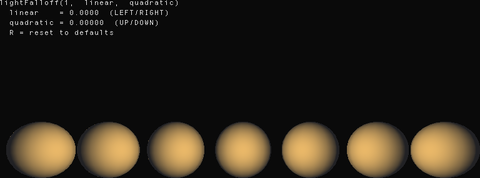 lights-falloff
Basics/lights-falloff
open on Codeberg ↗
/*
 * lights - lightFalloff()
 *
 * Demonstrates lightFalloff(constant, linear, quadratic).
 *
 * Controls how quickly a point light or spotlight dims with distance.
 * The formula is:  attenuation = 1 / (constant + linear*d + quadratic*d^2)
 * where d is the distance from light to vertex.
 *
 * Default is lightFalloff(1, 0, 0) :: no distance falloff.
 *
 * Press LEFT/RIGHT to change the linear falloff term.
 * Press UP/DOWN to change the quadratic falloff term.
 *
 * From https://processing.org/reference/lightFalloff_.html
 */

#include "Umfeld.h"

using namespace umfeld;

float linearFalloff    = 0.0f;
float quadraticFalloff = 0.0f;

void settings() {
    size(800, 500, P3D);
}

void setup() {
    noStroke();
    textSize(14);
}

void keyPressed() {
    const float step = 0.001f;
    if (keyCode == LEFT  && linearFalloff > 0.0f)    linearFalloff    -= step;
    if (keyCode == RIGHT && linearFalloff < 0.05f)   linearFalloff    += step;
    if (keyCode == DOWN  && quadraticFalloff > 0.0f) quadraticFalloff -= step * 0.1f;
    if (keyCode == UP    && quadraticFalloff < 0.01f) quadraticFalloff += step * 0.1f;
    if (key == 'r') { linearFalloff = 0; quadraticFalloff = 0; }
}

void draw() {
    background(10);

    // Point light at center of scene
    noLights();
    lightFalloff(1.0f, linearFalloff, quadraticFalloff);
    pointLight(255, 240, 220, width / 2.0f, height / 2.0f, 200);
    ambientLight(15, 15, 20);

    // Row of spheres at increasing distances from the light
    fill(200, 160, 80);
    const int   count  = 7;
    const float startX = 80;
    const float stepX  = (width - 160.0f) / (count - 1);

    for (int i = 0; i < count; ++i) {
        pushMatrix();
        translate(startX + i * stepX, height / 2.0f, 0);
        sphere(45);
        popMatrix();
    }

    // 2D overlay :: restore default camera/projection
    camera();
    perspective();
    noLights();
    fill(220);
    debug_text("lightFalloff(1,  linear,  quadratic)", 10, 10);
    debug_text("  linear    = " + nf(linearFalloff,    1, 4) + "  (LEFT/RIGHT)", 10, 26);
    debug_text("  quadratic = " + nf(quadraticFalloff, 1, 5) + "  (UP/DOWN)",   10, 42);
    debug_text("  R = reset to defaults", 10, 58);
}
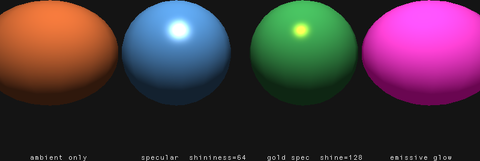 lights-material-properties
Basics/lights-material-properties
open on Codeberg ↗
/*
 * lights - material properties
 *
 * Demonstrates ambient(), specular(), emissive(), shininess()
 * working together to define the surface appearance of lit geometry.
 *
 *   ambient(r, g, b)    :: how much ambient light the surface reflects
 *   specular(r, g, b)   :: color of specular (shiny) highlights
 *   emissive(r, g, b)   :: self-illumination; added regardless of lighting
 *   shininess(s)        :: size of the specular highlight (Phong exponent)
 *                          low values = broad highlights, high = sharp pinpoints
 *
 * The example shows four spheres each with different material settings.
 *
 * From https://processing.org/reference/ambient_.html
 *      https://processing.org/reference/specular_.html
 *      https://processing.org/reference/emissive_.html
 *      https://processing.org/reference/shininess_.html
 */

#include "Umfeld.h"

using namespace umfeld;

void settings() {
    size(800, 400, P3D);
}

void setup() {
    noStroke();
    textSize(13);
}

void draw() {
    background(20);

    noLights();
    lightSpecular(255, 255, 255);
    pointLight(255, 255, 255, width / 2.0f, -height * 0.5f, 400);
    ambientLight(60, 60, 60);

    const float y     = height / 2.0f;
    const float r     = 85.0f;
    const float xStep = width / 4.0f;

    // --- Sphere 1: default material (ambient only) ---
    pushMatrix();
    translate(xStep * 0.5f, y, 0);
    fill(200, 100, 50);
    ambient(200, 100, 50);
    specular(0, 0, 0);
    emissive(0, 0, 0);
    shininess(1.0f);
    sphere(r);
    popMatrix();

    // --- Sphere 2: high shininess, grey specular ---
    pushMatrix();
    translate(xStep * 1.5f, y, 0);
    fill(80, 140, 200);
    ambient(80, 140, 200);
    specular(255, 255, 255);
    emissive(0, 0, 0);
    shininess(64.0f);
    sphere(r);
    popMatrix();

    // --- Sphere 3: colored specular + high shininess ---
    pushMatrix();
    translate(xStep * 2.5f, y, 0);
    fill(60, 160, 80);
    ambient(60, 160, 80);
    specular(255, 200, 0);  // gold highlights
    emissive(0, 0, 0);
    shininess(128.0f);
    sphere(r);
    popMatrix();

    // --- Sphere 4: emissive glow ---
    pushMatrix();
    translate(xStep * 3.5f, y, 0);
    fill(200, 80, 180);
    ambient(25, 25, 25);
    specular(0, 0, 0);
    emissive(100, 0, 75);  // purple glow even in shadow
    shininess(1.0f);
    sphere(r);
    popMatrix();

    // 2D labels :: restore default camera/projection
    camera();
    perspective();
    noLights();
    fill(220);
    const float lx = xStep;
    debug_text("ambient only",            lx * 0.5f - 50,  height - 30);
    debug_text("specular  shininess=64",  lx * 1.5f - 65,  height - 30);
    debug_text("gold spec  shine=128",    lx * 2.5f - 55,  height - 30);
    debug_text("emissive glow",           lx * 3.5f - 50,  height - 30);
}
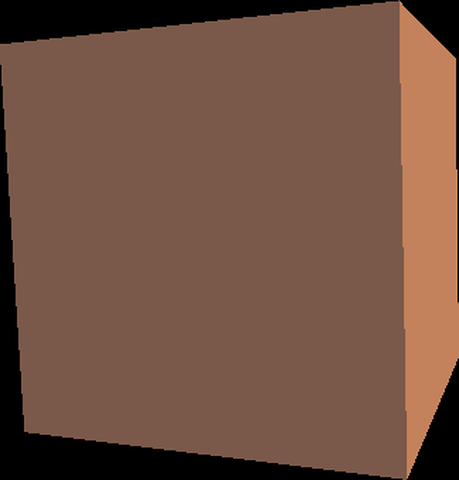 lights-normal
Basics/lights-normal
open on Codeberg ↗
/*
 * lights - normal()
 *
 * Demonstrates normal() for correct lighting on custom geometry.
 *
 * When drawing custom shapes with beginShape()/endShape(), OpenGL cannot
 * automatically compute per-face normals. Calling normal(nx, ny, nz) before
 * the vertices of each face tells the lighting system which direction the
 * surface is pointing, controlling how diffuse and specular highlights fall.
 *
 * This example draws a manually-assembled cube with explicit face normals.
 * Rotating the cube shows how each face reacts to the light differently.
 *
 * From https://processing.org/reference/normal_.html
 */

#include "Umfeld.h"

using namespace umfeld;

// Draw one quad face with an explicit surface normal
void face(float x0, float y0, float z0,
          float x1, float y1, float z1,
          float x2, float y2, float z2,
          float x3, float y3, float z3,
          float nx, float ny, float nz) {
    beginShape(QUADS);
    normal(nx, ny, nz);
    vertex(x0, y0, z0);
    vertex(x1, y1, z1);
    vertex(x2, y2, z2);
    vertex(x3, y3, z3);
    endShape();
}

void settings() {
    size(600, 600, P3D);
}

void setup() {
    noStroke();
}

void draw() {
    background(0);

    // Warm directional light from upper-left
    noLights();
    directionalLight(255, 240, 200, -1, -1, -1);
    ambientLight(40, 40, 60);

    translate(width / 2.0f, height / 2.0f, 0);
    rotateY(frameCount * 0.015f);
    rotateX(frameCount * 0.009f);

    fill(200, 120, 60);
    const float s = 120.0f;

    // front  (+Z)
    face(-s, -s,  s,   s, -s,  s,   s,  s,  s,  -s,  s,  s,   0,  0,  1);
    // back   (-Z)
    face( s, -s, -s,  -s, -s, -s,  -s,  s, -s,   s,  s, -s,   0,  0, -1);
    // right  (+X)
    face( s, -s,  s,   s, -s, -s,   s,  s, -s,   s,  s,  s,   1,  0,  0);
    // left   (-X)
    face(-s, -s, -s,  -s, -s,  s,  -s,  s,  s,  -s,  s, -s,  -1,  0,  0);
    // top    (-Y)
    face(-s, -s, -s,   s, -s, -s,   s, -s,  s,  -s, -s,  s,   0, -1,  0);
    // bottom (+Y)
    face(-s,  s,  s,   s,  s,  s,   s,  s, -s,  -s,  s, -s,   0,  1,  0);
}
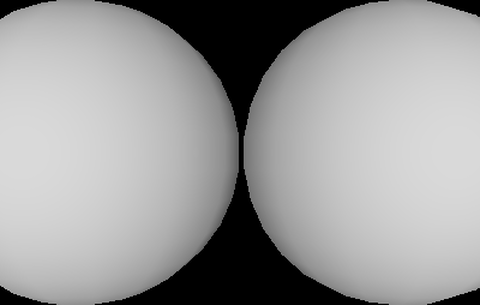 lights
Basics/lights
open on Codeberg ↗
/*
 * this example is based on the Processing example
 * https://processing.org/reference/lights_.html
 * and shows how to use light with 3D primitives in umfeld.
 */

#include "Umfeld.h"

using namespace umfeld;

void settings() {
    size(400, 400);
}

void setup() {
    noStroke();
    fill(255);
    profile(PROFILE_3D);
}

void draw() {
    background(0);

    // Include lights() at the beginning
    // of draw() to keep them persistent

    lights();

    pushMatrix();
    translate(80, 200, 0);
    sphere(120);
    popMatrix();

    pushMatrix();
    translate(320, 200, 0);
    sphere(120);
    popMatrix();

    noLights();
}
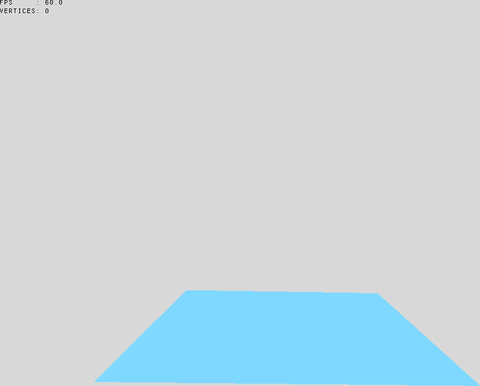 load-OBJ
Basics/load-OBJ
open on Codeberg ↗
/*
 * this example shows how to load an OBJ and display it as a mesh.
 */

#include "Umfeld.h"
#include "VertexBuffer.h"

using namespace umfeld;

VertexBuffer* mesh_shape;
int           number_vertices = 0;

void settings() {
    size(1024, 768);
}

void setup() {
    profile(PROFILE_3D);

    const std::vector<Vertex> vertices = loadOBJ("Panda.obj");
    number_vertices                    = vertices.size();
    mesh_shape                         = new VertexBuffer();
    mesh_shape->add_vertices(vertices);
}

void draw() {
    background(216);

    if (isMousePressed) {
        mesh_shape->set_shape(LINES);
    } else {
        mesh_shape->set_shape(TRIANGLES);
    }

    fill(0);
    debug_text("FPS     : " + nf(frameRate, 1), 10, 10);
    debug_text("VERTICES: " + nf(number_vertices, 1), 10, 25);

    pushMatrix();

    translate(width * 0.5f, height * 0.75f);
    rotateX(PI);
    rotateY(PI);
    rotateX(sin(frameCount * 0.07f) * 0.07f);
    rotateY(sin(frameCount * 0.1f) * 0.1f);
    rotateZ(sin(frameCount * 0.083f) * 0.083f);
    scale(75);

    mesh(mesh_shape);

    pushMatrix();
    translate(2, 0);
    scale(0.4);
    rotateY(-0.7);
    mesh(mesh_shape);
    popMatrix();

    noStroke();
    fill(127, 216, 255);
    pushMatrix();
    rotateX(HALF_PI);
    square(-3, -3, 6);
    popMatrix();

    popMatrix();

    if (isKeyPressed) {
        for (auto& v: mesh_shape->vertices_data()) {
            v.position.x += random(-0.02, 0.02);
            v.position.y += random(-0.02, 0.02);
            v.position.z += random(-0.02, 0.02);
        }
        mesh_shape->update();
    }
}

void mousePressed() {
#ifdef SYSTEM_MACOS
    popen("say -v \"Anna\" \"EI CAN DANCE!\"", "r");
#endif
}
load-image load-image
Basics/load-image
open on Codeberg ↗
#include "Umfeld.h"

using namespace umfeld;

PImage* umfeld_image;

void settings() {
    size(1024, 768);
}

void setup() {
    umfeld_image = loadImage("umfeld.png");
    umfeld_image->set_resize_filter_mode(IMAGE_RESIZE_FILTER_BOX);
    umfeld_image->resize(0, height);

    // umfeld_image = loadImage("umfeld.jpg"); // JPG has no alpha channel

    // NOTE loading images also works with URLs
    // umfeld_image = loadImage("https://codeberg.org/Umfeld/umfeld/raw/branch/main/assets/umfeld-logotype.png");

    imageMode(CENTER);
    noStroke();
}

void draw() {
    background(216);

    fill(0);
    debug_text("FPS: " + nf(frameRate, 3, 1), 10, 10);

    fill(0);
    circle(width * 0.5f, height * 0.5f, umfeld_image->width - 34);

    if (isMousePressed) {
        tint(255, 0, 0, map(mouseX, 0, width, 0, 255));
    }
    noStroke();
    noFill();
    image(umfeld_image, mouseX, mouseY);
    if (isMousePressed) {
        noTint();
    }
}

void keyPressed() {
    umfeld_image->clear(); // deleting image pixels
}
load-shape load-shape
Basics/load-shape
open on Codeberg ↗
/*
 * loadShape(".svg") :: editable vector SVG as a retained PShape tree.
 *
 * NanoSVG parses paths + gradients; gradients are baked per-vertex so they
 * render on every backend. the returned shape is a GROUP of child shapes
 * (one per SVG element) that you can re-style and transform at runtime.
 *
 * note: SVG <text> is not yet supported (parser drops it).
 */

#include "Umfeld.h"

using namespace umfeld;

PShape* icon;

void settings() {
    size(600, 600);
}

void setup() {
    icon = loadShape("icon.svg"); // resolved relative to data/
    if (icon == nullptr) {
        warning("could not load icon.svg");
    }
}

void draw() {
    background(20);

    if (icon == nullptr) { return; }

    // draw centred and scaled to fit a 400x400 box via shapeMode(CENTER)
    shapeMode(CENTER);
    shape(icon, width * 0.5f, height * 0.5f, 400, 400);

    // re-tint the second child (the sun circle) over time, proving the tree is editable
    if (icon->getChildCount() > 1) {
        const float pulse = 128 + 127 * sin(frameCount * 0.05f);
        icon->getChild(1)->setFill(color_pack_i(static_cast<uint8_t>(pulse), 210, 60, 255));
    }
}

void shutdown() {
    delete icon;
}
load-table load-table
Basics/load-table
open on Codeberg ↗
#include "Umfeld.h"

using namespace umfeld;

// The following short CSV file called "mammals.csv" is parsed
// in the code below. It must be in the project's "data" folder.
//
// id,species,name
// 0,Capra hircus,Goat
// 1,Panthera pardus,Leopard
// 2,Equus zebra,Zebra

Table* table;

void settings() {
    size(1024, 768);
}

void setup() {

    table = loadTable("mammals.csv", "header");

    println(table->getRowCount(), " total rows in table");

    for (TableRow row: table->rows()) {

        int    id      = row.getInt("id");
        String species = row.getString("species");
        String name    = row.getString("name");

        println(name, " (" + species + ") has an ID of ", id);
    }

    exit();
}

// Sketch prints:
// 3 total rows in table
// Goat (Capra hircus) has an ID of 0
// Leopard (Panthera pardus) has an ID of 1
// Zebra (Equus zebra) has an ID of 2
 minimal
Basics/minimal
open on Codeberg ↗
#include "Umfeld.h"

using namespace umfeld;

const color_t light_green = color(171, 255, 0);
const color_t soft_red    = color(255, 63, 89);

void settings() {
    size(1024, 768);
}

void setup() {
    strokeWeight(32);
}

void draw() {
    background(216);
    const float size           = 100.0;
    const float diameter_red   = size + sin(frameCount * 0.05) * 15.0;
    const float diameter_green = size + sin(frameCount * 0.033) * 15.0;
    const float x              = width / 2.0;
    const float y              = height / 2.0;
    noStroke();
    fill(soft_red);
    circle(x - size * 2.2, y + size, diameter_red);
    fill(light_green);
    circle(x - size, y + size, diameter_green);

    const float size_half = size / 2.0;
    noFill();
    stroke(0);
    line(mouseX - size_half, mouseY - size_half, mouseX + size_half, mouseY + size_half);
    line(mouseX + size_half, mouseY - size_half, mouseX - size_half, mouseY + size_half);
}
pixel-operations pixel-operations
Basics/pixel-operations
open on Codeberg ↗
/*
 * pixel operations :: copy(), blend(), filter(), mask()
 *
 * press 1 - 4 to switch screens, any other key to cycle
 *
 *   1 :: copy()   region blit, scaled and 1:1 ( ports the processing.org copy() example )
 *   2 :: blend()  every blend mode of an image over a colour ramp
 *   3 :: filter() the eight filter modes side by side
 *   4 :: mask()   an alpha mask built at runtime
 */

#include "Umfeld.h"

using namespace umfeld;

static PImage* source_image = nullptr;
static PImage* mask_image   = nullptr;
static int     screen       = 1;

static const BlendMode BLEND_MODES[] = {
    BLEND, ADD, SUBTRACT, DARKEST, LIGHTEST, DIFFERENCE, EXCLUSION,
    MULTIPLY, SCREEN, OVERLAY, HARD_LIGHT, SOFT_LIGHT, DODGE, BURN, REPLACE};
static const char* BLEND_NAMES[] = {
    "BLEND", "ADD", "SUBTRACT", "DARKEST", "LIGHTEST", "DIFFERENCE", "EXCLUSION",
    "MULTIPLY", "SCREEN", "OVERLAY", "HARD_LIGHT", "SOFT_LIGHT", "DODGE", "BURN", "REPLACE"};
static constexpr int NUM_BLEND_MODES = 15;

static const FilterMode FILTER_MODES[] = {THRESHOLD, GRAY, OPAQUE, INVERT, POSTERIZE, BLUR, ERODE, DILATE};
static const char*      FILTER_NAMES[] = {"THRESHOLD", "GRAY", "OPAQUE", "INVERT", "POSTERIZE", "BLUR", "ERODE", "DILATE"};
static constexpr int    NUM_FILTER_MODES = 8;

void settings() {
    size(1024, 768);
}

void setup() {
    source_image = loadImage("drip.png");

    // a radial alpha ramp, built by hand :: mask() reads the blue channel
    mask_image = new PImage(256, 256);
    for (int y = 0; y < 256; ++y) {
        for (int x = 0; x < 256; ++x) {
            const float dx = static_cast<float>(x) - 128.0f;
            const float dy = static_cast<float>(y) - 128.0f;
            const float d  = std::sqrt(dx * dx + dy * dy) / 128.0f;
            const auto  v  = static_cast<uint8_t>(constrain((1.0f - d) * 255.0f, 0.0f, 255.0f));
            mask_image->pixels[y * 256 + x] = color_8(v, v, v);
        }
    }
}

/* --- 1 :: copy() -------------------------------------------------------- */

static void screen_copy() {
    background(32);
    image(source_image, 0, 0, 512, 384);

    // magnify a small region of what is already on screen, four times over
    copy(120, 90, 40, 30, 540, 40, 320, 240);
    copy(120, 90, 40, 30, 540, 300, 160, 120);
    // a 1:1 blit takes the fast path :: no resampling at all
    copy(120, 90, 40, 30, 720, 300, 40, 30);

    // mark the source region, exactly like the processing.org example
    noFill();
    stroke(255, 255, 0);
    strokeWeight(2);
    rect(120, 90, 40, 30);
    noStroke();

    // get() returns a new image, set() pastes one back in
    PImage* patch = get(120, 90, 40, 30);
    set(540, 450, patch);
    delete patch;

    fill(255);
    debug_text("1 :: copy() / get() / set()", 20, 420);
    debug_text("yellow rect marks the source region", 20, 440);
    debug_text("get() + set() at 540, 450", 540, 500);
}

/* --- 2 :: blend() ------------------------------------------------------- */

static void screen_blend() {
    background(0);

    // a colour ramp as the destination
    noStroke();
    for (int x = 0; x < width; x += 4) {
        fill(map(x, 0, width, 0, 255), 90, map(x, 0, width, 255, 0));
        rect(x, 0, 4, height);
    }

    const int columns = 5;
    const int cell_w  = width / columns;
    const int cell_h  = 130;
    for (int i = 0; i < NUM_BLEND_MODES; ++i) {
        const int cx = (i % columns) * cell_w;
        const int cy = (i / columns) * cell_h + 40;
        blend(source_image, 0, 0, static_cast<int>(source_image->width), static_cast<int>(source_image->height),
              cx + 8, cy, cell_w - 16, cell_h - 30, BLEND_MODES[i]);
        fill(255);
        debug_text(BLEND_NAMES[i], cx + 10, cy + cell_h - 20);
    }
    fill(255);
    debug_text("2 :: blend()", 20, 24);
}

/* --- 3 :: filter() ------------------------------------------------------ */

static void screen_filter() {
    background(0);

    // filter() always covers the whole surface, so each tile is filtered offscreen first.
    // the tile is scaled to its display size before filtering :: the kernels then work at
    // the resolution they are shown at, which is both faster and actually visible
    const int columns = 4;
    const int cell_w  = width / columns;
    const int cell_h  = height / 2;
    const int tile_h  = cell_h - 24;
    for (int i = 0; i < NUM_FILTER_MODES; ++i) {
        const int cx = (i % columns) * cell_w;
        const int cy = (i / columns) * cell_h;

        const auto tile = new PImage(cell_w, tile_h);
        tile->copy(source_image,
                   0, 0, static_cast<int>(source_image->width), static_cast<int>(source_image->height),
                   0, 0, cell_w, tile_h);
        tile->filter(FILTER_MODES[i]);
        image(tile, cx, cy, cell_w, tile_h);
        delete tile;

        fill(255);
        debug_text(FILTER_NAMES[i], cx + 8, cy + cell_h - 8);
    }
    fill(255);
    debug_text("3 :: filter()", 20, 24);
}

/* --- 4 :: mask() -------------------------------------------------------- */

static void screen_mask() {
    background(0, 90, 140);

    PImage* masked = source_image->get(0, 0, 256, 256);
    masked->mask(mask_image);
    image(masked, 100, 200, 256, 256);
    delete masked;

    image(source_image, 420, 200, 256, 256);
    image(mask_image, 700, 200, 256, 256);

    fill(255);
    debug_text("4 :: mask()", 20, 24);
    debug_text("masked", 100, 480);
    debug_text("source", 420, 480);
    debug_text("mask ( blue channel becomes alpha )", 700, 480);
}

void draw() {
    switch (screen) {
        case 2: screen_blend(); break;
        case 3: screen_filter(); break;
        case 4: screen_mask(); break;
        default: screen_copy(); break;
    }
    fill(255);
    debug_text("press 1 - 4 to switch screens", 20, height - 20);
}

void keyPressed() {
    if (key >= '1' && key <= '4') {
        screen = key - '0';
    } else {
        screen = screen % 4 + 1;
    }
}

void shutdown() {
    delete mask_image;
    mask_image = nullptr;
}
pixels pixels
Basics/pixels
open on Codeberg ↗
#include "Umfeld.h"

using namespace umfeld;

PImage* original_image;

void settings() {
    size(1024, 768);
}

void setup() {
    original_image = loadImage("drip.png");
}

void draw() {
    const int halfImage = width * height / 2;
    fill(255);
    image(original_image, 0, 0);

    loadPixels();
    for (int i = 0; i < halfImage; i++) {
        pixels[i + halfImage] = pixels[i];
    }
    constexpr int offset = 100;
    for (int x = 0; x < 100; x++) {
        for (int y = 0; y < 100; y++) {
            float     red         = y / 100.0f;
            float     green       = (float) x / 100.0f;
            float     blue        = red * green;
            const int i           = (x + offset) + (y + offset) * width;
            pixels[i + halfImage] = color(red * 255, green * 255, blue * 255);
            set(x + offset, y + offset, color(red * 255, green * 255, blue * 255));
        }
    }
    updatePixels();

    /* color picker */

    const color_t pick_color = get((int) mouseX, (int) mouseY);
    noFill();
    stroke(pick_color);
    strokeWeight(8);
    circle(mouseX, mouseY, 64);

    noStroke();
    fill(255);
    circle(mouseX - 20, mouseY, 20);
    circle(mouseX, mouseY, 20);
    circle(mouseX + 20, mouseY, 20);
    float picked_color_red = red(pick_color) / 255.0;
    fill(255, 0, 0);
    circle(mouseX - 20, mouseY, 20 * picked_color_red);
    float picked_color_green = green(pick_color) / 255.0;
    fill(0, 255, 0);
    circle(mouseX, mouseY, 20 * picked_color_green);
    float picked_color_blue = blue(pick_color) / 255.0;
    fill(0, 0, 255);
    circle(mouseX + 20, mouseY, 20 * picked_color_blue);

    fill(255);
    debug_text("FPS: " + to_string(frameRate), 10, 20);
}
primitives-3D primitives-3D
Basics/primitives-3D
open on Codeberg ↗
/*
 * this example is based on the Processing example
 * https://processing.org/reference/box_.html
 * and shows how to draw 3D primitives in umfeld.
 */

#include "Umfeld.h"

using namespace umfeld;

void settings() {
    size(400, 400);
}

void setup() {
    noFill();
    g->set_render_mode(RENDER_MODE_IMMEDIATELY);
    g->set_render_mode(RENDER_MODE_SORTED_BY_SUBMISSION_ORDER);
    g->set_render_mode(RENDER_MODE_SORTED_BY_Z_ORDER);

    g->set_stroke_render_mode(STROKE_RENDER_MODE_NATIVE);
    g->set_stroke_render_mode(STROKE_RENDER_MODE_TRIANGULATE_2D);

    profile(PROFILE_3D);
}

void draw() {
    TRACE_FRAME;

    background(216);
    strokeWeight(3);

    stroke(127, 216, 255);
    noFill();
    pushMatrix();
    translate(232, 192, 0);
    rotateY(0.5f);
    box(160);
    popMatrix();

    stroke(255, 63, 89);
    noFill();
    pushMatrix();
    translate(232, 192, 0);
    rotateY(0.5);
    box(160, 80, 200);
    popMatrix();

    stroke(255);
    fill(mouseX / width * 2, 0, 158); // NOTE stroke+filled shapes in render mode 'RENDER_MODE_SORTED_BY_Z_ORDER' do not play well with stroke render mode 'STROKE_RENDER_MODE_TRIANGULATE_2D'
    translate(200, 200, 0);
    rotateX(mouseY * 0.05);
    rotateZ(mouseX * 0.05);
    sphereDetail(mouseX / 4);
    sphere(100);
}

void keyPressed() {
    if (key == ' ') {
        static bool toggle_render_mode = true;
        toggle_render_mode             = !toggle_render_mode;
        if (toggle_render_mode) {
            g->set_render_mode(RENDER_MODE_SORTED_BY_SUBMISSION_ORDER);
            console("RENDER_MODE_SORTED_BY_SUBMISSION_ORDER");
        } else {
            g->set_render_mode(RENDER_MODE_SORTED_BY_Z_ORDER);
            console("RENDER_MODE_SORTED_BY_Z_ORDER");
        }
    }
    if (key == 's') {
        static int switch_stroke_render_mode = 0;
        switch_stroke_render_mode++;
        switch_stroke_render_mode %= 3;
        switch (switch_stroke_render_mode) {
            case 0:
                g->set_stroke_render_mode(STROKE_RENDER_MODE_NATIVE);
                console("STROKE_RENDER_MODE_NATIVE");
                break;
            case 1:
                g->set_stroke_render_mode(STROKE_RENDER_MODE_TRIANGULATE_2D);
                console("STROKE_RENDER_MODE_TRIANGULATE_2D");
                break;
            case 2:
                g->set_stroke_render_mode(STROKE_RENDER_MODE_LINE_SHADER);
                console("STROKE_RENDER_MODE_LINE_SHADER");
                break;
            default:;
        }
    }
}
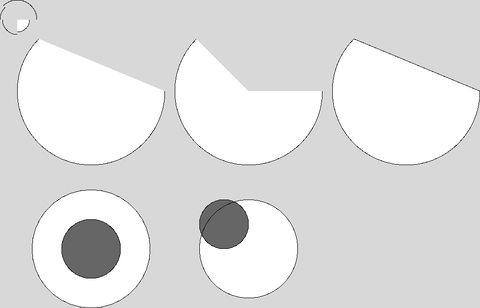 primitives
Basics/primitives
open on Codeberg ↗
/*
 * this example shows how to use primitive shapes like arcs and ellipses.
 */

#include "Umfeld.h"

using namespace umfeld;

void settings() {
    size(1024, 768);
}

void draw() {
    background(216);
    fill(255);
    noStroke();
    arc(50, 55, 50, 50, 0, HALF_PI, PIE);
    stroke(0);
    arc(50, 55, 50, 50, 0, HALF_PI, OPEN);
    noFill();
    arc(50, 55, 60, 60, HALF_PI, PI);
    arc(50, 55, 70, 70, PI, PI + QUARTER_PI);
    arc(50, 55, 80, 80, PI + QUARTER_PI, TWO_PI);

    fill(255);
    stroke(0);
    arc(200, 200, 300, 300, 0, PI + QUARTER_PI, OPEN);
    translate(320, 0);
    arc(200, 200, 300, 300, 0, PI + QUARTER_PI, PIE);
    translate(320, 0);
    arc(200, 200, 300, 300, 0, PI + QUARTER_PI, CHORD);

    translate(-640, 320);
    ellipseMode(RADIUS);         // Set ellipseMode to RADIUS
    fill(255);                   // Set fill to white
    ellipse(200, 200, 120, 120); // Draw white ellipse using RADIUS mode

    ellipseMode(CENTER);         // Set ellipseMode to CENTER
    fill(102);                   // Set fill to gray
    ellipse(200, 200, 120, 120); // Draw gray ellipse using CENTER mode

    translate(320, 0);
    ellipseMode(CORNER);         // Set ellipseMode is CORNER
    fill(255);                   // Set fill to white
    ellipse(100, 100, 200, 200); // Draw white ellipse using CORNER mode

    ellipseMode(CORNERS);        // Set ellipseMode to CORNERS
    fill(102);                   // Set fill to gray
    ellipse(100, 100, 200, 200); // Draw gray ellipse using CORNERS mode
}
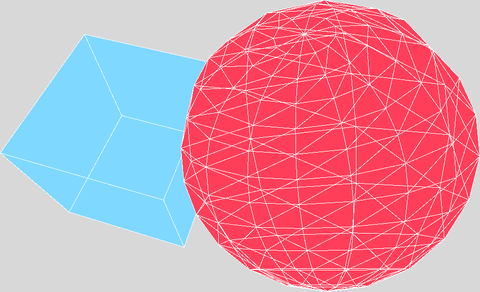 save-OBJ
Basics/save-OBJ
open on Codeberg ↗
/* this example shows how to export shapes as OBJ */
// TODO WIP a lot of things are not implemented yet and not tested

#include "Umfeld.h"

using namespace umfeld;

void settings() {
    size(1024, 768);
}

void setup() {
    // g->set_stroke_render_mode(STROKE_RENDER_MODE_NATIVE); // TODO strokes are flattend in some render modes
}

void draw() {
    background(216);

    if (isKeyPressed && key == ' ') {
        beginRecord(OBJ, to_string("example-", frameCount, ".obj"));
    }

    pushMatrix();
    stroke(255);
    fill(127, 216, 255);
    translate(width * 0.33, height * 0.5f, 0);
    rotateX(mouseY * 0.03);
    rotateY(mouseX * 0.07);
    box(width * 0.25f);
    popMatrix();

    pushMatrix();
    stroke(255);
    fill(255, 63, 89);
    translate(width * 0.66, height * 0.5f, 0);
    rotateX(mouseY * 0.05f);
    rotateY(mouseX * 0.05f);
    sphereDetail(mouseX / 40);
    sphere(width * 0.25f);
    popMatrix();

    if (isKeyPressed && key == ' ') {
        endRecord();
    }
}
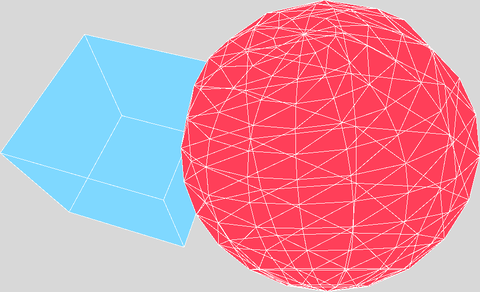 save-PDF
Basics/save-PDF
open on Codeberg ↗
/* this example shows how to export shapes as PDF */
// TODO WIP a lot of things are not implemented yet and not tested

#include "Umfeld.h"

using namespace umfeld;

void settings() {
    size(1024, 768);
}

void setup() {
    noFill();
}

void draw() {
    background(216);

    if (isKeyPressed && key == ' ') {
        beginRecord(PDF, to_string("example-", frameCount, ".pdf"));
    }

    pushMatrix();
    stroke(255);
    fill(127, 216, 255);
    translate(width * 0.33, height * 0.5f, 0);
    rotateX(mouseY * 0.03);
    rotateY(mouseX * 0.07);
    box(width * 0.25f);
    popMatrix();

    pushMatrix();
    stroke(255);
    fill(255, 63, 89);
    translate(width * 0.66, height * 0.5f, 0);
    rotateX(mouseY * 0.05f);
    rotateY(mouseX * 0.05f);
    sphereDetail(mouseX / 40);
    sphere(width * 0.25f);
    popMatrix();

    if (isKeyPressed && key == ' ') {
        endRecord();
    }
}
 save-frame
Basics/save-frame
open on Codeberg ↗
/*
 * this example shows how to use `saveFrame()` to save the current frame to a file.
 */

#include "Umfeld.h"
#include "Geometry.h"

using namespace umfeld;

void settings() {
    size(1024, 768);
}

void setup() {
    rectMode(CENTER);
    g->set_render_mode(RENDER_MODE_SORTED_BY_Z_ORDER);
    g->set_render_mode(RENDER_MODE_SORTED_BY_SUBMISSION_ORDER);
    // hint(ENABLE_DEPTH_TEST);
}

void draw() {
    background(216);

    stroke(0);
    fill(127, 216, 255);
    strokeWeight(15);
    strokeJoin(ROUND);
    strokeCap(ROUND);

    pushMatrix();

    translate(width / 2, height / 2);
    rotateY(frameCount * 0.027f);
    rotateZ(frameCount * 0.01f);

    beginShape();
    vertex(-110, -110);
    vertex(110, -110);
    vertex(110, 110);
    vertex(-110, 110);
    endShape(CLOSE);

    popMatrix();

    noStroke();
    fill(255, 63, 89);
    circle(width * 0.5f, height * 0.5f, 55);
}

void keyPressed() {
    if (key == '1') {
        saveFrame();
    }
    if (key == '2') {
        const std::string save_path = selectFolder("Choose a folder");
        if (!save_path.empty()) {
            saveFrame(save_path + "fast-uncompressed-frame.bmp");
        }
    }
}
save-image save-image
Basics/save-image
open on Codeberg ↗
/*
 * this example shows how to use `saveImage()` to save a PImage to disk.
 */

#include "Umfeld.h"

using namespace umfeld;

PImage* umfeld_image;

void settings() {
    size(1024, 768);
}

void setup() {
    umfeld_image = loadImage("umfeld.png");
}

void draw() {
    background(216);
    image(umfeld_image, mouseX, mouseY);
}

void keyPressed() {
    if (key == ' ') {
        saveImage(umfeld_image, sketchPath() + "image-" + nfs(frameCount, 4) + ".png");
    }
}
save-table save-table
Basics/save-table
open on Codeberg ↗
#include "Umfeld.h"

using namespace umfeld;

Table* table;

void settings() {
    size(1024, 768);
}

void setup() {

    table = new Table();

    table->addColumn("id");
    table->addColumn("species");
    table->addColumn("name");

    TableRow newRow = table->addRow();
    newRow.setInt("id", table->getRowCount() - 1);
    newRow.setString("species", "Panthera leo");
    newRow.setString("name", "Lion");

    saveTable(table, "data/new.csv");
}

// Sketch saves the following to a file called "new.csv":
// id,species,name
// 0,Panthera leo,Lion

void shutdown() {
    delete table;
}
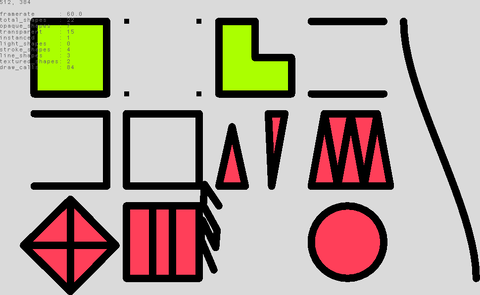 shapes
Basics/shapes
open on Codeberg ↗
/*
 * this example shows how to use the beginShape() + endShape() functions to draw a shape with different vertex types.
 * from https://processing.org/reference/beginShape_.html
 */

#include "Umfeld.h"
#include "Geometry.h"

using namespace umfeld;

const color_t light_green = color(171, 255, 0);
const color_t soft_red    = color(255, 63, 89);

int   stroke_join_mode = ROUND;
int   stroke_cap_mode  = ROUND;
float stroke_weight    = 15.0f;

void settings() {
    size(1024, 768);
}

void setup() {}

void draw() {
    background(218);

    fill(100);
    debug_text(nf(mouseX, 0) + ", " + nf(mouseY, 0), 10, 10);

    pushMatrix();

    stroke(0);
    fill(light_green);
    strokeWeight(stroke_weight);
    pointSize(stroke_weight);
    strokeJoin(stroke_join_mode);
    strokeCap(stroke_cap_mode);

    scale(0.66667f);

    beginShape();
    vertex(120, 80);
    vertex(340, 80);
    vertex(340, 300);
    vertex(120, 300);
    endShape(CLOSE);

    translate(280, 0);
    beginShape(POINTS);
    vertex(120, 80);
    vertex(340, 80);
    vertex(340, 300);
    vertex(120, 300);
    endShape();

    translate(280, 0);
    beginShape();
    vertex(120, 80);
    vertex(230, 80);
    vertex(230, 190);
    vertex(340, 190);
    vertex(340, 300);
    vertex(120, 300);
    endShape(CLOSE);

    translate(280, 0);
    beginShape(LINES);
    vertex(120, 80);
    vertex(340, 80);
    vertex(340, 300);
    vertex(120, 300);
    endShape();

    translate(-4 * 280, 280);

    translate(280, 0);
    noFill();
    beginShape();
    vertex(120, 80);
    vertex(340, 80);
    vertex(340, 300);
    vertex(120, 300);
    endShape();

    translate(280, 0);
    noFill();
    beginShape();
    vertex(120, 80);
    vertex(340, 80);
    vertex(340, 300);
    vertex(120, 300);
    endShape(CLOSE);

    stroke(0);
    fill(soft_red);

    translate(280, 0);
    beginShape(TRIANGLES); // TODO disconnected triangles cause line artifacts
    vertex(120, 300);
    vertex(160, 120);
    vertex(200, 300);
    vertex(270, 80);
    vertex(280, 300);
    vertex(320, 80);
    endShape();

    translate(280, 0);
    beginShape(TRIANGLE_STRIP);
    vertex(120, 300);
    vertex(160, 80);
    vertex(200, 300);
    vertex(240, 80);
    vertex(280, 300);
    vertex(320, 80);
    vertex(360, 300);
    endShape();

    translate(-4 * 280, 280);

    translate(280, 0);
    beginShape(TRIANGLE_FAN);
    vertex(230, 200);
    vertex(230, 60);
    vertex(368, 200);
    vertex(230, 340);
    vertex(88, 200);
    vertex(230, 60);
    endShape();

    translate(280, 0);
    beginShape(QUAD_STRIP);
    vertex(120, 80);
    vertex(120, 300);
    vertex(200, 80);
    vertex(200, 300);
    vertex(260, 80);
    vertex(260, 300);
    vertex(340, 80);
    vertex(340, 300);
    endShape();

    translate(280, 0);
    pushMatrix();
    translate(120, 80);
    rotateY((float) frameCount * 0.027f);
    rotateZ((float) frameCount * 0.01f);
    translate(-120, -80);
    beginShape(LINE_STRIP);
    vertex(120, 80);
    vertex(120, 300);
    vertex(200, 300);
    vertex(200, 80);
    vertex(260, 80);
    vertex(260, 300);
    vertex(340, 300);
    vertex(340, 80);
    endShape();
    popMatrix();

    translate(280, 0);
    circle(230, 190, 220);

    translate(280, 0);
    bezier(120, 80 - 560, 120, 300 - 560, 340, 80, 340, 300);

    popMatrix();

    fill(100);
    debug_text(get_frame_statistics().to_string(), 10, 34);
}

void keyPressed() {
    if (key == '-') {
        stroke_weight -= 0.25f;
        if (stroke_weight < 0) { stroke_weight = 0; }
        strokeWeight(stroke_weight);
        console("stroke_weight: ", stroke_weight);
    }
    if (key == '+') {
        stroke_weight += 0.25f;
        strokeWeight(stroke_weight);
        console("stroke_weight: ", stroke_weight);
    }
    if (key == '1') {
        stroke_join_mode = NONE;
        strokeJoin(NONE);
        console("NONE");
    }
    if (key == '2') {
        stroke_join_mode = BEVEL;
        strokeJoin(BEVEL);
        console("BEVEL");
    }
    if (key == '3') {
        stroke_join_mode = MITER;
        strokeJoin(MITER);
        console("MITER");
    }
    if (key == '4') {
        stroke_join_mode = ROUND;
        strokeJoin(ROUND);
        console("ROUND");
    }
    if (key == '5') {
        stroke_join_mode = MITER_FAST;
        strokeJoin(MITER_FAST);
        console("MITER_FAST");
    }
    if (key == '6') {
        stroke_join_mode = BEVEL_FAST;
        strokeJoin(BEVEL_FAST);
        console("BEVEL_FAST");
    }
    if (key == 'q') {
        stroke_cap_mode = POINTED;
        strokeCap(POINTED);
        console("POINTED");
    }
    if (key == 'w') {
        stroke_cap_mode = PROJECT;
        strokeCap(PROJECT);
        console("PROJECT");
    }
    if (key == 'e') {
        stroke_cap_mode = ROUND;
        strokeCap(ROUND);
        console("ROUND");
    }
    if (key == 'r') {
        stroke_cap_mode = SQUARE;
        strokeCap(SQUARE);
        console("SQUARE");
    }
    if (key == 'a') {
        // TODO WIP
        g->set_stroke_render_mode(STROKE_RENDER_MODE_TUBE_3D);
        console("STROKE_RENDER_MODE_TUBE_3D");
    }
    if (key == 's') {
        g->set_stroke_render_mode(STROKE_RENDER_MODE_LINE_SHADER);
        console("STROKE_RENDER_MODE_LINE_SHADER");
    }
    if (key == 'd') {
        g->set_stroke_render_mode(STROKE_RENDER_MODE_TRIANGULATE_2D);
        console("STROKE_RENDER_MODE_TRIANGULATE_2D");
    }
    if (key == 'f') {
        g->set_stroke_render_mode(STROKE_RENDER_MODE_NATIVE);
        console("STROKE_RENDER_MODE_NATIVE");
    }
}
template template
Basics/template
open on Codeberg ↗
#include "Umfeld.h"

using namespace umfeld;

const color_t light_green = color(171, 255, 0);
const color_t soft_red    = color(255, 63, 89);

void settings() {
    size(1024, 768);
}

void setup() {
    noStroke();
}

void draw() {
    background(216);
    const float size           = 100.0;
    const float diameter_red   = size + sin(frameCount * 0.05) * 15.0;
    const float diameter_green = size + sin(frameCount * 0.033) * 15.0;
    const float x              = width / 2.0;
    const float y              = height / 2.0;
    fill(soft_red);
    circle(x - size * 2.2, y + size, diameter_red);
    fill(light_green);
    circle(x - size, y + size, diameter_green);
}
typography typography
Basics/typography
open on Codeberg ↗
/*
 * this example shows how to render text and work with typographic attributes
 * from https://processing.org/reference/textAlign_.html
 */

#include "Umfeld.h"

using namespace umfeld;

const color_t light_green = color(171, 255, 0);
const color_t soft_red    = color(255, 63, 89);

PFont* font;

void settings() {
    size(1024, 768);
}

void setup() {
    font = loadFont("RobotoMono-Regular.ttf", 44);

    // font = loadFont("https://www.jacobremin.com/transport/RobotoMono-Regular.ttf", 44);

    // std::string character_atlas = DEFAULT_PFONT_CHARARCTER_ATLAS;
    // character_atlas += "ÄÖÜäöüß"; // add some extra characters to the atlas
    // font = loadFont("RobotoMono-Regular.ttf", 44, character_atlas);

    textFont(font);
}

void draw() {
    background(216);

    noStroke();
    stroke(0);
    pushMatrix();
    translate(100, 100);
    fill(light_green);
    textSize(map(mouseX, 0, width, 10, 88));
    textAlign(CENTER, BOTTOM);
    line(0, 120, width - 200, 120);
    text("CENTER,BOTTOM", 200, 120);
    textAlign(CENTER, CENTER);
    line(0, 200, width - 200, 200);
    text("CENTER,CENTER", 200, 200);
    textAlign(CENTER, BASELINE);
    line(0, 280, width - 200, 280);
    text("CENTER,BASELINE", 200, 280);
    textAlign(CENTER, TOP);
    line(0, 360, width - 200, 360);
    text("CENTER,TOP", 200, 360);

    fill(soft_red);
    translate(width / 2, 0);
    textAlign(RIGHT);
    text("ABCD", 200, 120);
    textAlign(CENTER);
    text("EFGH", 200, 200);
    textAlign(LEFT);
    text("IJKL", 200, 280);
    textAlign(CENTER);
    textLeading(map(mouseY, 0, height, 0, 88));
    text(nf(textAscent(), 2) + "\n" + nf(textDescent(), 2), 200, 360);
    popMatrix();

    /* --- BONUS: still a bit EXPERIMENTAL but outlines can be extracted from fonts ( curves are not implemented yet ) --- */
    noFill();
    stroke(0);
    std::vector<std::vector<glm::vec2>> outlines;
    font->outline(nf(mouseY), outlines);
    pushMatrix();
    translate(mouseX, mouseY);
    for (const auto& outline: outlines) {
        beginShape(LINE_STRIP);
        for (const auto& v: outline) {
            vertex(v.x, v.y);
        }
        endShape();
    }
    popMatrix();
}
Processing
 Array
Array
Processing/Basics/Arrays/Array
open on Codeberg ↗
/**
 * Array.
 *
 * An array is a list of data. Each piece of data in an array
 * is identified by an index number representing its position in
 * the array. Arrays are zero based, which means that the first
 * element in the array is [0], the second element is [1], and so on.
 * In this example, an array named "coswave" is created and
 * filled with the cosine values. This data is displayed three
 * separate ways on the screen.
 */

#include "Umfeld.h"

using namespace umfeld;

float* coswave; // @diff("arrays are declared slightly differntly in Processing `float[] coswave`")

void settings() {
    size(640, 360);
}

void setup() {
    coswave = new float[(int) width];
    for (int i = 0; i < width; i++) {
        float amount = map(i, 0, width, 0, PI);
        coswave[i]   = abs(cos(amount));
    }
    background(255);
    noLoop();
}

void draw() {

    int y1 = 0;
    int y2 = height/3;
    for (int i = 0; i < width; i++) {
        stroke(coswave[i]*255);
        line(i, y1, i, y2);
    }

    y1 = y2;
    y2 = y1 + y1;
    for (int i = 0; i < width; i++) {
        stroke(coswave[i]*255 / 4);
        line(i, y1, i, y2);
    }

    y1 = y2;
    y2 = height;
    for (int i = 0; i < width; i++) {
        stroke(255 - coswave[i]*255);
        line(i, y1, i, y2);
    }
}

// TODO there is a visible white line artifact at the very right of the screen. check screen width.
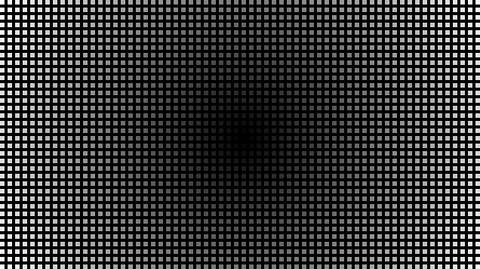 Array2D
Processing/Basics/Arrays/Array2D
open on Codeberg ↗
/**
 * Array 2D.
 *
 * Demonstrates the syntax for creating a two-dimensional (2D) array.
 * Values in a 2D array are accessed through two index values.
 * 2D arrays are useful for storing images. In this example, each dot
 * is colored in relation to its distance from the center of the image.
 */

// TODO @diff(points are currently only rendered as rectangles ( not circles ))

#include "Umfeld.h"

using namespace umfeld;

float distances[640][360]; // @diff(array size must be defined when array is declared; alternatively use `std::vector`)
float maxDistance;
int   spacer;

void settings() {
    size(640, 360);
}

void setup() {
    maxDistance = dist(width / 2.f, height / 2.f, width, height);
    // distances = new float[width][height]; // @diff(array size must be defined when array is declared; alternatively use `std::vector`)
    for (int y = 0; y < height; y++) {
        for (int x = 0; x < width; x++) {
            float distance  = dist(width / 2, height / 2, x, y);
            distances[x][y] = distance / maxDistance * 255;
        }
    }
    spacer = 10;
    strokeWeight(6);
    noLoop(); // Run once and stop
}

void draw() {
    background(0);
    // This embedded loop skips over values in the arrays based on
    // the spacer variable, so there are more values in the array
    // than are drawn here. Change the value of the spacer variable
    // to change the density of the points
    for (int y = 0; y < height; y += spacer) {
        for (int x = 0; x < width; x += spacer) {
            stroke(distances[x][y]);
            point(x + spacer / 2, y + spacer / 2);
        }
    }
}
ArrayObjects ArrayObjects
Processing/Basics/Arrays/ArrayObjects
open on Codeberg ↗
/**
 * Array Objects.
 *
 * Demonstrates the syntax for creating an array of custom objects.
 */

#include "Umfeld.h"
#include "module.h"

using namespace umfeld;

int                 unit = 40;
int                 count;
std::vector<Module> mods; // @diff(std::vector)

void settings() {
    size(640, 360);
}

void setup() {
    noStroke();
    int wideCount = width / unit;
    int highCount = height / unit;
    count         = wideCount * highCount;
    mods          = std::vector<Module>(count);

    int index = 0;
    for (int y = 0; y < highCount; y++) {
        for (int x = 0; x < wideCount; x++) {
            mods[index++] = Module(
                x * unit,
                y * unit,
                (int) (unit / 2),
                (int) (unit / 2),
                random(0.05, 0.8),
                unit);
        }
    }
}

void draw() {
    background(0);
    for (Module& mod: mods) { // @diff(range_based_for_loop)
        mod.update();
        mod.display();
    }
}
 MoveEye
Processing/Basics/Camera/MoveEye
open on Codeberg ↗
/**
 * Move Eye.
 * by Simon Greenwold.
 *
 * The camera lifts up (controlled by mouseY) while looking at the same point.
 */


#include "Umfeld.h" // @diff(include)

using namespace umfeld;

void settings() {
    size(640, 360);
}

void setup() {
    fill(204);
    hint(ENABLE_DEPTH_TEST); // @note(available_hints)
}

void draw() {
    lights();
    background(0);
                                // ...existing code...
    stroke(255);
    camera(30.0, mouseY, 220.0, // eyeX, eyeY, eyeZ
           0.0, 0.0, 0.0,       // centerX, centerY, centerZ
           0.0, 1.0, 0.0);      // upX, upY, upZ

    noStroke();
    box(90);
    stroke(255);
    line(-100, 0, 0, 100, 0, 0);
    line(0, -100, 0, 0, 100, 0);
    line(0, 0, -100, 0, 0, 100);

    noLights();
}
 Orthographic
Processing/Basics/Camera/Orthographic
open on Codeberg ↗
/**
 * Perspective vs. Ortho
 *
 * Move the mouse left to right to change the "far"
 * parameter for the perspective() and ortho() functions.
 * This parameter sets the maximum distance from the
 * origin away from the viewer and will clip the geometry.
 * Click a mouse button to switch between the perspective and
 * orthographic projections.
 */

#include "Umfeld.h" // @diff(include)

using namespace umfeld;

bool showPerspective = false;

void settings() {
    size(600, 360);
}

void setup() {
    noFill();
    fill(255); // when exeeding 1.f, shadow disappears in lighting, seems to need internal clamping? Do test with a big value like 10.f -- but unrelated to this example tho..

    noStroke();
    hint(ENABLE_DEPTH_TEST); // @diff(hints)
}

void draw() {
    background(0);
    lights();
    float far = map(mouseX, 0, width, 120, 400);
    if (showPerspective == true) {
        perspective(PI / 3.0, float(width) / float(height), 10, far); // FIXME: disables the light completely
    } else {
        ortho(-width / 2.0, width / 2.0, -height / 2.0, height / 2.0, 10, far); // FIXME: disables the light completely
    }
    translate(width / 2, height / 2, 0);
    rotateX(-PI / 6);
    rotateY(PI / 3);
    box(180);

    noLights();
}

void mousePressed() {
    showPerspective = !showPerspective;
}

/*
note:
- `pespective()` and `ortho()` disables the `lights()`.
*/
Perspective Perspective
Processing/Basics/Camera/Perspective
open on Codeberg ↗
/**
 * Perspective.
 *
 * Move the mouse left and right to change the field of view (fov).
 * Click to modify the aspect ratio. The perspective() function
 * sets a perspective projection applying foreshortening, making
 * distant objects appear smaller than closer ones. The parameters
 * define a viewing volume with the shape of truncated pyramid.
 * Objects near to the front of the volume appear their actual size,
 * while farther objects appear smaller. This projection simulates
 * the perspective of the world more accurately than orthographic projection.
 * The version of perspective without parameters sets the default
 * perspective and the version with four parameters allows the programmer
 * to set the area precisely.
 */
#include "Umfeld.h" // @diff(include)

using namespace umfeld;

bool  showPerspective = false;
float aspect;


void settings() {
    size(640, 360);
}

void setup() {
    noStroke();
    fill(255);
    hint(ENABLE_DEPTH_TEST); // @diff(available_hints)
}

void draw() {
    background(0);
    lights();
    float cameraY = height / 2.f;
    float fov     = mouseX / width * PI / 2.f;
    float cameraZ = cameraY / tanf(fov / 2.f);

    perspective(fov, aspect, cameraZ / 10.f, cameraZ * 10.f); // FIXME: this disables the light

    translate(width / 2.f + 30.f, height / 2.f, 0.f);
    rotateX(-PI / 6.f);
    rotateY(PI / 3.f + mouseY / height * PI);
    box(45.f);
    translate(0.f, 0.f, -50.f);
    box(30.f);

    noLights();
}

void mousePressed() {
    aspect = aspect / 2.f;
}
void mouseReleased() {
    aspect = width / height;
}

/*
note:
- `pespective()` and `ortho()` disables the `lights()`.
*/
Brightness Brightness
Processing/Basics/Color/Brightness
open on Codeberg ↗
/**
 * Brightness
 * by Rusty Robison.
 *
 * Brightness is the relative lightness or darkness of a color.
 * Move the cursor vertically over each bar to alter its brightness.
 */
#include "Umfeld.h"
#include "glm/gtx/color_space.hpp"

using namespace umfeld;

int barWidth = 20;
int lastBar  = -1;

void settings() {
    size(640, 360);
}

void setup() {
    noStroke();
    background(0);
}

void draw() {
    int whichBar = mouseX / barWidth;
    if (whichBar != lastBar) {
        int barX = whichBar * barWidth;

        // the glm rgbColor function expects the hue to be in degrees (0-360), saturation (0-1), and brightness (0-1).
        glm::vec3 hsv(
            // hue: 0~width -> 0~360
            (static_cast<float>(barX) / width) * 360.0f,
            // saturation: always max 100% -> 1.0
            1.0f,
            // brightness: 0~height -> 0~1
            static_cast<float>(mouseY) / height);

        // Use GLM to convert HSV to RGB
        glm::vec3 rgb = glm::rgbColor(hsv);
        fill(rgb.r * 255.0f, rgb.g * 255.0f, rgb.b * 255.0f);
        rect(barX, 0, barWidth, height);
        lastBar = whichBar;
    }
}
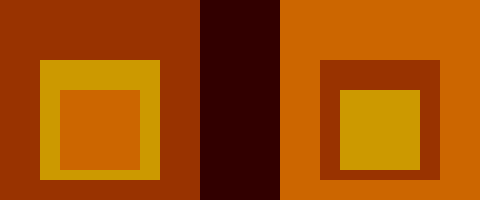 ColorVariables
Processing/Basics/Color/ColorVariables
open on Codeberg ↗
/**
 * Color Variables (Homage to Albers).
 *
 * This example creates variables for colors that may be referred to
 * in the program by a name, rather than a number.
 */

#include "Umfeld.h"

using namespace umfeld;

color_t inside  = color(204, 102, 0);
color_t middle  = color(204, 153, 0);
color_t outside = color(153, 51, 0);

void settings() {
    size(640, 360);
}

void setup() {
    noStroke();
    background(50, 0, 0);
}

void draw() {
    pushMatrix();
    translate(80, 80);
    fill(outside);
    rect(0, 0, 200, 200);
    fill(middle);
    rect(40, 60, 120, 120);
    fill(inside);
    rect(60, 90, 80, 80);
    popMatrix();

    pushMatrix();
    translate(360, 80);
    fill(inside);
    rect(0, 0, 200, 200);
    fill(outside);
    rect(40, 60, 120, 120);
    fill(middle);
    rect(60, 90, 80, 80);
    popMatrix();
}
Hue Hue
Processing/Basics/Color/Hue
open on Codeberg ↗
/**
 * Hue.
 *
 * Hue is the color reflected from or transmitted through an object
 * and is typically referred to as the name of the color such as
 * red, blue, or yellow. In this example, move the cursor vertically
 * over each bar to alter its hue.
 */

#include "Umfeld.h"
#include "glm/gtx/color_space.hpp"

using namespace umfeld;

int barWidth = 20;
int lastBar  = -1;

void settings() {
    size(640, 360);
}

void setup() {
    noStroke();
    background(0);
}

void draw() {
    int whichBar = mouseX / barWidth;
    if (whichBar != lastBar) {
        int barX = whichBar * barWidth;

        // normalize the hsv values to the range 0-1
        float hue        = mouseY / float(height);
        float saturation = 1.0f;
        float brightness = 1.0f;

        // use glm functions to convert HSV to RGB
        glm::vec3 hsv(hue * 360.0f, saturation, brightness);
        glm::vec3 rgb = glm::rgbColor(hsv);

        fill(rgb.r * 255.0f, rgb.g * 255.0f, rgb.b * 255.0f);
        rect(barX, 0, barWidth, height);
        lastBar = whichBar;
    }
}
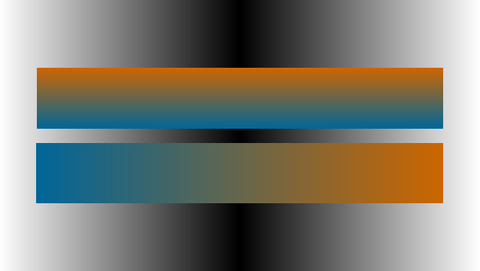 LinearGradient
Processing/Basics/Color/LinearGradient
open on Codeberg ↗
/**
 * Simple Linear Gradient
 *
 * The lerpColor() function is useful for interpolating
 * between two colors.
 */
#include "Umfeld.h"

using namespace umfeld;

int      Y_AXIS = 1;
int      X_AXIS = 2;
uint32_t b1, b2, c1, c2; //@diff(color_type)

void setGradient(int x, int y, float w, float h, uint32_t c1, uint32_t c2, int axis); //@diff(forward_declaration)


void settings() {
    size(640, 360);
}

void setup() {
    b1 = color(255);
    b2 = color(0);
    c1 = color(204, 102, 0);
    c2 = color(0, 102, 153);

    noLoop();
}

void draw() {
    // Background
    setGradient(0, 0, width / 2, height, b1, b2, X_AXIS);
    setGradient(width / 2, 0, width / 2, height, b2, b1, X_AXIS);
    // Foreground
    setGradient(50, 90, 540, 80, c1, c2, Y_AXIS);
    setGradient(50, 190, 540, 80, c2, c1, X_AXIS);
}

void setGradient(int x, int y, float w, float h, uint32_t c1, uint32_t c2, int axis) {

    noFill();

    if (axis == Y_AXIS) { // Top to bottom gradient
        for (int i = y; i <= y + h; i++) {
            float    inter = map(i, y, y + h, 0, 1);
            uint32_t c     = lerpColor(c1, c2, inter);
            stroke_color(c);
            line(x, i, x + w, i);
        }
    } else if (axis == X_AXIS) { // Left to right gradient
        for (int i = x; i <= x + w; i++) {
            float    inter = map(i, x, x + w, 0, 1);
            uint32_t c     = lerpColor(c1, c2, inter);
            stroke_color(c);
            line(i, y, i, y + h);
        }
    }
}
RadialGradient RadialGradient
Processing/Basics/Color/RadialGradient
open on Codeberg ↗
/**
 * Radial Gradient.
 *
 * Draws a series of concentric circles to create a gradient
 * from one color to another.
 */

#include "Umfeld.h"
#include "glm/gtx/color_space.hpp"

using namespace umfeld;

int dim;

void drawGradient(float x, float y) {
    int   radius = dim / 2;
    float h      = random(0, 360);
    for (int r = radius; r > 0; --r) {
        glm::vec3 hsv(h, 90.f / 100.f, 90.f / 100.f);
        glm::vec3 rgb = glm::rgbColor(hsv);
        fill(rgb.r * 255.0f, rgb.g * 255.0f, rgb.b * 255.0f);
        ellipse(x, y, r, r);
        h = (int) (h + 1) % 360;
    }
}

void settings() {
    size(640, 360);
}

void setup() {
    dim = width / 2;
    background(0);
    noStroke();
    ellipseMode(RADIUS);
    set_frame_rate(1.f); //@diff(frameRate)
}


void draw() {
    background(0);
    for (int x = 0; x <= width; x += dim) {
        drawGradient(x, height / 2);
    }
}
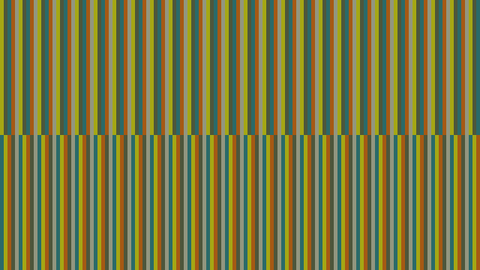 Relativity
Processing/Basics/Color/Relativity
open on Codeberg ↗
/**
 * Relativity.
 *
 * Each color is perceived in relation to other colors. The top and bottom
 * bars each contain the same component colors, but a different display order
 * causes individual colors to appear differently.
 */

#include "Umfeld.h"

using namespace umfeld;

// in the original example, the vars are a,b,c,d,e
// but the "a" becomes ambiguous(for compiler) inside umfeld,
// cuz there is a global definition of
// inline PAudio* a = nullptr; inside Umfeld.h
uint32_t c1, c2, c3, c4, c5; //@diff(color_type)

void drawBand(uint32_t v, uint32_t w, uint32_t x, uint32_t y, uint32_t z, int ypos, int barWidth); //@diff(forward_declaration)

void settings() {
    size(640, 360);
}

void setup() {
    noStroke();
    c1 = color(165, 167, 20);
    c2 = color(77, 86, 59);
    c3 = color(42, 106, 105);
    c4 = color(165, 89, 20);
    c5 = color(146, 150, 127);
    noLoop(); // Draw only one time
}

void draw() {
    drawBand(c1, c2, c3, c4, c5, 0, width / 128);
    drawBand(c3, c1, c4, c2, c5, height / 2, width / 128);
}

void drawBand(uint32_t v, uint32_t w, uint32_t x, uint32_t y, uint32_t z, int ypos, int barWidth) {
    int         num        = 5;
    std::vector colorOrder = {v, w, x, y, z};
    for (int i = 0; i < width; i += barWidth * num) {
        for (int j = 0; j < num; j++) {
            fill_color(colorOrder[j]); // fill vs fill_color ambiguous(humanely)
            rect(i + j * barWidth, ypos, barWidth, height / 2);
        }
    }
}
 Saturation
Processing/Basics/Color/Saturation
open on Codeberg ↗
/**
 * Saturation.
 *
 * Saturation is the strength or purity of the color and represents the
 * amount of gray in proportion to the hue. A "saturated" color is pure
 * and an "unsaturated" color has a large percentage of gray.
 * Move the cursor vertically over each bar to alter its saturation.
 */
#include "Umfeld.h"
#include "glm/gtx/color_space.hpp"

using namespace umfeld;

int barWidth = 20;
int lastBar  = -1;

void settings() {
    size(640, 360);
}

void setup() {
    noStroke();
}

void draw() {
    float whichBar = mouseX / barWidth;
    if (whichBar != lastBar) {
        int barX = whichBar * barWidth;

        glm::vec3 hsb(
            (float) barX / width * 360.0f, // glm expects hue in degrees 0-360
            mouseY / height,
            .66f);

        glm::vec3 rgb = glm::rgbColor(hsb);
        fill(rgb.r * 255.0f, rgb.g * 255.0f, rgb.b * 255.0f);
        rect(barX, 0, barWidth, height);
        lastBar = whichBar;
    }
}
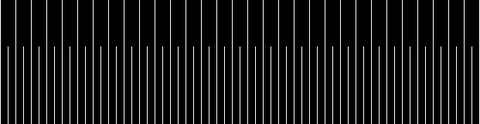 Conditionals1
Processing/Basics/Control/Conditionals1
open on Codeberg ↗
/**
 * Conditionals 1.
 *
 * Conditions are like questions.
 * They allow a program to decide to take one action if
 * the answer to a question is "true" or to do another action
 * if the answer to the question is "false."
 * The questions asked within a program are always logical
 * or relational statements. For example, if the variable 'i' is
 * equal to zero then draw a line.
 */

#include "Umfeld.h"

using namespace umfeld;

void settings() {
    size(640, 360);
}

void setup() {
    background(0);
}

void draw() {
    background(0);

    for (int i = 10; i < width; i += 10) {
        // If 'i' divides by 20 with no remainder draw
        // the first line, else draw the second line
        if ((i % 20) == 0) {
            stroke(255);
            line(i, 80, i, height / 2);
        } else {
            stroke(255);
            line(i, 20, i, 180);
        }
    }
}
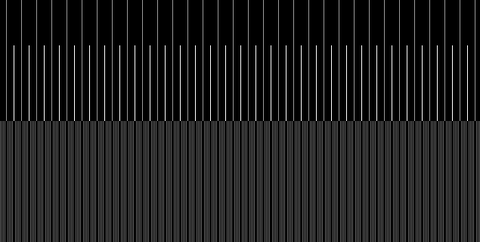 Conditionals2
Processing/Basics/Control/Conditionals2
open on Codeberg ↗
#include "Umfeld.h"

using namespace umfeld;

void settings() {
    size(640, 360);
}

void setup() {
    background(0);
}

void draw() {
    for (int i = 2; i < width - 2; i += 2) {
        // If 'i' divides by 20 with no remainder
        if ((i % 20) == 0) {
            stroke(255);
            line(i, 80, i, height / 2);
            // If 'i' divides by 10 with no remainder
        } else if ((i % 10) == 0) {
            stroke(153);
            line(i, 20, i, 180);
            // If neither of the above two conditions are met
            // then draw this line
        } else {
            stroke(102);
            line(i, height / 2, i, height - 20);
        }
    }
}
 EmbeddedIteration
Processing/Basics/Control/EmbeddedIteration
open on Codeberg ↗
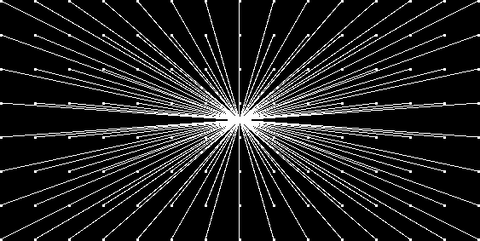
#include "Umfeld.h"

using namespace umfeld;

int gridSize = 40;

void settings() {
    size(640, 360);
}

void setup() {
    background(0);
}

void draw() {
    for (int x = gridSize; x <= width - gridSize; x += gridSize) {
        for (int y = gridSize; y <= height - gridSize; y += gridSize) {
            noStroke();
            fill(255);
            rect(x - 1, y - 1, 3, 3);
            // alpha doesn't work somehow(umfeld)
            stroke(255, 102);
            line(x, y, width / 2, height / 2);
        }
    }
}
 Iteration
Processing/Basics/Control/Iteration
open on Codeberg ↗
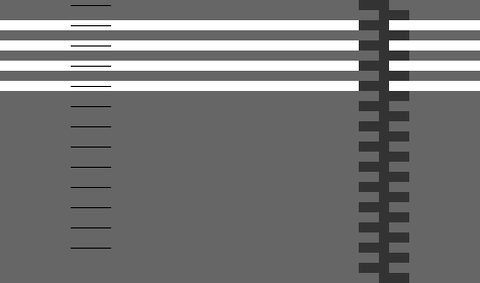
/**
 * Iteration.
 *
 * Iteration with a "for" structure to construct repetitive forms.
 */

#include "Umfeld.h"

using namespace umfeld;


int y;
int num = 14;

void settings() {
    size(640, 360);
}

void setup() {
    background(102);
    noStroke();
}

void draw() {
    // White bars
    fill(255);
    y = 60;
    for (int i = 0; i < num / 3; i++) {
        rect(50, y, 475, 10);
        y += 20;
    }

    // Gray bars
    fill(51);
    y = 40;
    for (int i = 0; i < num; i++) {
        rect(405, y, 30, 10);
        y += 20;
    }
    y = 50;
    for (int i = 0; i < num; i++) {
        rect(425, y, 30, 10);
        y += 20;
    }

    // Thin lines
    y = 45;
    fill(0);
    for (int i = 0; i < num - 1; i++) {
        rect(120, y, 40, 1);
        y += 20;
    }
}
 LogicalOperators
Processing/Basics/Control/LogicalOperators
open on Codeberg ↗
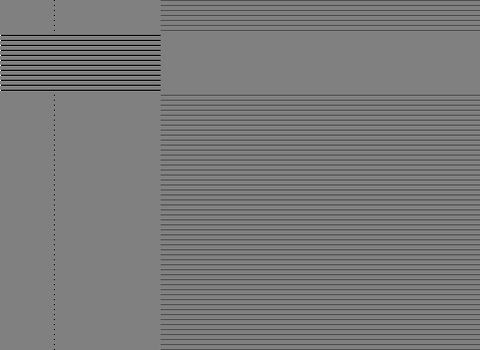
/**
 * Logical Operators.
 *
 * The logical operators for AND (&&) and OR (||) are used to
 * combine simple relational statements into more complex expressions.
 * The NOT (!) operator is used to negate a boolean statement.
 */

#include "Umfeld.h"

using namespace umfeld;

bool test = false; //@diff(generic_type)

void settings() {
    size(640, 360);
}

void setup() {
    background(128);
}

void draw() {
    for (int i = 5; i <= height; i += 5) {
        // Logical AND
        stroke(0);
        if ((i > 35) && (i < 100)) {
            line(width / 4, i, width / 2, i);
            test = false;
        }

        // Logical OR
        stroke(77);
        if ((i <= 35) || (i >= 100)) {
            line(width / 2, i, width, i);
            test = true;
        }

        // Testing if a boolean value is "true"
        // The expression "if(test)" is equivalent to "if(test == true)"
        if (test) {
            stroke(0);
            point(width / 3, i); // FIXME: THIS DOES NOT WORK
        }

        // Testing if a boolean value is "false"
        // The expression "if(!test)" is equivalent to "if(test == false)"
        if (!test) {
            stroke(255);
            point(width / 4, i); // FIXME: THIS DOES NOT WORK
        }
    }
}
CharactersStrings CharactersStrings
Processing/Basics/Data/CharactersStrings
open on Codeberg ↗
/**
 * Characters Strings.
 *
 * The character datatype, abbreviated as char, stores letters and
 * symbols in the Unicode format, a coding system developed to support
 * a variety of world languages. Characters are distinguished from other
 * symbols by putting them between single quotes ('P').
 *
 * A string is a sequence of characters. A string is noted by surrounding
 * a group of letters with double quotes ("Processing").
 * Chars and strings are most often used with the keyboard methods,
 * to display text to the screen, and to load images or files.
 *
 * The String datatype must be capitalized because it is a complex datatype.
 * A String is actually a class with its own methods, some of which are
 * featured below.
 */

#include "Umfeld.h"

using namespace umfeld;

char        letter;
std::string words = "Begin..."; //@diff(generic_type)

void settings() {
    size(640, 360);
}

void setup() {
    PFont* font = nullptr;
    // Load the font from the file
    font = loadFont("SourceCodePro-Regular.ttf", 36); // @diff(font_load)
    // Create the font
    textFont(font);
}

void draw() {
    background(0); // Set background to black

    // Draw the letter to the center of the screen
    textSize(14);
    text("Click on the program, then type to add to the String", 50, 50);
    text("Current key: " + letter, 50, 70);
    text("The String is " + std::to_string(words.length()) + " characters long", 50, 90); //@diff(text, type_conversion)

    textSize(36);
    text(words, 50, 120); //@diff(text)
}

// FIXME: keyTyped() has no response(6.15.8-arch1-1)
void keyTyped() {
    // The variable "key" always contains the value
    // of the most recent key pressed.
    if ((key >= 'A' && key <= 'z') || key == ' ') {
        letter = key;
        words  = words + (char) key; //@diff(type_casting,generic_type)
        // Write the letter to the console
        println(key);
    }
    println(key);
}
DatatypeConversion DatatypeConversion
Processing/Basics/Data/DatatypeConversion
open on Codeberg ↗
/**
 * Datatype Conversion.
 *
 * It is sometimes beneficial to convert a value from one type of
 * data to another. Each of the conversion functions converts its parameter
 * to an equivalent representation within its datatype.
 * The conversion functions include int(), float(), char(), int8_t() and others.
 */
#include "Umfeld.h"

using namespace umfeld;

void settings() {
    size(640, 360);
}

void setup() {
    background(0);
    noStroke();
    PFont* font = loadFont("SourceCodePro-Regular.ttf", 24); //@diff(load_font)
    textFont(font);
}

void draw() {

    char   c = 'A'; // Char for alphanumeric symbols
    float  f;       // Float for decimal numbers
    int    i;       // Integer for whole numbers
    int8_t b;       // 8-bit signed integer (-128 to 127)


    f = static_cast<float>(c);      // Convert char to float (ASCII value of 'A' is 65)
    i = static_cast<int>(f * 1.4f); // Multiply float by 1.4 and convert to int
    b = static_cast<int8_t>(c / 2); // Divide char's ASCII value by 2 and convert to int8_t

    println(f);
    println(i);
    println(b);


    text(std::string("The value of variable c is ") + c, 50, 100);
    text("The value of variable f is " + std::to_string(f), 50, 150);
    text("The value of variable i is " + std::to_string(i), 50, 200);

    std::stringstream ss;
    ss << "The value of variable b is " << static_cast<int>(b);
    text(ss.str(), 50, 250);
}
 IntegersFloats
Processing/Basics/Data/IntegersFloats
open on Codeberg ↗
/**
 * Integers Floats.
 *
 * Integers and floats are two different kinds of numerical data.
 * An integer (more commonly called an int) is a number without
 * a decimal point. A float is a floating-point number, which means
 * it is a number that has a decimal place. Floats are used when
 * more precision is needed.
 */
#include "Umfeld.h"

using namespace umfeld;
// a is audio in umfeld
int   i = 0;   // Create a variable "i" of the datatype "int"
float f = 0.f; // Create a variable "f" of the datatype "float"

void settings() {
    size(640, 360);
}

void setup() {
    stroke(255);
}

void draw() {
    background(0);

    i = i + 1;
    f = f + 0.2;
    line(i, 0, i, height / 2);
    line(f, height / 2, f, height);

    if (i > width) {
        i = 0;
    }
    if (f > width) {
        f = 0;
    }
}
 TrueFalse
Processing/Basics/Data/TrueFalse
open on Codeberg ↗
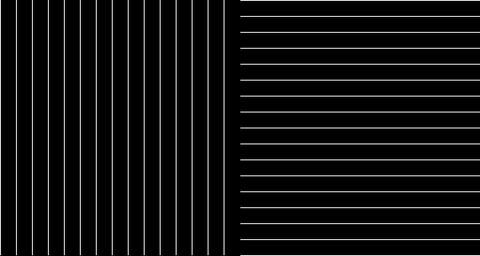
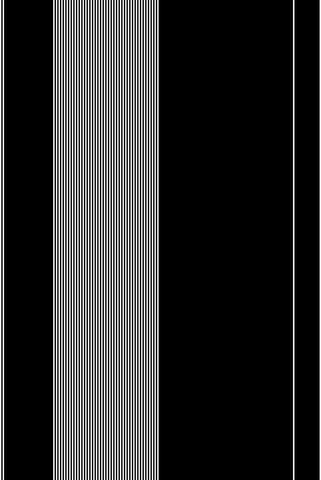
/**
 * True/False.
 *
 * A Boolean variable has only two possible values: true or false.
 * It is common to use Booleans with control statements to
 * determine the flow of a program. In this example, when the
 * boolean value "x" is true, vertical black lines are drawn and when
 * the boolean value "x" is false, horizontal gray lines are drawn.
 */

#include "Umfeld.h"

using namespace umfeld;

bool b = false; //@diff(generic_type)


void settings() {
    size(640, 360);
}

void setup() {
    background(0);
    stroke(255);
}

void draw() {

    int d      = 20;
    int middle = width / 2;

    for (int i = d; i <= width; i += d) {

        if (i < middle) {
            b = true;
        } else {
            b = false;
        }

        if (b == true) {
            // Vertical line
            line(i, d, i, height - d);
        }

        if (b == false) {
            // Horizontal line
            line(middle, i - middle + d, width - d, i - middle + d);
        }
    }
}
 VariableScope
Processing/Basics/Data/VariableScope
open on Codeberg ↗
/**
 * Variable Scope.
 *
 * Variables have a global or local "scope".
 * For example, variables declared within either the
 * setup() or draw() functions may be only used in these
 * functions. Global variables, variables declared outside
 * of setup() and draw(), may be used anywhere within the program.
 * If a local variable is declared with the same name as a
 * global variable, the program will use the local variable to make
 * its calculations within the current scope. Variables are localized
 * within each block, the space between a { and }.
 */
#include "Umfeld.h"

using namespace umfeld;
// a is audio in umfeld
int b = 80; // Create a global variable "b"

void drawYetAnotherLine(); // @diff(forward_declaration)
void drawAnotherLine();    // @diff(forward_declaration)

void settings() {
    size(640, 360);
}

void setup() {
    background(0);
    stroke(255);
    noLoop();
}

void draw() {
    // Draw a line using the global variable "b"
    line(b, 0, b, height);

    // Create a new variable "b" local to the for() statement
    for (int b = 120; b < 200; b += 2) {
        line(b, 0, b, height);
    }

    // Create a new variable "b" local to the draw() function
    int b = 300;
    // Draw a line using the new local variable "b"
    line(b, 0, b, height);

    // Make a call to the custom function drawAnotherLine()
    drawAnotherLine();

    // Make a call to the custom function setYetAnotherLine()
    drawYetAnotherLine();
}

void drawAnotherLine() {
    // Create a new variable "b" local to this method
    int b = 320;
    // Draw a line using the local variable "b"
    line(b, 0, b, height);
}

void drawYetAnotherLine() {
    // Because no new local variable "b" is set,
    // this line draws using the original global
    // variable "b", which is set to the value 80.
    line(b + 2, 0, b + 2, height);
}
 Variables
Processing/Basics/Data/Variables
open on Codeberg ↗
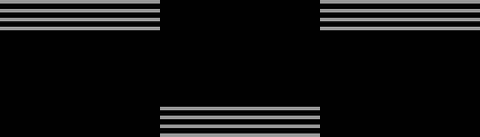
/**
 * Variables.
 *
 * Variables are used for storing values. In this example, change
 * the values of variables to affect the composition.
 */
#include "Umfeld.h"

using namespace umfeld;

void settings() {
    size(640, 360);
}

void setup() {
    background(0);
    stroke(153);
    strokeWeight(4);
    strokeCap(SQUARE);
}

void draw() {
    int d = 50;
    int e = 120;
    int f = 180;

    line(d, e, d + f, e);
    line(d, e + 10, d + f, e + 10);
    line(d, e + 20, d + f, e + 20);
    line(d, e + 30, d + f, e + 30);

    d = d + f;
    e = height - e;

    line(d, e, d + f, e);
    line(d, e + 10, d + f, e + 10);
    line(d, e + 20, d + f, e + 20);
    line(d, e + 30, d + f, e + 30);

    d = d + f;
    e = height - e;

    line(d, e, d + f, e);
    line(d, e + 10, d + f, e + 10);
    line(d, e + 20, d + f, e + 20);
    line(d, e + 30, d + f, e + 30);
}
 Bezier
Processing/Basics/Form/Bezier
open on Codeberg ↗
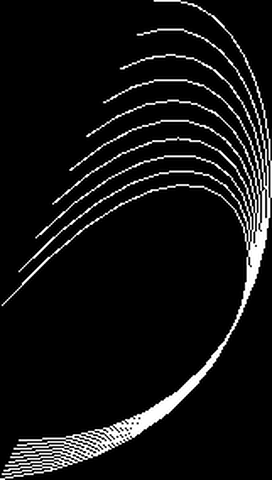
/**
 * Bezier.
 *
 * The first two parameters for the bezier() function specify the
 * first point in the curve and the last two parameters specify
 * the last point. The middle parameters set the control points
 * that define the shape of the curve.
 */
#include "Umfeld.h"

using namespace umfeld;

void settings() {
    size(640, 360);
}

void setup() {
    stroke(255);
    noFill();
}

void draw() {
    background(0);
    for (int i = 0; i < 200; i += 20) {
        bezier(mouseX - (i / 2.0), 40 + i, 410, 20, 440, 300, 240 - (i / 16.0), 300 + (i / 8.0));
    }
}
 PieChart
Processing/Basics/Form/PieChart
open on Codeberg ↗
/**
 * Pie Chart
 *
 * Uses the arc() function to generate a pie chart from the data
 * stored in an array.
 */

#include "Umfeld.h"

using namespace umfeld;

std::vector<int> angles = {30, 10, 45, 35, 60, 38, 75, 67}; //@diff(std::vector)

void pieChart(float diameter, const std::vector<int>& data); //@diff(foward_declaration, std::vector, reference)

void settings() {
    size(640, 360);
}

void setup() {
    noStroke();
    noLoop(); // Run once and stop
}


void draw() {
    background(100);
    pieChart(300, angles);
}

void pieChart(float diameter, const std::vector<int>& data) {
    float lastAngle = 0;
    for (int i = 0; i < data.size(); i++) {
        float gray = map(i, 0, data.size(), 0, 255);
        fill(gray);
        arc(width / 2, height / 2, diameter, diameter, lastAngle, lastAngle + radians(data[i]));
        lastAngle += radians(data[i]);
    }
}
 PointsLines
Processing/Basics/Form/PointsLines
open on Codeberg ↗
/**
 * Points and Lines.
 *
 * Points and lines can be used to draw basic geometry.
 * Change the value of the variable 'd' to scale the form.
 * The four variables set the positions based on the value of 'd'.
 */

#include "Umfeld.h"

using namespace umfeld;

int d  = 70;
int p1 = d;
int p2 = p1 + d;
int p3 = p2 + d;
int p4 = p3 + d;

void settings() {
    size(640, 360);
}

void setup() {
    size(640, 360);
    hint(DISABLE_SMOOTH_LINES); //@diff(available_hints)
    background(0);
    translate(140, 0);
}

void draw() {
    // Draw gray box
    stroke(128);
    line(p3, p3, p2, p3);
    line(p2, p3, p2, p2);
    line(p2, p2, p3, p2);
    line(p3, p2, p3, p3);

    // Draw white points
    stroke(255);
    point(p1, p1); //FIXME: DOES NOT DRAW ANYTHING
    point(p1, p3); //FIXME: DOES NOT DRAW ANYTHING
    point(p2, p4); //FIXME: DOES NOT DRAW ANYTHING
    point(p3, p1); //FIXME: DOES NOT DRAW ANYTHING
    point(p4, p2); //FIXME: DOES NOT DRAW ANYTHING
    point(p4, p4); //FIXME: DOES NOT DRAW ANYTHING
}
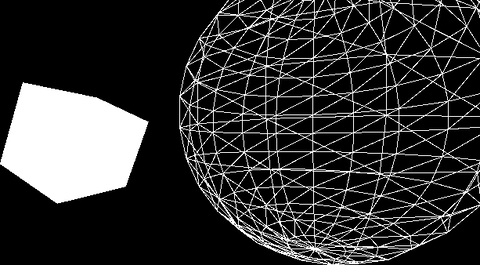 Primitives3D
Processing/Basics/Form/Primitives3D
open on Codeberg ↗
/**
 * Primitives 3D.
 *
 * Placing mathematically 3D objects in synthetic space.
 * The lights() method reveals their imagined dimension.
 * The box() and sphere() functions each have one parameter
 * which is used to specify their size. These shapes are
 * positioned using the translate() function.
 */
#include "Umfeld.h"

using namespace umfeld;

void settings() {
    size(640, 360);
}

void setup() {
    background(0);
    lights();
}

void draw() {
    noStroke();
    fill(255);
    pushMatrix();
    translate(130, height / 2, 0);
    rotateY(1.25);
    rotateX(-0.4);
    box(100);
    popMatrix();

    noFill();
    stroke(255); // needs clipping, if exceeding 1.f then whites out the light i.e shadow
    pushMatrix();
    translate(500, height * 0.35, -200);
    sphere(280);
    popMatrix();
}
/*
note:
- lights() does not work here
*/
 RegularPolygon
Processing/Basics/Form/RegularPolygon
open on Codeberg ↗
/**
 * Regular Polygon
 *
 * What is your favorite? Pentagon? Hexagon? Heptagon?
 * No? What about the icosagon? The polygon() function
 * created for this example is capable of drawing any
 * regular polygon. Try placing different numbers into the
 * polygon() function calls within draw() to explore.
 */

#include "Umfeld.h"

using namespace umfeld;

void polygon(float x, float y, float radius, int npoints); //@diff(forward_declaration)

void settings() {
    size(640, 360);
}

void setup() {
}

void draw() {
    background(102);

    pushMatrix();
    translate(width * 0.2, height * 0.5);
    rotate(frameCount / 200.0);
    polygon(0, 0, 82, 3); // Triangle
    popMatrix();

    pushMatrix();
    translate(width * 0.5, height * 0.5);
    rotate(frameCount / 50.0);
    polygon(0, 0, 80, 20); // Icosagon
    popMatrix();

    pushMatrix();
    translate(width * 0.8, height * 0.5);
    rotate(frameCount / -100.0);
    polygon(0, 0, 70, 7); // Heptagon
    popMatrix();
}

void polygon(float x, float y, float radius, int npoints) {
    float angle = TWO_PI / npoints;
    beginShape();
    for (float a = 0; a < TWO_PI; a += angle) {
        float sx = x + cos(a) * radius;
        float sy = y + sin(a) * radius;
        vertex(sx, sy);
    }
    endShape(CLOSE);
}
 ShapePrimitives
Processing/Basics/Form/ShapePrimitives
open on Codeberg ↗
/**
 * Shape Primitives.
 *
 * The basic shape primitive functions are triangle(),
 * rect(), quad(), ellipse(), and arc(). Squares are made
 * with rect() and circles are made with ellipse(). Each
 * of these functions requires a number of parameters to
 * determine the shape's position and size.
 */

#include "Umfeld.h"

using namespace umfeld;

void settings() {
    size(640, 360);
}

void setup() {
    background(0);
    noStroke();
}

void draw() {
    fill(204);
    triangle(18, 18, 0, 18, 360, 0, 81, 360, 0); //@diff(triangle)

    fill(102);
    rect(81, 81, 63, 63);

    fill(204);
    quad(189, 18, 0, 216, 18, 0, 216, 360, 0, 144, 360, 0); //@diff(quad)

    fill(255);
    ellipse(252, 144, 72, 72);

    fill(204);
    triangle(288, 18, 0, 351, 360, 0, 288, 360, 0); //@diff(triangle)

    fill(255);
    arc(479, 300, 280, 280, PI, TWO_PI);
}
/*
note:
- triangle() and quad() can be 2D shapes,
  so to have a override for 2D coordinates arguments(without z), or even with glm::vecN might be meaningful.
*/
 Star
Star
Processing/Basics/Form/Star
open on Codeberg ↗
/**
 * Star
 *
 * The star() function created for this example is capable of drawing a
 * wide range of different forms. Try placing different numbers into the
 * star() function calls within draw() to explore.
 */
#include "Umfeld.h"

using namespace umfeld;

void star(float x, float y, float radius1, float radius2, int npoints); //@diff(forward_declaration)

void settings() {
    size(640, 360);
}

void setup() {
}

void draw() {
    background(102);

    pushMatrix();
    translate(width * 0.2, height * 0.5);
    rotate(frameCount / 200.0);
    star(0, 0, 5, 70, 3);
    popMatrix();

    pushMatrix();
    translate(width * 0.5, height * 0.5);
    rotate(frameCount / 400.0);
    star(0, 0, 80, 100, 40);
    popMatrix();

    pushMatrix();
    translate(width * 0.8, height * 0.5);
    rotate(frameCount / -100.0);
    star(0, 0, 30, 70, 5);
    popMatrix();
}

void star(float x, float y, float radius1, float radius2, int npoints) {
    float angle     = TWO_PI / npoints;
    float halfAngle = angle / 2.0;
    beginShape();
    for (float a = 0; a < TWO_PI; a += angle) {
        float sx = x + cos(a) * radius2;
        float sy = y + sin(a) * radius2;
        vertex(sx, sy);
        sx = x + cos(a + halfAngle) * radius1;
        sy = y + sin(a + halfAngle) * radius1;
        vertex(sx, sy);
    }
    endShape(CLOSE);
}
 TriangleStrip
Processing/Basics/Form/TriangleStrip
open on Codeberg ↗
/**
 * Triangle Strip
 * by Ira Greenberg.
 *
 * Generate a closed ring using the vertex() function and
 * beginShape(TRIANGLE_STRIP) mode. The outsideRadius and insideRadius
 * variables control ring's radii respectively.
 */

#include "Umfeld.h"

using namespace umfeld;

int   x;
int   y;
float outsideRadius = 150;
float insideRadius  = 100;

void settings() {
    size(640, 360);
}

void setup() {
    background(204);
    x = width / 2;
    y = height / 2;
}

void draw() {
    background(204);

    int   numPoints = int(map(mouseX, 0, width, 6, 60));
    float angle     = 0;
    float angleStep = 180.0 / numPoints;

    beginShape(TRIANGLE_STRIP);
    for (int i = 0; i <= numPoints; i++) {
        float px = x + cos(radians(angle)) * outsideRadius;
        float py = y + sin(radians(angle)) * outsideRadius;
        angle += angleStep;
        vertex(px, py);
        px = x + cos(radians(angle)) * insideRadius;
        py = y + sin(radians(angle)) * insideRadius;
        vertex(px, py);
        angle += angleStep;
    }
    endShape();
}
Alphamask Alphamask
Processing/Basics/Image/Alphamask
open on Codeberg ↗
/**
 * Alpha Mask.
 *
 * Loads a "mask" for an image to specify the transparency
 * in different parts of the image. The two images are blended
 * together using the mask() method of PImage.
 */
#include "Umfeld.h"

using namespace umfeld;

PImage* img;     //@diff(pointer)
PImage* imgMask; //@diff(pointer)

void settings() {
    size(640, 360);
}

void setup() {
    img     = loadImage("moonwalk.jpg");
    imgMask = loadImage("mask.jpg");
    // img->mask(imgMask); //unimplemented
    imageMode(CENTER);
}

void draw() {
    background(0, 102, 153);

    image(img, width / 2, height / 2);
    image(img, mouseX, mouseY);
}
 BackgroundImage
Processing/Basics/Image/BackgroundImage
open on Codeberg ↗
/**
 * Background Image.
 *
 * This example presents the fastest way to load a background image
 * into Processing. To load an image as the background, it must be
 * the same width and height as the program.
 */

#include "Umfeld.h"

using namespace umfeld;

PImage* bg; //@diff(pointer)
int     y;

void settings() {
    size(640, 360);
}

void setup() {
    // The background image must be the same size as the parameters
    // into the size() method. In this program, the size of the image
    // is 640 x 360 pixels.
    bg = loadImage("moonwalk.jpg");
}

void draw() {
    background(bg);

    stroke(255, 204, 0);
    line(0, y, width, y);

    y++;
    if (y > height) {
        y = 0;
    }
}
CreateImage CreateImage
Processing/Basics/Image/CreateImage
open on Codeberg ↗
/**
 * Create Image.
 *
 * The createImage() function provides a fresh buffer of pixels to play with.
 * This example creates an image gradient.
 */
#include "Umfeld.h"

using namespace umfeld;

PImage* img; //@diff(pointer)

void settings() {
    size(640, 360);
}

void setup() {
    //   img = createImage(230, 230, ARGB); // unimplemented
    // size_t pix_length = img->width * img->height * img->channels; //@diff(pointer)
    // for(int i = 0; i < pix_length; i++) {
    //     float a = map(i, 0, pix_length, 1.f, 0.f);
    //     img->pixels[i] = color(0.f, 0.6f, 0.8f, a);
    // }
}

void draw() {
    background(0);
    // image(img, 90, 80);
    // image(img, mouseX-img->width/2, mouseY-img->height/2); //@diff(pointer)
}

/*
note:
- createImage() is not implemented.
- couldn't find any implementation to set the pixel format either. for pimage, nor pgraphics.
*/
LoadDisplayImage LoadDisplayImage
Processing/Basics/Image/LoadDisplayImage
open on Codeberg ↗
/**
 * Load and Display
 *
 * Images can be loaded and displayed to the screen at their actual size
 * or any other size.
 */

#include "Umfeld.h"

using namespace umfeld;

PImage* img; // Declare variable "img" of type PImage //@diff(pointer)

void settings() {
    size(640, 360);
}

void setup() {
    // The image file must be in the data folder of the current sketch
    // to load successfully
    img = loadImage("moonwalk.jpg"); // Load the image into the program
}

void draw() {
    // Displays the image at its actual size at point (0,0)
    image(img, 0, 0);
    // Displays the image at point (0, height/2) at half of its size
    image(img, 0, height / 2, img->width / 2, img->height / 2); //@diff(pointer)
}
Pointillism Pointillism
Processing/Basics/Image/Pointillism
open on Codeberg ↗
/**
 * Pointillism
 * by Daniel Shiffman.
 *
 * Mouse horizontal location controls size of dots.
 * Creates a simple pointillist effect using ellipses colored
 * according to pixels in an image.
 */
#include "Umfeld.h"

using namespace umfeld;

PImage* img; //@diff(pointer)
int     smallPoint, largePoint;

void settings() {
    size(640, 360);
}

void setup() {
    img        = loadImage("moonwalk.jpg");
    smallPoint = 4;
    largePoint = 40;
    // imageMode(CENTER);
    noStroke();
    background(255);
}

void draw() {
    float    pointillize = map(mouseX, 0, width, smallPoint, largePoint);
    int      x           = int(random(img->width));  //@diff(pointer)
    int      y           = int(random(img->height)); //@diff(pointer)
    uint32_t pix         = img->get(x, y);           //@diff(pointer)

    fill( //@diff(color)
        red(pix),
        green(pix),
        blue(pix),
        128);

    ellipse(x, y, pointillize, pointillize);
}
/*
note:
- i see a general conflict between the different color representations (eg. uint32_t vs. float)
- i suggest either one of the following:
    - use uint32_t for the `default` color representation, and everything that uses float should be a wrapper with a function suffixed `_f` that runs the uint32_t function internally.
    - use float for the `default` color representation, and everything that uses uint32_t should be a wrapper with a function suffixed with `_i` that runs the float function internally.
*/
RequestImage RequestImage
Processing/Basics/Image/RequestImage
open on Codeberg ↗
/**
 * Request Image
 * by Ira Greenberg
 *
 * Shows how to use the requestImage() function with preloader animation.
 * The requestImage() function loads images on a separate thread so that
 * the sketch does not freeze while they load. It's useful when you are
 * loading large images. These images are small for a quick download, but
 * try it with your own huge images to get the full effect.
 */
#include "Umfeld.h"

using namespace umfeld;


int                  imgCount = 12;
std::vector<PImage*> imgs(imgCount); //@diff(std::vector)
float                imgW;

// Keeps track of loaded images (true or false)
std::vector<bool> loadStates(imgCount); //@diff(std::vector)

// For loading animation
float loaderX, loaderY, theta;

void drawImages();      //@diff(forward_declaration
void runLoaderAni();    //@diff(forward_declaration
bool checkLoadStates(); //@diff(forward_declaration)

void settings() {
    size(640, 360);
}

void setup() {
    imgW = width / imgCount;

    // Load images asynchronously
    // for (int i = 0; i < imgCount; i++) {
    //     imgs[i] = requestImage("PT_anim" + nf(i, 4) + ".gif"); // unimplemented
    // }
}

void draw() {
    background(0);

    // Start loading animation
    runLoaderAni();

    // for (int i = 0; i < imgs.size(); i++) { //@diff(std::vector)
    //     // Check if individual images are fully loaded
    //     if ((imgs[i]->width != 0) && (imgs[i]->width != -1)) { //@diff(pointer)
    //         // As images are loaded set true in boolean array
    //         loadStates[i] = true;
    //     }
    // }
    // When all images are loaded draw them to the screen
    if (checkLoadStates()) {
        drawImages();
    }
}

void drawImages() {
    // int y = (height - imgs[0]->height) / 2;
    // for (int i = 0; i < imgs.size(); i++) { //@diff(std::vector)
    //     image(imgs[i], width / imgs.size() * i, y, imgs[i]->height, imgs[i]->height); //@diff(pointer)
    // }
}

// Loading animation
void runLoaderAni() {
    // Only run when images are loading
    if (!checkLoadStates()) {
        ellipse(loaderX, loaderY, 10, 10);
        loaderX += 2;
        loaderY = height / 2 + sin(theta) * (height / 8);
        theta += PI / 22;
        // Reposition ellipse if it goes off the screen
        if (loaderX > width + 5) {
            loaderX = -5;
        }
    }
}

// Return true when all images are loaded - no false values left in array
bool checkLoadStates() {
    // for (int i = 0; i < imgs.size(); i++) { //@diff(std::vector)
    //     if (loadStates[i] == false) {
    //         return false;
    //     }
    // }
    return true;
}
Transparency Transparency
Processing/Basics/Image/Transparency
open on Codeberg ↗
/**
 * Transparency.
 *
 * Move the pointer left and right across the image to change
 * its position. This program overlays one image over another
 * by modifying the alpha value of the image with the tint() function.
 */
#include "Umfeld.h"

using namespace umfeld;

PImage* img; //@diff(pointer)
float   offset = 0;
float   easing = 0.05;

void settings() {
    size(640, 360);
}

void setup() {
    img = loadImage("moonwalk.jpg"); // Load an image into the program
}

void draw() {
    image(img, 0, 0);                              // Display at full opacity
    float dx = (mouseX - img->width / 2) - offset; //@diff(pointer)
    offset += dx * easing;
    //FIXME: error: ‘tint’ was not declared in this scope; did you mean ‘uint’?
    // tint(255, 127); // Display at half opacity //unimplemented
    image(img, offset, 0);
}
 Clock
Clock
Processing/Basics/Input/Clock
open on Codeberg ↗
/**
 * Clock.
 *
 * The current time can be read with the second(), minute(),
 * and hour() functions. In this example, sin() and cos() values
 * are used to set the position of the hands.
 */

#include "Umfeld.h"

using namespace umfeld;

int   cx, cy;
float secondsRadius;
float minutesRadius;
float hoursRadius;
float clockDiameter;

void settings() {
    size(640, 360);
}

void setup() {
    stroke(255);

    int radius    = min(width, height) / 2;
    secondsRadius = radius * 0.72;
    minutesRadius = radius * 0.60;
    hoursRadius   = radius * 0.50;
    clockDiameter = radius * 1.8;

    cx = width / 2;
    cy = height / 2;
}


void draw() {
    background(0);

    // Draw the clock background
    fill(77);
    noStroke();
    ellipse(cx, cy, clockDiameter, clockDiameter);

    // Angles for sin() and cos() start at 3 o'clock;
    // subtract HALF_PI to make them start at the top
    float s = map(second(), 0, 60, 0, TWO_PI) - HALF_PI;
    float m = map(minute() + norm(second(), 0, 60), 0, 60, 0, TWO_PI) - HALF_PI;
    float h = map(hour() + norm(minute(), 0, 60), 0, 24, 0, TWO_PI * 2) - HALF_PI;

    // Draw the hands of the clock
    stroke(255);
    strokeWeight(1);
    line(cx, cy, cx + cos(s) * secondsRadius, cy + sin(s) * secondsRadius);
    strokeWeight(2);
    line(cx, cy, cx + cos(m) * minutesRadius, cy + sin(m) * minutesRadius);
    strokeWeight(4);
    line(cx, cy, cx + cos(h) * hoursRadius, cy + sin(h) * hoursRadius);

    // Draw the minute ticks
    strokeWeight(2);
    beginShape(POINTS);
    for (int a = 0; a < 360; a += 6) {
        float angle = radians(a);
        float x     = cx + cos(angle) * secondsRadius;
        float y     = cy + sin(angle) * secondsRadius;
        vertex(x, y);
    }
    endShape();
}
 Constrain
Processing/Basics/Input/Constrain
open on Codeberg ↗
/**
 * Constrain.
 *
 * Move the mouse across the screen to move the circle.
 * The program constrains the circle to its box.
 */
#include "Umfeld.h"

using namespace umfeld;

float mx;
float my;
float easing = 0.05;
int   radius = 24;
int   edge   = 100;
int   inner  = edge + radius;

void settings() {
    size(640, 360);
}

void setup() {
    noStroke();
    ellipseMode(RADIUS);
    rectMode(CORNERS);
}

void draw() {
    background(51);

    if (abs(mouseX - mx) > 0.1) {
        mx = mx + (mouseX - mx) * easing;
    }
    if (abs(mouseY - my) > 0.1) {
        my = my + (mouseY - my) * easing;
    }

    mx = constrain(mx, (float) inner, width - inner); // might need an override for the int
    my = constrain(my, (float) inner, height - inner);
    fill(74);
    rect(edge, edge, width - edge, height - edge);
    fill(255);
    ellipse(mx, my, radius, radius);
}
 Easing
Processing/Basics/Input/Easing
open on Codeberg ↗
/**
 * Easing.
 *
 * Move the mouse across the screen and the symbol will follow.
 * Between drawing each frame of the animation, the program
 * calculates the difference between the position of the
 * symbol and the cursor. If the distance is larger than
 * 1 pixel, the symbol moves part of the distance (0.05) from its
 * current position toward the cursor.
 */

#include "Umfeld.h"

using namespace umfeld;

float x;
float y;
float easing = 0.05;

void settings() {
    size(640, 360);
}

void setup() {
    noStroke();
}

void draw() {
    background(51);

    float targetX = mouseX;
    float dx      = targetX - x;
    x += dx * easing;

    float targetY = mouseY;
    float dy      = targetY - y;
    y += dy * easing;

    ellipse(x, y, 66, 66);
}
Keyboard Keyboard
Processing/Basics/Input/Keyboard
open on Codeberg ↗
/**
 * Keyboard.
 *
 * Click on the image to give it focus and press the letter keys
 * to create forms in time and space. Each key has a unique identifying
 * number. These numbers can be used to position shapes in space.
 */

#include "Umfeld.h"

using namespace umfeld;

int rectWidth;

void settings() {
    size(640, 360);
}

void setup() {
    noStroke();
    background(0);
    rectWidth = width / 4;
}

void draw() {
    // keep draw() here to continue looping while waiting for keys
}

void keyPressed() {
    int keyIndex = -1;
    if (key >= 'A' && key <= 'Z') {
        keyIndex = key - 'A';
    } else if (key >= 'a' && key <= 'z') {
        keyIndex = key - 'a';
    }
    if (keyIndex == -1) {
        // If it's not a letter key, clear the screen
        background(0);
    } else {
        // It's a letter key, fill a rectangle
        float colorValue = float(millis() % 255) / 255.f;
        fill(colorValue);

        float x = map(keyIndex, 0, 25, 0, width - rectWidth);
        rect(x, 0, rectWidth, height);
    }
}

/*
note:
- drawing doesn't work inside the keyPressed()
- i guess it is threaded and isn't taken into the gl context
- which is good, cuz the gl context shall live only in the main thread.
- I might rewrite it to work with the main thread.
*/
KeyboardFunctions KeyboardFunctions
Processing/Basics/Input/KeyboardFunctions
open on Codeberg ↗
/**
 * Keyboard Functions
 * by Martin Gomez
 *
 * Click on the window to give it focus and press the letter keys to type colors.
 * The keyboard function keyPressed() is called whenever
 * a key is pressed. keyReleased() is another keyboard
 * function that is called when a key is released.
 *
 * Original 'Color Typewriter' concept by John Maeda.
 */
#include "Umfeld.h"

using namespace umfeld;

int maxHeight    = 40;
int minHeight    = 20;
int letterHeight = maxHeight; // Height of the letters
int letterWidth  = 20;        // Width of the letter

int x = -letterWidth; // X position of the letters
int y = 0;            // Y position of the letters

bool newletter; //@diff(generic_type)

int                   numChars = 26;    // There are 26 characters in the alphabet
std::vector<uint32_t> colors(numChars); //@diff(std::vector, color_type)

void settings() {
    size(640, 360);
}

void setup() {
    // TODO implement original HSB color mode
    noStroke();
    background(128); // Convert background like original
    // Set a hue value for each key - mimic Processing's colorMode(HSB, numChars)
    for (int i = 0; i < numChars; i++) {
        // Original: color(i, numChars, numChars) in HSB mode
        // Convert to 0-360, 0-1, 0-1 range for GLM
        float h = ((float) i / (float) numChars) * 360.0f; // hue: 0-360
        float s = 1.0f;                                    // saturation: full (numChars/numChars = 1)
        float v = 1.0f;                                    // value/brightness: full (numChars/numChars = 1)
        float r, g, b;
        hsb_to_rgb_f(h, s, v, r, g, b);
        colors[i] = color_f(r, g, b);
    }
}

void draw() {
    if (newletter == true) {
        // Draw the "letter"
        int y_pos;
        if (letterHeight == maxHeight) {
            y_pos = y;
            rect(x, y_pos, letterWidth, letterHeight);
        } else {
            y_pos = y + minHeight;
            rect(x, y_pos, letterWidth, letterHeight);
            fill_f((float) numChars / 2.0f / (float) numChars);
            rect(x, y_pos - minHeight, letterWidth, letterHeight);
        }
        newletter = false;
    }
}

void keyPressed() {
    // If the key is between 'A'(65) to 'Z' and 'a' to 'z'(122)
    console(to_string(key)); //FIXME: key is case INsensitive
    if ((key >= 'A' && key <= 'Z') || (key >= 'a' && key <= 'z')) {
        int keyIndex;
        if (key <= 'Z') {
            keyIndex     = key - 'A';
            letterHeight = maxHeight;
            fill_color(colors[keyIndex]);
        } else {
            keyIndex     = key - 'a';
            letterHeight = minHeight;
            fill_color(colors[keyIndex]);
        }
    } else {
        fill_f(0.0f);
        letterHeight = 10;
    }

    newletter = true;

    // Update the "letter" position
    x = (x + letterWidth);

    // Wrap horizontally
    if (x > width - letterWidth) {
        x = 0;
        y += maxHeight;
    }

    // Wrap vertically
    if (y > height - letterHeight) {
        y = 0; // reset y to 0
    }
}
Milliseconds Milliseconds
Processing/Basics/Input/Milliseconds
open on Codeberg ↗
/**
 * Milliseconds.
 *
 * A millisecond is 1/1000 of a second.
 * Processing keeps track of the number of milliseconds a program has run.
 * By modifying this number with the modulo(%) operator,
 * different patterns in time are created.
 */

#include "Umfeld.h"

using namespace umfeld;

float s; //scale; scale is a global variable in Umfeld.h

void settings() {
    size(640, 360);
}

void setup() {
    noStroke();
    s = width / 20;
}

void draw() {
    for (int i = 0; i < s; i++) {
        fill(
            (millis() % int((i + 1) * s * 10)) / float((i + 1) * s * 10));
        rect(i * s, 0, s, height);
    }
}
Mouse1D Mouse1D
Processing/Basics/Input/Mouse1D
open on Codeberg ↗
/**
 * Mouse 1D.
 *
 * Move the mouse left and right to shift the balance.
 * The "mouseX" variable is used to control both the
 * size and color of the rectangles.
 */

#include "Umfeld.h"

using namespace umfeld;

void settings() {
    size(640, 360);
}

void setup() {
    noStroke();
    rectMode(CENTER);
}

void draw() {
    background(0);

    float r1 = map(mouseX, 0, width, 0, height);
    float r2 = height - r1;

    fill(r1 / height * 255.f);
    rect(width / 2 + r1 / 2, height / 2, r1, r1);

    fill(r2 / height * 255.f);
    rect(width / 2 - r2 / 2, height / 2, r2, r2);
}
 Mouse2D
Processing/Basics/Input/Mouse2D
open on Codeberg ↗
/**
 * Mouse 2D.
 *
 * Moving the mouse changes the position and size of each box.
 */
#include "Umfeld.h"

using namespace umfeld;

void settings() {
    size(640, 360);
}

void setup() {
    noStroke();
    rectMode(CENTER);
}

void draw() {
    background(51);
    fill(255, 204);
    rect(mouseX, height / 2, mouseY / 2 + 10, mouseY / 2 + 10);
    fill(255, 204);
    int inverseX = width - mouseX;
    int inverseY = height - mouseY;
    rect(inverseX, height / 2, (inverseY / 2) + 10, (inverseY / 2) + 10);
}
 MouseFunctions
Processing/Basics/Input/MouseFunctions
open on Codeberg ↗
/**
 * Mouse Functions.
 *
 * Click on the box and drag it across the screen.
 */

#include "Umfeld.h"

using namespace umfeld;

float bx;
float by;
int   boxSize = 75;
bool  overBox = false; //@diff(generic_type)
bool  locked  = false; //@diff(generic_type)
float xOffset = 0.0;
float yOffset = 0.0;

void settings() {
    size(640, 360);
}

void setup() {
    bx = width / 2.0;
    by = height / 2.0;
    rectMode(RADIUS);
}

void draw() {
    background(0);

    // Test if the cursor is over the box
    if (mouseX > bx - boxSize && mouseX < bx + boxSize &&
        mouseY > by - boxSize && mouseY < by + boxSize) {
        overBox = true;
        if (!locked) {
            stroke(255);
            fill(153);
        }
    } else {
        stroke(153);
        fill(153);
        overBox = false;
    }

    // Draw the box
    rect(bx, by, boxSize, boxSize);
}

void mousePressed() {
    if (overBox) {
        locked = true;
        fill(255, 255, 255);
    } else {
        locked = false;
    }
    xOffset = mouseX - bx;
    yOffset = mouseY - by;
}

void mouseDragged() {
    if (locked) {
        bx = mouseX - xOffset;
        by = mouseY - yOffset;
    }
}

void mouseReleased() {
    locked = false;
}
 MousePress
Processing/Basics/Input/MousePress
open on Codeberg ↗
/**
 * Mouse Press.
 *
 * Move the mouse to position the shape.
 * Press the mouse button to invert the color.
 */

#include "Umfeld.h"

using namespace umfeld;

void settings() {
    size(640, 360);
}

void setup() {
    hint(DISABLE_SMOOTH_LINES); //@diff(available_hints)
    fill(128);
    background(102);
}

void draw() {
    if (isMousePressed) {
        stroke(255);
    } else {
        stroke(0);
    }
    line(mouseX - 66, mouseY, mouseX + 66, mouseY);
    line(mouseX, mouseY - 66, mouseX, mouseY + 66);
}
 MouseSignals
Processing/Basics/Input/MouseSignals
open on Codeberg ↗
/**
 * Mouse Signals
 *
 * Move and click the mouse to generate signals.
 * The top row is the signal from "mouseX",
 * the middle row is the signal from "mouseY",
 * and the bottom row is the signal from "mousePressed".
 */

#include "Umfeld.h"

using namespace umfeld;

std::vector<int> xvals; //@diff(std::vector)
std::vector<int> yvals; //@diff(std::vector)
std::vector<int> bvals; //@diff(std::vector)

void settings() {
    size(640, 360);
}

void setup() {
    hint(DISABLE_SMOOTH_LINES); //@diff(available_hints)
    xvals.resize(width);        //@diff(std::vector)
    yvals.resize(width);        //@diff(std::vector)
    bvals.resize(width);        //@diff(std::vector)
}

void draw() {
    background(102);

    for (int i = 1; i < width; i++) {
        xvals[i - 1] = xvals[i];
        yvals[i - 1] = yvals[i];
        bvals[i - 1] = bvals[i];
    }
    // Add the new values to the end of the array
    xvals[width - 1] = mouseX;
    yvals[width - 1] = mouseY;

    if (isMousePressed == true) { //@diff(mouse_pressed)
        bvals[width - 1] = 0;
    } else {
        bvals[width - 1] = height / 3;
    }

    fill(255);
    noStroke();
    rect(0, height / 3, width, height / 3 + 1);

    for (int i = 1; i < width; i++) {
        // Draw the x-values
        stroke(255);
        point(i, map(xvals[i], 0, width, 0, height / 3 - 1)); //FIXME: does not draw anything.

        // Draw the y-values
        stroke(0);
        point(i, height / 3 + yvals[i] / 3); //FIXME: does not draw anything.

        // Draw the mouse presses
        stroke(255);
        line(i, (2 * height / 3) + bvals[i], i, (2 * height / 3) + bvals[i - 1]);
    }
}
 StoringInput
Processing/Basics/Input/StoringInput
open on Codeberg ↗
/**
 * Storing Input.
 *
 * Move the mouse across the screen to change the position
 * of the circles. The positions of the mouse are recorded
 * into an array and played back every frame. Between each
 * frame, the newest value are added to the end of each array
 * and the oldest value is deleted.
 */

#include "Umfeld.h"

using namespace umfeld;

int                num = 60;
std::vector<float> mx(num); //@diff(std::vector)
std::vector<float> my(num); //@diff(std::vector)

void settings() {
    size(640, 360);
}

void setup() {
    noStroke();
    fill(255, 128);
}

void draw() {
    background(51);

    // Cycle through the array, using a different entry on each frame.
    // Using modulo (%) like this is faster than moving all the values over.
    int which = frameCount % num;
    mx[which] = mouseX;
    my[which] = mouseY;

    for (int i = 0; i < num; i++) {
        // which+1 is the smallest (the oldest in the array)
        int index = (which + 1 + i) % num;
        ellipse(mx[index], my[index], i, i);
    }
}
 Directional
Processing/Basics/Lights/Directional
open on Codeberg ↗
/**
 * Directional.
 *
 * Move the mouse the change the direction of the light.
 * Directional light comes from one direction and is stronger
 * when hitting a surface squarely and weaker if it hits at a
 * a gentle angle. After hitting a surface, a directional lights
 * scatters in all directions.
 */

#include "Umfeld.h"

using namespace umfeld;

void settings() {
    size(640, 360);
}

void setup() {
    noStroke();
    fill(204);
}

void draw() {
    noStroke();
    background(0);
    float dirY = (mouseY / float(height) - 0.5) * 2;
    float dirX = (mouseX / float(width) - 0.5) * 2;
    //    directionalLight(.8f, .8f, .8f, -dirX, -dirY, -1.f); //FIXME: error: ‘directionalLight’ was not declared in this scope
    translate(width / 2 - 100, height / 2, 0);
    sphere(80);
    translate(200, 0, 0);
    sphere(80);
}
 Mixture
Processing/Basics/Lights/Mixture
open on Codeberg ↗
/**
 * Mixture
 * by Simon Greenwold.
 *
 * Display a box with three different kinds of lights.
 */

#include "Umfeld.h"

using namespace umfeld;

void settings() {
    size(640, 360);
}

void setup() {
    noStroke();
}

void draw() {
    background(0);
    translate(width / 2, height / 2);

    // FIXME: error: ‘pointLight’ was not declared in this scope
    // Orange point light on the right
    // pointLight(150, 100, 0,   // Color
    //           200, -150, 0); // Position

    // FIXME: error: 'directionalLight' was not declared in this scope
    // Blue directional light from the left
    // directionalLight(0, 102, 255, // Color
    //                  1, 0, 0);    // The x-, y-, z-axis direction

    // FIXME: error: ‘spotLight’ was not declared in this scope
    // spotLight(255, 255, 109, // Color
    //          0, 40, 200,    // Position
    //          0, -0.5, -0.5, // Direction
    //          PI / 2, 2);    // Angle, concentration

    rotateY(map(mouseX, 0, width, 0, PI));
    rotateX(map(mouseY, 0, height, 0, PI));
    box(150);
}
MixtureGrid MixtureGrid
Processing/Basics/Lights/MixtureGrid
open on Codeberg ↗
/**
 * Mixture Grid
 * modified from an example by Simon Greenwold.
 *
 * Display a 2D grid of boxes with three different kinds of lights.
 */


#include "Umfeld.h"

using namespace umfeld;

void defineLights(); //@diff(forward_declaration)

void settings() {
    size(640, 360);
}

void setup() {
    noStroke();
}


void draw() {
    defineLights();
    background(0);

    for (int x = 0; x <= width; x += 60) {
        for (int y = 0; y <= height; y += 60) {
            pushMatrix();
            translate(x, y);
            rotateY(map(mouseX, 0, width, 0, PI));
            rotateX(map(mouseY, 0, height, 0, PI));
            box(90);
            popMatrix();
        }
    }
}

void defineLights() {
    // FIXME: error: ‘pointLight’ was not declared in this scope
    // Orange point light on the right
    // pointLight(150, 100, 0,   // Color
    //            200, -150, 0); // Position

    // FIXME: error: 'directionalLight' was not declared in this scope
    // Blue directional light from the left
    // directionalLight(0, 102, 255, // Color
    //                  1, 0, 0);    // The x-, y-, z-axis direction

    // FIXME: error: ‘spotLight’ was not declared in this scope
    // spotLight(255, 255, 109, // Color
    //           0, 40, 200,    // Position
    //           0, -0.5, -0.5, // Direction
    //           PI / 2, 2);    // Angle, concentration
}
 OnOff
OnOff
Processing/Basics/Lights/OnOff
open on Codeberg ↗
/**
 * On/Off.
 *
 * Uses the default lights to show a simple box. The lights() function
 * is used to turn on the default lighting. Click the mouse to turn the
 * lights off.
 */

#include "Umfeld.h"

using namespace umfeld;

float spin = 0.0;

void settings() {
    size(640, 360);
}

void setup() {
    hint(ENABLE_DEPTH_TEST); //@diff(available_hints)
    noStroke();
}

void draw() {
    background(51);

    if (!isMousePressed) {
        lights();
    }

    spin += 0.01;

    pushMatrix();
    translate(width / 2, height / 2, 0);
    rotateX(PI / 9);
    rotateY(PI / 5 + spin);
    box(150);
    popMatrix();
}
 Reflection
Processing/Basics/Lights/Reflection
open on Codeberg ↗
/**
 * Reflection
 * by Simon Greenwold.
 *
 * Vary the specular reflection component of a material
 * with the horizontal position of the mouse.
 */


#include "Umfeld.h"

using namespace umfeld;

void settings() {
    size(640, 360);
}

void setup() {
    noStroke();
    fill(102);
}

void draw() {
    background(0);
    translate(width / 2, height / 2);
    // Set the specular color of lights that follow
    // lightSpecular(1, 1, 1); //FIXME: error: ‘lightSpecular’ was not declared in this scope
    // directionalLight(0.8, 0.8, 0.8, 0, 0, -1); //FIXME: error: ‘directionalLight’ was not declared in this scope
    float s = mouseX / float(width);
    // specular(s, s, s); //FIXME: error: ‘specular’ was not declared in this scope
    sphere(120);
}
 Spot
Spot
Processing/Basics/Lights/Spot
open on Codeberg ↗
/**
 * Spot.
 *
 * Move the mouse the change the position and concentation
 * of a blue spot light.
 */

#include "Umfeld.h"

using namespace umfeld;

void settings() {
    size(640, 360);
}

void setup() {
    noStroke();
    fill(204);
    sphereDetail(60);
}

void draw() {
    background(0);

    // Light the bottom of the sphere
    // directionalLight(51, 102, 126, 0, -1, 0); //FIXME: error: ‘directionalLight’ was not declared in this scope

    // Orange light on the upper-right of the sphere
    // spotLight(204, 153, 0, 360, 160.f, 600, 0, 0, -1, PI / 2, 600); //FIXME: error: ‘spotLight’ was not declared in this scope

    // Moving spotlight that follows the mouse
    // spotLight(102, 153, 204, 360, mouseY, 600, 0, 0, -1, PI / 2, 600); //FIXME: error: ‘spotLight’ was not declared in this scope

    translate(width / 2, height / 2, 0);
    sphere(120);
}
 AdditiveWave
Processing/Basics/Math/AdditiveWave
open on Codeberg ↗
/**
 * Additive Wave
 * by Daniel Shiffman.
 *
 * Create a more complex wave by adding two waves together.
 */

#include "Umfeld.h"

using namespace umfeld;

int xspacing = 8; // How far apart should each horizontal location be spaced
int w;            // Width of entire wave
int maxwaves = 4; // total # of waves to add together

float              theta = 0.0;
std::vector<float> amplitude(maxwaves); // Height of wave @diff(std::vector)
std::vector<float> dx(maxwaves);        // Value for incrementing X, to be calculated as a function of period and xspacing @diff(std::vector)
std::vector<float> yvalues;             // Using an array to store height values for the wave (not entirely necessary) @diff(std::vector)

void calcWave();   //@diff(forward_declaration)
void renderWave(); //@diff(forward_declaration)

void settings() {
    size(640, 360);
}

void setup() {
    set_frame_rate(30.0f); //@diff(frameRate)
    w         = width + 16;

    for (int i = 0; i < maxwaves; i++) {
        amplitude[i] = random(10, 30);
        float period = random(100, 300); // How many pixels before the wave repeats
        dx[i]        = (TWO_PI / period) * xspacing;
    }

    yvalues = std::vector<float>(w / xspacing); //@diff(std::vector)
}

void draw() {
    background(0);
    calcWave();
    renderWave();
}

void calcWave() {
    // Increment theta (try different values for 'angular velocity' here
    theta += 0.02;

    // Set all height values to zero
    for (int i = 0; i < yvalues.size(); i++) {
        yvalues[i] = 0;
    }

    // Accumulate wave height values
    for (int j = 0; j < maxwaves; j++) {
        float x = theta;
        for (int i = 0; i < yvalues.size(); i++) {
            // Every other wave is cosine instead of sine
            if (j % 2 == 0) {
                yvalues[i] += sin(x) * amplitude[j];
            } else {
                yvalues[i] += cos(x) * amplitude[j];
            }
            x += dx[j];
        }
    }
}

void renderWave() {
    // A simple way to draw the wave with an ellipse at each location
    noStroke();
    fill(255, 128);
    ellipseMode(CENTER);
    for (int x = 0; x < yvalues.size(); x++) {
        ellipse(x * xspacing, height / 2 + yvalues[x], 16, 16);
    }
}
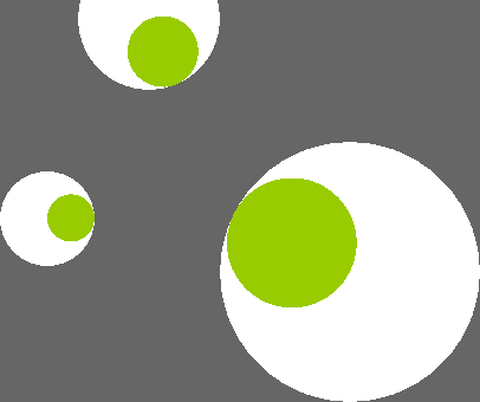 Arctangent
Processing/Basics/Math/Arctangent
open on Codeberg ↗
/**
 * Arctangent.
 *
 * Move the mouse to change the direction of the eyes.
 * The atan2() function computes the angle from each eye
 * to the cursor.
 */

#include "Umfeld.h"

using namespace umfeld;

class Eye { //@diff(forward_declaration)

private: //@diff(class_definition)
    int   x, y;
    int   size;
    float angle = 0.0;

public:              //@diff(class_definition)
    Eye() = default; //@diff(default_constructor)
    Eye(int tx, int ty, int ts) {
        x    = tx;
        y    = ty;
        size = ts;
    }

    void update(int mx, int my) {
        angle = atan2(my - y, mx - x);
    }

    void display() {
        pushMatrix();
        translate(x, y);
        fill(255);
        ellipse(0, 0, size, size);
        rotate(angle);
        fill(153, 204, 0);
        ellipse(size / 4, 0, size / 2, size / 2);
        popMatrix();
    }
};


Eye e1, e2, e3;

void settings() {
    size(640, 360);
}

void setup() {
    noStroke();
    e1 = Eye(250, 16, 120);
    e2 = Eye(164, 185, 80);
    e3 = Eye(420, 230, 220);
}

void draw() {
    background(102);

    e1.update(mouseX, mouseY);
    e2.update(mouseX, mouseY);
    e3.update(mouseX, mouseY);

    e1.display();
    e2.display();
    e3.display();
}
 Distance1D
Processing/Basics/Math/Distance1D
open on Codeberg ↗
/**
 * Distance 1D.
 *
 * Move the mouse left and right to control the
 * speed and direction of the moving shapes.
 */
#include "Umfeld.h"

using namespace umfeld;

float xpos1;
float xpos2;
float xpos3;
float xpos4;
int   thin  = 8;
int   thick = 36;

void settings() {
    size(640, 360);
}

void setup() {
    noStroke();
    xpos1 = width / 2;
    xpos2 = width / 2;
    xpos3 = width / 2;
    xpos4 = width / 2;
}

void draw() {
    background(0);

    float mx = mouseX * 0.4 - width / 5.0;

    fill(102);
    rect(xpos2, 0, thick, height / 2);
    fill(204);
    rect(xpos1, 0, thin, height / 2);
    fill(102);
    rect(xpos4, height / 2, thick, height / 2);
    fill(204);
    rect(xpos3, height / 2, thin, height / 2);

    xpos1 += mx / 16;
    xpos2 += mx / 64;
    xpos3 -= mx / 16;
    xpos4 -= mx / 64;

    if (xpos1 < -thin) { xpos1 = width; }
    if (xpos1 > width) { xpos1 = -thin; }
    if (xpos2 < -thick) { xpos2 = width; }
    if (xpos2 > width) { xpos2 = -thick; }
    if (xpos3 < -thin) { xpos3 = width; }
    if (xpos3 > width) { xpos3 = -thin; }
    if (xpos4 < -thick) { xpos4 = width; }
    if (xpos4 > width) { xpos4 = -thick; }
}
 Distance2D
Processing/Basics/Math/Distance2D
open on Codeberg ↗
/**
 * Distance 2D.
 *
 * Move the mouse across the image to obscure and reveal the matrix.
 * Measures the distance from the mouse to each square and sets the
 * size proportionally.
 */

#include "Umfeld.h"

using namespace umfeld;

float max_distance;

void settings() {
    size(640, 360);
}

void setup() {
    noStroke();
    max_distance = dist(0.f, 0.f, width, height);
}

void draw() {
    background(0);

    for (int i = 0; i <= width; i += 20) {
        for (int j = 0; j <= height; j += 20) {
            float size = dist(mouseX, mouseY, (float) i, (float) j); //@diff(argument_type)
            size       = size / max_distance * 66;
            ellipse(i, j, size, size);
        }
    }
}
 DoubleRandom
Processing/Basics/Math/DoubleRandom
open on Codeberg ↗
/**
 * Double Random
 * by Ira Greenberg.
 *
 * Using two random() calls and the point() function
 * to create an irregular sawtooth line.
 */
#include "Umfeld.h"

using namespace umfeld;

int   totalPts = 300;
float steps    = totalPts + 1;

void settings() {
    size(640, 360);
}

void setup() {
    stroke(255);
    set_frame_rate(1.f);
}

void draw() {
    background(0);
    float rand = 0;
    for (int i = 1; i < steps; i++) {
        point((width / steps) * i, (height / 2) + random(-rand, rand));
        rand += random(-5, 5);
    }
}
Graphing2DEquation Graphing2DEquation
Processing/Basics/Math/Graphing2DEquation
open on Codeberg ↗
/**
 * Graphing 2D Equations
 * by Daniel Shiffman.
 *
 * Graphics the following equation:
 * sin(n*cos(r) + 5*theta)
 * where n is a function of horizontal mouse location.
 */


#include "Umfeld.h"

using namespace umfeld;

void settings() {
    size(640, 360);
}

void setup() {
}

void draw() {
    loadPixels();
    float n  = (mouseX * 10.0) / width;
    float w  = 16.0;       // 2D space width
    float h  = 16.0;       // 2D space height
    float dx = w / width;  // Increment x this amount per pixel
    float dy = h / height; // Increment y this amount per pixel
    float x  = -w / 2;     // Start x at -1 * width / 2
    for (int i = 0; i < width; i++) {
        float y = -h / 2; // Start y at -1 * height / 2
        for (int j = 0; j < height; j++) {
            float r     = sqrt((x * x) + (y * y)); // Convert cartesian to polar
            float theta = atan2(y, x);             // Convert cartesian to polar
            // Compute 2D polar coordinate function
            float val = sin(n * cos(r) + 5 * theta); // Results in a value between -1 and 1
            //float val = cos(r); // Another simple function
            //float val = sin(theta); // Another simple function
            // Map resulting vale to grayscale value
            pixels[i + j * (int) width] = color_f((val + 1.0) / 2.0); // Scale to between 0 and 1
            y += dy;                                                // Increment y
        }
        x += dx; // Increment x
    }
    updatePixels();
}
 IncrementDecrement
Processing/Basics/Math/IncrementDecrement
open on Codeberg ↗
/**
 * Increment Decrement.
 *
 * Writing "a++" is equivalent to "a = a + 1".
 * Writing "a--" is equivalent to "a = a - 1".
 */
#include "Umfeld.h"

using namespace umfeld;

int  b;
int  c;
bool direction;

void settings() {
    size(640, 360);
}

void setup() {
    b         = 0;
    c         = width;
    direction = true;
    set_frame_rate(30); //@diff(set_frame_rate)
}

void draw() {
    b++;
    if (b > width) {
        b         = 0;
        direction = !direction;
    }
    if (direction == true) {
        stroke(b * 255.0f / width);
    } else {
        stroke((width - b) * 255.0f / width);
    }
    line(b, 0, b, height / 2);

    c--;
    if (c < 0) {
        c = width;
    }
    if (direction == true) {
        stroke((width - c) * 255.0f / width);
    } else {
        stroke(c * 255.0f / width);
    }
    line(c, height / 2 + 1, c, height);
}
 Interpolate
Processing/Basics/Math/Interpolate
open on Codeberg ↗
/**
 * Linear Interpolation.
 *
 * Move the mouse across the screen and the symbol will follow.
 * Between drawing each frame of the animation, the ellipse moves
 * part of the distance (0.05) from its current position toward
 * the cursor using the lerp() function.
 */

#include "Umfeld.h"

using namespace umfeld;

float x;
float y;

void settings() {
    size(640, 360);
}

void setup() {
    noStroke();
}

void draw() {
    background(51);

    // lerp() calculates a number between two numbers at a specific increment.
    // The amt parameter is the amount to interpolate between the two values
    // where 0.0 equal to the first point, 0.1 is very near the first point, 0.5
    // is half-way in between, etc.

    // Here we are moving 5% of the way to the mouse location each frame
    x = lerp(x, mouseX, 0.05);
    y = lerp(y, mouseY, 0.05);

    fill(255);
    stroke(255);
    ellipse(x, y, 66, 66);
}
 Map
Map
Processing/Basics/Math/Map
open on Codeberg ↗
/**
 * Map.
 *
 * Use the map() function to take any number and scale it to a new number
 * that is more useful for the project that you are working on. For example, use the
 * numbers from the mouse position to control the size or color of a shape.
 * In this example, the mouse’s x-coordinate (numbers between 0 and 360) are scaled to
 * new numbers to define the color and size of a circle.
 */

#include "Umfeld.h"

using namespace umfeld;

void settings() {
    size(640, 360);
}

void setup() {
    noStroke();
}

void draw() {
    background(0);
    // Scale the mouseX value from 0 to 640 to a range between 0 and 173
    float c = map(mouseX, 0, width, 0, 173);
    // Scale the mouseX value from 0 to 640 to a range between 40 and 300
    float d = map(mouseX, 0, width, 40, 300);
    fill(255, c, 0);
    ellipse(width / 2, height / 2, d, d);
}
 Noise1D
Processing/Basics/Math/Noise1D
open on Codeberg ↗
/**
 * Noise1D.
 *
 * Using 1D Perlin Noise to assign location.
 */

#include "Umfeld.h"

using namespace umfeld;

float xoff       = 0.0;
float xincrement = 0.01;

void settings() {
    size(640, 360);
}

void setup() {
    background(0);
    noStroke();
}

void draw() {
    // Create an alpha blended background
    fill(0, 10);
    rect(0, 0, width, height);

    //float n = random(0,width);  // Try this line instead of noise

    // Get a noise value based on xoff and scale it according to the window's width
    float n = noise(xoff) * width;

    // With each cycle, increment xoff
    xoff += xincrement;

    // Draw the ellipse at the value produced by perlin noise
    fill(204);
    ellipse(n, height / 2, 64, 64);
}
Noise2D Noise2D
Processing/Basics/Math/Noise2D
open on Codeberg ↗
/**
 * Noise2D
 * by Daniel Shiffman.
 *
 * Using 2D noise to create simple texture.
 */

#include "Umfeld.h"

using namespace umfeld;

float increment = 0.02;

void settings() {
    size(640, 360);
}

void setup() {
    noFill();
    stroke(255, 63, 89);
}


void draw() {

    loadPixels();

    float xoff   = 0.0; // Start xoff at 0
    float detail = map(mouseX, 0, width, 0.1, 0.6);
    // noiseDetail(8, detail); //unimplemented


    // For every x,y coordinate in a 2D space, calculate a noise value and produce a brightness value
    for (int x = 0; x < width; x++) {
        xoff += increment; // Increment xoff
        float yoff = 0.0;  // For every xoff, start yoff at 0
        for (int y = 0; y < height; y++) {
            yoff += increment; // Increment yoff

            // Calculate noise and scale by 255
            float bright = noise(xoff, yoff);

            // Try using this line instead
            //float bright = random(0,255);

            // Set each pixel onscreen to a grayscale value
            pixels[x + y * (int) width] = color(bright * 255.0f);
        }
    }

    updatePixels();
}
Noise3D Noise3D
Processing/Basics/Math/Noise3D
open on Codeberg ↗
/**
 * Noise3D.
 *
 * Using 3D noise to create simple animated texture.
 * Here, the third dimension ('z') is treated as time.
 */

#include "Umfeld.h"

using namespace umfeld;

float increment = 0.01;
// The noise function's 3rd argument, a global variable that increments once per cycle
float zoff = 0.0;
// We will increment zoff differently than xoff and yoff
float zincrement = 0.02;

void settings() {
    size(640, 360);
}

void setup() {
    set_frame_rate(30);
}

void draw() {

    // Optional: adjust noise detail here
    // noiseDetail(8,0.65f);

    loadPixels();

    float xoff = 0.0; // Start xoff at 0

    // For every x,y coordinate in a 2D space, calculate a noise value and produce a brightness value
    for (int x = 0; x < width; x++) {
        xoff += increment; // Increment xoff
        float yoff = 0.0;  // For every xoff, start yoff at 0
        for (int y = 0; y < height; y++) {
            yoff += increment; // Increment yoff

            // Calculate noise and scale by 255
            float bright = noise(xoff, yoff, zoff);

            // Try using this line instead
            //float bright = random(0,255);

            // Set each pixel onscreen to a grayscale value
            pixels[x + y * (int) width] = color_f(bright);
        }
    }
    updatePixels();

    zoff += zincrement; // Increment zoff
}
 NoiseWave
Processing/Basics/Math/NoiseWave
open on Codeberg ↗
/**
 * Noise Wave
 * by Daniel Shiffman.
 *
 * Using Perlin Noise to generate a wave-like pattern.
 */
#include "Umfeld.h"

using namespace umfeld;

float yoff = 0.0; // 2nd dimension of perlin noise

void settings() {
    size(640, 360);
}

void setup() {
}

void draw() {
    background(51);

    fill(255);
    // We are going to draw a polygon out of the wave points
    beginShape();

    float xoff = 0; // Option #1: 2D Noise
    // float xoff = yoff; // Option #2: 1D Noise

    // Iterate over horizontal pixels
    for (float x = 0; x <= width; x += 10) {
        // Calculate a y value according to noise, map to
        float y = map(noise(xoff, yoff), 0, 1, 200, 300); // Option #1: 2D Noise
        // float y = map(noise(xoff), 0, 1, 200,300);    // Option #2: 1D Noise

        // Set the vertex
        vertex(x, y);
        // Increment x dimension for noise
        xoff += 0.05;
    }
    // increment y dimension for noise
    yoff += 0.01;
    vertex(width, height);
    vertex(0, height);
    endShape(CLOSE);
}
 OperatorPrecedence
Processing/Basics/Math/OperatorPrecedence
open on Codeberg ↗
/**
 * Operator Precedence
 *
 * If you don't direction state the order in which an
 * expression is evaluated, it is decided by the operator
 * precedence. For example, in the expression 4+2*8, the
 * 2 will first be multiplied by 8 and then the result will
 * be added to 4. This is because multiplication has a higher
 * precedence than addition. To avoid ambiguity in reading
 * the program, it is recommended to write the expression as
 * 4+(2*8). The order of evaluation can be controlled through
 * adding parenthesis in the code.
 */

// The highest precedence is at the top of the list and
// the lowest is at the bottom.
// Multiplicative: * / %
// Additive: + -
// Bitwise shift: << >>
// Relational: < > <= >=
// Equality: == !=
// Bitwise AND: &
// Bitwise XOR: ^
// Bitwise OR: |
// Logical AND: &&
// Logical OR: ||
// Conditional (ternary): ? :
// Assignment: = += -= *= /= %= <<= >>= &= ^= |=

#include "Umfeld.h"

using namespace umfeld;


void settings() {
    size(640, 360);
}

void setup() {
    background(51);
    noFill();
    stroke(51);
}

void draw() {
    stroke(204);
    for (int i = 0; i < width - 20; i += 4) {
        // The 30 is added to 70 and then evaluated
        // if it is greater than the current value of "i"
        // For clarity, write as "if (i > (30 + 70)) {"
        if (i > 30 + 70) {
            line(i, 0, i, 50);
        }
    }

    stroke(255);
    // The 2 is multiplied by the 8 and the result is added to the 4
    // For clarity, write as "rect(5 + (2 * 8), 0, 90, 20);"
    rect(4 + 2 * 8, 52, 290, 48);
    rect((4 + 2) * 8, 100, 290, 49);

    stroke(153);
    for (int i = 0; i < width; i += 2) {
        // The relational statements are evaluated
        // first, and then the logical AND statements and
        // finally the logical OR. For clarity, write as:
        // "if(((i > 20) && (i < 50)) || ((i > 100) && (i < width-20))) {"
        if (i > 20 && i < 50 || i > 100 && i < width - 20) {
            line(i, 151, i, height - 1);
        }
    }
}
/*
note:
- the top comment is adjusted to align with c++
*/
PolarToCartesian PolarToCartesian
Processing/Basics/Math/PolarToCartesian
open on Codeberg ↗
/**
 * Polar to Cartesian
 * by Daniel Shiffman.
 *
 * Convert a polar coordinate (r,theta) to cartesian (x,y).
 * The calculations are x=r*cos(theta) and y=r*sin(theta).
 */

float r;

#include "Umfeld.h"

using namespace umfeld;

// Angle and angular velocity, accleration
float theta;
float theta_vel;
float theta_acc;

void settings() {
    size(640, 360);
}

void setup() {
    // Initialize all values
    r         = height * 0.45;
    theta     = 0;
    theta_vel = 0;
    theta_acc = 0.0001;
}

void draw() {

    background(0);
    // ...existing code...
    fill(199);
    translate(width / 2, height / 2);

    // Convert polar to cartesian
    float x = r * cos(theta);
    float y = r * sin(theta);

    // Draw the ellipse at the cartesian coordinate
    ellipseMode(CENTER);
    noStroke();
    fill(199);
    ellipse(x, y, 32, 32);

    // Apply acceleration and velocity to angle
    theta_vel += theta_acc;
    theta += theta_vel;
}
 Random
Processing/Basics/Math/Random
open on Codeberg ↗
/**
 * Random.
 *
 * Random numbers create the basis of this image.
 * Each time the program is loaded the result is different.
 */
#include "Umfeld.h"

using namespace umfeld;

void settings() {
    size(640, 360);
}

void setup() {
    background(0);
    strokeWeight(20);
    set_frame_rate(2); //@diff(frameRate)
}

void draw() {
    for (int i = 0; i < width; i++) {
        float r = random(0.f, 255.f);
        stroke(r);
        line(i, 0, i, height);
    }
}
 RandomGaussian
Processing/Basics/Math/RandomGaussian
open on Codeberg ↗
/**
 * Random Gaussian.
 *
 * This sketch draws ellipses with x and y locations tied to a gaussian distribution of random numbers.
 */

#include "Umfeld.h"

using namespace umfeld;

void settings() {
    size(640, 360);
}

void setup() {
    background(0);
}

void draw() {

    // Get a gaussian random number w/ mean of 0 and standard deviation of 1.0
    float val = randomGaussian();

    float sd   = 60;                // Define a standard deviation
    float mean = width / 2;         // Define a mean value (middle of the screen along the x-axis)
    float x    = (val * sd) + mean; // Scale the gaussian random number by standard deviation and mean

    noStroke();
    fill(255, 10);
    ellipse(x, height / 2, 32, 32); // Draw an ellipse at our "normal" random location
}
 Sine
Sine
Processing/Basics/Math/Sine
open on Codeberg ↗
/**
 * Sine.
 *
 * Smoothly scaling size with the sin() function.
 */
#include "Umfeld.h"

using namespace umfeld;

float diameter;
float angle = 0;

void settings() {
    size(640, 360);
}

void setup() {
    diameter = height - 10;
    noStroke();
    fill(255, 204, 0);
}

void draw() {

    background(0);

    float d1 = 10 + (sin(angle) * diameter / 2) + diameter / 2;
    float d2 = 10 + (sin(angle + PI / 2) * diameter / 2) + diameter / 2;
    float d3 = 10 + (sin(angle + PI) * diameter / 2) + diameter / 2;

    ellipse(0, height / 2, d1, d1);
    ellipse(width / 2, height / 2, d2, d2);
    ellipse(width, height / 2, d3, d3);

    angle += 0.02;
}
 SineCosine
Processing/Basics/Math/SineCosine
open on Codeberg ↗
/**
 * Sine Cosine.
 *
 * Linear movement with sin() and cos().
 * Numbers between 0 and PI*2 (TWO_PI which angles roughly 6.28)
 * are put into these functions and numbers between -1 and 1 are
 * returned. These values are then scaled to produce larger movements.
 */
#include "Umfeld.h"

using namespace umfeld;


float xx1, xx2, yy1, yy2;
float angle1, angle2;
float scalar = 70;

void settings() {
    size(640, 360);
}

void setup() {
    noStroke();
    rectMode(CENTER);
}

void draw() {
    background(0);

    float ang1 = radians(angle1);
    float ang2 = radians(angle2);

    xx1 = width / 2 + (scalar * cos(ang1));
    xx2 = width / 2 + (scalar * cos(ang2));

    yy1 = height / 2 + (scalar * sin(ang1));
    yy2 = height / 2 + (scalar * sin(ang2));

    fill(255);
    rect(width * 0.5, height * 0.5, 140, 140);

    fill(0, 102, 153);
    ellipse(xx1, height * 0.5 - 120, scalar, scalar);
    ellipse(xx2, height * 0.5 + 120, scalar, scalar);

    fill(255, 204, 0);
    ellipse(width * 0.5 - 120, yy1, scalar, scalar);
    ellipse(width * 0.5 + 120, yy2, scalar, scalar);

    angle1 += 2;
    angle2 += 3;
}
SineWave SineWave
Processing/Basics/Math/SineWave
open on Codeberg ↗
/**
 * Sine Wave
 * by Daniel Shiffman.
 *
 * Render a simple sine wave.
 */

#include "Umfeld.h"

using namespace umfeld;

int xspacing = 16; // How far apart should each horizontal location be spaced
int w;             // Width of entire wave

float              theta     = 0.0;   // Start angle at 0
float              amplitude = 75.0;  // Height of wave
float              period    = 500.0; // How many pixels before the wave repeats
float              dx;                // Value for incrementing X, a function of period and xspacing
std::vector<float> yvalues;           // Using an array to store height values for the wave //@diff(std::vector)

void calcWave();   //@diff(forward_declaration)
void renderWave(); //@diff(forward_declaration)

void settings() {
    size(640, 360);
}

void setup() {
    w       = width + 16;
    dx      = (TWO_PI / period) * xspacing;
    yvalues = std::vector<float>(w / xspacing); //@diff(std::vector)
}

void draw() {
    background(0);
    // ...existing code...
    fill(255);
}

void calcWave() {
    // Increment theta (try different values for 'angular velocity' here
    theta += 0.02;

    // For every x value, calculate a y value with sine function
    float x = theta;
    for (int i = 0; i < yvalues.size(); i++) {
        yvalues[i] = sin(x) * amplitude;
        x += dx;
    }
}

void renderWave() {
    noStroke();
    fill(255);
    // A simple way to draw the wave with an ellipse at each location
    for (int x = 0; x < yvalues.size(); x++) {
        ellipse(x * xspacing, height / 2 + yvalues[x], 16, 16);
    }
}
CompositeObjects CompositeObjects
Processing/Basics/Objects/CompositeObjects
open on Codeberg ↗
/**
 * Composite Objects
 *
 * An object can include several other objects. Creating such composite objects
 * is a good way to use the principles of modularity and build higher levels of
 * abstraction within a program.
 */
#include "Umfeld.h"
#include "EggRing.h"

using namespace umfeld;

EggRing er1, er2;

void settings() {
    size(640, 360);
}

void setup() {
    er1 = EggRing(width * 0.45, height * 0.5, 2, 120);  //@diff(class_initializer)
    er2 = EggRing(width * 0.65, height * 0.8, 10, 180); //@diff(class_initializer)
}

void draw() {
    background(0);
    er1.transmit();
    er2.transmit();
}
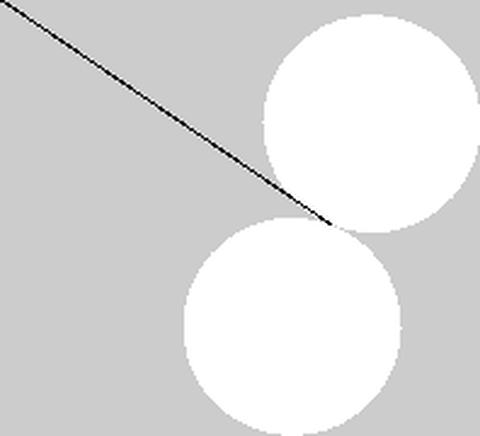 Inheritance
Processing/Basics/Objects/Inheritance
open on Codeberg ↗
/**
 * Inheritance
 *
 * A class can be defined using another class as a foundation. In object-oriented
 * programming terminology, one class can inherit fi elds and methods from another.
 * An object that inherits from another is called a subclass, and the object it
 * inherits from is called a superclass. A subclass extends the superclass.
 */

#include "Umfeld.h"

using namespace umfeld;

//@diff(forward_declaration)
class Spin {
public:
    float x, y, speed;
    float angle = 0.0;

    Spin() : x(0), y(0), speed(0) {} //@diff(default_constructor)
    Spin(float xpos, float ypos, float s) {
        x     = xpos;
        y     = ypos;
        speed = s;
    }
    void update() {
        angle += speed;
    }
};

class SpinArm : public Spin {
public:
    SpinArm() : Spin() {}                                 //@diff(default_constructor)
    SpinArm(float x, float y, float s) : Spin(x, y, s) {} //@diff(constructor)
    void display() {
        strokeWeight(1);
        stroke(0);
        pushMatrix();
        translate(x, y);
        angle += speed;
        rotate(angle);
        line(0, 0, 165, 0);
        popMatrix();
    }
};

class SpinSpots : public Spin {
public:
    float dim;
    SpinSpots() : Spin(), dim(0) {}                                          //@diff(default_constructor)
    SpinSpots(float x, float y, float s, float d) : Spin(x, y, s), dim(d) {} //@diff(constructor)
    void display() {
        noStroke();
        pushMatrix();
        translate(x, y);
        angle += speed;
        rotate(angle);
        ellipse(-dim / 2, 0, dim, dim);
        ellipse(dim / 2, 0, dim, dim);
        popMatrix();
    }
};


SpinSpots spots;
SpinArm   arm;

void settings() {
    size(640, 360);
}

void setup() {
    arm   = SpinArm(width / 2, height / 2, 0.01);
    spots = SpinSpots(width / 2, height / 2, -0.02, 90.0);
}

void draw() {
    background(204);
    noStroke();
    arm.update();
    arm.display();
    spots.update();
    spots.display();
}
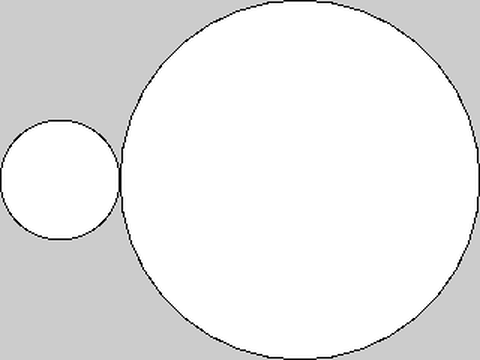 MultipleConstructors
Processing/Basics/Objects/MultipleConstructors
open on Codeberg ↗
/**
 * Multiple constructors
 *
 * A class can have multiple constructors that assign the fields in different ways.
 * Sometimes it's beneficial to specify every aspect of an object's data by assigning
 * parameters to the fields, but other times it might be appropriate to define only
 * one or a few.
 */

#include "Umfeld.h"

using namespace umfeld;

class Spot {
    float x, y, radius;

public:
    // First version of the Spot constructor;
    // the fields are assigned default values
    Spot() {
        radius = 40;
        x      = width * 0.25;
        y      = height * 0.5;
    }

    // Second version of the Spot constructor;
    // the fields are assigned with parameters
    Spot(float xpos, float ypos, float r) {
        x      = xpos;
        y      = ypos;
        radius = r;
    }
    void display() {
        ellipse(x, y, radius * 2, radius * 2);
    }
};

Spot sp1, sp2;

void settings() {
    size(640, 360);
}

void setup() {
    background(204);
    noLoop();
    // Run the constructor without parameters
    sp1 = Spot();
    // Run the constructor with three parameters
    sp2 = Spot(width * 0.5, height * 0.5, 120);
}

void draw() {
    sp1.display();
    sp2.display();
}
 Objects
Processing/Basics/Objects/Objects
open on Codeberg ↗
#include "Umfeld.h"

using namespace umfeld;

class MRect {
    int   w;    // single bar width
    float xpos; // rect xposition
    float h;    // rect height
    float ypos; // rect yposition
    float d;    // single bar distance
    float t;    // number of bars
public:
    MRect() { //@diff(default_constructor)
        w    = 0;
        xpos = 0;
        h    = 0;
        ypos = 0;
        d    = 0;
        t    = 0;
    }
    MRect(int iw, float ixp, float ih, float iyp, float id, float it) {
        w    = iw;
        xpos = ixp;
        h    = ih;
        ypos = iyp;
        d    = id;
        t    = it;
    }

    void move(float posX, float posY, float damping) {
        float dif = ypos - posY;
        if (abs(dif) > 1) {
            ypos -= dif / damping;
        }
        dif = xpos - posX;
        if (abs(dif) > 1) {
            xpos -= dif / damping;
        }
    }

    void display() {
        for (int i = 0; i < t; i++) {
            rect(xpos + (i * (d + w)), ypos, w, height * h);
        }
    }
};

MRect r1, r2, r3, r4;

void settings() {
    size(640, 360);
}

void setup() {
    fill(255, 204);
    noStroke();
    r1 = MRect(1, 134.0, 0.532, 0.1 * height, 10.0, 60.0);
    r2 = MRect(2, 44.0, 0.166, 0.3 * height, 5.0, 50.0);
    r3 = MRect(2, 58.0, 0.332, 0.4 * height, 10.0, 35.0);
    r4 = MRect(1, 120.0, 0.0498, 0.9 * height, 15.0, 60.0);
}

void draw() {
    background(0);

    r1.display();
    r2.display();
    r3.display();
    r4.display();

    r1.move(mouseX - (width / 2), mouseY + (height * 0.1), 30);
    r2.move(int(mouseX + (width * 0.05)) % (int) width, mouseY + (height * 0.025), 20);
    r3.move(mouseX / 4, mouseY - (height * 0.025), 40);
    r4.move(mouseX - (width / 2), (height - mouseY), 50);
}
DisableStyle DisableStyle
Processing/Basics/Shape/DisableStyle
open on Codeberg ↗
/**
 * Disable Style
 * by George Brower.
 *
 * Shapes are loaded with style information that tells them how
 * to draw (e.g. color, stroke weight). The disableStyle()
 * method of PShape turns off this information so functions like
 * stroke() and fill() change the SVGs color. The enableStyle()
 * method turns the file's original styles back on.
 */

// PShape bot;

#include "Umfeld.h"

using namespace umfeld;

void settings() {
    size(640, 360);
}

void setup() {
    // The file "bot1.svg" must be in the data folder
    // of the current sketch to load successfully
    // bot = loadShape("bot1.svg"); // unimplemented
    noLoop();
}

void draw() {
    background(102);

    // Draw left bot
    // bot.disableStyle(); // Ignore the colors in the SVG
    fill(0, 102, 153); // Set the SVG fill to blue
    stroke(255);       // Set the SVG fill to white
    // shape(bot, 20, 25, 300, 300);

    // Draw right bot
    // bot.enableStyle();
    // shape(bot, 320, 25, 300, 300);
}
 GetChild
Processing/Basics/Shape/GetChild
open on Codeberg ↗
/**
 * Get Child.
 *
 * SVG files can be made of many individual shapes.
 * Each of these shapes (called a "child") has its own name
 * that can be used to extract it from the "parent" file.
 * This example loads a map of the United States and creates
 * two new PShape objects by extracting the data from two states.
 */

#include "Umfeld.h"

using namespace umfeld;

void settings() {
    size(640, 360);
}

void setup() {
    noFill();
    stroke(255, 63, 89);
}

void draw() {
    background(216);
    const float size = 50.0f;
    const float x    = width / 2.0f;
    const float y    = height / 2.0f;
    line(x - size, y - size, x + size, y + size);
    line(x - size, y + size, x + size, y - size);
}
 Coordinates
Processing/Basics/Structure/Coordinates
open on Codeberg ↗
/**
 * Coordinates.
 *
 * All shapes drawn to the screen have a position that is
 * specified as a coordinate. All coordinates are measured
 * as the distance from the origin in units of pixels.
 * The origin (0, 0) is the coordinate is in the upper left
 * of the window and the coordinate in the lower right is
 * (width-1, height-1).
 */

#include "Umfeld.h"

using namespace umfeld;

void settings() {
    // Sets the screen to be 640 pixels wide and 360 pixels high
    size(640, 360);
}

void setup() {
    // Set the background to black and turn off the fill color
    background(0);
    noFill();
}

void draw() {
    // The two parameters of the point() function define its location.
    // The first parameter is the x-coordinate and the second is the y-coordinate
    stroke(255);
    point(320, 180);
    point(320, 90);

    // Coordinates are used for drawing all shapes, not just points.
    // Parameters for different functions are used for different purposes.
    // For example, the first two parameters to line() specify
    // the coordinates of the first endpoint and the second two parameters
    // specify the second endpoint
    stroke(0, 153, 255);
    line(0, 120, 640, 120);

    // The first two parameters to rect() are the coordinates of the
    // upper-left corner and the second pair is the width and height
    // of the rectangle
    stroke(255, 153, 0);
    rect(160, 36, 320, 288);
}
 CreateGraphics
Processing/Basics/Structure/CreateGraphics
open on Codeberg ↗
/**
 * Create Graphics.
 *
 * The createGraphics() function creates an object from
 * the PGraphics class. PGraphics is the main graphics and
 * rendering context for Processing. The beginDraw() method
 * is necessary to prepare for drawing and endDraw() is
 * necessary to finish. Use this class if you need to draw
 * into an off-screen graphics buffer or to maintain two
 * drawing surfaces with different properties.
 */

#include "Umfeld.h"

using namespace umfeld;

PGraphics* pg; //@diff(pointer)

void settings() {
    size(640, 360);
}

void setup() {
    pg = createGraphics(400, 200);
}

void draw() {
    fill(0, 10);
    rect(0, 0, width, height);
    fill(255);
    noStroke();
    ellipse(mouseX, mouseY, 60, 60);

    pg->beginDraw();                                //@diff(pointer)
    pg->background(51);                             //@diff(pointer)
    pg->noFill();                                   //@diff(pointer)
    pg->stroke(255);                                //@diff(pointer)
    pg->ellipse(mouseX - 120, mouseY - 60, 60, 60); //@diff(pointer)
    pg->endDraw();                                  //@diff(pointer)

    // Draw the offscreen buffer to the screen with image()
    image(pg, 120, 60);
}
 Functions
Processing/Basics/Structure/Functions
open on Codeberg ↗
/**
 * Functions.
 *
 * The drawTarget() function makes it easy to draw many distinct targets.
 * Each call to drawTarget() specifies the position, size, and number of
 * rings for each target.
 */

#include "Umfeld.h"

using namespace umfeld;

void drawTarget(float xloc, float yloc, int size, int num); //@diff(forward_declaration)

void settings() {
    size(640, 360);
}

void setup() {
    background(51);
    noStroke();
    noLoop();
}

void draw() {
    drawTarget(width * 0.25, height * 0.4, 200, 4);
    drawTarget(width * 0.5, height * 0.5, 300, 10);
    drawTarget(width * 0.75, height * 0.3, 120, 6);
}

void drawTarget(float xloc, float yloc, int size, int num) {
    float grayvalues = 1.f / (float) num;
    float steps      = size / num;
    for (int i = 0; i < num; i++) {
        fill(i * grayvalues);
        ellipse(xloc, yloc, size - i * steps, size - i * steps);
    }
}
 Loop
Loop
Processing/Basics/Structure/Loop
open on Codeberg ↗
/**
 * Loop.
 *
 * If noLoop() is run in setup(), the code in draw()
 * is only run once. In this example, click the mouse
 * to run the loop() function to cause the draw() the
 * run continuously.
 */

// TODO noLoop() prevents event like mousePressed() to be called?

#include "Umfeld.h"

using namespace umfeld;

float y = 180;

void settings() {
    size(640, 360); // Size should be the first statement
}

// The statements in the setup() function
// run once when the program begins
void setup() {
    stroke(255); // Set stroke color to white
    noLoop();
}

void draw() {
    background(0); // Set the background to black
    line(0, y, width, y);
    y = y - 1;
    if (y < 0) {
        y = height;
    }
}

void mousePressed() {
    /* NOTE redraw() behaves like loop() in this context */
    // loop(); // unimplemented
    redraw();
}
 NoLoop
Processing/Basics/Structure/NoLoop
open on Codeberg ↗
/**
 * No Loop.
 *
 * The noLoop() function causes draw() to only run once.
 * Without calling noLoop(), the code inside draw() is
 * run continually.
 */

#include "Umfeld.h"

using namespace umfeld;

float y = 180;

void settings() {
    size(1024, 768);
}

// The statements in the setup() block
// run once when the program begins
void setup() {
    size(640, 360); // Size should be the first statement
    stroke(255);    // Set line drawing color to white
    noLoop();
}

// In this example, the code in the draw() block
// runs only once because of the noLoop() in setup()
void draw() {
    background(0); // Set the background to black
    line(0, y, width, y);
    y = y - 1;
    if (y < 0) { y = height; }
}
 Recursion
Processing/Basics/Structure/Recursion
open on Codeberg ↗
/**
 * Recursion.
 *
 * A demonstration of recursion, which means functions call themselves.
 * Notice how the drawCircle() function calls itself at the end of its block.
 * It continues to do this until the variable "level" is equal to 1.
 */
#include "Umfeld.h"

using namespace umfeld;

void drawCircle(int x, int radius, int level); //@diff(forward_declaration)

void settings() {
    size(640, 360);
}

void setup() {
    noStroke();
    noLoop();
}

void draw() {
    drawCircle(width / 2, 280, 6);
}

void drawCircle(int x, int radius, int level) {
    float tt = 126 * level / 4.0;
    fill(tt);
    ellipse(x, height / 2, radius * 2, radius * 2);
    if (level > 1) {
        level = level - 1;
        drawCircle(x - radius / 2, radius / 2, level);
        drawCircle(x + radius / 2, radius / 2, level);
    }
}
Redraw Redraw
Processing/Basics/Structure/Redraw
open on Codeberg ↗
// TODO `noLoop()` also disables `mousePressed()`
/**
 * Redraw.
 *
 * The redraw() function makes draw() execute once.
 * In this example, draw() is executed once every time
 * the mouse is clicked.
 */
#include "Umfeld.h"

using namespace umfeld;

float y;

void settings() {
    size(640, 360); // Size should be the first statement
}

// The statements in the setup() function
// execute once when the program begins
void setup() {
    stroke(255); // Set line drawing color to white
    noLoop();
    y = height * 0.5;
}

// The code in draw() is run until the program
// is stopped. Each statement is executed in
// sequence and after the last line is read,
// the first line is run again.
void draw() {
    background(0); // Set the background to black
    y = y - 4;
    if (y < 0) { y = height; }
    line(0, y, width, y);
}

void mousePressed() {
    redraw();
}
 SetupDraw
Processing/Basics/Structure/SetupDraw
open on Codeberg ↗
/**
 * Setup and Draw.
 *
 * The code inside the draw() function runs continuously
 * from top to bottom until the program is stopped. The
 * code in setup() is run once when the program starts.
 */

#include "Umfeld.h"

using namespace umfeld;

int y = 180;

void settings() {
    size(640, 360); // Size must be the first statement
}

// The statements in the setup() block run once
// when the program begins
void setup() {
    stroke(255); // Set line drawing color to white
}

// The statements in draw() are run until the program
// is stopped. Each statement is run in sequence from top
// to bottom and after the last line is read, the
// first line is run again.
void draw() {
    background(0); // Clear the screen with a black background
    line(0, y, width, y);
    y = y - 1;
    if (y < 0) {
        y = height;
    }
}
StatementsComments StatementsComments
Processing/Basics/Structure/StatementsComments
open on Codeberg ↗
/**
 * Statements and Comments.
 *
 * Statements are the elements that make up programs.
 * The ";" (semi-colon) symbol is used to end statements.
 * It is called the "statement terminator."
 * Comments are used for making notes to help people better understand programs.
 * A comment begins with two forward slashes ("//").
 */

#include "Umfeld.h"

using namespace umfeld;

void settings() {
    // The size function is a statement that tells the computer
    // how large to make the window.
    // Each function statement has zero or more parameters.
    // Parameters are data passed into the function
    // and are used as values for telling the computer what to do.
    size(640, 360);
}

void setup() {
}

void draw() {
    // The background function is a statement that tells the computer
    // which color (or gray value) to make the background of the display window
    background(204, 153, 0);
}
 WidthHeight
Processing/Basics/Structure/WidthHeight
open on Codeberg ↗
/**
 * Width and Height.
 *
 * The 'width' and 'height' variables contain the width and height
 * of the display window as defined in the size() function.
 */
#include "Umfeld.h"

using namespace umfeld;

void settings() {
    size(640, 360);
}

void setup() {
}

void draw() {
    background(128);
    noStroke();
    for (int i = 0; i < height; i += 20) {
        fill(128, 204, 13);
        rect(0, i, width, 10);
        fill(255);
        rect(i, 0, 10, height);
    }
}
 Arm
Arm
Processing/Basics/Transform/Arm
open on Codeberg ↗
/**
 * Arm.
 *
 * The angle of each segment is controlled with the mouseX and
 * mouseY position. The transformations applied to the first segment
 * are also applied to the second segment because they are inside
 * the same pushMatrix() and popMatrix() group.
*/
#include "Umfeld.h"

using namespace umfeld;

float x, y;
float angle1    = 0.0;
float angle2    = 0.0;
float segLength = 100;

void segment(float x, float y, float a); //@diff(forward_declaration)

void settings() {
    size(640, 360);
}

void setup() {
    strokeWeight(30);
    stroke(255, 158);

    x = width * 0.3;
    y = height * 0.5;
}

void draw() {
    background(0);

    angle1 = (mouseX / float(width) - 0.5) * -PI;
    angle2 = (mouseY / float(height) - 0.5) * PI;

    pushMatrix();
    segment(x, y, angle1);
    segment(segLength, 0, angle2);
    popMatrix();
}

void segment(float x, float y, float a) {
    translate(x, y);
    rotate(a);
    line(0, 0, segLength, 0);
}
 Rotate
Processing/Basics/Transform/Rotate
open on Codeberg ↗
/**
 * Rotate.
 *
 * Rotating a square around the Z axis. To get the results
 * you expect, send the rotate function angle parameters that are
 * values between 0 and PI*2 (TWO_PI which is roughly 6.28). If you prefer to
 * think about angles as degrees (0-360), you can use the radians()
 * method to convert your values. For example: scale(radians(90))
 * is identical to the statement scale(PI/2).
 */

#include "Umfeld.h"

using namespace umfeld;

float angle;
float jitter;

void settings() {
    size(640, 360);
}

void setup() {
    noStroke();
    fill(255);
    rectMode(CENTER);
}

void draw() {
    background(50);

    // during even-numbered seconds (0, 2, 4, 6...)
    if (second() % 2 == 0) {
        jitter = random(-0.1, 0.1);
    }
    angle   = angle + jitter;
    float c = cos(angle);
    translate(width / 2, height / 2);
    rotate(c);
    rect(0, 0, 180, 180);
}
 RotatePushPop
Processing/Basics/Transform/RotatePushPop
open on Codeberg ↗
/**
 * Rotate Push Pop.
 *
 * The push() and pop() functions allow for more control over transformations.
 * The push function saves the current coordinate system to the stack
 * and pop() restores the prior coordinate system.
 */
#include "Umfeld.h"

using namespace umfeld;

float angle;              // Angle of rotation
float offset = PI / 24.0; // Angle offset between boxes
int   num    = 12;        // Number of boxes

void settings() {
    size(640, 360);
}

void setup() {
    hint(ENABLE_DEPTH_TEST); //@diff(available_hints)
    noStroke();
}

void draw() {

    lights();

    background(0, 0, 26);
    translate(width / 2, height / 2);

    for (int i = 0; i < num; i++) {
        float gray = map(i, 0, num - 1, 0, 1);
        pushMatrix();
        fill(gray);
        rotateY(angle + offset * i);
        rotateX(angle / 2 + offset * i);
        box(200);
        popMatrix();
    }

    angle += 0.01;
}
 RotateXY
Processing/Basics/Transform/RotateXY
open on Codeberg ↗
/**
 * Rotate 1.
 *
 * Rotating simultaneously in the X and Y axis.
 * Transformation functions such as rotate() are additive.
 * Successively calling rotate(1.0) and rotate(2.0)
 * is equivalent to calling rotate(3.0).
 */

#include "Umfeld.h"

using namespace umfeld;

float angle = 0.0;
float rSize; // rectangle size

void settings() {
    size(640, 360);
}

void setup() {
    hint(ENABLE_DEPTH_TEST); //@diff(available_hints)
    rSize = width / 6;
    noStroke();
    fill(204, 204);
}

void draw() {
    background(128);

    angle += 0.005;
    if (angle > TWO_PI) {
        angle = 0.0;
    }

    translate(width / 2, height / 2);

    rotateX(angle);
    rotateY(angle * 2.0);
    fill(255);
    rect(-rSize, -rSize, rSize * 2, rSize * 2);

    rotateX(angle * 1.001);
    rotateY(angle * 2.002);
    fill(0);
    rect(-rSize, -rSize, rSize * 2, rSize * 2);
}
 Scale
Scale
Processing/Basics/Transform/Scale
open on Codeberg ↗
/**
 * Scale
 * by Denis Grutze.
 *
 * Paramenters for the scale() function are values specified
 * as decimal percentages. For example, the method call scale(2.0)
 * will increase the dimension of the shape by 200 percent.
 * Objects always scale from the origin.
 */

#include "Umfeld.h"

using namespace umfeld;

float angle = 0.0;
float s     = 0.0;

void settings() {
    size(640, 360);
}

void setup() {
    noStroke();
    rectMode(CENTER);
    set_frame_rate(30); //@diff(frameRate)
}

void draw() {
    background(100);

    angle = angle + 0.04;
    s     = cos(angle) * 2;

    translate(width / 2, height / 2);
    scale(s);
    fill(50);
    rect(0, 0, 50, 50);

    translate(75, 0);
    fill(255);
    scale(s);
    rect(0, 0, 50, 50);
}
 Translate
Processing/Basics/Transform/Translate
open on Codeberg ↗
/**
 * Translate.
 *
 * The translate() function allows objects to be moved
 * to any location within the window. The first parameter
 * sets the x-axis offset and the second parameter sets the
 * y-axis offset.
 */

#include "Umfeld.h"

using namespace umfeld;

float x, y;
float dim = 80.0;

void settings() {
    size(640, 360);
}

void setup() {
    noStroke();
}

void draw() {
    background(100);

    x = x + 0.8;

    if (x > width + dim) {
        x = -dim;
    }

    translate(x, height / 2 - dim / 2);
    fill(255);
    rect(-dim / 2, -dim / 2, dim, dim);

    // Transforms accumulate. Notice how this rect moves
    // twice as fast as the other, but it has the same
    // parameter for the x-axis value
    translate(x, dim);
    fill(0);
    rect(-dim / 2, -dim / 2, dim, dim);
}
Letters Letters
Processing/Basics/Typography/Letters
open on Codeberg ↗
/**
 * Letters.
 *
 * Draws letters to the screen. This requires loading a font,
 * setting the font, and then drawing the letters.
 */

#include "Umfeld.h"

using namespace umfeld;

PFont* f; //@diff(pointer)

void settings() {
    size(640, 360);
}

void setup() {
    background(0);

    // Create the font
    // printArray(PFont.list()); //unimplemented
    // f = createFont("SourceCodePro-Regular.ttf", 24);
    f = loadFont("SourceCodePro-Regular.ttf", 24); //@diff(loadFont)
    textFont(f);
    textAlign(CENTER, CENTER);
}

void draw() {
    background(0);

    // Set the left and top margin
    int margin = 10;
    translate(margin * 4, margin * 4);

    int gap     = 46;
    int counter = 35;

    for (int y = 0; y < height - gap; y += gap) {
        for (int x = 0; x < width - gap; x += gap) {

            char letter = char(counter);

            if (letter == 'A' || letter == 'E' || letter == 'I' || letter == 'O' || letter == 'U') {
                fill(255, 204, 0);
            } else {
                fill(255);
            }

            // Draw the letter to the screen
            text(letter, x, y);

            // Increment the counter
            counter++;
        }
    }
}
 TextRotation
Processing/Basics/Typography/TextRotation
open on Codeberg ↗
/**
 * Text Rotation.
 *
 * Draws letters to the screen and rotates them at different angles.
 */
#include "Umfeld.h"

using namespace umfeld;

PFont* f; //@diff(pointer)
float  angleRotate = 0.0;

void settings() {
    size(640, 360);
}

void setup() {
    background(0);

    // Create the font from the .ttf file in the data folder
    // f = createFont("SourceCodePro-Regular.ttf", 18); //unimplemented
    f = loadFont("SourceCodePro-Regular.ttf", 18); //@diff(loadFont)
    textFont(f);
}

void draw() {
    background(0);

    strokeWeight(1.f);
    stroke(153);

    pushMatrix();
    float angle1 = radians(45);
    translate(100, 180);
    rotate(angle1);
    text("45 DEGREES", 0, 0);
    line(0, 0, 150, 0);
    popMatrix();

    pushMatrix();
    float angle2 = radians(270);
    translate(200, 180);
    rotate(angle2);
    text("270 DEGREES", 0, 0);
    line(0, 0, 150, 0);
    popMatrix();

    pushMatrix();
    translate(440, 180);
    rotate(radians(angleRotate));
    text(to_string(int(angleRotate) % 360, " DEGREES"), 0, 0); //@diff(text)
    line(0, 0, 150, 0);
    popMatrix();

    angleRotate += 0.25;

    stroke(255, 0, 0);
    strokeWeight(4);
    point(100, 180);
    point(200, 180);
    point(440, 180);
}
/*
note:
= the text() is drawing the bounding box of the text.
- compare the text() after calling noStroke()
*/
 Words
Words
Processing/Basics/Typography/Words
open on Codeberg ↗
/**
 * Words.
 *
 * The text() function is used for writing words to the screen.
 * The letters can be aligned left, center, or right with the
 * textAlign() function.
 */

#include "Umfeld.h"

using namespace umfeld;

PFont* f; //@diff(pointer)

void drawType(float x);

void settings() {
    size(640, 360);
}

void setup() {
    f = loadFont("SpaceMono-Regular.ttf", 18); //@diff(loadFont)
    textFont(f);
}

void draw() {
    background(102);
    textAlign(RIGHT);
    drawType(width * 0.25);
    textAlign(CENTER);
    drawType(width * 0.5);
    textAlign(LEFT);
    drawType(width * 0.75);
}

void drawType(float x) {
    line(x, 0, x, 65);
    line(x, 220, x, height);
    fill(0);
    text("ichi", x, 95);
    fill(51);
    text("ni", x, 130);
    fill(204);
    text("san", x, 165);
    fill(255);
    text("shi", x, 210);
}
 EmbeddedLinks
Processing/Basics/Web/EmbeddedLinks
open on Codeberg ↗
/**
 * Loading URLs.
 *
 * Click on the button to open a URL in a browser.
 */

#include "Umfeld.h"

using namespace umfeld;

bool overButton = false; //@diff(generic_type)

void checkButtons(); //@diff(forward_declaration)

void settings() {
    size(640, 360);
}

void setup() {}

void draw() {
    background(204);

    if (overButton == true) {
        fill(255);
    } else {
        noFill();
    }
    rect(105, 60, 75, 75);
    line(135, 105, 155, 85);
    line(140, 85, 155, 85);
    line(155, 85, 155, 100);
}

void mousePressed() {
    if (overButton) {
        // link("https://codeberg.org/Umfeld/umfeld"); //unimplemented
    }
}

void mouseMoved() {
    checkButtons();
}

void mouseDragged() {
    checkButtons();
}

void checkButtons() {
    if (mouseX > 105 && mouseX < 180 && mouseY > 60 && mouseY < 135) {
        overButton = true;
    } else {
        overButton = false;
    }
}
LoadingImages LoadingImages
Processing/Basics/Web/LoadingImages
open on Codeberg ↗
/**
 * Loading Images.
 *
 * Umfeld applications can load images from the network.
 */
#include "Umfeld.h"

using namespace umfeld;

PImage* img; //@diff(pointer)

void settings() {
    size(640, 360);
}

void setup() {
    img = loadImage("https://codeberg.org/Umfeld/umfeld/raw/branch/main/assets/umfeld-logotype.png");
    noLoop();
}
void draw() {
    background(0);
    if (img != nullptr) { //@diff(pointer)
        for (int i = 0; i < 5; i++) {
            image(img, 0, img->height * i); //@diff(pointer)
        }
    }
}
ArrayListClass ArrayListClass
Processing/Topics/AdvancedData/ArrayListClass
open on Codeberg ↗
/**
 * ArrayList of objects
 * by Daniel Shiffman.
 *
 * This example demonstrates how to use a Java ArrayList to store
 * a variable number of objects.  Items can be added and removed
 * from the ArrayList.
 *
 * Click the mouse to add bouncing balls.
 */

#include "Umfeld.h"
#include "Ball.h"

using namespace umfeld;

std::vector<Ball> balls; //@diff(std::vector)
int               ballWidth = 48;


void settings() {
    size(640, 360);
}

void setup() {
    noStroke();

    // Create an empty std::vector<Ball> (will store Ball objects)
    balls = std::vector<Ball>(); //@diff(std::vector)

    // Start by adding one element
    balls.push_back(Ball(width / 2, 0, ballWidth)); //@diff(std::vector)
}

void draw() {
    background(255);

    // With a std::vector, we say balls.size()
    // The length of a std::vector is dynamic
    // Notice how we are looping through the std::vector backwards
    // This is because we are deleting elements from the list
    for (int i = balls.size() - 1; i >= 0; i--) {
        Ball& ball = balls[i]; //@diff(std::vector,reference)
        ball.move();
        ball.display();
        if (ball.finished()) {
            // Items can be deleted with erase()
            balls.erase(balls.begin() + i); //@diff(std::vector)
        }
    }
}

void mousePressed() {
    // A new ball object is added to the std::vector
    balls.push_back(Ball(mouseX, mouseY, ballWidth));
}
CountingStrings CountingStrings
Processing/Topics/AdvancedData/CountingStrings
open on Codeberg ↗
/**
 *
 * This example demonstrates how to use the std::map to store
 * a number associated with a String. The Processing(Java) counterpart
 * of this example uses IntDict, a class that is part of the Processing core.
 * But in this C++ version, we use the std::map from the C++ STL
 * to achieve the same functionality.
 *
 * This example uses the IntDict to perform a simple concordance
 * http://en.wikipedia.org/wiki/Concordance_(publishing)
 *
 */

#include "Umfeld.h"
#include <map>

using namespace umfeld;

// An IntDict pairs Strings with integers
std::map<std::string, int> concordance; //@diff(std::map)

// The raw array of words in
std::vector<std::string> tokens; //@diff(std::vector)
int                      counter = 0;


void settings() {
    size(640, 360);
}

void setup() {
    // Load file and chop it up
    std::vector<std::string> lines   = loadStrings("dracula.txt");
    std::string              allText = join(lines, " ");
    std::transform(allText.begin(), allText.end(), allText.begin(), [](unsigned char c) { return std::tolower(c); }); //@diff(tolower)
    tokens = splitTokens(allText, " ,.?!:;[]-\"");

    // Create the font
    textFont(loadFont("SourceCodePro-Regular.ttf", 24)); //@diff(createFont)
}

void draw() {
    background(50);
    fill(255);

    // Look at words one at a time
    if (counter < tokens.size()) {       //@diff(std::vector)
        std::string s = tokens[counter]; //@diff(std::string)
        counter++;
        concordance[s]++;
    }

    // x and y will be used to locate each word
    float x = 0;
    float y = 48;

    // sort by values in ascending order
    // in c++ we can use std::sort with a custom comparator
    // to sort the map by its values
    // note that the std::map is sorted by keys by default, so we need to create
    // a vector of pairs to sort by values
    // This is a custom sort lambda function that sorts the map by its values
    //@diff(std::map,std::sort)
    std::vector<std::pair<std::string, int>> sortedConcordance(concordance.begin(), concordance.end());
    std::sort(sortedConcordance.begin(), sortedConcordance.end(),
              [](const std::pair<std::string, int>& a, const std::pair<std::string, int>& b) {
                  return a.second < b.second;
              });

    // Create a vector of keys from the sorted map
    std::vector<std::string> keys;
    for (const auto& pair: sortedConcordance) {
        keys.push_back(pair.first);
    }

    // Look at each word
    for (std::string word: keys) {
        int count = concordance[word]; //@diff(std::map)

        // Only display words that appear 3 times
        if (count > 3) {
            // The size is the count
            int fsize = constrain(count, 0, 48);
            textSize(fsize);
            text(word, x, y);
            // Move along the x-axis
            x += textWidth(word + " ");
        }

        // If x gets to the end, move y
        if (x > width) {
            x = 0;
            y += 48;
            // If y gets to the end, we're done
            if (y > height) {
                break;
            }
        }
    }
}
HashMapClass HashMapClass
Processing/Topics/AdvancedData/HashMapClass
open on Codeberg ↗
/**
 *
 * This example demonstrates how to use a hash-map based std::unordered_map to store
 * a collection of objects referenced by a key. This is much like an array,
 * only instead of accessing elements with a numeric index, we use a String.
 * If you are familiar with associative arrays from other languages,
 * this is the same idea.
 *
 * A similar example is CountingStrings which uses std::map instead of
 * std::unordered_map. The Processing counterpart of the std::unordered_map is HashMap, in the sense that it is based on a hash table internally.
 * See: https://en.wikipedia.org/wiki/Unordered_associative_containers_(C%2B%2B)
 *
 * In this example, words that appear in one book (Dracula) only are colored white
 * while words the other (Frankenstein) are colored black.
 */
#include "Umfeld.h"
#include "Word.h"

using namespace umfeld;

std::unordered_map<std::string, Word> words; // unordered_map object

void loadFile(std::string filename); //@diff(forward_declaration)

void settings() {
    size(640, 360);
}

void setup() {
    // Create the unordered_map
    words = std::unordered_map<std::string, Word>();

    // Load two files
    loadFile("dracula.txt");
    loadFile("frankenstein.txt");

    std::cout << "Total words loaded: " << words.size() << std::endl;

    int qualifyingWords = 0;
    for (auto& pair: words) {
        if (pair.second.qualify()) {
            qualifyingWords++;
        }
    }
    std::cout << "Qualifying words: " << qualifyingWords << std::endl;

    // Create the font
    textFont(loadFont("SourceCodePro-Regular.ttf", 24)); //@diff(createFont)
}

void draw() {
    background(128);

    // Show words
    for (auto& pair: words) { //@diff(for_loop,std::unordered_map)
        Word& w = pair.second;
        if (w.qualify()) {
            w.display();
            w.move();
        }
    }
}

// Load a file
void loadFile(std::string filename) {
    std::vector<std::string> lines   = loadStrings(filename); //diff(std::vector)
    std::string              allText = join(lines, " ");
    std::transform(allText.begin(), allText.end(), allText.begin(), ::tolower); //@diff(tolowercase)
    std::vector<std::string> tokens = splitTokens(allText, " ,.?!:;[]-\"'");

    for (const std::string& s: tokens) {
        // Is the word in the std::unordered_map?
        if (words.count(s)) { //@diff(std::unordered_map)
            // Get the word object and increase the count
            // We access objects from a std::unordered_map via its key, the String
            Word& w = words[s]; //@diff(std::unordered_map)
            // Which book am I loading?
            if (filename.find("dracula") != std::string::npos) { //@diff(std::string)
                w.incrementDracula();
            } else if (filename.find("frankenstein") != std::string::npos) { //@diff(std::string)
                w.incrementFranken();
            }
        } else {
            // Otherwise make a new word
            Word w(s);
            // And add to the std::unordered_map using the assignment operator(=)
            // The key for us is the std::string and the value is the Word object
            words[s] = w;                                        //@diff(std::unordered_map)
            if (filename.find("dracula") != std::string::npos) { //@diff(std::string)
                w.incrementDracula();
            } else if (filename.find("frankenstein") != std::string::npos) { //@diff(std::string)
                w.incrementFranken();
            }
        }
    }
}
 IntListLottery
Processing/Topics/AdvancedData/IntListLottery
open on Codeberg ↗
/**
 * IntList Lottery example
 *
 * This examples demonstrates the use of std::vector.
 * The counterpart of this Processing example demonstrates the IntList which is
 * part of the Processing core library. Here, we replace it with the
 * std::vector, which is a container provided by the c++ STL library.
 *
 * In this example, three lists of integers are created.  One is a pool of numbers
 * that is shuffled and picked randomly from.  One is the list of "picked" numbers.
 * And one is a lottery "ticket" which includes 5 numbers that are trying to be matched.
 */
#include "Umfeld.h"
#include <random>

using namespace umfeld;

// Three lists of integers
std::vector<int> lottery;
std::vector<int> results;
std::vector<int> ticket;

void showList(std::vector<int> list, float x, float y); //@diff(forward_declaration)

void settings() {
    size(640, 360);
}


void setup() {
    set_frame_rate(30); //@diff(frameRate)

    // Load font for text rendering
    PFont* font = loadFont("SourceCodePro-Regular.ttf", 12);
    textFont(font);
    textFont(font); // Set the font for text rendering

    // Add 20 integers in order to the lottery list
    for (int i = 0; i < 20; i++) {
        // push_back() is a method that adds an element to the end of the vector
        // Processing: similar to append()
        lottery.push_back(i); //@diff(std::vector)
    }

    // Pick five numbers from the lottery list to go into the Ticket list
    for (int i = 0; i < 5; i++) {
        int index = int(random(lottery.size()));
        ticket.push_back(lottery[index]);
    }
}

void draw() {
    background(51);

    // The shuffle() method randomly shuffles the order of the values in the list
    // the std::shuffle() requires a random number generator
    // Here we use std::default_random_engine to create a random number generator (requires the #include <random> header above)
    std::shuffle(lottery.begin(), lottery.end(), std::default_random_engine());

    // Call a method that will display the integers in the list at an x,y location
    showList(lottery, 16, 48);
    showList(results, 16, 100);
    showList(ticket, 16, 140);


    // This loop checks if the picked numbers (results)
    // match the ticket numbers
    for (int i = 0; i < results.size(); i++) {
        // Are the integers equal?
        if (results[i] == ticket[i]) {
            fill(0, 255, 0, 102); // if so green
        } else {
            fill(255, 0, 0, 102); // if not red
        }
        ellipse(16 + i * 32, 140, 24, 24);
    }


    // One every 30 frames we pick a new lottery number to go in results
    if (frameCount % 30 == 0) {
        if (results.size() < 5) {
            // Get the first value in the lottery list and remove it
            // To remove an element from a vector, we can use the erase() method
            // This will remove the first element in the vector
            // To remove the Nth element, we can use lottery.erase(lottery.begin() + N);
            // To remove the last element, we can use lottery.pop_back();
            int val = lottery[0];
            lottery.erase(lottery.begin());
            // Put it in the results
            results.push_back(val);
        } else {
            // Ok we picked five numbers, let's reset
            for (int i = 0; i < results.size(); i++) {
                // Put the picked results back into the lottery
                lottery.push_back(results[i]);
            }
            // Clear the results and start over
            results.clear();
        }
    }
}

// Draw a list of numbers starting at an x,y location
void showList(std::vector<int> list, float x, float y) {
    for (int i = 0; i < list.size(); i++) {
        // Use the [] operator to pull a value from the list at the specified index
        int val = list[i];
        stroke(255); //@diff(stroke_color)
        noFill();
        ellipse(x + i * 32, y, 24, 24);

        fill(255); //@diff(fill_color)
        textAlign(CENTER);
        text(to_string(val), x + i * 32, y + 6);
    }
}
LoadSaveJSON LoadSaveJSON
Processing/Topics/AdvancedData/LoadSaveJSON
open on Codeberg ↗
/**
 * Loading JSON Data
 * by Daniel Shiffman.
 *
 * This example demonstrates how to use loadJSON()
 * to retrieve data from a JSON file and make objects
 * from that data.
 *
 * Here is what the JSON looks like (partial):
 *
 {
 "bubbles": [
 {
 "position": {
 "x": 160,
 "y": 103
 },
 "diameter": 43.19838,
 "label": "Happy"
 },
 {
 "position": {
 "x": 372,
 "y": 137
 },
 "diameter": 52.42526,
 "label": "Sad"
 }
 ]
 }
 */

#include "Umfeld.h"
#include "Bubble.h"

using namespace umfeld;

// An Array of Bubble objects
std::vector<Bubble> bubbles;
// A JSON object
// JSONObject json; // unimplemented

void loadData(); //@diff(forward_declaration)

void settings() {
    size(640, 360);
}


void setup() {
    loadData();
}

void draw() {
    background(255);
    // Display all bubbles
    for (Bubble b: bubbles) {
        b.display();
        b.rollover(mouseX, mouseY);
    }
    //
    textAlign(LEFT);
    fill(0);
    text("Click to add bubbles.", 10, height - 10);
}
void loadData() {
    // Load JSON file
    // Temporary full path until path problem resolved.
    // json = loadJSONObject("data.json");

    // JSONArray bubbleData = json.getJSONArray("bubbles");

    // The size of the array of Bubble objects is determined by the total XML elements named "bubble"
    // bubbles = Bubble(bubbleData.size());

    // for (int i = 0; i < bubbleData.size(); i++) {
    //     // Get each object in the array
    //     JSONObject bubble = bubbleData.getJSONObject(i);
    //     // Get a position object
    //     JSONObject position = bubble.getJSONObject("position");
    //     // Get x,y from position
    //     int x = position.getInt("x");
    //     int y = position.getInt("y");

    //     // Get diamter and label
    //     float  diameter = bubble.getFloat("diameter");
    //     String label    = bubble.getString("label");

    //     // Put object in array
    //     bubbles[i] = new Bubble(x, y, diameter, label);
    // }
}

void mousePressed() {
    // Create a new JSON bubble object
    // JSONObject newBubble = new JSONObject();

    // Create a new JSON position object
    // JSONObject position = new JSONObject();
    // position.setInt("x", mouseX);
    // position.setInt("y", mouseY);

    // Add position to bubble
    // newBubble.setJSONObject("position", position);

    // Add diamater and label to bubble
    // newBubble.setFloat("diameter", random(40, 80));
    // newBubble.setString("label", "New label");

    // Append the new JSON bubble object to the array
    // JSONArray bubbleData = json.getJSONArray("bubbles");
    // bubbleData.append(newBubble);

    // if (bubbleData.size() > 10) {
    //     bubbleData.remove(0);
    // }

    // Save new data
    // saveJSONObject(json, "data/data.json");
    // loadData();
}
LoadSaveTable LoadSaveTable
Processing/Topics/AdvancedData/LoadSaveTable
open on Codeberg ↗
/**
 * Loading Tabular Data
 * by Daniel Shiffman.
 *
 * This example demonstrates how to use loadTable()
 * to retrieve data from a CSV file and make objects
 * from that data.
 *
 * Here is what the CSV looks like:
 *
 x,y,diameter,name
 160,103,43.19838,Happy
 372,137,52.42526,Sad
 273,235,61.14072,Joyous
 121,179,44.758068,Melancholy
 */

#include "Umfeld.h"
#include "Bubble.h"

using namespace umfeld;

void loadData(); // @diff forward declare function

// An Array of Bubble objects
std::vector<Bubble> bubbles; // @diff use std::vector instead of an array
// A Table object
Table* table; // @diff use pointer

void settings() {
    size(640, 360);
}

void setup() {
    loadData();
}

void draw() {
    background(255);
    // Display all bubbles
    for (Bubble b: bubbles) {
        b.display();
        b.rollover(mouseX, mouseY);
    }

    textAlign(LEFT);
    fill(0);
    text("Click to add bubbles.", 10, height - 10);
}

void loadData() {
    // Load CSV file into a Table object
    // "header" option indicates the file has a header row
    table = loadTable("data.csv", "header");

    // The size of the array of Bubble objects is determined by the total number of rows in the CSV
    bubbles.reserve(table->getRowCount());

    // You can access iterate over all the rows in a table
    int rowCount = 0;
    for (TableRow& row: table->rows()) {
        // You can access the fields via their column name (or index)
        float  x = row.getFloat("x");
        float  y = row.getFloat("y");
        float  d = row.getFloat("diameter");
        String n = row.getString("name");
        // Make a Bubble object out of the data read
        bubbles.emplace_back(x, y, d, n);
        rowCount++;
    }
}

void mousePressed() {
    // Create a new row
    TableRow& row = table->addRow(); // @diff use reference … without `&` `addRow` would return a copy of the row, and changes to it would not affect the table
    // Set the values of that row
    row.setFloat("x", mouseX);
    row.setFloat("y", mouseY);
    row.setFloat("diameter", random(40, 80));
    row.setString("name", "Blah");

    // If the table has more than 10 rows
    if (table->getRowCount() > 10) {
        // Delete the oldest row
        table->removeRow(0);
    }

    // Writing the CSV back to the same file
    saveTable(table, "data/data.csv");
    // And reloading it
    loadData();
}
LoadSaveXML LoadSaveXML
Processing/Topics/AdvancedData/LoadSaveXML
open on Codeberg ↗
/**
 * Loading XML Data
 * by Daniel Shiffman.
 *
 * This example demonstrates how to use loadXML()
 * to retrieve data from an XML file and make objects
 * from that data.
 *
 * Here is what the XML looks like:
 *
<?xml version="1.0"?>
<bubbles>
  <bubble>
    <position x="160" y="103"/>
    <diameter>43.19838</diameter>
    <label>Happy</label>
  </bubble>
  <bubble>
    <position x="372" y="137"/>
    <diameter>52.42526</diameter>
    <label>Sad</label>
  </bubble>
</bubbles>
 */

#include "Umfeld.h"
#include "Bubble.h"

using namespace umfeld;

void loadData(); // @diff forward declare function

// An Array of Bubble objects
std::vector<Bubble> bubbles; // @diff use std::vector instead of an array
// A Table object
XML xml;

PFont* font;

void settings() {
    size(640, 360);
}

void setup() {
    loadData();
}

void draw() {
    background(255);
    // Display all bubbles
    for (Bubble b: bubbles) {
        b.display();
        b.rollover(mouseX, mouseY);
    }

    textAlign(LEFT);
    fill(0);
    text("Click to add bubbles.", 10, height - 10);
}

void loadData() {
    // Load XML file
    xml = loadXML("data.xml");
    // Get all the child nodes named "bubble"
    std::vector<XML> children = xml.getChildren("bubble");

    // The size of the array of Bubble objects is determined by the total XML elements named "bubble"
    bubbles.reserve(children.size());

    for (int i = 0; i < children.size(); i++) {

        // The position element has two attributes: x and y
        XML positionElement = children[i].getChild("position");
        // Note how with attributes we can get an integer or float via getInt() and getFloat()
        float x = positionElement.getInt("x");
        float y = positionElement.getInt("y");

        // The diameter is the content of the child named "diamater"
        XML diameterElement = children[i].getChild("diameter");
        // Note how with the content of an XML node, we retrieve via getIntContent() and getFloatContent()
        float diameter = diameterElement.getFloatContent();

        // The label is the content of the child named "label"
        XML    labelElement = children[i].getChild("label");
        String label        = labelElement.getContent();

        // Make a Bubble object out of the data read
        bubbles.emplace_back(x, y, diameter, label);
    }
}

// Still need to work on adding and deleting

void mousePressed() {

    // Create a new XML bubble element
    XML bubble = xml.addChild("bubble");

    // Set the poisition element
    XML position = bubble.addChild("position");
    // Here we can set attributes as integers directly
    position.setInt("x", mouseX);
    position.setInt("y", mouseY);

    // Set the diameter element
    XML diameter = bubble.addChild("diameter");
    // Here for a node's content, we have to convert to a String
    diameter.setFloatContent(random(40, 80));

    // Set a label
    XML label = bubble.addChild("label");
    label.setContent("New label");


    // Here we are removing the oldest bubble if there are more than 10
    std::vector<XML> children = xml.getChildren("bubble");
    // If the XML file has more than 10 bubble elements
    if (children.size() > 10) {
        // Delete the first one
        xml.removeChild(children[0]);
    }

    // Save a new XML file
    saveXML(xml, "data/data.xml");

    // reload the new data
    loadData();
}
Regex Regex
Processing/Topics/AdvancedData/Regex
open on Codeberg ↗
/**
 * Regular Expression example
 * by Daniel Shiffman.
 *
 * This example demonstrates how to use matchAll() to create
 * a list of all matches of a given regex.
 *
 * Here we'll load the raw HTML from a URL and search for any
 * <a href=" "> links
 */
#include "Umfeld.h"

using namespace umfeld;

// Our source url
std::string url = "https://codeberg.org/Umfeld/umfeld";
// We'll store the results in a vector
std::vector<std::string> links;

std::vector<std::string> loadLinks(std::string s); //@diff(forward_declaration)

void settings() {
    size(640, 360);
}

void setup() {
    // Load the links
    links = loadLinks(url);

    // load a font
    PFont* font = loadFont("SourceCodePro-Regular.ttf", 12.f); //@diff(font)
    textFont(font);
}

void draw() {
    background(0);
    // Display the raw links
    fill(255);
    noStroke();
    for (int i = 0; i < links.size(); i++) {
        text(links[i], 10, 16 + i * 16);
    }
}

std::vector<std::string> loadLinks(std::string s) {
    // Load the raw HTML
    std::vector<std::string> lines = loadStrings(s);
    // Put it in one big string
    std::string html = join(lines, "\n");

    // A wacky regex for matching a URL
    std::string regexStr = "<\\s*a\\s+href\\s*=\\s*\"(.*?)\"";
    std::regex  regex(regexStr); //@diff(regex)
    // The matches are in a two dimensional array
    // The first dimension is all matches
    // The second dimension is the groups
    std::vector<std::vector<std::string>> matches = matchAll(html, regex);

    // A vector for the results
    std::vector<std::string> results(matches.size());

    // We want group 1 for each result
    for (int i = 0; i < results.size(); i++) {
        results[i] = matches[i][1];
    }

    // Return the results
    return results;
}
 Threads
Processing/Topics/AdvancedData/Threads
open on Codeberg ↗
/**
 * Thread function example
 * by Daniel Shiffman.
 *
 * This example demonstrates how to use thread() to spawn
 * a process that happens outside of the main animation thread.
 *
 * When thread() is called, the draw() loop will continue while
 * the code inside the function passed to thread() will operate
 * in the background.
 *
 */

#include "Umfeld.h"

using namespace umfeld;

void settings() {
    size(640, 360);
}

void setup() {
    noFill();
    stroke(255, 63, 89);
}

void draw() {
    background(216);
    const float size = 50.0f;
    const float x    = width / 2.0f;
    const float y    = height / 2.0f;
    line(x - size, y - size, x + size, y + size);
    line(x - size, y + size, x + size, y - size);
}
/*
note:
- thread is unimplemented
*/
 XMLYahooWeather
Processing/Topics/AdvancedData/XMLYahooWeather
open on Codeberg ↗
/**
 * Loading JSON Weather Data
 * by Daniel Shiffman, updated for Open-Meteo API.
 *
 * This example demonstrates how to use loadJSONObject()
 * to retrieve data from a JSON document via a URL.
 *
 * Uses the Open-Meteo API (https://open-meteo.com) :: free, no API key required.
 */

#include "Umfeld.h"

using namespace umfeld;

int    temperature = 0;
String weather     = "";

String city      = "Bremen";
String zip       = "28203";
float  latitude  = 53.0793;
float  longitude = 8.8017;

PFont* font;

String weatherCodeToText(const int code) {
    if (code == 0) {
        return "Clear sky";
    }
    if (code <= 2) {
        return "Partly cloudy";
    }
    if (code == 3) {
        return "Overcast";
    }
    if (code <= 48) {
        return "Fog";
    }
    if (code <= 55) {
        return "Drizzle";
    }
    if (code <= 65) {
        return "Rain";
    }
    if (code <= 75) {
        return "Snow";
    }
    if (code <= 82) {
        return "Rain showers";
    }
    if (code <= 86) {
        return "Snow showers";
    }
    return "Thunderstorm";
}

void settings() {
    size(600, 360);
}

void setup() {
    font = loadFont("Merriweather-Light.ttf", 28);
    textFont(font);

    String url = to_string(
        "https://api.open-meteo.com/v1/forecast"
        "?latitude=",
        latitude,
        "&longitude=", longitude,
        "&daily=temperature_2m_max,weathercode"
        "&temperature_unit=celsius"
        "&timezone=Europe%2FBerlin"
        "&forecast_days=1");
    println("URL: " + url);

    JSONObject* json = loadJSONObject(url);
    if (json == nullptr) {
        error("loadJSONObject() failed for '", url, "'");
        return;
    }

    JSONObject* daily = json->getJSONObject("daily");
    if (daily == nullptr) {
        error("JSON response missing 'daily' object");
        return;
    }

    JSONArray* temps = daily->getJSONArray("temperature_2m_max");
    JSONArray* codes = daily->getJSONArray("weathercode");

    if (temps != nullptr && temps->size() > 0) {
        temperature = static_cast<int>(temps->getFloat(0));
    }
    if (codes != nullptr && codes->size() > 0) {
        weather = weatherCodeToText(codes->getInt(0));
    }
}

void draw() {
    background(255);
    fill(0);

    text("City: " + city + " (" + zip + ")", width * 0.15, height * 0.33);
    text(to_string("Today's high: ", temperature, " C"), width * 0.15, height * 0.5);
    text(to_string("Forecast: ", weather), width * 0.15, height * 0.66);
}
AnimatedSprite AnimatedSprite
Processing/Topics/Animation/AnimatedSprite
open on Codeberg ↗
/**
 * Animated Sprite (Shifty + Teddy)
 * by James Paterson.
 *
 * Press the mouse button to change animations.
 * Demonstrates loading, displaying, and animating GIF images.
 * It would be easy to write a program to display
 * animated GIFs, but would not allow as much control over
 * the display sequence and rate of display.
 */

#include "Umfeld.h"
#include "Animation.h"

using namespace umfeld;

Animation animation1, animation2;

float xpos;
float ypos;
float drag = 30.0;

void settings() {
    size(640, 360);
}

void setup() {
    background(255, 204, 0);
    set_frame_rate(24); //@diff(frameRate)
    animation1 = Animation("PT_Shifty_", 38);
    animation2 = Animation("PT_Teddy_", 60);
    ypos       = height * 0.25;
}

void draw() {
    float dx = mouseX - xpos;
    xpos     = xpos + dx / drag;

    // Display the sprite at the position xpos, ypos
    if (isMousePressed) { //@diff(mousePressed)
        background(153, 153, 0);
        animation1.display(xpos - animation1.getWidth() / 2, ypos);
    } else {
        background(255, 204, 0);
        animation2.display(xpos - animation1.getWidth() / 2, ypos);
    }
}
Sequential Sequential
Processing/Topics/Animation/Sequential
open on Codeberg ↗
/**
 * Sequential
 * by James Paterson.
 *
 * Displaying a sequence of images creates the illusion of motion.
 * Twelve images are loaded and each is displayed individually in a loop.
 */

#include "Umfeld.h"

using namespace umfeld;

int                  numFrames    = 12; // The number of frames in the animation
int                  currentFrame = 0;
std::vector<PImage*> images(numFrames); //@diff(std::vector)

void settings() {
    size(640, 360);
}

void setup() {
    set_frame_rate(24); //@diff(frameRate)

    images[0]  = loadImage("PT_anim0000.gif");
    images[1]  = loadImage("PT_anim0001.gif");
    images[2]  = loadImage("PT_anim0002.gif");
    images[3]  = loadImage("PT_anim0003.gif");
    images[4]  = loadImage("PT_anim0004.gif");
    images[5]  = loadImage("PT_anim0005.gif");
    images[6]  = loadImage("PT_anim0006.gif");
    images[7]  = loadImage("PT_anim0007.gif");
    images[8]  = loadImage("PT_anim0008.gif");
    images[9]  = loadImage("PT_anim0009.gif");
    images[10] = loadImage("PT_anim0010.gif");
    images[11] = loadImage("PT_anim0011.gif");

    // If you don't want to load each image separately
    // and you know how many frames you have, you
    // can create the filenames as the program runs.
    // You can use the following code to load images dynamically,
    // in c++, we add a certain amount of zeros to number(zero-padding)
    // like this
    // for (int i = 0; i < numFrames; i++) {
    //     std::string filename = "PT_anim";
    //     std::stringstream ss;
    //     ss << std::setw(4) << std::setfill('0') << i; // Zero-pad the number to 4 digits (setw means "set the width")
    //     filename += ss.str() + ".gif";
    //     images[i] = loadImage(filename);
    // }
    // This will load images from PT_anim0000.gif to PT_anim0011.gif
}

void draw() {
    background(0);
    currentFrame = (currentFrame + 1) % numFrames; // Use % to cycle through frames
    int offset   = 0;
    for (int x = -100; x < width; x += images[0]->width) { //@diff(pointer)
        image(images[(currentFrame + offset) % numFrames], x, -20);
        offset += 2;
        image(images[(currentFrame + offset) % numFrames], x, height / 2);
        offset += 2;
    }
}
 GameOfLife
Processing/Topics/Cellular Automata/GameOfLife
open on Codeberg ↗
/**
 * Game of Life
 *
 * Press SPACE BAR to pause and change the cell's values
 * with the mouse. On pause, click to activate/deactivate
 * cells. Press 'R' to randomly reset the cells' grid.
 * Press 'C' to clear the cells' grid. The original Game
 * of Life was created by John Conway in 1970.
 *
 * For umfeld, the drawing part is optimized to speed up the
 * performance of the sketch. The dead and alive cells  are
 * drawn in a single OpenGL call, which is much faster.
 *
 */
#include "Umfeld.h"
#include <chrono>

using namespace umfeld;

// Size of cells
int cellSize = 5;

// How likely for a cell to be alive at start (in percentage)
float probabilityOfAliveAtStart = 15;

// Variables for timer
int interval         = 100;
int lastRecordedTime = 0;

// Colors for active/inactive cells
uint32_t alive = color(0, 199, 0); //@diff(color_type)
uint32_t dead  = color(0);         //@diff(color_type)

// Array of cells
std::vector<std::vector<int>> cells; //@diff(std::vector)
// Buffer to record the state of the cells and use this
// while changing the others in the interations
std::vector<std::vector<int>> cellsBuffer; //@diff(std::vector)

// Pause
bool paused = false; //@diff(generic_type)

void iteration(); //@diff(forward_declaration)

void settings() {
    size(640, 360);
}

void setup() {
    // Instantiate arrays
    int cols = width / cellSize;
    int rows = height / cellSize;
    cells.resize(cols);
    cellsBuffer.resize(cols);
    for (int i = 0; i < cols; i++) {
        cells[i].resize(rows, 0);
        cellsBuffer[i].resize(rows, 0);
    }

    // This stroke will draw the background grid
    stroke(46);

    hint(DISABLE_SMOOTH_LINES); //@diff(available_hint)
    hint(DISABLE_DEPTH_TEST);   //@diff(available_hint)

    // Initialization of cells
    for (int x = 0; x < width / cellSize; x++) {
        for (int y = 0; y < height / cellSize; y++) {
            float state = random(100);
            if (state > probabilityOfAliveAtStart) {
                state = 0;
            } else {
                state = 1;
            }
            cells[x][y] = int(state); // Save state of each cell
        }
    }
    // Fill in black in case cells don't cover all the windows
    background(0);
}


void draw() {

    //Draw grid
    // The umfeld version of optimization happens here.
    // We separate the draw of alive and dead cells as well as the grid lines
    // so that we can draw all the rectangles/lines with the same color
    // in a single OpenGL call, which is much faster

    noStroke();

    // Draw alive cells
    fill_color(alive);
    beginShape(TRIANGLES);
    for (int x = 0; x < width / cellSize; x++) {
        for (int y = 0; y < height / cellSize; y++) {
            if (cells[x][y] == 1) {
                // Draw rectangle as two triangles (6 vertices total)
                // First triangle: top-left, top-right, bottom-left
                vertex(x * cellSize, y * cellSize);            // top-left
                vertex(x * cellSize + cellSize, y * cellSize); // top-right
                vertex(x * cellSize, y * cellSize + cellSize); // bottom-left

                // Second triangle: top-right, bottom-right, bottom-left
                vertex(x * cellSize + cellSize, y * cellSize);            // top-right
                vertex(x * cellSize + cellSize, y * cellSize + cellSize); // bottom-right
                vertex(x * cellSize, y * cellSize + cellSize);            // bottom-left
            }
        }
    }
    endShape();

    // Draw dead cells
    fill_color(dead);
    beginShape(TRIANGLES);
    for (int x = 0; x < width / cellSize; x++) {
        for (int y = 0; y < height / cellSize; y++) {
            if (cells[x][y] == 0) {
                // Draw rectangle as two triangles (6 vertices total)
                // First triangle: top-left, top-right, bottom-left
                vertex(x * cellSize, y * cellSize);            // top-left
                vertex(x * cellSize + cellSize, y * cellSize); // top-right
                vertex(x * cellSize, y * cellSize + cellSize); // bottom-left

                // Second triangle: top-right, bottom-right, bottom-left
                vertex(x * cellSize + cellSize, y * cellSize);            // top-right
                vertex(x * cellSize + cellSize, y * cellSize + cellSize); // bottom-right
                vertex(x * cellSize, y * cellSize + cellSize);            // bottom-left
            }
        }
    }
    endShape();

    // Draw grid lines
    stroke(46);
    beginShape(LINES);
    // Vertical lines
    for (int x = 0; x <= width / cellSize; x++) {
        vertex(x * cellSize, 0);
        vertex(x * cellSize, height);
    }
    // Horizontal lines
    for (int y = 0; y <= height / cellSize; y++) {
        vertex(0, y * cellSize);
        vertex(width, y * cellSize);
    }
    endShape();

    // Iterate if timer ticks
    if (millis() - lastRecordedTime > interval) {
        if (!paused) {
            iteration();
            lastRecordedTime = millis();
        }
    }

    // Create  new cells manually on pause
    if (paused && isMousePressed) {
        // Map and avoid out of bound errors
        int xCellOver = int(map(mouseX, 0, width, 0, width / cellSize));
        xCellOver     = constrain(xCellOver, 0, int(width / cellSize - 1));
        int yCellOver = int(map(mouseY, 0, height, 0, height / cellSize));
        yCellOver     = constrain(yCellOver, 0, int(height / cellSize - 1));

        // Check against cells in buffer
        if (cellsBuffer[xCellOver][yCellOver] == 1) { // Cell is alive
            cells[xCellOver][yCellOver] = 0;          // Kill
            fill_color(dead);                         // Fill with kill color
        } else {                                      // Cell is dead
            cells[xCellOver][yCellOver] = 1;          // Make alive
            fill_color(alive);                        // Fill alive color
        }
    } else if (paused && !isMousePressed) { // And then save to buffer once mouse goes up
        // Save cells to buffer (so we opeate with one array keeping the other intact)
        for (int x = 0; x < width / cellSize; x++) {
            for (int y = 0; y < height / cellSize; y++) {
                cellsBuffer[x][y] = cells[x][y];
            }
        }
    }
}


void iteration() { // When the clock ticks
    // Save cells to buffer (so we opeate with one array keeping the other intact)
    for (int x = 0; x < width / cellSize; x++) {
        for (int y = 0; y < height / cellSize; y++) {
            cellsBuffer[x][y] = cells[x][y];
        }
    }

    // Visit each cell:
    for (int x = 0; x < width / cellSize; x++) {
        for (int y = 0; y < height / cellSize; y++) {
            // And visit all the neighbours of each cell
            int neighbours = 0; // We'll count the neighbours
            for (int xx = x - 1; xx <= x + 1; xx++) {
                for (int yy = y - 1; yy <= y + 1; yy++) {
                    if (((xx >= 0) && (xx < width / cellSize)) && ((yy >= 0) && (yy < height / cellSize))) { // Make sure you are not out of bounds
                        if (!((xx == x) && (yy == y))) {                                                     // Make sure to to check against self
                            if (cellsBuffer[xx][yy] == 1) {
                                neighbours++; // Check alive neighbours and count them
                            }
                        } // End of if
                    } // End of if
                } // End of yy loop
            } //End of xx loop
            // We've checked the neigbours: apply rules!
            if (cellsBuffer[x][y] == 1) { // The cell is alive: kill it if necessary
                if (neighbours < 2 || neighbours > 3) {
                    cells[x][y] = 0; // Die unless it has 2 or 3 neighbours
                }
            } else { // The cell is dead: make it live if necessary
                if (neighbours == 3) {
                    cells[x][y] = 1; // Only if it has 3 neighbours
                }
            } // End of if
        } // End of y loop
    } // End of x loop
} // End of function

void keyPressed() {
    if (key == 'r' || key == 'R') {
        // Restart: reinitialization of cells
        for (int x = 0; x < width / cellSize; x++) {
            for (int y = 0; y < height / cellSize; y++) {
                float state = random(100);
                if (state > probabilityOfAliveAtStart) {
                    state = 0;
                } else {
                    state = 1;
                }
                cells[x][y] = int(state); // Save state of each cell
            }
        }
    }
    if (key == ' ') { // On/off of pause
        paused = !paused;
    }
    if (key == 'c' || key == 'C') { // Clear all
        for (int x = 0; x < width / cellSize; x++) {
            for (int y = 0; y < height / cellSize; y++) {
                cells[x][y] = 0; // Save all to zero
            }
        }
    }
}
 Spore1
Processing/Topics/Cellular Automata/Spore1
open on Codeberg ↗
/**
 * Spore 1
 *
 * A short program for alife experiments. Click in the window to restart.
 * Each cell is represented by a pixel on the display as well as an entry in
 * the array 'cells'. Each cell has a run() method, which performs actions
 * based on the cell's surroundings.  Cells run one at a time (to avoid conflicts
 * like wanting to move to the same space) and in random order.
 */
#include "Umfeld.h"
#include "WorldCell.h"

using namespace umfeld;

World             w;
int               numcells = 0;
int               maxcells = 6700;
std::vector<Cell> cells;       //@diff(std::vector)
uint32_t          spore_color; //@diff(color_type)
// set lower for smoother animation, higher for faster simulation
int      runs_per_loop = 10000;
uint32_t black         = color(0.f, 0.f, 0.f);

void reset();       //@diff(forward_declaration)
void seed();        //@diff(forward_declaration)
void clearScreen(); //@diff(forward_declaration)


void settings() {
    size(640, 360);
}

void setup() {
    set_frame_rate(24); //@diff(frameRate)
    reset();
}

void reset() {
    clearScreen();
    w           = World();
    spore_color = color(171, 255, 128);
    cells.clear();
    seed();
}

void seed() {
    loadPixels();
    // Add cells at random places
    for (int i = 0; i < maxcells; i++) {
        int cX = (int) random(width);
        int cY = (int) random(height);
        if (w.getpix(cX, cY) == black) {
            w.setpix(cX, cY, spore_color);
            cells.emplace_back(cX, cY, w); //@diff(std::vector)
            numcells++;
        }
    }
    printf("Created %d cells, spore_color=%08x, black=%08x\n", numcells, spore_color, black);
    updatePixels();
}

void draw() {
    loadPixels();
    // Run cells in random order
    if (numcells > 0) {
        for (int i = 0; i < runs_per_loop; i++) {
            int selected = min((int) random(numcells), numcells - 1);
            cells[selected].run();
        }
    }
    updatePixels();
}

void clearScreen() {
    background(0);
}

void mousePressed() {
    numcells = 0;
    reset();
}
/*
note:
- the pixels array is not cleared. needs deeper inspection
*/
 Spore2
Processing/Topics/Cellular Automata/Spore2
open on Codeberg ↗
/**
 * Spore 2
 * by Mike Davis.
 *
 * A short program for alife experiments. Click in the window to restart.
 * Each cell is represented by a pixel on the display as well as an entry in
 * the array 'cells'. Each cell has a run() method, which performs actions
 * based on the cell's surroundings.  Cells run one at a time (to avoid conflicts
 * like wanting to move to the same space) and in random order.
 */
#include "Umfeld.h"
#include "WorldCell.h"

using namespace umfeld;

World             w;
int               maxcells = 8000;
int               numcells;
std::vector<Cell> cells; //@diff(std::vector)
uint32_t          spore1, spore2, spore3, spore4;
uint32_t          black = color(0.f, 0.f, 0.f);
// set lower for smoother animation, higher for faster simulation
int runs_per_loop = 10000;

void reset();       //@diff(forward_declaration)
void seed();        //@diff(forward_declaration)
void clearScreen(); //@diff(forward_declaration)


void settings() {
    size(640, 360);
}

void setup() {
    set_frame_rate(24); //@diff(frameRate)
    reset();
}

void reset() {
    clearScreen();
    w        = World();
    spore1   = color(128, 172, 255);
    spore2   = color(64, 128, 255);
    spore3   = color(255, 128, 172);
    spore4   = color(255, 64, 128);
    numcells = 0;
    cells.clear();
    seed();
}

void seed() {
    loadPixels();
    // Add cells at random places
    for (int i = 0; i < maxcells; i++) {
        int   cX = int(random(width));
        int   cY = int(random(height));
        int   c;
        float r = random(1);
        if (r < 0.25) {
            c = spore1;
        } else if (r < 0.5) {
            c = spore2;
        } else if (r < 0.75) {
            c = spore3;
        } else {
            c = spore4;
        }
        uint32_t pixel_color = w.getpix(cX, cY);
        if (pixel_color == black) {
            w.setpix(cX, cY, c);
            cells.emplace_back(cX, cY, w, spore1, spore2, spore3, spore4);
            numcells++;
        }
    }
    updatePixels();
}

void draw() {
    loadPixels();
    // Run cells in random order
    if (numcells > 0) {
        for (int i = 0; i < runs_per_loop; i++) {
            int selected = min((int) random(numcells), numcells - 1);
            cells[selected].run();
        }
    }
    updatePixels();
}

void clearScreen() {
    // background(0.f,0.f,0.f);  // note: this does not clear the pixels array. should call the clear() but is not implemented
    loadPixels();
    uint32_t black = color(0, 0, 0);
    std::fill(pixels, pixels + (int) width * (int) height, black);
    updatePixels();
}


void mousePressed() {
    reset();
}

/*
note: inside the clearScreen(), the original examples used background() but this does not clear the pixel buffer in umfeld.
*/
Wolfram Wolfram
Processing/Topics/Cellular Automata/Wolfram
open on Codeberg ↗
/**
 * Wolfram Cellular Automata
 * by Daniel Shiffman.
 *
 * Simple demonstration of a Wolfram's 1-dimensional
 * cellular automata. When the system reaches bottom
 * of the window, it restarts with a new ruleset.
 * Mouse click restarts as well.
 */
#include "Umfeld.h"
#include "CA.h"

using namespace umfeld;

CA ca; // An instance object to the cellular automata

void settings() {
    size(640, 360);
}

void setup() {
    std::vector<int> ruleset = {0, 1, 0, 1, 1, 0, 1, 0}; // An initial rule system //@diff(std::vector)
    ca                       = CA(ruleset);              // Initialize CA
    background(0);
}

void draw() {
    ca.render();   // Draw the CA
    ca.generate(); // Generate the next level

    // If we're done, clear the screen,
    // pick a new ruleset and restart
    if (ca.finished()) {
        background(0);
        ca.randomize();
        ca.restart();
    }
}

void mousePressed() {
    background(0);
    ca.randomize();
    ca.restart();
}
BeginEndContour BeginEndContour
Processing/Topics/Create Shapes/BeginEndContour
open on Codeberg ↗
/**
 * BeginEndContour
 *
 * How to cut a shape out of another using beginContour() and endContour()
 */

#include "Umfeld.h"

using namespace umfeld;

PShape* s = nullptr;

void settings() {
    size(640, 360);
}

void setup() {
    // Make a shape
    s = createShape();
    s->beginShape();
    s->fill(0);
    s->stroke(255);
    s->strokeWeight(2);
    // Exterior part of shape
    s->vertex(-100, -100);
    s->vertex(100, -100);
    s->vertex(100, 100);
    s->vertex(-100, 100);

    // Interior part of shape
    s->beginContour();
    s->vertex(-10, -10);
    s->vertex(-10, 10);
    s->vertex(10, 10);
    s->vertex(10, -10);
    s->endContour();

    // Finishing off shape
    s->endShape(CLOSE);
}

void draw() {
    background(51);
    // Display shape
    translate(width / 2, height / 2);
    // Shapes can be rotated
    s->rotate(0.01f);
    shape(s);
}
 GroupPShape
Processing/Topics/Create Shapes/GroupPShape
open on Codeberg ↗
/**
 * GroupPShape
 *
 * How to group multiple PShapes into one PShape
 */
#include "Umfeld.h"

using namespace umfeld;

PShape* group = nullptr;

void settings() {
    size(640, 360);
}

void setup() {
    // Create the shape as a group
    group = createShape(GROUP);

    // Make a polygon PShape
    PShape* star = createShape();
    star->beginShape();
    star->noFill();
    star->stroke(255);
    star->vertex(0, -50);
    star->vertex(14, -20);
    star->vertex(47, -15);
    star->vertex(23, 7);
    star->vertex(29, 40);
    star->vertex(0, 25);
    star->vertex(-29, 40);
    star->vertex(-23, 7);
    star->vertex(-47, -15);
    star->vertex(-14, -20);
    star->endShape(CLOSE);

    // Make a path PShape
    PShape* path = createShape();
    path->beginShape();
    path->noFill();
    path->stroke(255);
    for (float a = -PI; a < 0; a += 0.1f) {
        const float r = random(60, 70);
        path->vertex(r * cos(a), r * sin(a));
    }
    path->endShape();

    // Make a primitive (Rectangle) PShape
    PShape* rectangle = createShape(RECT, -10, -10, 20, 20);
    rectangle->setFill(false);
    rectangle->setStroke(color(255));

    // Add them all to the group
    group->addChild(star);
    group->addChild(path);
    group->addChild(rectangle);
}

void draw() {
    // We can access them individually via the group PShape
    PShape* rectangle = group->getChild(2);
    // Shapes can be rotated
    rectangle->rotate(0.1f);

    background(52);
    // Display the group PShape
    translate(mouseX, mouseY);
    shape(group);
}
ParticleSystemPShape ParticleSystemPShape
Processing/Topics/Create Shapes/ParticleSystemPShape
open on Codeberg ↗
/**
 * ParticleSystemPShape
 *
 * A particle system optimized for drawing using PShape.
 *
 * @diff(asset): the original loads "sprite.png"; here the soft sprite is
 *               generated procedurally so the example ships no binary asset.
 * @diff(uv):    umfeld uses normalized (0..1) texture coordinates rather than
 *               Processing's IMAGE-mode pixel coordinates.
 * @diff(perf):  Processing batches a GROUP PShape into a single tessellation.
 *               umfeld submits one draw per child, so the particle count is
 *               reduced from 10000. Raise NUM_PARTICLES at your own risk.
 * @diff(hint):  hint(DISABLE_DEPTH_MASK) has no umfeld equivalent; particles
 *               are 2D and semi-transparent, so depth masking is not an issue.
 */

#include "Umfeld.h"
#include "PVector.h"

#include <vector>
#include <string>
#include <cmath>

using namespace umfeld;

static constexpr int NUM_PARTICLES = 2000;

// A PImage for the particle's texture
PImage* sprite = nullptr;

// Build a soft round sprite (white, radial alpha falloff)
static PImage* make_sprite(const int size) {
    std::vector<unsigned char> px(static_cast<size_t>(size) * size * 4);
    const float r = size / 2.0f;
    for (int y = 0; y < size; ++y) {
        for (int x = 0; x < size; ++x) {
            const float dx = (x + 0.5f) - r;
            const float dy = (y + 0.5f) - r;
            const float d  = std::sqrt(dx * dx + dy * dy) / r;
            float       a  = 1.0f - d;
            a              = a < 0.0f ? 0.0f : a;
            a              = a * a; // smoother falloff
            const size_t i = (static_cast<size_t>(y) * size + x) * 4;
            px[i + 0]      = 255;
            px[i + 1]      = 255;
            px[i + 2]      = 255;
            px[i + 3]      = static_cast<unsigned char>(a * 255.0f);
        }
    }
    return new PImage(px.data(), size, size, 4);
}

// An individual Particle
class Particle {
    // Position / motion
    PVector center;
    PVector velocity;
    // Lifespan is tied to alpha
    float lifespan = 255;

    // The particle PShape
    PShape* part = nullptr;
    // The particle size
    float partSize;

    // A single force
    PVector gravity{0, 0.1f};

public:
    Particle() {
        partSize = random(10, 60);
        // The particle is a textured quad
        part = createShape();
        part->beginShape(QUAD); // @diff(QUAD): umfeld's begin-kind is QUADS
        part->noStroke();
        part->texture(sprite);
        part->normal(0, 0, 1);
        part->vertex(-partSize / 2, -partSize / 2, 0, 0, 0);
        part->vertex(+partSize / 2, -partSize / 2, 0, 1, 0);
        part->vertex(+partSize / 2, +partSize / 2, 0, 1, 1);
        part->vertex(-partSize / 2, +partSize / 2, 0, 0, 1);
        part->endShape();

        // Set the particle starting location
        rebirth(width / 2.0f, height / 2.0f);
    }

    PShape* getShape() const { return part; }

    void rebirth(const float x, const float y) {
        const float a     = random(TWO_PI);
        const float speed = random(0.5f, 4);
        // A velocity with random angle and magnitude
        velocity = PVector::fromAngle(a);
        velocity.mult(speed);
        // Set lifespan
        lifespan = 255;
        // Set location using translate
        part->resetMatrix();
        part->translate(x, y);
        // Update center vector
        center.set(x, y, 0);
    }

    // Is it off the screen, or its lifespan is over?
    bool isDead() const {
        return center.x > width || center.x < 0 ||
               center.y > height || center.y < 0 || lifespan < 0;
    }

    void update() {
        // Decrease life
        lifespan = lifespan - 1;
        // Apply gravity
        velocity.add(gravity);
        part->setTint(color(255, lifespan));
        // Move the particle according to its velocity
        part->translate(velocity.x, velocity.y);
        // and also update the center
        center.add(velocity);
    }
};

// The Particle System
class ParticleSystem {
    // An ArrayList of particle objects
    std::vector<Particle*> particles;
    // The PShape to group all the particle PShapes
    PShape* particleShape = nullptr;

public:
    explicit ParticleSystem(const int n) {
        // The PShape is a group
        particleShape = createShape(GROUP);
        // Make all the Particles
        for (int i = 0; i < n; i++) {
            Particle* p = new Particle();
            particles.push_back(p);
            // Each particle's PShape gets added to the System PShape
            particleShape->addChild(p->getShape());
        }
    }

    void update() {
        for (Particle* p: particles) { p->update(); }
    }

    void setEmitter(const float x, const float y) {
        for (Particle* p: particles) {
            // Each particle gets reborn at the emitter location
            if (p->isDead()) { p->rebirth(x, y); }
        }
    }

    void display() {
        shape(particleShape);
    }
};

// Particle System object
ParticleSystem* ps = nullptr;

void settings() {
    size(640, 360); // @diff(P2D): umfeld uses the default OpenGL renderer
}

void setup() {
    // Generate the sprite texture
    sprite = make_sprite(64);
    // A new particle system
    ps = new ParticleSystem(NUM_PARTICLES);
}

void draw() {
    background(0);
    // Update and display system
    ps->update();
    ps->display();

    // Set the particle system's emitter location to the mouse
    ps->setEmitter(mouseX, mouseY);

    // Display frame rate (@diff: debug_text replaces text()/textSize())
    debug_text("Frame rate: " + std::to_string(static_cast<int>(frameRate)), 10, 20);
}
PathPShape PathPShape
Processing/Topics/Create Shapes/PathPShape
open on Codeberg ↗
/**
 * PathPShape
 *
 * A simple path using PShape
 */
#include "Umfeld.h"

using namespace umfeld;

// A PShape object
PShape* path = nullptr;

void settings() {
    size(640, 360); // @diff(P2D): umfeld uses the default OpenGL renderer
}

void setup() {
    // Create the shape
    path = createShape();
    path->beginShape();
    // Set fill and stroke
    path->noFill();
    path->stroke(255);
    path->strokeWeight(2);

    float x = 0;
    // Calculate the path as a sine wave
    for (float a = 0; a < TWO_PI; a += 0.1f) {
        path->vertex(x, sin(a) * 100);
        x += 5;
    }
    // The path is complete
    path->endShape();
}

void draw() {
    background(51);
    // Draw the path at the mouse location
    translate(mouseX, mouseY);
    shape(path);
}
PolygonPShape PolygonPShape
Processing/Topics/Create Shapes/PolygonPShape
open on Codeberg ↗
/**
 * PolygonPShape.
 *
 * Using a PShape to display a custom polygon.
 */
#include "Umfeld.h"

using namespace umfeld;

// The PShape object
PShape* star = nullptr;

void settings() {
    size(640, 360); // @diff(P2D): umfeld uses the default OpenGL renderer
}

void setup() {
    // First create the shape
    star = createShape();
    star->beginShape();
    // You can set fill and stroke
    star->fill(102);
    star->stroke(255);
    star->strokeWeight(2);
    // Here, we are hardcoding a series of vertices
    star->vertex(0, -50);
    star->vertex(14, -20);
    star->vertex(47, -15);
    star->vertex(23, 7);
    star->vertex(29, 40);
    star->vertex(0, 25);
    star->vertex(-29, 40);
    star->vertex(-23, 7);
    star->vertex(-47, -15);
    star->vertex(-14, -20);
    star->endShape(CLOSE);
}

void draw() {
    background(51);
    // We can use translate to move the PShape
    translate(mouseX, mouseY);
    // Display the shape
    shape(star);
}
PolygonPShapeOOP PolygonPShapeOOP
Processing/Topics/Create Shapes/PolygonPShapeOOP
open on Codeberg ↗
/**
 * PolygonPShapeOOP.
 *
 * Wrapping a PShape inside a custom class
 */
#include "Umfeld.h"

using namespace umfeld;

// A class to describe a Star shape
class Star {
    // The PShape object
    PShape* s = nullptr;
    // The location where we will draw the shape
    float x, y;
    float speed;

public:
    Star() {
        x     = random(100, width - 100);
        y     = random(100, height - 100);
        speed = random(0.5f, 3);
        // First create the shape
        s = createShape();
        s->beginShape();
        // You can set fill and stroke
        s->fill(255, 204);
        s->noStroke();
        // Here, we are hardcoding a series of vertices
        s->vertex(0, -50);
        s->vertex(14, -20);
        s->vertex(47, -15);
        s->vertex(23, 7);
        s->vertex(29, 40);
        s->vertex(0, 25);
        s->vertex(-29, 40);
        s->vertex(-23, 7);
        s->vertex(-47, -15);
        s->vertex(-14, -20);
        // The shape is complete
        s->endShape(CLOSE);
    }

    void move() {
        // Demonstrating some simple motion
        x += speed;
        if (x > width + 100) {
            x = -100;
        }
    }

    void display() {
        // Locating and drawing the shape
        pushMatrix();
        translate(x, y);
        shape(s);
        popMatrix();
    }
};

// A Star object
Star* s1 = nullptr;
Star* s2 = nullptr;

void settings() {
    size(640, 360); // @diff(P2D): umfeld uses the default OpenGL renderer
}

void setup() {
    // Make a new Star
    s1 = new Star();
    s2 = new Star();
}

void draw() {
    background(51);

    s1->display(); // Display the first star
    s1->move();    // Move the first star

    s2->display(); // Display the second star
    s2->move();    // Move the second star
}
PolygonPShapeOOP2 PolygonPShapeOOP2
Processing/Topics/Create Shapes/PolygonPShapeOOP2
open on Codeberg ↗
/**
 * PolygonPShapeOOP2.
 *
 * Wrapping a PShape inside a custom class
 * and demonstrating how we can have multiple objects each
 * using the same PShape.
 */
#include "Umfeld.h"

#include <vector>

using namespace umfeld;

// A class to describe a Polygon (with a PShape)
class Polygon {
    // The PShape object
    PShape* s = nullptr;
    // The location where we will draw the shape
    float x, y;
    // Variable for simple motion
    float speed;

public:
    explicit Polygon(PShape* s_) {
        x     = random(width);
        y     = random(-500, -100);
        s     = s_;
        speed = random(2, 6);
    }

    // Simple motion
    void move() {
        y += speed;
        if (y > height + 100) {
            y = -100;
        }
    }

    // Draw the object
    void display() {
        pushMatrix();
        translate(x, y);
        shape(s);
        popMatrix();
    }
};

// A list of objects
std::vector<Polygon*> polygons;

void settings() {
    size(640, 360); // @diff(P2D): umfeld uses the default OpenGL renderer
}

void setup() {
    // Make a PShape
    PShape* star = createShape();
    star->beginShape();
    star->noStroke();
    star->fill(0, 127);
    star->vertex(0, -50);
    star->vertex(14, -20);
    star->vertex(47, -15);
    star->vertex(23, 7);
    star->vertex(29, 40);
    star->vertex(0, 25);
    star->vertex(-29, 40);
    star->vertex(-23, 7);
    star->vertex(-47, -15);
    star->vertex(-14, -20);
    star->endShape(CLOSE);

    // Add a bunch of objects, all sharing the same PShape reference.
    // We could make polygons with different PShapes.
    for (int i = 0; i < 25; i++) {
        polygons.push_back(new Polygon(star));
    }
}

void draw() {
    background(255);

    // Display and move them all
    for (Polygon* poly: polygons) {
        poly->display();
        poly->move();
    }
}
PolygonPShapeOOP3 PolygonPShapeOOP3
Processing/Topics/Create Shapes/PolygonPShapeOOP3
open on Codeberg ↗
/**
 * PolygonPShapeOOP3.
 *
 * Wrapping a PShape inside a custom class
 * and demonstrating how we can have multiple objects each
 * using one of several shared PShapes.
 */
#include "Umfeld.h"

#include <vector>

using namespace umfeld;

// A class to describe a Polygon (with a PShape)
class Polygon {
    // The PShape object
    PShape* s = nullptr;
    // The location where we will draw the shape
    float x, y;
    // Variable for simple motion
    float speed;

public:
    explicit Polygon(PShape* s_) {
        x     = random(width);
        y     = random(-500, -100);
        s     = s_;
        speed = random(2, 6);
    }

    // Simple motion
    void move() {
        y += speed;
        if (y > height + 100) {
            y = -100;
        }
    }

    // Draw the object
    void display() {
        pushMatrix();
        translate(x, y);
        shape(s);
        popMatrix();
    }
};

// A list of objects
std::vector<Polygon*> polygons;

// Three possible shapes
PShape* shapes[3] = {nullptr, nullptr, nullptr};

void settings() {
    size(640, 360); // @diff(P2D): umfeld uses the default OpenGL renderer
}

void setup() {
    shapes[0] = createShape(ELLIPSE, 0, 0, 100, 100);
    shapes[0]->setFill(color(255, 127));
    shapes[0]->setStroke(false);
    shapes[1] = createShape(RECT, 0, 0, 100, 100);
    shapes[1]->setFill(color(255, 127));
    shapes[1]->setStroke(false);
    shapes[2] = createShape();
    shapes[2]->beginShape();
    shapes[2]->fill(0, 127);
    shapes[2]->noStroke();
    shapes[2]->vertex(0, -50);
    shapes[2]->vertex(14, -20);
    shapes[2]->vertex(47, -15);
    shapes[2]->vertex(23, 7);
    shapes[2]->vertex(29, 40);
    shapes[2]->vertex(0, 25);
    shapes[2]->vertex(-29, 40);
    shapes[2]->vertex(-23, 7);
    shapes[2]->vertex(-47, -15);
    shapes[2]->vertex(-14, -20);
    shapes[2]->endShape(CLOSE);

    for (int i = 0; i < 25; i++) {
        const int selection = static_cast<int>(random(3)); // Pick a random index
        polygons.push_back(new Polygon(shapes[selection])); // Use corresponding PShape to create Polygon
    }
}

void draw() {
    background(102);

    // Display and move them all
    for (Polygon* poly: polygons) {
        poly->display();
        poly->move();
    }
}
PrimitivePShape PrimitivePShape
Processing/Topics/Create Shapes/PrimitivePShape
open on Codeberg ↗
/**
 * PrimitivePShape.
 *
 * Using a PShape to display a primitive shape (in this case, ellipse).
 */
#include "Umfeld.h"

using namespace umfeld;

// The PShape object
PShape* circleShape = nullptr;

void settings() {
    size(640, 360); // @diff(P2D): umfeld uses the default OpenGL renderer
}

void setup() {
    // Creating the PShape as an ellipse
    circleShape = createShape(ELLIPSE, 0, 0, 100, 50);
}

void draw() {
    background(51);
    // We can dynamically set the stroke and fill of the shape
    circleShape->setStroke(color(255));
    circleShape->setStrokeWeight(4);
    circleShape->setFill(color(map(mouseX, 0, width, 0, 255)));
    // We can use translate to move the PShape
    translate(mouseX, mouseY);
    // Drawing the PShape
    shape(circleShape);
}
WigglePShape WigglePShape
Processing/Topics/Create Shapes/WigglePShape
open on Codeberg ↗
/**
 * WigglePShape.
 *
 * How to move the individual vertices of a PShape
 */
#include "Umfeld.h"
#include "PVector.h"

#include <vector>

using namespace umfeld;

// An object that wraps the PShape
class Wiggler {
    // The PShape to be "wiggled"
    PShape* s = nullptr;
    // Its location
    float x, y;

    // For 2D Perlin noise
    float yoff = 0;

    // We keep a duplicate copy of the vertices' original locations.
    std::vector<PVector> original;

public:
    Wiggler() {
        x = width / 2.0f;
        y = height / 2.0f;

        // The "original" locations of the vertices make up a circle
        for (float a = 0; a < TWO_PI; a += 0.2f) {
            PVector v = PVector::fromAngle(a);
            v.mult(100);
            original.push_back(v);
        }

        // Now make the PShape with those vertices
        s = createShape();
        s->beginShape();
        s->fill(127);
        s->stroke(0);
        s->strokeWeight(2);
        for (const PVector& v: original) {
            s->vertex(v.x, v.y);
        }
        s->endShape(CLOSE);
    }

    void wiggle() {
        float xoff = 0;
        // Apply an offset to each vertex
        for (int i = 0; i < s->getVertexCount(); i++) {
            // Calculate a new vertex location based on noise around "original" location
            PVector pos = original[i];
            float   a   = TWO_PI * noise(xoff, yoff);
            PVector r   = PVector::fromAngle(a);
            r.mult(4);
            r.add(pos);
            // Set the location of each vertex to the new one
            s->setVertex(i, r.x, r.y);
            // increment perlin noise x value
            xoff += 0.5f;
        }
        // Increment perlin noise y value
        yoff += 0.02f;
    }

    void display() {
        pushMatrix();
        translate(x, y);
        shape(s);
        popMatrix();
    }
};

// A "Wiggler" object
Wiggler* w = nullptr;

void settings() {
    size(640, 360); // @diff(P2D): umfeld uses the default OpenGL renderer
}

void setup() {
    w = new Wiggler();
}

void draw() {
    background(255);
    w->display();
    w->wiggle();
}
 ArcLengthParametrization
Processing/Topics/Curves/ArcLengthParametrization
open on Codeberg ↗
/*
  Arc Length parametrization of curves by Jakub Valtar

  This example shows how to divide a curve into segments
  of an equal length and how to move along the curve with
  constant speed.

  To demonstrate the technique, a cubic Bézier curve is used.
  However, this technique is applicable to any kind of
  parametric curve.
*/
#include "Umfeld.h"
#include "BezierCurve.h"

using namespace umfeld;

BezierCurve curve;

std::vector<PVector> points;
std::vector<PVector> equidistantPoints;

float t     = 0.0;
float tStep = 0.004;

const int POINT_COUNT = 80; //@diff(const)

int borderSize = 40;

void curveStyle();    //@diff(forward_declaration)
void labelStyle();    //@diff(forward_declaration)
void circleStyle();   //@diff(forward_declaration)
void barBgStyle();    //@diff(forward_declaration)
void barStyle();      //@diff(forward_declaration)
void barLabelStyle(); //@diff(forward_declaration)

void settings() {
    size(640, 360);
}

void setup() {
    set_frame_rate(60);        //@diff(frameRate)
    hint(ENABLE_SMOOTH_LINES); //@diff(available_hints)
    textFont(loadFont("SourceCodePro-Regular.ttf", 16));
    textAlign(CENTER);
    textSize(16);
    strokeWeight(2);

    PVector aa(0, 300);
    PVector bb(440, 0);
    PVector cc(-200, 0);
    PVector dd(240, 300);

    curve = BezierCurve(aa, bb, cc, dd);

    points            = curve.points(POINT_COUNT);
    equidistantPoints = curve.equidistantPoints(POINT_COUNT);
}


void draw() {

    // Show static value when mouse is pressed, animate otherwise
    if (isMousePressed) {
        int a = constrain(mouseX, (float) borderSize, width - borderSize);
        t     = map(a, borderSize, width - borderSize, 0.0, 1.0);
    } else {
        t += tStep;
        if (t > 1.0) {
            t = 0.0;
        }
    }

    background(255);


    // draw curve and circle using standard parametrization
    pushMatrix();
    translate(borderSize, -50);

    labelStyle();
    text("STANDARD\nPARAMETRIZATION", 120, 310);

    curveStyle();
    beginShape(LINES);
    for (int i = 0; i < points.size() - 1; i += 2) {
        vertex(points[i].x, points[i].y);
        vertex(points[i + 1].x, points[i + 1].y);
    }
    endShape();

    circleStyle();
    PVector pos1 = curve.pointAtParameter(t);
    ellipse(pos1.x, pos1.y, 12, 12);

    popMatrix();


    // draw curve and circle using arc length parametrization
    pushMatrix();
    translate(width / 2 + borderSize, -50);

    labelStyle();
    text("ARC LENGTH\nPARAMETRIZATION", 120, 310);

    curveStyle();
    beginShape(LINES);
    for (int i = 0; i < equidistantPoints.size() - 1; i += 2) {
        vertex(equidistantPoints[i].x, equidistantPoints[i].y);
        vertex(equidistantPoints[i + 1].x, equidistantPoints[i + 1].y);
    }
    endShape();

    circleStyle();
    PVector pos2 = curve.pointAtFraction(t);
    ellipse(pos2.x, pos2.y, 12, 12);

    popMatrix();


    // draw seek bar
    pushMatrix();
    translate(borderSize, height - 45);

    int barLength = width - 2 * borderSize;

    barBgStyle();
    line(0, 0, barLength, 0);
    line(barLength, -5, barLength, 5);

    barStyle();
    line(0, -5, 0, 5);
    line(0, 0, t * barLength, 0);

    barLabelStyle();
    text(nf(t, 0, 2), barLength / 2, 25);
    popMatrix();
}


// Styles -----

void curveStyle() {
    stroke(168);
    noFill();
}

void labelStyle() {
    noStroke();
    fill(120);
}

void circleStyle() {
    noStroke();
    fill(0);
}

void barBgStyle() {
    stroke(219);
    noFill();
}

void barStyle() {
    stroke(48);
    noFill();
}

void barLabelStyle() {
    noStroke();
    fill(120);
}
ContinuousLines ContinuousLines
Processing/Topics/Drawing/ContinuousLines
open on Codeberg ↗
/**
 * Continuous Lines.
 *
 * Click and drag the mouse to draw a line.
 */
#include "Umfeld.h"

using namespace umfeld;

static int lastMouseX = 0; //DEBUG
static int lastMouseY = 0; //DEBUG

void settings() {
    size(640, 360);
}

void setup() {
    background(102);
    lastMouseX = mouseX; //DEBUG
    lastMouseY = mouseY; //DEBUG
}


void draw() {
    printf("Current mouseY value: %d\n", mouseY);
    stroke(255);
    if (isMousePressed == true) {
        printf("Before update - lastMouseY: %d, mouseY: %d\n", lastMouseY, mouseY);
        printf("Drawing line: (%d,%d) to (%d,%d)\n", mouseX, mouseY, lastMouseX, lastMouseY);
        line(mouseX, mouseY, lastMouseX, lastMouseY);
    }
    lastMouseX = mouseX;
    printf("Setting lastMouseY from %d to %d\n", lastMouseY, mouseY);
    lastMouseY = mouseY;
    printf("After update - lastMouseY: %d\n", lastMouseY);
}

/*
* note: mouse coordinate inconsistency issue
*
* problem: mouseY shows inconsistent values within single frame execution.
*          mouseY shows -2147483648 (which is INT_MIN) suggesting uninitialized memory
*
* possible reason: umfeld's event processing system creates race condition:
* 1. SDL mouse events are cached in event_cache during SDL_AppEvent()
* 2. events processed during SDL_AppIterate() via event_in_update_loop()
* 3. multiple mouse motion events can update mouseX/mouseY MID-FRAME
* 4. user draw() function sees different values between consecutive accesses
*
* some details:
* - SubsystemHIDEvents::handle_event() updates global mouseX/mouseY variables
* - event cache can contain multiple SDL_EVENT_MOUSE_MOTION events per frame
* - processing happens DURING user draw() execution, not before/after
*
* possible solution: capture mouse coordinates once at start of draw() to avoid
* reading variables that change mid-execution due to event processing.
*
*
* location:
*            case SDL_EVENT_MOUSE_MOTION
*               :umfeld/src/SubsystemHIDEvents.cpp:86-96 (mouse updates)
*
*            SDL_AppResult SDL_AppIterate(void* appstate)
*               :umfeld/src/Umfeld.cpp:578-587
*/
Pattern Pattern
Processing/Topics/Drawing/Pattern
open on Codeberg ↗
/**
 * Patterns.
 *
 * Move the cursor over the image to draw with a software tool
 * which responds to the speed of the mouse.
 */
#include "Umfeld.h"

using namespace umfeld;

static int lastMouseX = 0; //DEBUG
static int lastMouseY = 0; //DEBUG

void variableEllipse(int x, int y, int px, int py); //@diff(forward_declaration)

void settings() {
    size(640, 360);
}

void setup() {
    background(102);
    lastMouseX = mouseX; //DEBUG
    lastMouseY = mouseY; //DEBUG
}

void draw() {
    // Call the variableEllipse() method and send it the
    // parameters for the current mouse position
    // and the previous mouse position
    variableEllipse(mouseX, mouseY, lastMouseX, lastMouseY);
    lastMouseX = mouseX; //DEBUG
    lastMouseY = mouseY; //DEBUG
}


// The simple method variableEllipse() was created specifically
// for this program. It calculates the speed of the mouse
// and draws a small ellipse if the mouse is moving slowly
// and draws a large ellipse if the mouse is moving quickly

void variableEllipse(int x, int y, int px, int py) {
    float speed = abs(x - px) + abs(y - py);
    stroke(speed);
    ellipse(x, y, speed, speed);
}
/*
note: same issue as the continuous_lines example,
        see the note in the continuous_lines/application.cpp file
*/
Pulses Pulses
Processing/Topics/Drawing/Pulses
open on Codeberg ↗
/**
 * Pulses.
 *
 * Software drawing instruments can follow a rhythm or abide by rules independent
 * of drawn gestures. This is a form of collaborative drawing in which the draftsperson
 * controls some aspects of the image and the software controls others.
 */

#include "Umfeld.h"

using namespace umfeld;

int angle = 0;

void settings() {
    size(640, 360);
}

void setup() {
    background(102);
    noStroke();
    fill(0, 102);
}

void draw() {
    // Draw only when mouse is pressed
    if (isMousePressed == true) {
        angle += 5;
        float val = cos(radians(angle)) * 12.0;
        for (int a = 0; a < 360; a += 75) {
            float xoff = cos(radians(a)) * val;
            float yoff = sin(radians(a)) * val;
            fill(0);
            ellipse(mouseX + xoff, mouseY + yoff, val, val);
        }
        fill(255);
        ellipse(mouseX, mouseY, 2, 2);
    }
}
DirectoryList DirectoryList
Processing/Topics/File IO/DirectoryList
open on Codeberg ↗
/**
 * Listing files in directories and subdirectories
 *
 * This example has three functions:
 * 1) List the names of files in a directory
 * 2) List the names along with metadata (size, lastModified)
 *    of files in a directory
 * 3) List the names along with metadata (size, lastModified)
 *    of files in a directory and all subdirectories (using recursion)
 */

#include "Umfeld.h"
#include <chrono>
#include <ctime>
#include <iomanip>
#include <sstream>
#include "File.h"

using namespace umfeld;

//@diff(forward_declaration)
std::vector<std::string> listFileNames(const std::string& dir);
std::vector<File>        listFiles(const std::string& dir);
std::vector<File>        listFilesRecursive(const std::string& dir);
void                     recurseDir(std::vector<File>& a, const std::string& dir);
std::string              formatTimestamp(long long millisSinceEpoch);

void settings() {
    size(640, 360);
}

void setup() {

    // Using just the path of this sketch to demonstrate,
    // but you can list any directory you like.
    std::string path = sketchPath();

    println("Listing all filenames in a directory: ");
    std::vector<std::string> filenames = listFileNames(path); //@diff(std::vector)
    printArray(filenames);

    println("\nListing info about all files in a directory: ");
    std::vector<File> files = listFiles(path); //@diff(std::vector)
    for (int i = 0; i < files.size(); i++) {
        File f = files[i];
        println("Name: ", f.getName());
        println("Is directory: ", f.isDirectory());
        println("Size: ", f.length());
        std::string lastModified = formatTimestamp(f.lastModified());
        println("Last Modified: ", lastModified);
        println("-----------------------");
    }

    println("\nListing info about all files in a directory and all subdirectories: ");
    std::vector<File> allFiles = listFilesRecursive(path);

    for (const File& f: allFiles) {
        println("Name: ", f.getName());
        println("Full path: ", f.getAbsolutePath());
        println("Is directory: ", f.isDirectory());
        println("Size: ", f.length());
        std::string lastModified = formatTimestamp(f.lastModified());
        println("Last Modified: ", lastModified);
        println("-----------------------");
    }

    noLoop();
}

// Nothing is drawn in this program and the draw() doesn't loop because
// of the noLoop() in setup()
void draw() {
}

// This function returns all the files in a directory as an array of Strings
std::vector<std::string> listFileNames(const std::string& dir) {
    File file(dir);
    if (file.isDirectory()) {
        return file.list();
    } else {
        // If it's not a directory
        return {};
    }
}

// This function returns all the files in a directory as an array of File objects
// This is useful if you want more info about the file
std::vector<File> listFiles(const std::string& dir) {
    File file(dir);
    if (file.isDirectory()) {
        return file.listFiles();
    } else {
        // If it's not a directory
        return {};
    }
}

// Function to get a list of all files in a directory and all subdirectories
std::vector<File> listFilesRecursive(const std::string& dir) {
    std::vector<File> fileList;
    recurseDir(fileList, dir);
    return fileList;
}

// Recursive function to traverse subdirectories
void recurseDir(std::vector<File>& a, const std::string& dir) {
    File file(dir);
    if (file.isDirectory()) {
        // If you want to include directories in the list
        a.push_back(file);
        std::vector<File> subfiles = file.listFiles();
        for (const auto& subfile: subfiles) {
            // Call this function on all files in this directory
            recurseDir(a, subfile.getAbsolutePath());
        }
    } else {
        a.push_back(file);
    }
}

// Function to format a timestamp in a human-readable way
std::string formatTimestamp(long long millisSinceEpoch) {
    auto timePoint  = std::chrono::system_clock::from_time_t(millisSinceEpoch / 1000);
    auto time_t_val = std::chrono::system_clock::to_time_t(timePoint);

    std::stringstream ss;
    ss << std::put_time(std::localtime(&time_t_val), "%a %b %d %H:%M:%S %Y");
    return ss.str();
}
LoadFile1 LoadFile1
Processing/Topics/File IO/LoadFile1
open on Codeberg ↗
/**
 * LoadFile 1
 *
 * Loads a text file that contains two numbers separated by a tab ('\t').
 * A new pair of numbers is loaded each frame and used to draw a point on the screen.
 */
#include "Umfeld.h"

using namespace umfeld;

std::vector<std::string> lines; //@diff(std::vector)
int                      idx = 0;

void settings() {
    size(640, 360);
}

void setup() {
    background(0);
    stroke(255);
    set_frame_rate(12); //@diff(frameRate)
    lines = loadStrings("positions.txt");
}

void draw() {
    if (idx < lines.size()) {
        std::vector<std::string> pieces = split(lines[idx], "\t"); //@diff(std::vector)
        if (pieces.size() == 2) {
            // Scale the coordinates to match the size of the sketch window
            float x = map(atof(pieces[0].data()), 0, 100, 0, width);  //@diff(data_conversion)
            float y = map(atof(pieces[1].data()), 0, 100, 0, height); //@diff(data_conversion)
            point(x, y);
        }
        // Go to the next line for the next run through draw()
        idx = idx + 1;
    }
}
LoadFile2 LoadFile2
Processing/Topics/File IO/LoadFile2
open on Codeberg ↗
/**
 * LoadFile 2
 *
 * This example loads a data file about cars. Each element is separated
 * with a tab and corresponds to a different aspect of each car. The file stores
 * the miles per gallon, cylinders, displacement, etc., for more than 400 different
 * makes and models. Press a mouse button to advance to the next group of entries.
 */
#include "Umfeld.h"
#include "Record.h"

using namespace umfeld;

std::vector<Record>      records; //@diff(std::vector)
std::vector<std::string> lines;   //@diff(std::vector)
int                      recordCount;
PFont*                   body;              //@diff(pointer)
int                      num           = 9; // Display this many entries on each screen.
int                      startingEntry = 0; // Display from this entry number


void settings() {
    size(640, 360);
}

void setup() {
    fill(255);
    noLoop();

    // body = loadFont("TheSans-Plain-12.vlw", 12); // .vlw unsupported
    body = loadFont("SourceCodePro-Regular.ttf", 12);
    textFont(body);
    textSize(20);

    lines = loadStrings("cars2.tsv");
    records.resize(lines.size()); //@diff(std::vector)
    for (int i = 0; i < lines.size(); i++) {
        std::vector<std::string> pieces = split(lines[i], "\t"); // Load data into array
        if (pieces.size() == 9) {
            records[recordCount] = Record(pieces);
            recordCount++;
        }
    }
    if (recordCount != records.size()) {
        records = std::vector<Record>(records.begin(), records.begin() + recordCount);
    }
}

void draw() {
    background(0);
    for (int i = 0; i < num; i++) {
        int thisEntry = startingEntry + i;
        if (thisEntry < recordCount) {
            text(to_string(thisEntry) + " > " + records[thisEntry].name, 20, 20 + i * 20); //@diff(data_conversion)
        }
    }
}

void mousePressed() {
    startingEntry += num;
    if (startingEntry > records.size()) {
        startingEntry = 0; // go back to the beginning
    }
    redraw();
}
/*
note:
- segfaults happens when trying to load unsupported fonts like .vlw
- might need to guard against unsupported font formats
*/
SafeFile2 SafeFile2
Processing/Topics/File IO/SafeFile2
open on Codeberg ↗
/**
 * SaveFile 2
 *
 * This example uses a std::ofstream object to write data continuously to a file
 * while the mouse is pressed. When a key is pressed, the file closes
 * itself and the program is stopped.
 */
#include "Umfeld.h"
#include <fstream>

using namespace umfeld;

std::ofstream output; //@diff(PrintWriter)

void settings() {
    size(640, 360);
}

void setup() {
    // Create a new file in the sketch directory
    output.open("positions.txt");
    set_frame_rate(12); //@diff(frameRate)
    stroke(255);
}

void draw() {
    if (isMousePressed) {
        point(mouseX, mouseY);
        // check if the file is open before writing
        if (output.is_open()) {
            // Write the current mouse position to the file in c++ style
            output << mouseX << "\t" << mouseY << std::endl;
        }
    }
}

void keyPressed() { // Press a key to save the data
    if (output.is_open()) {
        output.flush(); // Write the remaining data
        output.close(); // Finish the file
    }
    exit(); // Stop the program
}
SaveFile1 SaveFile1
Processing/Topics/File IO/SaveFile1
open on Codeberg ↗
/**
 * SaveFile 1
 *
 * Saving files is a useful way to store data so it can be viewed after a
 * program has stopped running. The saveStrings() function writes an array
 * of strings to a file, with each string written to a new line. This file
 * is saved to the sketch's folder.
 */

#include "Umfeld.h"

using namespace umfeld;

std::vector<int> x; //@diff(std::vector)
std::vector<int> y; //@diff(std::vector)

void settings() {
    size(640, 360);
}

void setup() {
}

void draw() {
    background(204);
    stroke(0);
    noFill();
    beginShape();
    for (int i = 0; i < x.size(); i++) {
        vertex(x[i], y[i]);
    }
    endShape();
    // Show the next segment to be added
    if (x.size() >= 1) {
        stroke(255);
        line(mouseX, mouseY, x[x.size() - 1], y[x.size() - 1]);
    }
}

void mousePressed() { // Click to add a line segment
    x.push_back(mouseX);
    y.push_back(mouseY);
}

void keyPressed() {                           // Press a key to save the data
    std::vector<std::string> lines(x.size()); //@diff(std::vector)
    for (int i = 0; i < x.size(); i++) {
        lines[i] = std::to_string(x[i]) + "\t" + std::to_string(y[i]); //@diff(data_conversion)
    }
    saveStrings("lines.txt", lines);
    exit(); // Stop the program
}
SaveFile2 SaveFile2
Processing/Topics/File IO/SaveFile2
open on Codeberg ↗
/**
 * SaveFile 2
 *
 * This example uses a std::ofstream object to write data continuously to a file
 * while the mouse is pressed. When a key is pressed, the file closes
 * itself and the program is stopped.
 */
#include "Umfeld.h"
#include <fstream>

using namespace umfeld;

std::ofstream output; //@diff(PrintWriter)

void settings() {
    size(640, 360);
}

void setup() {
    // Create a new file in the sketch directory
    output.open("positions.txt");
    set_frame_rate(12); //@diff(frameRate)
    stroke(255);
}

void draw() {
    if (isMousePressed) {
        point(mouseX, mouseY);
        // check if the file is open before writing
        if (output.is_open()) {
            // Write the current mouse position to the file in c++ style
            output << mouseX << "\t" << mouseY << std::endl;
        }
    }
}

void keyPressed() { // Press a key to save the data
    if (output.is_open()) {
        output.flush(); // Write the remaining data
        output.close(); // Finish the file
    }
    exit(); // Stop the program
}
 SaveFrames
Processing/Topics/File IO/SaveFrames
open on Codeberg ↗
/**
 * Save Frames
 * by Daniel Shiffman.
 *
 * This example demonstrates how to use saveFrame() to render
 * out an image sequence that you can assemble into a movie
 * using the MovieMaker tool.
 */
#include "Umfeld.h"

using namespace umfeld;

// A boolean to track whether we are recording are not
bool recording = false; //@diff(generic_type)

void settings() {
    size(640, 360);
}

void setup() {
    textFont(loadFont("SourceCodePro-Regular.ttf", 12));
}

void draw() {
    background(0);

    // An arbitrary oscillating rotating animation
    // so that we have something to render
    for (float a = 0; a < TWO_PI; a += 0.2) {
        pushMatrix();
        translate(width / 2, height / 2);
        rotate(a + sin(frameCount * 0.004 * a));
        stroke(255);
        line(-100, 0, 100, 0);
        popMatrix();
    }

    // If we are recording call saveFrame!
    // The number signs (#) indicate to Processing to
    // number the files automatically
    if (recording) {
        // saveFrame("output/" + to_string(frameCount) + ".png"); // this fails silently if the directory does not exist
        saveFrame();
    }

    // Let's draw some stuff to tell us what is happening
    // It's important to note that none of this will show up in the
    // rendered files b/c it is drawn *after* saveFrame()
    textAlign(CENTER);
    fill(255);
    if (!recording) {
        text("Press r to start recording.", width / 2, height - 24);
    } else {
        text("Press r to stop recording.", width / 2, height - 24);
    }

    // A red dot for when we are recording
    stroke(255);
    if (recording) {
        fill(255, 0, 0);
    } else {
        noFill();
    }
    ellipse(width / 2, height - 48, 16, 16);
}

void keyPressed() {

    // If we press r, start or stop recording!
    if (key == 'r' || key == 'R') {
        recording = !recording;
    }
}
 SaveOneImage
Processing/Topics/File IO/SaveOneImage
open on Codeberg ↗
/**
 * Save One Image
 *
 * The save() function allows you to save an image from the
 * display window. In this example, save() is run when a mouse
 * button is pressed. The image "line.tif" is saved to the
 * same folder as the sketch's program file.
 */

#include "Umfeld.h"

using namespace umfeld;

void settings() {
    size(640, 360);
}

void setup() {
}

void draw() {
    background(204);
    line(0, 0, mouseX, height);
    line(width, 0, 0, mouseY);
}

void mousePressed() {
    // saveFrame("line.tif"); // *.tif is unsupported
    saveFrame("line.png"); // Save as PNG instead
}
/*
note:
- .tif is unimplemented though I don't think it is needed
*/
TileImages TileImages
Processing/Topics/File IO/TileImages
open on Codeberg ↗
/**
 * Tile Images
 *
 * Draws an image larger than the screen, and saves the image as six tiles.
 * The scaleValue variable sets amount of scaling: 1 is 100%, 2 is 200%, etc.
 */

#include "Umfeld.h"

using namespace umfeld;

int scaleValue = 3; // Multiplication factor
int xoffset    = 0; // x-axis offset
int yoffset    = 0; // y-axis offset

void setOffset(); //@diff(forward_declaration)


void settings() {
    size(600, 600);
}

void setup() {
    stroke(0, 99);
}

void draw() {
    background(204);
    scale(scaleValue);
    translate(xoffset * (-width / scaleValue), yoffset * (-height / scaleValue));
    line(10, 150, 500, 50);
    line(0, 600, 600, 0);
    saveFrame("lines-" + to_string(yoffset) + "-" + to_string(xoffset) + ".png"); //@diff(data_conversion)
    setOffset();
}

void setOffset() {
    xoffset++;
    if (xoffset == scaleValue) {
        xoffset = 0;
        yoffset++;
        if (yoffset == scaleValue) {
            println("Tiles saved.");
            exit();
        }
    }
}
Koch Koch
Processing/Topics/Fractals and L-Systems/Koch
open on Codeberg ↗
/**
 * Koch Curve
 * by Daniel Shiffman.
 *
 * Renders a simple fractal, the Koch snowflake.
 * Each recursive level is drawn in sequence.
 */

#include "Umfeld.h"
#include "KochFractal.h"

using namespace umfeld;

KochFractal k;

void settings() {
    size(640, 360);
}

void setup() {
    set_frame_rate(1); // Animate slowly //@diff(frameRate)
    k.init();          // Initialize after size is set
}

void draw() {
    background(0);
    // Draws the snowflake!
    k.render();
    // Iterate
    k.nextLevel();
    // Let's not do it more than 5 times. . .
    if (k.getCount() > 5) {
        k.restart();
    }
}
Mandelbrot Mandelbrot
Processing/Topics/Fractals and L-Systems/Mandelbrot
open on Codeberg ↗
/**
 * The Mandelbrot Set
 * by Daniel Shiffman.
 * (slight modification by l8l)
 *
 * Simple rendering of the Mandelbrot set.
 */

#include "Umfeld.h"

using namespace umfeld;

void settings() {
    size(640, 360);
}

void setup() {
    noLoop();
    background(255);
}

void draw() {
    // Establish a range of values on the complex plane
    // A different range will allow us to "zoom" in or out on the fractal

    // It all starts with the width, try higher or lower values
    float w = 4;
    float h = (w * height) / width;

    // Start at negative half the width and height
    float xmin = -w / 2;
    float ymin = -h / 2;

    // Make sure we can write to the pixels[] array.
    // Only need to do this once since we don't do any other drawing.
    loadPixels();

    // Maximum number of iterations for each point on the complex plane
    int maxiterations = 100;

    // x goes from xmin to xmax
    float xmax = xmin + w;
    // y goes from ymin to ymax
    float ymax = ymin + h;

    // Calculate amount we increment x,y for each pixel
    float dx = (xmax - xmin) / (width);
    float dy = (ymax - ymin) / (height);

    // Start y
    float y = ymin;
    for (int j = 0; j < height; j++) {
        // Start x
        float x = xmin;
        for (int i = 0; i < width; i++) {

            // Now we test, as we iterate z = z^2 + c does z tend towards infinity?
            float a              = x;
            float b              = y;
            int   n              = 0;
            float max            = 4.0; // Infinity in our finite world is simple, let's just consider it 4
            float absOld         = 0.0;
            float convergeNumber = maxiterations; // this will change if the while loop breaks due to non-convergence
            while (n < maxiterations) {
                // We suppose z = a+ib
                float aa  = a * a;
                float bb  = b * b;
                float abs = sqrt(aa + bb);
                if (abs > max) { // |z| = sqrt(a^2+b^2)
                    // Now measure how much we exceeded the maximum:
                    float diffToLast = (float) (abs - absOld);
                    float diffToMax  = (float) (max - absOld);
                    convergeNumber   = n + diffToMax / diffToLast;
                    break; // Bail
                }
                float twoab = 2.0 * a * b;
                a           = aa - bb + x; // this operation corresponds to z -> z^2+c where z=a+ib c=(x,y)
                b           = twoab + y;
                n++;
                absOld = abs;
            }

            // We color each pixel based on how long it takes to get to infinity
            // If we never got there, let's pick the color black
            if (n == maxiterations) {
                pixels[i + j * (int) width] = color(0);
            } else {
                // Gosh, we could make fancy colors here if we wanted
                float norm                  = map(convergeNumber, 0, maxiterations, 0, 1);
                pixels[i + j * (int) width] = color(sqrt(norm) * 255.0f);
            }
            x += dx;
        }
        y += dy;
    }
    updatePixels();
}
Penrose Tile Penrose Tile
Processing/Topics/Fractals and L-Systems/Penrose Tile
open on Codeberg ↗
/**
 * Penrose Tile L-System
 * by Geraldine Sarmiento.
 *
 * This example was based on Patrick Dwyer's L-System class.
 */
#include "Umfeld.h"
#include "PenroseLSystem.h"

using namespace umfeld;

void settings() {
    size(640, 360);
}

PenroseLSystem ds;

void setup() {
    ds.simulate(4);
}

void draw() {
    background(0);
    ds.render();
}
 PenroseSnowflake
Processing/Topics/Fractals and L-Systems/PenroseSnowflake
open on Codeberg ↗
/**
 * Penrose Snowflake L-System
 * by Geraldine Sarmiento.
 *
 * This example was based on Patrick Dwyer's L-System class.
 */

#include "Umfeld.h"
#include "PenroseSnowflakeLSystem.h"

using namespace umfeld;

PenroseSnowflakeLSystem ps;

void settings() {
    size(640, 360);
}

void setup() {
    stroke(255);
    noFill();
    ps.simulate(4);
}

void draw() {
    background(0);
    ps.render();
}
PenroseTile PenroseTile
Processing/Topics/Fractals and L-Systems/PenroseTile
open on Codeberg ↗
/**
 * Penrose Tile L-System
 * by Geraldine Sarmiento.
 *
 * This example was based on Patrick Dwyer's L-System class.
 */
#include "Umfeld.h"
#include "PenroseLSystem.h"

using namespace umfeld;

void settings() {
    size(640, 360);
}

PenroseLSystem ds;

void setup() {
    ds.simulate(4);
}

void draw() {
    background(0);
    ds.render();
}
 Pentigree
Processing/Topics/Fractals and L-Systems/Pentigree
open on Codeberg ↗
/**
 * Pentigree L-System
 * by Geraldine Sarmiento.
 *
 * This example was based on Patrick Dwyer's L-System class.
 */

#include "Umfeld.h"
#include "PentigreeLSystem.h"
using namespace umfeld;

PentigreeLSystem ps;

void settings() {
    size(640, 360);
}


void setup() {
    ps.simulate(3);
}

void draw() {
    background(0);
    ps.render();
}
 Tree
Tree
Processing/Topics/Fractals and L-Systems/Tree
open on Codeberg ↗
/**
 * Recursive Tree
 * by Daniel Shiffman.
 *
 * Renders a simple tree-like structure via recursion.
 * The branching angle is calculated as a function of
 * the horizontal mouse location. Move the mouse left
 * and right to change the angle.
 */
#include "Umfeld.h"

using namespace umfeld;

float theta;

void branch(float h); //@diff(forward_declaration)

void settings() {
    size(640, 360);
}

void setup() {
}

void draw() {
    background(0);
    set_frame_rate(30);
    stroke(255);
    // Let's pick an angle 0 to 90 degrees based on the mouse position
    float a = (mouseX / (float) width) * 90.f;
    // Convert it to radians
    theta = radians(a);
    // Start the tree from the bottom of the screen
    translate(width / 2, height);
    // Draw a line 120 pixels
    line(0, 0, 0, -120);
    // Move to the end of that line
    translate(0, -120);
    // Start the recursive branching!
    branch(120);
}

void branch(float h) {
    // Each branch will be 2/3rds the size of the previous one
    h *= 0.66;

    // All recursive functions must have an exit condition!!!!
    // Here, ours is when the length of the branch is 2 pixels or less
    if (h > 2) {
        pushMatrix();      // Save the current state of transformation (i.e. where are we now)
        rotate(theta);     // Rotate by theta
        line(0, 0, 0, -h); // Draw the branch
        translate(0, -h);  // Move to the end of the branch
        branch(h);         // Ok, now call myself to draw two new branches!!
        popMatrix();       // Whenever we get back here, we "pop" in order to restore the previous matrix state

        // Repeat the same thing, only branch off to the "left" this time!
        pushMatrix();
        rotate(-theta);
        line(0, 0, 0, -h);
        translate(0, -h);
        branch(h);
        popMatrix();
    }
}
 Button
Processing/Topics/GUI/Button
open on Codeberg ↗
/**
 * Button.
 *
 * Click on one of the colored shapes in the
 * center of the image to change the color of
 * the background.
 */
#include "Umfeld.h"

using namespace umfeld;

int     rectX, rectY;                      // Position of square button
int     circleX, circleY;                  // Position of circle button
int     rectSize   = 90;                   // Diameter of rect
int     circleSize = 93;                   // Diameter of circle
color_t rectColor, circleColor, baseColor; //@diff(color_type)
color_t rectHighlight, circleHighlight;
color_t currentColor;
bool    rectOver   = false; //@diff(generic_type)
bool    circleOver = false;

void update(int x, int y);                          //@diff(forward_declaration)
bool overRect(int x, int y, int width, int height); //@diff(forward_declaration)
bool overCircle(int x, int y, int diameter);        //@diff(forward_declaration)

void settings() {
    size(640, 360);
}

void setup() {
    rectColor       = color(0);
    rectHighlight   = color(50);
    circleColor     = color(255);
    circleHighlight = color(200);
    baseColor       = color(100);
    currentColor    = baseColor;
    circleX         = width / 2.0 + circleSize / 2.0 + 10;
    circleY         = height / 2.0;
    rectX           = width / 2.0 - rectSize - 10;
    rectY           = height / 2.0 - rectSize / 2.0;
    ellipseMode(CENTER);
}

void draw() {
    update(mouseX, mouseY);
    background(currentColor);

    if (rectOver) {
        fill(rectHighlight);
    } else {
        fill(rectColor);
    }
    stroke(255);
    rect(rectX, rectY, rectSize, rectSize);

    if (circleOver) {
        fill(circleHighlight);
    } else {
        fill(circleColor);
    }
    stroke(0);
    ellipse(circleX, circleY, circleSize, circleSize);
}

void update(int x, int y) {
    if (overCircle(circleX, circleY, circleSize)) {
        circleOver = true;
        rectOver   = false;
    } else if (overRect(rectX, rectY, rectSize, rectSize)) {
        rectOver   = true;
        circleOver = false;
    } else {
        circleOver = rectOver = false;
    }
}

void mousePressed() {
    if (circleOver) {
        currentColor = circleColor;
    }
    if (rectOver) {
        currentColor = rectColor;
    }
}

bool overRect(int x, int y, int width, int height) { //@diff(generic_type)
    if (mouseX >= x && mouseX <= x + width &&
        mouseY >= y && mouseY <= y + height) {
        return true;
    } else {
        return false;
    }
}

bool overCircle(int x, int y, int diameter) { //@diff(generic_type)
    float disX = x - mouseX;
    float disY = y - mouseY;
    if (sqrt(sq(disX) + sq(disY)) < diameter / 2) {
        return true;
    } else {
        return false;
    }
}
 Handles
Processing/Topics/GUI/Handles
open on Codeberg ↗
/**
 * Handles.
 *
 * Click and drag the white boxes to change their position.
 */

#include "Umfeld.h"
#include "Handle.h"

using namespace umfeld;

std::vector<Handle> handles;

//True if a mouse button has just been pressed while no other button was.
bool firstMousePress = false; //@diff(generic_type)

void settings() {
    size(640, 360);
}

void setup() {
    int num   = height / 15;
    handles   = std::vector<Handle>(num); //@diff(std::vector)
    int hsize = 10;
    for (int i = 0; i < handles.size(); i++) {
        handles[i] = Handle(width / 2, 10 + i * 15, 50 - hsize / 2, 10, handles, firstMousePress);
    }
}

void draw() {
    background(153);

    for (int i = 0; i < handles.size(); i++) {
        handles[i].update();
        handles[i].display();
    }

    fill(0);
    rect(0, 0, width / 2, height);

    //After it has been used in the sketch, set it back to false
    if (firstMousePress) {
        firstMousePress = false;
    }
}


void mousePressed() {
    if (!firstMousePress) {
        firstMousePress = true;
    }
}

void mouseReleased() {
    for (int i = 0; i < handles.size(); i++) {
        handles[i].releaseEvent();
    }
}
 Rollover
Processing/Topics/GUI/Rollover
open on Codeberg ↗
/**
 * Rollover.
 *
 * Roll over the colored squares in the center of the image
 * to change the color of the outside rectangle.
 */


#include "Umfeld.h"

using namespace umfeld;

int rectX, rectY;     // Position of square button
int circleX, circleY; // Position of circle button
int rectSize   = 90;  // Diameter of rect
int circleSize = 93;  // Diameter of circle

color_t rectColor;   //@diff(color_type)
color_t circleColor; //@diff(color_type)
color_t baseColor;   //@diff(color_type)

bool rectOver   = false; //@diff(generic_type)
bool circleOver = false; //@diff(generic_type)

void update(int x, int y);                          //@diff(forward_declaration)
bool overRect(int x, int y, int width, int height); //@diff(forward_declaration)
bool overCircle(int x, int y, int diameter);        //@diff(forward_declaration)

void settings() {
    size(640, 360);
}

void setup() {
    rectColor   = color(0);
    circleColor = color(255);
    baseColor   = color(100);
    circleX     = width / 2.0 + circleSize / 2.0 + 10;
    circleY     = height / 2.0;
    rectX       = width / 2.0 - rectSize - 10;
    rectY       = height / 2.0 - rectSize / 2.0;
    ellipseMode(CENTER);
}

void draw() {
    update(mouseX, mouseY);

    noStroke();
    if (rectOver) {
        background(rectColor);
    } else if (circleOver) {
        background(circleColor);
    } else {
        background(baseColor);
    }

    stroke(255);
    fill(rectColor);
    rect(rectX, rectY, rectSize, rectSize);
    stroke(0);
    fill(circleColor);
    ellipse(circleX, circleY, circleSize, circleSize);
}

void update(int x, int y) {
    if (overCircle(circleX, circleY, circleSize)) {
        circleOver = true;
        rectOver   = false;
    } else if (overRect(rectX, rectY, rectSize, rectSize)) {
        rectOver   = true;
        circleOver = false;
    } else {
        circleOver = rectOver = false;
    }
}

bool overRect(int x, int y, int width, int height) { //@diff(generic_type)
    if (mouseX >= x && mouseX <= x + width &&
        mouseY >= y && mouseY <= y + height) {
        return true;
    } else {
        return false;
    }
}

bool overCircle(int x, int y, int diameter) { //@diff(generic_type)
    float disX = x - mouseX;
    float disY = y - mouseY;
    if (sqrt(sq(disX) + sq(disY)) < diameter / 2) {
        return true;
    } else {
        return false;
    }
}
Scrollbar Scrollbar
Processing/Topics/GUI/Scrollbar
open on Codeberg ↗
/**
 * Scrollbar.
 *
 * Move the scrollbars left and right to change the positions of the images.
 */
#include "Umfeld.h"
#include "Scrollbar.h"

using namespace umfeld;

//True if a mouse button was pressed while no other button was.
bool       firstMousePress = false; //@diff(generic_type)
HScrollbar hs1, hs2;                // Two scrollbars
PImage *   img1, *img2;             // Two images to load //@diff(pointer)


void settings() {
    size(640, 360);
}

void setup() {
    noStroke();

    hs1 = HScrollbar(0, height / 2 - 8, width, 16, 16, &firstMousePress);
    hs2 = HScrollbar(0, height / 2 + 8, width, 16, 16, &firstMousePress);

    // Load images
    img1 = loadImage("seedTop.jpg");
    img2 = loadImage("seedBottom.jpg");
}

void draw() {
    background(255);

    // Get the position of the img1 scrollbar
    // and convert to a value to display the img1 image
    float img1Pos = hs1.getPos() - width / 2;
    fill(255);
    image(img1, width / 2 - img1->width / 2 + img1Pos * 1.5, 0);

    // Get the position of the img2 scrollbar
    // and convert to a value to display the img2 image
    float img2Pos = hs2.getPos() - width / 2;
    fill(255);
    image(img2, width / 2 - img2->width / 2 + img2Pos * 1.5, height / 2);

    hs1.update();
    hs2.update();
    hs1.display();
    hs2.display();

    stroke(0);
    line(0, height / 2, width, height / 2);

    //After it has been used in the sketch, set it back to false
    if (firstMousePress) {
        firstMousePress = false;
    }
}

void mousePressed() {
    if (!firstMousePress) {
        firstMousePress = true;
    }
}
Icosahedra Icosahedra
Processing/Topics/Geometry/Icosahedra
open on Codeberg ↗
/**
 * I Like Icosahedra
 * by Ira Greenberg.
 *
 * This example plots icosahedra. The Icosahdron is a regular
 * polyhedron composed of twenty equalateral triangles.
 */
#include "Umfeld.h"
#include "Icosahedron.h"

using namespace umfeld;

Icosahedron ico1;
Icosahedron ico2;
Icosahedron ico3;

void settings() {
    size(640, 360);
}

void setup() {
    hint(ENABLE_DEPTH_TEST); //@diff(available_hints)
    ico1 = Icosahedron(75);
    ico2 = Icosahedron(75);
    ico3 = Icosahedron(75);
}

void draw() {
    background(0);
    lights(); // FIXME: the light disables the color of the shapes
    translate(width / 2, height / 2);

    pushMatrix();
    translate(-width / 3.5, 0);
    rotateX(frameCount * PI / 185);
    rotateY(frameCount * PI / -200);
    stroke(168, 0, 0);
    noFill();
    ico1.create();
    popMatrix();

    pushMatrix();
    rotateX(frameCount * PI / 200);
    rotateY(frameCount * PI / 300);
    stroke(148, 0, 179);
    fill(168, 168, 0);
    ico2.create();
    popMatrix();

    pushMatrix();
    translate(width / 3.5, 0);
    rotateX(frameCount * PI / -200);
    rotateY(frameCount * PI / 200);
    noStroke();
    fill(0, 0, 184);
    ico3.create();
    popMatrix();
}
/*
note:
- the lights() turns the shapes color into grey
*/
 NoiseSphere
Processing/Topics/Geometry/NoiseSphere
open on Codeberg ↗
#include "Umfeld.h"

using namespace umfeld;

void settings() {
    size(640, 360);
}

void setup() {
    noFill();
    stroke(255, 63, 89);
}

void draw() {
    background(216);
    const float size = 50.0f;
    const float x    = width / 2.0f;
    const float y    = height / 2.0f;
    line(x - size, y - size, x + size, y + size);
    line(x - size, y + size, x + size, y - size);
}
/*
note:
- unimplemented functions:
    - screenX(float x, float y, float z)
    - screenY(float x, float y, float z)
    - noiseDetail(int)
*/
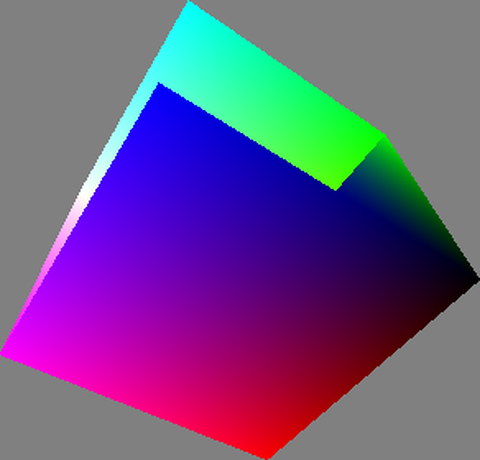 RGBCube
Processing/Topics/Geometry/RGBCube
open on Codeberg ↗
/**
 * RGB Cube.
 *
 * The three primary colors of the additive color model are red, green, and blue.
 * This RGB color cube displays smooth transitions between these colors.
 */
#include "Umfeld.h"

using namespace umfeld;

float xmag, ymag       = 0;
float newXmag, newYmag = 0;

void settings() {
    size(640, 360);
}

void setup() {
    noStroke();
    hint(ENABLE_DEPTH_TEST); //@diff(available_hints)
}

void draw() {
    background(128);

    pushMatrix();
    translate(width / 2, height / 2, -30);

    newXmag = mouseX / float(width) * TWO_PI;
    newYmag = mouseY / float(height) * TWO_PI;

    float diff = xmag - newXmag;
    if (abs(diff) > 0.01) {
        xmag -= diff / 4.0;
    }

    diff = ymag - newYmag;
    if (abs(diff) > 0.01) {
        ymag -= diff / 4.0;
    }

    rotateX(-ymag);
    rotateY(-xmag);

    scale(90);
    beginShape(QUADS);

    fill(0, 255, 255);
    vertex(-1, 1, 1);
    fill(255, 255, 255);
    vertex(1, 1, 1);
    fill(255, 0, 255);
    vertex(1, -1, 1);
    fill(0, 0, 255);
    vertex(-1, -1, 1);

    fill(255, 255, 255);
    vertex(1, 1, 1);
    fill(255, 255, 0);
    vertex(1, 1, -1);
    fill(255, 0, 0);
    vertex(1, -1, -1);
    fill(255, 0, 255);
    vertex(1, -1, 1);

    fill(255, 255, 0);
    vertex(1, 1, -1);
    fill(0, 255, 0);
    vertex(-1, 1, -1);
    fill(0, 0, 0);
    vertex(-1, -1, -1);
    fill(255, 0, 0);
    vertex(1, -1, -1);

    fill(0, 255, 0);
    vertex(-1, 1, -1);
    fill(0, 255, 255);
    vertex(-1, 1, 1);
    fill(0, 0, 255);
    vertex(-1, -1, 1);
    fill(0, 0, 0);
    vertex(-1, -1, -1);

    fill(0, 255, 0);
    vertex(-1, 1, -1);
    fill(255, 255, 0);
    vertex(1, 1, -1);
    fill(255, 255, 255);
    vertex(1, 1, 1);
    fill(0, 255, 255);
    vertex(-1, 1, 1);

    fill(0, 0, 0);
    vertex(-1, -1, -1);
    fill(255, 0, 0);
    vertex(1, -1, -1);
    fill(255, 0, 255);
    vertex(1, -1, 1);
    fill(0, 0, 255);
    vertex(-1, -1, 1);

    endShape();

    popMatrix();
}
 ShapeTransform
Processing/Topics/Geometry/ShapeTransform
open on Codeberg ↗
/**
 * Shape Transform
 * by Ira Greenberg.
 *
 * Illustrates the geometric relationship
 * between Cube, Pyramid, Cone and
 * Cylinder 3D primitives.
 *
 * Instructions:
 * Up Arrow - increases points
 * Down Arrow - decreases points
 * 'p' key toggles between cube/pyramid
 */
#include "Umfeld.h"
#include "PVector.h"
// #include <SDL3/SDL_keycode.h>

using namespace umfeld;

int   pts            = 4;
float angle          = 0;
float radius         = 99;
float cylinderLength = 95;

//vertices
std::vector<std::vector<PVector>> vertices;          //@diff(std::vector)
bool                              isPyramid = false; //@diff(generic_type)

float angleInc;

void settings() {
    size(640, 360);
}

void setup() {
    noStroke();
    angleInc = PI / 300.0;
}

void draw() {
    background(168, 94, 94);
    lights(); // FIXME: this turns the shape into gray
    fill(255, 199, 199);
    translate(width / 2, height / 2);
    rotateX(frameCount * angleInc);
    rotateY(frameCount * angleInc);
    rotateZ(frameCount * angleInc);

    // initialize vertex arrays
    vertices = std::vector<std::vector<PVector>>(2, std::vector<PVector>(pts + 1)); //@diff(std::vector)

    // fill arrays
    for (int i = 0; i < 2; i++) {
        angle = 0;
        for (int j = 0; j <= pts; j++) {
            vertices[i][j] = PVector();
            if (isPyramid) {
                if (i == 1) {
                    vertices[i][j].x = 0;
                    vertices[i][j].y = 0;
                } else {
                    vertices[i][j].x = cos(radians(angle)) * radius;
                    vertices[i][j].y = sin(radians(angle)) * radius;
                }
            } else {
                vertices[i][j].x = cos(radians(angle)) * radius;
                vertices[i][j].y = sin(radians(angle)) * radius;
            }
            vertices[i][j].z = cylinderLength;
            // the .0 after the 360 is critical
            angle += 360.0 / pts;
        }
        cylinderLength *= -1;
    }

    // draw cylinder tube
    beginShape(QUAD_STRIP);
    for (int j = 0; j <= pts; j++) {
        vertex(vertices[0][j].x, vertices[0][j].y, vertices[0][j].z);
        vertex(vertices[1][j].x, vertices[1][j].y, vertices[1][j].z);
    }
    endShape();

    //draw cylinder ends
    for (int i = 0; i < 2; i++) {
        beginShape();
        for (int j = 0; j < pts; j++) {
            vertex(vertices[i][j].x, vertices[i][j].y, vertices[i][j].z);
        }
        endShape(CLOSE);
    }
}


/*
 up/down arrow keys control
 polygon detail.
 */
void keyPressed() {
    if (key == SDLK_UP) { //note: Arrow key handling using SDL named constants
        if (pts < 90) {
            pts++;
        }
    } else if (key == SDLK_DOWN) {
        if (pts > 4) {
            pts--;
        }
    }
    if (key == 'p') {
        if (isPyramid) {
            isPyramid = false;
        } else {
            isPyramid = true;
        }
    }
}
 SpaceJunk
Processing/Topics/Geometry/SpaceJunk
open on Codeberg ↗
/**
 * Space Junk
 * by Ira Greenberg (zoom suggestion by Danny Greenberg).
 *
 * Rotating cubes in space using a custom Cube class.
 * Color controlled by light sources. Move the mouse left
 * and right to zoom.
 */
#include "Umfeld.h"
#include "Cube.h"

using namespace umfeld;

// Used for oveall rotation
float angle;

// Cube count-lower/raise to test performance
int limit = 500;

// Array for all cubes
std::vector<Cube> cubes(limit);

void settings() {
    size(640, 360);
}

void setup() {
    background(0);
    noStroke();

    // Instantiate cubes, passing in random vals for size and postion
    for (int i = 0; i < cubes.size(); i++) {
        cubes[i] = Cube(int(random(-10, 10)), int(random(-10, 10)),
                        int(random(-10, 10)), int(random(-140, 140)),
                        int(random(-140, 140)), int(random(-140, 140)));
    }
}

void draw() {
    background(0);
    fill(199);

    // Set up some different colored lights
    // pointLight(51, 102, 255, 65, 60, 100); //unimplemented
    // pointLight(200, 40, 60, -65, -60, -150);

    // Raise overall light in scene
    // ambientLight(70, 70, 10); //unimplemented

    // Center geometry in display windwow.
    // you can changlee 3rd argument ('0')
    // to move block group closer(+) / further(-)
    translate(width / 2, height / 2, -200 + mouseX * 0.65);

    // Rotate around y and x axes
    rotateY(radians(angle));
    rotateX(radians(angle));

    // Draw cubes
    for (int i = 0; i < cubes.size(); i++) {
        cubes[i].drawCube();
    }

    // Used in rotate function calls above
    angle += 0.2;
}
 Toroid
Processing/Topics/Geometry/Toroid
open on Codeberg ↗
/**
 * Interactive Toroid
 * by Ira Greenberg.
 *
 * Illustrates the geometric relationship between Toroid, Sphere, and Helix
 * 3D primitives, as well as lathing principal.
 *
 * Instructions: <br />
 * UP arrow key pts++ <br />
 * DOWN arrow key pts-- <br />
 * LEFT arrow key segments-- <br />
 * RIGHT arrow key segments++ <br />
 * 'a' key toroid radius-- <br />
 * 's' key toroid radius++ <br />
 * 'z' key initial polygon radius-- <br />
 * 'x' key initial polygon radius++ <br />
 * 'w' key toggle wireframe/solid shading <br />
 * 'h' key toggle sphere/helix <br />
 */
#include "Umfeld.h"
#include "PVector.h"

using namespace umfeld;

int   pts    = 40;
float angle  = 0;
float radius = 60.0;

// lathe segments
int   segments    = 60;
float latheAngle  = 0;
float latheRadius = 100.0;

//vertices
std::vector<PVector> vertices, vertices2; //@diff(std::vector)

// for shaded or wireframe rendering
bool isWireFrame = false; //@diff(generic_type)

// for optional helix
bool  isHelix     = false; //@diff(generic_type)
float helixOffset = 5.0;


void settings() {
    size(640, 360);
}

void setup() {
}

void draw() {
    background(51, 64, 41);
    // basic lighting setup
    lights(); //FIXME: lights() turns the shape color into grey
    // 2 rendering styles
    // wireframe or solid
    if (isWireFrame) {
        stroke(255, 255, 150);
        noFill();
    } else {
        noStroke();
        fill(150, 194, 125);
    }
    //center and spin toroid
    translate(width / 2, height / 2, -100);

    rotateX(frameCount * PI / 150);
    rotateY(frameCount * PI / 170);
    rotateZ(frameCount * PI / 90);

    // initialize point arrays
    vertices  = std::vector<PVector>(pts + 1); //@diff(std::vector)
    vertices2 = std::vector<PVector>(pts + 1); //@diff(std::vector)

    // fill arrays
    for (int i = 0; i <= pts; i++) {
        vertices[i]   = PVector();
        vertices2[i]  = PVector();
        vertices[i].x = latheRadius + sin(radians(angle)) * radius;
        if (isHelix) {
            vertices[i].z = cos(radians(angle)) * radius - (helixOffset *
                                                            segments) /
                                                               2;
        } else {
            vertices[i].z = cos(radians(angle)) * radius;
        }
        angle += 360.0 / pts;
    }

    // draw toroid
    latheAngle = 0;
    for (int i = 0; i <= segments; i++) {
        beginShape(QUAD_STRIP);
        for (int j = 0; j <= pts; j++) {
            if (i > 0) {
                vertex(vertices2[j].x, vertices2[j].y, vertices2[j].z);
            }
            vertices2[j].x = cos(radians(latheAngle)) * vertices[j].x;
            vertices2[j].y = sin(radians(latheAngle)) * vertices[j].x;
            vertices2[j].z = vertices[j].z;
            // optional helix offset
            if (isHelix) {
                vertices[j].z += helixOffset;
            }
            vertex(vertices2[j].x, vertices2[j].y, vertices2[j].z);
        }
        // create extra rotation for helix
        if (isHelix) {
            latheAngle += 720.0 / segments;
        } else {
            latheAngle += 360.0 / segments;
        }
        endShape();
    }
}

/*
 left/right arrow keys control ellipse detail
 up/down arrow keys control segment detail.
 'a','s' keys control lathe radius
 'z','x' keys control ellipse radius
 'w' key toggles between wireframe and solid
 'h' key toggles between toroid and helix
 */
void keyPressed() {
    // pts
    if (key == SDLK_UP) { //note: Arrow key handling using SDL named constants
        if (pts < 40) {
            pts++;
        }
    } else if (key == SDLK_DOWN) {
        if (pts > 3) {
            pts--;
        }
    }
    // extrusion length
    if (key == SDLK_LEFT) {
        if (segments > 3) {
            segments--;
        }
    } else if (key == SDLK_RIGHT) {
        if (segments < 80) {
            segments++;
        }
    }

    // lathe radius
    if (key == 'a') {
        if (latheRadius > 0) {
            latheRadius--;
        }
    } else if (key == 's') {
        latheRadius++;
    }
    // ellipse radius
    if (key == 'z') {
        if (radius > 10) {
            radius--;
        }
    } else if (key == 'x') {
        radius++;
    }
    // wireframe
    if (key == 'w') {
        if (isWireFrame) {
            isWireFrame = false;
        } else {
            isWireFrame = true;
        }
    }
    // helix
    if (key == 'h') {
        if (isHelix) {
            isHelix = false;
        } else {
            isHelix = true;
        }
    }
}
 Vertices
Processing/Topics/Geometry/Vertices
open on Codeberg ↗
/**
 * Vertices
 * by Simon Greenwold.
 *
 * Draw a cylinder centered on the y-axis, going down
 * from y=0 to y=height. The radius at the top can be
 * different from the radius at the bottom, and the
 * number of sides drawn is variable.
 */
#include "Umfeld.h"

using namespace umfeld;

void drawCylinder(float topRadius, float bottomRadius, float tall, int sides); //@diff(forward_declaration)

void settings() {
    size(640, 360);
}

void setup() {
}

void draw() {
    background(0);
    lights(); //FIXME: lights() turns the shapes color into grey
    translate(width / 2, height / 2);
    rotateY(map(mouseX, 0, width, 0, PI));
    rotateZ(map(mouseY, 0, height, 0, -PI));
    noStroke();
    fill(255, 255, 255);
    translate(0, -40, 0);
    drawCylinder(10, 180, 200, 16); // Draw a mix between a cylinder and a cone
                                    //drawCylinder(70, 70, 120, 64); // Draw a cylinder
                                    //drawCylinder(0, 180, 200, 4); // Draw a pyramid
}

void drawCylinder(float topRadius, float bottomRadius, float tall, int sides) {
    float angle          = 0;
    float angleIncrement = TWO_PI / sides;
    beginShape(QUAD_STRIP);
    for (int i = 0; i < sides + 1; ++i) {
        vertex(topRadius * cos(angle), 0, topRadius * sin(angle));
        vertex(bottomRadius * cos(angle), tall, bottomRadius * sin(angle));
        angle += angleIncrement;
    }
    endShape();

    // If it is not a cone, draw the circular top cap
    if (topRadius != 0) {
        angle = 0;
        beginShape(TRIANGLE_FAN);

        // Center point
        vertex(0, 0, 0);
        for (int i = 0; i < sides + 1; i++) {
            vertex(topRadius * cos(angle), 0, topRadius * sin(angle));
            angle += angleIncrement;
        }
        endShape();
    }

    // If it is not a cone, draw the circular bottom cap
    if (bottomRadius != 0) {
        angle = 0;
        beginShape(TRIANGLE_FAN);

        // Center point
        vertex(0, tall, 0);
        for (int i = 0; i < sides + 1; i++) {
            vertex(bottomRadius * cos(angle), tall, bottomRadius * sin(angle));
            angle += angleIncrement;
        }
        endShape();
    }
}
 Blending
Processing/Topics/Image Processing/Blending
open on Codeberg ↗
#include "Umfeld.h"

using namespace umfeld;

void settings() {
    size(640, 360);
}

void setup() {
    noFill();
    stroke(255, 63, 89);
}

void draw() {
    background(216);
    const float size = 50.0f;
    const float x    = width / 2.0f;
    const float y    = height / 2.0f;
    line(x - size, y - size, x + size, y + size);
    line(x - size, y + size, x + size, y - size);
}
/*
note:
- blendMode is unimplemented
*/
Blur Blur
Processing/Topics/Image Processing/Blur
open on Codeberg ↗
/**
 * Blur.
 *
 * This program analyzes every pixel in an image and blends it with the
 * neighboring pixels to blur the image.
 *
 * This is an example of an "image convolution" using a kernel (small matrix)
 * to analyze and transform a pixel based on the values of its neighbors.
 *
 * Image blur is also called a "low-pass filter".  Pixels of low frequency
 * change (similar brightness as neighbors) are left mostly unchanged, while
 * those with high frequency change (sharply different values) are smoothed
 * out.
 *
 * The kernel here is a Box Blur, in which all components are equally valued.
 * Another common blur is "Gaussian Blur", in which pixels nearer the center
 * of the kernel have more weight than those further away.
 *
 * An example 3x3 Gaussian kernel might be:          [ 1  2  1 ]
 *                                            1/16 * [ 2  4  2 ]
 *                                                   [ 1  2  1 ]
 *
 * An example 5x5 kernel, which creates a greater blur effect:
 *                                                   [ 1   4   6   4  1 ]
 *                                                   [ 4  16  24  16  4 ]
 *                                           1/256 * [ 6  24  36  24  6 ]
 *                                                   [ 4  16  24  16  4 ]
 *                                                   [ 1   4   6   4  1 ]
 */
#include "Umfeld.h"

using namespace umfeld;

float                           v      = 1.0 / 9.0;
std::vector<std::vector<float>> kernel = {{v, v, v},
                                          {v, v, v},
                                          {v, v, v}}; //@diff(std::vector)

PImage* img; //@diff(pointer)

void settings() {
    size(640, 360);
}

void setup() {
    img = loadImage("moon.jpg"); // Load the original image
    noLoop();
}

void draw() {
    image(img, 0, 0);   // Displays the image from point (0,0)
    img->loadPixels(g); //@diff(loadPixels)

    // Create an opaque image of the same size as the original
    // Note: createImage is not available in Umfeld, use PImage constructor instead
    PImage blurImg(img->width, img->height);
    blurImg.pixels = new uint32_t[(int) (img->width * img->height)];

    // Loop through every pixel in the image
    for (int y = 1; y < img->height - 1; y++) {    // Skip top and bottom edges
        for (int x = 1; x < img->width - 1; x++) { // Skip left and right edges
            float sumRed   = 0;                    // Kernel sums for this pixel
            float sumGreen = 0;
            float sumBlue  = 0;
            for (int ky = -1; ky <= 1; ky++) {
                for (int kx = -1; kx <= 1; kx++) {
                    // Calculate the adjacent pixel for this kernel point
                    int pos = (y + ky) * img->width + (x + kx);

                    // Process each channel separately, Red first.
                    float valRed = red(img->pixels[pos]);
                    // Multiply adjacent pixels based on the kernel values
                    sumRed += kernel[ky + 1][kx + 1] * valRed;

                    // Green
                    float valGreen = green(img->pixels[pos]);
                    sumGreen += kernel[ky + 1][kx + 1] * valGreen;

                    // Blue
                    float valBlue = blue(img->pixels[pos]);
                    sumBlue += kernel[ky + 1][kx + 1] * valBlue;
                }
            }
            // For this pixel in the new image, set the output value
            // based on the sum from the kernel
            blurImg.pixels[y * (int) blurImg.width + x] = color(sumRed, sumGreen, sumBlue);
        }
    }

    // State that there are changes to blurImg.pixels[]
    blurImg.updatePixels(g); //@diff(updatePixels)

    image(&blurImg, width / 2, 0); // Draw the new image
}
BrightnessPixels BrightnessPixels
Processing/Topics/Image Processing/BrightnessPixels
open on Codeberg ↗
/**
 * Brightness Pixels
 * by Daniel Shiffman.
 *
 * This program adjusts the brightness of a part of the image by
 * calculating the distance of each pixel to the mouse.
 */

#include "Umfeld.h"

using namespace umfeld;

PImage* img;

void settings() {
    size(640, 360);
}

void setup() {
    set_frame_rate(30); //@diff(frameRate)
    img = loadImage("moon-wide.jpg");
    // img->loadPixels(g); //note: umfeld:: image pixels are already loaded
    // Only need to load the pixels[] array once, because we're only
    // manipulating pixels[] inside draw(), not drawing shapes.
    loadPixels();
}

void draw() {
    // First copy the original image pixels to the screen pixels array
    loadPixels();
    for (int i = 0; i < img->width * img->height; i++) {
        pixels[i] = img->pixels[i];
    }

    // Then modify the screen pixels based on mouse proximity
    for (int x = 0; x < img->width; x++) {
        for (int y = 0; y < img->height; y++) {
            // Calculate the 1D location from a 2D grid
            int loc = x + y * img->width;
            // Get the R,G,B values from the current screen pixel
            float r, g, b;
            r = red(pixels[loc]);
            g = green(pixels[loc]);
            b = blue(pixels[loc]);
            // Calculate an amount to change brightness based on proximity to the mouse
            float maxdist          = 50; //dist(0,0,width,height);
            float d                = dist(x, y, (int) mouseX, (int) mouseY);
            float adjustbrightness = (maxdist - d) / maxdist;
            r += adjustbrightness * 255.0f;
            g += adjustbrightness * 255.0f;
            b += adjustbrightness * 255.0f;
            // Constrain RGB to make sure they are within 0-255 color range
            r = constrain(r, 0.0f, 255.0f);
            g = constrain(g, 0.0f, 255.0f);
            b = constrain(b, 0.0f, 255.0f);
            // Make a new color and set pixel in the window
            color_t c                   = color(r, g, b);
            pixels[y * (int) width + x] = c;
        }
    }
    updatePixels();
}
Convolution Convolution
Processing/Topics/Image Processing/Convolution
open on Codeberg ↗
/**
 * Convolution
 * by Daniel Shiffman.
 *
 * Applies a convolution matrix to a portion of an image. Move mouse to
 * apply filter to different parts of the image. Click mouse to cycle
 * through different effects (kernels).
 */
#include "Umfeld.h"

using namespace umfeld;


PImage* img;
int     effect = 0;
int     w      = 120;

// It's possible to convolve the image with many different
// matrices to produce different effects.  Here are some
// example kernels to try.
std::vector<std::vector<float>> identity = {{0, 0, 0},
                                            {0, 1, 0},
                                            {0, 0, 0}};

std::vector<std::vector<float>> darken = {{0, 0, 0},
                                          {0, 0.5, 0},
                                          {0, 0, 0}};

std::vector<std::vector<float>> lighten = {{0, 0, 0},
                                           {0, 2, 0},
                                           {0, 0, 0}};

std::vector<std::vector<float>> sharpen = {{0, -1, 0},
                                           {-1, 5, -1},
                                           {0, -1, 0}};

std::vector<std::vector<float>> sharpen2 = {{-1, -1, -1},
                                            {-1, 9, -1},
                                            {-1, -1, -1}};

std::vector<std::vector<float>> box_blur = {{1.0 / 9.0, 1.0 / 9.0, 1.0 / 9.0},
                                            {1.0 / 9.0, 1.0 / 9.0, 1.0 / 9.0},
                                            {1.0 / 9.0, 1.0 / 9.0, 1.0 / 9.0}};

std::vector<std::vector<float>> edge_det = {{0, 1, 0},
                                            {1, -4, 1},
                                            {0, 1, 0}};

std::vector<std::vector<float>> emboss = {{-2, -1, 0},
                                          {-1, 1, 1},
                                          {0, 1, 2}};

// collect the kernels and names into arrays for our program
std::vector<std::vector<std::vector<float>>> kernels = {
    identity,
    darken,
    lighten,
    sharpen,
    sharpen2,
    box_blur,
    edge_det,
    emboss};

std::vector<std::string> effect_names = {
    "Identity (no change)",
    "Darken",
    "Lighten",
    "Sharpen",
    "Sharpen More",
    "Box Blur",
    "Edge Detect",
    "Emboss"};

uint32_t convolution(int x, int y, std::vector<std::vector<float>> matrix, int matrixsize, PImage* img); //@diff(forward_declaration)


void settings() {
    size(640, 360);
}

void setup() {
    img = loadImage("moon-wide.jpg");
    noLoop();
    textFont(loadFont("SourceCodePro-Regular.ttf", 12));
}

// Clicking the mouse advances to the next effect
void mousePressed() {
    effect++;
    if (effect >= effect_names.size()) {
        effect = 0;
    }

    redraw();
}

// Moving the mouse triggers a screen redraw
void mouseMoved() {
    redraw();
}
void mouseDragged() {
    redraw();
}

void draw() {
    // We're only going to process a portion of the image
    // so let's set the whole image as the background first
    image(img, 0, 0);

    // Calculate the small rectangle we will process
    int xstart     = constrain((int) mouseX - w / 2, 0, (int) img->width);
    int ystart     = constrain((int) mouseY - w / 2, 0, (int) img->height);
    int xend       = constrain((int) mouseX + w / 2, 0, (int) img->width);
    int yend       = constrain((int) mouseY + w / 2, 0, (int) img->height);
    int matrixsize = 3;
    loadPixels();
    // Begin our loop for every pixel in the smaller image
    for (int x = xstart; x < xend; x++) {
        for (int y = ystart; y < yend; y++) {
            uint32_t c   = convolution(x, y, kernels[effect], matrixsize, img);
            int      loc = x + y * img->width;
            pixels[loc]  = c;
        }
    }
    updatePixels();

    textSize(24);
    text(effect_names[effect], 4, 24);
}

uint32_t convolution(int x, int y, std::vector<std::vector<float>> matrix, int matrixsize, PImage* img) {
    float rtotal = 0.0;
    float gtotal = 0.0;
    float btotal = 0.0;
    int   offset = matrixsize / 2;
    for (int i = 0; i < matrixsize; i++) {
        for (int j = 0; j < matrixsize; j++) {
            // What pixel are we testing
            int xloc = x + i - offset;
            int yloc = y + j - offset;
            int loc  = xloc + img->width * yloc;
            // Make sure we haven't walked off our image, we could do better here
            loc = constrain(loc, 0, int(img->width * img->height - 1));
            // Calculate the convolution using 0-255 range values from red()/green()/blue()
            rtotal += (red(img->pixels[loc]) * matrix[i][j]);
            gtotal += (green(img->pixels[loc]) * matrix[i][j]);
            btotal += (blue(img->pixels[loc]) * matrix[i][j]);
        }
    }
    // Make sure RGB is within 0-255 range
    rtotal = std::max(0.0f, std::min(255.0f, rtotal));
    gtotal = std::max(0.0f, std::min(255.0f, gtotal));
    btotal = std::max(0.0f, std::min(255.0f, btotal));
    // Return the resulting color
    return color(rtotal, gtotal, btotal);
}
 EdgeDetection
Processing/Topics/Image Processing/EdgeDetection
open on Codeberg ↗
#include "Umfeld.h"

using namespace umfeld;

void settings() {
    size(640, 360);
}

void setup() {
    noFill();
    stroke(255, 63, 89);
}

void draw() {
    background(216);
    const float size = 50.0f;
    const float x    = width / 2.0f;
    const float y    = height / 2.0f;
    line(x - size, y - size, x + size, y + size);
    line(x - size, y + size, x + size, y - size);
}
/*
note:
- createImage() is unimplemented.
- filter(GREY) is unimplemented.
- *.updatePixels() is unimplemented.
*/
Explode Explode
Processing/Topics/Image Processing/Explode
open on Codeberg ↗
/**
 * Explode
 * by Daniel Shiffman.
 *
 * Mouse horizontal location controls breaking apart of image and
 * Maps pixels from a 2D image into 3D space. Pixel brightness controls
 * translation along z axis.
 */

#include "Umfeld.h"

using namespace umfeld;

PImage* img;           // The source image
int     cellsize = 2;  // Dimensions of each cell in the grid
int     columns, rows; // Number of columns and rows in our system

void settings() {
    size(640, 360);
}

void setup() {
    img     = loadImage("eames.jpg"); // Load the image
    columns = img->width / cellsize;  // Calculate # of columns
    rows    = img->height / cellsize; // Calculate # of rows
}

void draw() {
    background(0);
    // Begin loop for columns
    for (int i = 0; i < columns; i++) {
        // Begin loop for rows
        for (int j = 0; j < rows; j++) {
            int     x   = i * cellsize + cellsize / 2; // x position
            int     y   = j * cellsize + cellsize / 2; // y position
            int     loc = x + y * img->width;          // Pixel array location
            color_t c   = img->pixels[loc];            //Grab the color //@diff(color_type)
            // Calculate a z position as a function of mouseX and pixel brightness
            float z = (mouseX / float(width)) * brightness(img->pixels[loc]) * 255.0f - 20.0;
            // Translate to the location, set fill and stroke, and draw the rect
            pushMatrix();
            translate(x + 200, y + 100, z);
            float r, g, b, a;
            color_unpack_f(c, r, g, b, a); // Unpack the color into
            fill(r, g, b, 204);            // Use RGB components with alpha
            noStroke();
            rectMode(CENTER);
            rect(0, 0, cellsize, cellsize);
            popMatrix();
        }
    }
}
 Extrusion
Processing/Topics/Image Processing/Extrusion
open on Codeberg ↗
#include "Umfeld.h"

using namespace umfeld;

void settings() {
    size(640, 360);
}

void setup() {
    noFill();
    stroke(255, 63, 89);
}

void draw() {
    background(216);
    const float size = 50.0f;
    const float x    = width / 2.0f;
    const float y    = height / 2.0f;
    line(x - size, y - size, x + size, y + size);
    line(x - size, y + size, x + size, y - size);
}
/*
note:
- *.loadPixels() is unimplemented.
*/
Histogram Histogram
Processing/Topics/Image Processing/Histogram
open on Codeberg ↗
/**
 * Histogram.
 *
 * Calculates the histogram of an image.
 * A histogram is the frequency distribution
 * of the gray levels with the number of pure black values
 * displayed on the left and number of pure white values on the right.
 *
 * Note that this sketch will behave differently on Android,
 * since most images will no longer be full 24-bit color.
 */

#include "Umfeld.h"

using namespace umfeld;

void settings() {
    size(640, 360);
}

PImage* img;

void setup() {
    // Load an image from the data directory
    // Load a different image by modifying the comments
    img = loadImage("frontier.jpg");
    noLoop();
}

void draw() {
    image(img, 0, 0);
    loadPixels();

    int hist[256] = {};

    // Calculate the histogram
    for (int i = 0; i < img->width; i++) {
        for (int j = 0; j < img->height; j++) {
            int bright = int(brightness(get(i, j)));
            hist[bright]++;
        }
    }

    // Find the largest value in the histogram
    int histMax = max(hist);

    stroke(255);
    // Draw half of the histogram (skip every second value)
    for (int i = 0; i < img->width; i += 2) {
        // Map i (from 0..img.width) to a location in the histogram (0..255)
        int which = int(map(i, 0, img->width, 0, 255));
        // Convert the histogram value to a location between
        // the bottom and the top of the picture
        int y = int(map(hist[which], 0, histMax, img->height, 0));
        line(i, img->height, i, y);
    }
}
LinearImage LinearImage
Processing/Topics/Image Processing/LinearImage
open on Codeberg ↗
/**
 * Linear Image.
 *
 * Click and drag mouse up and down to control the signal.
 * Press and hold any key to watch the scanning.
 */

#include "Umfeld.h"
#include <algorithm>

using namespace umfeld;

PImage* img;
int     direction = 1;

float _signal;

void settings() {
    size(640, 360);
}

void setup() {
    stroke(255);
    img = loadImage("sea.jpg");
    img->loadPixels(g);
    loadPixels();
}

void draw() {
    if (_signal > img->height - 1 || _signal < 0) {
        direction = direction * -1;
    }
    if (isMousePressed == true) {
        _signal = abs((int) mouseY % int(img->height));
    } else {
        _signal += (0.3 * direction);
    }

    if (isKeyPressed == true) {
        img->loadPixels(g);
        line(0, _signal, img->width, _signal);
    } else {
        int signalOffset = int(_signal) * img->width;
        for (int y = 0; y < img->height; y++) {
            std::copy(img->pixels + signalOffset,
                      img->pixels + signalOffset + static_cast<int>(img->width),
                      pixels + y * static_cast<int>(width));
        }
        updatePixels();
    }
}
PixelArray PixelArray
Processing/Topics/Image Processing/PixelArray
open on Codeberg ↗
/**
 * Pixel Array.
 *
 * Click and drag the mouse up and down to control the signal and
 * press and hold any key to see the current pixel being read.
 * This program sequentially reads the color of every pixel of an image
 * and displays this color to fill the window.
 */
#include "Umfeld.h"

using namespace umfeld;

PImage* img;
int     direction = 1;

float _signal;

void settings() {
    size(640, 360);
}

void setup() {
    noFill();
    stroke(255);
    set_frame_rate(30); //@diff(frameRate)
    img = loadImage("sea.jpg");
}

void draw() {
    if (_signal > img->width * img->height - 1 || _signal < 0) {
        direction = direction * -1;
    }

    if (isMousePressed) {
        int mx  = constrain(mouseX, 0.0f, img->width - 1);
        int my  = constrain(mouseY, 0.0f, img->height - 1);
        _signal = my * img->width + mx;
    } else {
        _signal += 0.33 * direction;
    }

    int sx = int(_signal) % (int) img->width;
    int sy = int(_signal) / (int) img->width;

    if (isKeyPressed) {
        // set(0, 0, img);  // fast way to draw an image
        loadPixels(img);
        point(sx, sy);
        rect(sx - 5, sy - 5, 10, 10);
    } else {
        color_t c = img->get(sx, sy);
        background(c);
    }
}
Sharpen Sharpen
Processing/Topics/Image Processing/Sharpen
open on Codeberg ↗
/**
 * Sharpen.
 *
 * This program analyzes every pixel in an image and contrasts it with the
 * neighboring pixels to sharpen the image.
 *
 * This is an example of an "image convolution" using a kernel (small matrix)
 * to analyze and transform a pixel based on the values of its neighbors.
 *
 * Sharpening is also called a "high-pass filter".  Pixels of high frequency
 * change (very differnt from neighbors) are left mostly unchanged, while
 * those with low frequency change (similar value as neighbors) are modified
 * greatly to increase contrast.
 *
 * The kernel here is a "high-boost filter", which is essentially the result
 * of subtracting low-contrast (blurred) areas from the source image - leaving
 * only the higher contrast sharp portions.
 * A more advanced version is "unsharp masking", which allows greater control
 * over the blur radius and sharpening amounts.
 *
 * For less severe sharpening, try this kernel:      [  0  -1   0 ]
 *                                                   [ -1   5  -1 ]
 *                                                   [  0  -1   0 ]
 *
 * For greater sharpening, try increasing the value of the center pixel.
 */
#include "Umfeld.h"

using namespace umfeld;

std::vector<std::vector<float>> kernel = {{-1, -1, -1},
                                          {-1, 9, -1},
                                          {-1, -1, -1}};

PImage* img;

void settings() {
    size(640, 360);
}

void setup() {
    img = loadImage("moon.jpg"); // Load the original image
    noLoop();
}

void draw() {
    image(img, 0, 0); // Displays the image from point (0,0)
    img->loadPixels(g);

    // Create an opaque image of the same size as the original
    PImage sharpImg(img->width, img->height);

    // Loop through every pixel in the image
    for (int y = 1; y < img->height - 1; y++) {    // Skip top and bottom edges
        for (int x = 1; x < img->width - 1; x++) { // Skip left and right edges
            float sumRed   = 0;                    // Kernel sums for this pixel
            float sumGreen = 0;
            float sumBlue  = 0;
            for (int ky = -1; ky <= 1; ky++) {
                for (int kx = -1; kx <= 1; kx++) {
                    // Calculate the adjacent pixel for this kernel point
                    int pos = (y + ky) * img->width + (x + kx);

                    // Process each channel separately, Red first.
                    float valRed = red(img->pixels[pos]) * 255.0f; // Convert to 0-255 range
                    // Multiply adjacent pixels based on the kernel values
                    sumRed += kernel[ky + 1][kx + 1] * valRed;

                    // Green
                    float valGreen = green(img->pixels[pos]) * 255.0f; // Convert to 0-255 range
                    sumGreen += kernel[ky + 1][kx + 1] * valGreen;

                    // Blue
                    float valBlue = blue(img->pixels[pos]) * 255.0f; // Convert to 0-255 range
                    sumBlue += kernel[ky + 1][kx + 1] * valBlue;
                }
            }
            // For this pixel in the new image, set the output value
            // based on the sum from the kernel
            // Constrain values to valid range and convert back to 0-1 range
            sumRed                                        = std::max(0.0f, std::min(255.0f, sumRed)) / 255.0f;
            sumGreen                                      = std::max(0.0f, std::min(255.0f, sumGreen)) / 255.0f;
            sumBlue                                       = std::max(0.0f, std::min(255.0f, sumBlue)) / 255.0f;
            sharpImg.pixels[y * (int) sharpImg.width + x] = color(sumRed, sumGreen, sumBlue);
        }
    }
    // State that there are changes to sharpImg.pixels[]
    sharpImg.updatePixels(g);

    image(&sharpImg, width / 2.f, 0.f); // Draw the new image
}
Zoom Zoom
Processing/Topics/Image Processing/Zoom
open on Codeberg ↗
/**
 * Zoom.
 *
 * Move the cursor over the image to alter its position. Click and press
 * the mouse to zoom. This program displays a series of lines with their
 * heights corresponding to a color value read from an image.
 */


#include "Umfeld.h"

using namespace umfeld;

PImage*                       img;
std::vector<std::vector<int>> imgPixels; //@diff(std::vector)
float                         sval = 1.0;
float                         nmx, nmy;
int                           res = 5;

void settings() {
    size(640, 360);
}

void setup() {
    noFill();
    stroke(255);
    img       = loadImage("ystone08.jpg");
    imgPixels = std::vector<std::vector<int>>(img->width, std::vector<int>(img->height)); //@diff(std::vector)
    for (int i = 0; i < img->height; i++) {
        for (int j = 0; j < img->width; j++) {
            imgPixels[j][i] = img->get(j, i);
        }
    }
}

void draw() {
    background(0);

    nmx += (mouseX - nmx) / 20;
    nmy += (mouseY - nmy) / 20;

    if (isMousePressed) {
        sval += 0.005;
    } else {
        sval -= 0.01;
    }

    sval = constrain(sval, 1.f, 2.f);

    translate(width / 2 + nmx * sval - 100, height / 2 + nmy * sval - 100, -50);
    scale(sval);
    rotateZ(PI / 9 - sval + 1.0);
    rotateX(PI / sval / 8 - 0.125);
    rotateY(sval / 8 - 0.125);

    translate(-width / 2, -height / 2, 0);

    for (int i = 0; i < img->height; i += res) {
        for (int j = 0; j < img->width; j += res) {
            float rr = red(imgPixels[j][i]);   // 0-255 range
            float gg = green(imgPixels[j][i]); // 0-255 range
            float bb = blue(imgPixels[j][i]);  // 0-255 range
            float tt = rr + gg + bb;
            stroke(rr, gg, bb);
            line(j, i, tt / 10 - 20, j, i, tt / 10);       // Fixed coordinate order
        }
    }
}
 Follow1
Processing/Topics/Interaction/Follow1
open on Codeberg ↗
/**
 * Follow 1
 * based on code from Keith Peters.
 *
 * A line segment is pushed and pulled by the cursor.
 */
#include "Umfeld.h"

using namespace umfeld;

float x         = 100;
float y         = 100;
float angle1    = 0.0;
float segLength = 50;

void segment(float x, float y, float a); //@diff(forward_declaration)

void settings() {
    size(640, 360);
}

void setup() {
    strokeWeight(20.0);
    stroke(255, 99);
}

void draw() {
    background(0);

    float dx = mouseX - x;
    float dy = mouseY - y;
    angle1   = atan2(dy, dx);
    x        = mouseX - (cos(angle1) * segLength);
    y        = mouseY - (sin(angle1) * segLength);

    segment(x, y, angle1);
    ellipse(x, y, 20, 20);
}

void segment(float x, float y, float a) {
    pushMatrix();
    translate(x, y);
    rotate(a);
    line(0, 0, segLength, 0);
    popMatrix();
}
 Follow2
Processing/Topics/Interaction/Follow2
open on Codeberg ↗
/**
 * Follow 2
 * based on code from Keith Peters.
 *
 * A two-segmented arm follows the cursor position. The relative
 * angle between the segments is calculated with atan2() and the
 * position calculated with sin() and cos().
 */
#include "Umfeld.h"

using namespace umfeld;

std::vector<float> x(2);
std::vector<float> y(2);
float              segLength = 50;

void segment(float x, float y, float a);       //@diff(forward_declaration)
void dragSegment(int i, float xin, float yin); //@diff(forward_declaration)

void settings() {
    size(640, 360);
}

void setup() {
    strokeWeight(20.0);
    stroke(255, 99);
}

void draw() {
    background(0);
    dragSegment(0, mouseX, mouseY);
    dragSegment(1, x[0], y[0]);
}

void dragSegment(int i, float xin, float yin) {
    float dx    = xin - x[i];
    float dy    = yin - y[i];
    float angle = atan2(dy, dx);
    x[i]        = xin - cos(angle) * segLength;
    y[i]        = yin - sin(angle) * segLength;
    segment(x[i], y[i], angle);
}

void segment(float x, float y, float a) {
    pushMatrix();
    translate(x, y);
    rotate(a);
    line(0, 0, segLength, 0);
    popMatrix();
}
 Follow3
Processing/Topics/Interaction/Follow3
open on Codeberg ↗
/**
 * Follow 3
 * based on code from Keith Peters.
 *
 * A segmented line follows the mouse. The relative angle from
 * each segment to the next is calculated with atan2() and the
 * position of the next is calculated with sin() and cos().
 */
#include "Umfeld.h"

using namespace umfeld;

std::vector<float> x(20); //@diff(std::vector)
std::vector<float> y(20); //@diff(std::vector)
float              segLength = 18;

void dragSegment(int i, float xin, float yin); //@diff(forward_declaration)
void segment(float x, float y, float a);       //@diff(forward_declaration)

void settings() {
    size(640, 360);
}

void setup() {
    strokeWeight(9);
    stroke(255, 99);
}

void draw() {
    background(0);
    dragSegment(0, mouseX, mouseY);
    for (int i = 0; i < x.size() - 1; i++) {
        dragSegment(i + 1, x[i], y[i]);
    }
}

void dragSegment(int i, float xin, float yin) {
    float dx    = xin - x[i];
    float dy    = yin - y[i];
    float angle = atan2(dy, dx);
    x[i]        = xin - cos(angle) * segLength;
    y[i]        = yin - sin(angle) * segLength;
    segment(x[i], y[i], angle);
}

void segment(float x, float y, float a) {
    pushMatrix();
    translate(x, y);
    rotate(a);
    line(0, 0, segLength, 0);
    popMatrix();
}
 Reach1
Processing/Topics/Interaction/Reach1
open on Codeberg ↗
/**
 * Reach 1
 * based on code from Keith Peters.
 *
 * The arm follows the position of the mouse by
 * calculating the angles with atan2().
 */

#include "Umfeld.h"

using namespace umfeld;

float segLength = 80;
float x, y, x2, y2;

void segment(float x, float y, float a); //@diff(forward_declaration)

void settings() {
    size(640, 360);
}

void setup() {
    strokeWeight(20.0);
    stroke(255, 99);

    x  = width / 2;
    y  = height / 2;
    x2 = x;
    y2 = y;
}

void draw() {
    background(0);

    float dx     = mouseX - x;
    float dy     = mouseY - y;
    float angle1 = atan2(dy, dx);

    float tx     = mouseX - cos(angle1) * segLength;
    float ty     = mouseY - sin(angle1) * segLength;
    dx           = tx - x2;
    dy           = ty - y2;
    float angle2 = atan2(dy, dx);
    x            = x2 + cos(angle2) * segLength;
    y            = y2 + sin(angle2) * segLength;

    segment(x, y, angle1);
    segment(x2, y2, angle2);
}

void segment(float x, float y, float a) {
    pushMatrix();
    translate(x, y);
    rotate(a);
    line(0, 0, segLength, 0);
    popMatrix();
}
 Reach2
Processing/Topics/Interaction/Reach2
open on Codeberg ↗
/**
* Reach 2
* based on code from Keith Peters.
*
* The arm follows the position of the mouse by
* calculating the angles with atan2().
*/
#include "Umfeld.h"
using namespace umfeld;
int numSegments = 10;
std::vector<float> x(numSegments); //@diff(std::vector)
std::vector<float> y(numSegments); //@diff(std::vector)
std::vector<float> angle(numSegments); //@diff(std::vector)
float segLength = 26;
float targetX, targetY;
void positionSegment(int a, int b); //@diff(forward_declaration)
void reachSegment(int i, float xin, float yin); //@diff(forward_declaration)
void segment(float x, float y, float a, float sw); //@diff(forward_declaration)
void settings() {
size(640, 360);
}
void setup() {
strokeWeight(20.0);
stroke(255, 99);
x[x.size() - 1] = width / 2; // Set base x-coordinate
y[y.size() - 1] = height; // Set base y-coordinate
// FIXME: enable round stroke caps (but doesn't work, see note below)
// strokeJoin(ROUND);
strokeCap(ROUND);
}
void draw() {
background(0);
reachSegment(0, mouseX, mouseY);
for (int i = 1; i < numSegments; i++) {
reachSegment(i, targetX, targetY);
}
for (int i = x.size() - 1; i >= 1; i--) {
positionSegment(i, i - 1);
}
for (int i = 0; i < x.size(); i++) {
segment(x[i], y[i], angle[i], (i + 1) * 2);
}
}
void positionSegment(int a, int b) {
x[b] = x[a] + cos(angle[a]) * segLength;
y[b] = y[a] + sin(angle[a]) * segLength;
}
void reachSegment(int i, float xin, float yin) {
float dx = xin - x[i];
float dy = yin - y[i];
angle[i] = atan2(dy, dx);
targetX = xin - cos(angle[i]) * segLength;
targetY = yin - sin(angle[i]) * segLength;
}
void segment(float x, float y, float a, float sw) {
strokeWeight(sw);
pushMatrix();
translate(x, y);
rotate(a);
line(0, 0, segLength, 0);
popMatrix();
}
/*
note:
- the default stroke cap is angular/rectangle
- strokeCap() is implemented but the enum ROUND exist only for strokeJoint?
- the ROUND enum doesn't exist in the StrokeCap enum in UmfeldConstants.h
- trying to add it causes naming conflict. maybe better to use namespace to scope them better, e.g STROKECAP::ROUND, STROKEJOINT::ROUND
- scoping also might help in some other places in umfeld, internally and externally.
- imho, the global naming conflict wont reslove otherwise
- also, the stroke render mode STROKE_RENDER_MODE_BARYCENTRIC_SHADER doesn't process the stroke caps.
- instead, the STROKE_RENDER_MODE_TRIANGULATE_2D shall be used.
*/
 Reach3
Processing/Topics/Interaction/Reach3
open on Codeberg ↗
/**
* Reach 3
* based on code from Keith Peters.
*
* The arm follows the position of the ball by
* calculating the angles with atan2().
*/
#include "Umfeld.h"
using namespace umfeld;
int numSegments = 8;
std::vector<float> x(numSegments); //@diff(std::vector)
std::vector<float> y(numSegments); //@diff(std::vector)
std::vector<float> angle(numSegments); //@diff(std::vector)
float segLength = 26;
float targetX, targetY;
float ballX = 50;
float ballY = 50;
int ballXDirection = 1;
int ballYDirection = -1;
void positionSegment(int a, int b); //@diff(forward_declaration)
void reachSegment(int i, float xin, float yin); //@diff(forward_declaration)
void segment(float x, float y, float a, float sw); //@diff(forward_declaration)
void settings() {
size(640, 360);
}
void setup() {
strokeWeight(20.0);
stroke(255, 99);
noFill();
ellipseDetail(36); // Ensure smooth circles
//FIXME: enums for strokeJoin() and strokeCap() might need re-organization
strokeJoin(ROUND); // Use round joins to avoid spikes at segment connections
// hacky, but the ellipse stroke doesn't appear properly otherwise
auto* pg = dynamic_cast<PGraphics*>(g);
if (pg != nullptr) {
pg->set_stroke_render_mode(STROKE_RENDER_MODE_TRIANGULATE_2D);
}
x[x.size() - 1] = width / 2; // Set base x-coordinate
y[x.size() - 1] = height; // Set base y-coordinate
}
void draw() {
background(0);
strokeWeight(20);
ballX = ballX + 1.0 * ballXDirection;
ballY = ballY + 0.8 * ballYDirection;
if (ballX > width - 25 || ballX < 25) {
ballXDirection *= -1;
}
if (ballY > height - 25 || ballY < 25) {
ballYDirection *= -1;
}
ellipse(ballX, ballY, 30, 30);
reachSegment(0, ballX, ballY);
for (int i = 1; i < numSegments; i++) {
reachSegment(i, targetX, targetY);
}
for (int i = x.size() - 1; i >= 1; i--) {
positionSegment(i, i - 1);
}
for (int i = 0; i < x.size(); i++) {
segment(x[i], y[i], angle[i], (i + 1) * 2);
}
}
void positionSegment(int a, int b) {
x[b] = x[a] + cos(angle[a]) * segLength;
y[b] = y[a] + sin(angle[a]) * segLength;
}
void reachSegment(int i, float xin, float yin) {
float dx = xin - x[i];
float dy = yin - y[i];
angle[i] = atan2(dy, dx);
targetX = xin - cos(angle[i]) * segLength;
targetY = yin - sin(angle[i]) * segLength;
}
void segment(float x, float y, float a, float sw) {
strokeWeight(sw);
pushMatrix();
translate(x, y);
rotate(a);
line(0, 0, segLength, 0);
popMatrix();
}
/*
note:
- I see the stroke triangulation of the RENDER_MODE_BUFFERED is unimplemented yet. (inside src/PGraphicsOpenGL_3_3_core.cpp)
*/Tickle Tickle
Processing/Topics/Interaction/Tickle
open on Codeberg ↗
/**
* Tickle.
*
* The word "tickle" jitters when the cursor hovers over.
* Sometimes, it can be tickled off the screen.
*/
#include "Umfeld.h"
using namespace umfeld;
std::string message = "tickle";
float x, y; // X and Y coordinates of text
float hr, vr; // horizontal and vertical radius of the text
void settings() {
size(640, 360);
}
void setup() {
// Create the font
textFont(loadFont("SourceCodePro-Regular.ttf", 36));
textAlign(CENTER, CENTER);
hr = textWidth(message) / 2;
vr = (textAscent() + textDescent()) / 2;
noStroke();
x = width / 2;
y = height / 2;
}
void draw() {
// Instead of clearing the background, fade it by drawing
// a semi-transparent rectangle on top
fill(204, 120);
rect(0, 0, width, height);
// If the cursor is over the text, change the position
if (abs(mouseX - x) < hr &&
abs(mouseY - y) < vr) {
x += random(-5, 5);
y += random(-5, 5);
}
fill(0);
text("tickle", x, y);
}
 Bounce
Processing/Topics/Motion/Bounce
open on Codeberg ↗
/**
* Bounce.
*
* When the shape hits the edge of the window, it reverses its direction.
*/
#include "Umfeld.h"
using namespace umfeld;
int rad = 60; // Width of the shape
float xpos, ypos; // Starting position of shape
float xspeed = 2.8; // Speed of the shape
float yspeed = 2.2; // Speed of the shape
int xdirection = 1; // Left or Right
int ydirection = 1; // Top to Bottom
void settings() {
size(640, 360);
}
void setup() {
noStroke();
set_frame_rate(30); //@diff(frameRate)
ellipseMode(RADIUS);
// Set the starting position of the shape
xpos = width / 2;
ypos = height / 2;
}
void draw() {
background(102);
// Update the position of the shape
xpos = xpos + (xspeed * xdirection);
ypos = ypos + (yspeed * ydirection);
// Test to see if the shape exceeds the boundaries of the screen
// If it does, reverse its direction by multiplying by -1
if (xpos > width - rad || xpos < rad) {
xdirection *= -1;
}
if (ypos > height - rad || ypos < rad) {
ydirection *= -1;
}
// Draw the shape
ellipse(xpos, ypos, rad, rad);
}
 BouncyBubbles
Processing/Topics/Motion/BouncyBubbles
open on Codeberg ↗
/**
* Bouncy Bubbles
* based on code from Keith Peters.
*
* Multiple-object collision.
*/
#include "Umfeld.h"
#include "Ball.h"
using namespace umfeld;
std::vector<Ball> balls(numBalls); //@diff(std::vector)
void settings() {
size(640, 360);
}
void setup() {
for (int i = 0; i < numBalls; i++) {
balls[i] = Ball(random(width), random(height), random(30, 70), i, &balls);
}
noStroke();
fill(255, 204);
}
void draw() {
background(0);
for (Ball& ball: balls) { //@diff(range_based_for,reference)
ball.collide();
ball.move();
ball.display();
}
}
 Brownian
Processing/Topics/Motion/Brownian
open on Codeberg ↗
/**
* Brownian motion.
*
* Recording random movement as a continuous line.
*/
#include "Umfeld.h"
using namespace umfeld;
int num = 2000;
int range = 6;
std::vector<float> ax(num); //@diff(std::vector)
std::vector<float> ay(num); //@diff(std::vector)
void settings() {
size(640, 360);
}
void setup() {
for (int i = 0; i < num; i++) {
ax[i] = width / 2;
ay[i] = height / 2;
}
set_frame_rate(30); //@diff(frameRate)
}
void draw() {
background(51);
// Shift all elements 1 place to the left
for (int i = 1; i < num; i++) {
ax[i - 1] = ax[i];
ay[i - 1] = ay[i];
}
// Put a new value at the end of the array
ax[num - 1] += random(-range, range);
ay[num - 1] += random(-range, range);
// Constrain all points to the screen
ax[num - 1] = constrain(ax[num - 1], 0.f, width);
ay[num - 1] = constrain(ay[num - 1], 0.f, height);
// Draw a line connecting the points
for (int i = 1; i < num; i++) {
float val = float(i) / num * 204.0 + 51;
stroke(val);
line(ax[i - 1], ay[i - 1], ax[i], ay[i]);
}
}
 CircleCollision
Processing/Topics/Motion/CircleCollision
open on Codeberg ↗
/**
* Circle Collision with Swapping Velocities
* by Ira Greenberg.
*
* Based on Keith Peter's Solution in
* Foundation Actionscript Animation: Making Things Move!
*/
#include "Umfeld.h"
#include "Ball.h"
using namespace umfeld;
std::vector<Ball> balls = {
Ball(100, 400, 20),
Ball(700, 400, 80)};
void settings() {
size(640, 360);
}
void setup() {
}
void draw() {
background(51);
for (Ball& b: balls) { //@diff(range_based_for,reference)
b.update();
b.display();
b.checkBoundaryCollision();
}
balls[0].checkCollision(balls[1]);
}
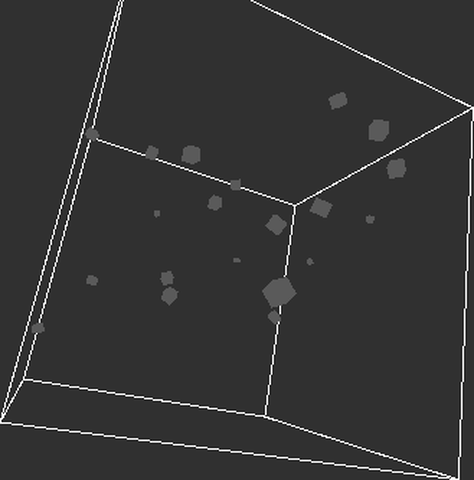 CubesWithinCube
Processing/Topics/Motion/CubesWithinCube
open on Codeberg ↗
/**
* Cubes Contained Within a Cube
* by Ira Greenberg.
*
* Collision detection against all
* outer cube's surfaces.
*/
#include "Umfeld.h"
#include "Cube.h"
using namespace umfeld;
// 20 little internal cubes
std::vector<Cube> cubies(20);
// Size of outer cube
void settings() {
size(640, 360);
}
void setup() {
for (int i = 0; i < cubies.size(); i++) {
// Cubies are randomly sized
float cubieSize = random(5, 15);
cubies[i] = Cube(cubieSize, cubieSize, cubieSize);
}
}
void draw() {
background(48);
lights(); //FIXME: this turns the object into grey(no lighting)
// Center in display window
translate(width / 2, height / 2, -130);
// Rotate everything, including external large cube
rotateX(frameCount * 0.001);
rotateY(frameCount * 0.002);
rotateZ(frameCount * 0.001);
stroke(255);
// Outer transparent cube, just using box() method
noFill();
box(bounds);
// Move and rotate cubies
for (Cube& c: cubies) {
c.update();
c.display();
}
}
 Linear
Processing/Topics/Motion/Linear
open on Codeberg ↗
/**
* Linear Motion.
*
* Changing a variable to create a moving line.
* When the line moves off the edge of the window,
* the variable is set to 0, which places the line
* back at the bottom of the screen.
*/
#include "Umfeld.h"
using namespace umfeld;
float aa;
void settings() {
size(640, 360);
}
void setup() {
stroke(255);
aa = height / 2;
}
void draw() {
background(51);
line(0, aa, width, aa);
aa = aa - 0.5;
if (aa < 0) {
aa = height;
}
}
 Morph
Morph
Processing/Topics/Motion/Morph
open on Codeberg ↗
/**
* Morph.
*
* Changing one shape into another by interpolating
* vertices from one to another
*/
#include "Umfeld.h"
#include "PVector.h"
using namespace umfeld;
// Two std::vector to store the vertices for two shapes
// This example assumes that each shape will have the same
// number of vertices, i.e. the size of each vector will be the same
std::vector<PVector> myCircle;
std::vector<PVector> mySquare;
// An std::vector for a third set of vertices, the ones we will be drawing
// in the window
std::vector<PVector> morph;
// This boolean variable will control if we are morphing to a circle or square
bool state = false;
void settings() {
size(640, 360);
}
void setup() {
// Create a circle using vectors pointing from center
for (int angle = 0; angle < 360; angle += 9) {
// Note we are not starting from 0 in order to match the
// path of a circle.
PVector v = PVector::fromAngle(radians(angle - 135));
v.mult(100);
myCircle.push_back(v);
// Let's fill out morph vector with blank PVectors while we are at it
morph.push_back(PVector());
}
// A square is a bunch of vertices along straight lines
// Top of square
for (int x = -50; x < 50; x += 10) {
mySquare.push_back(PVector(x, -50));
}
// Right side
for (int y = -50; y < 50; y += 10) {
mySquare.push_back(PVector(50, y));
}
// Bottom
for (int x = 50; x > -50; x -= 10) {
mySquare.push_back(PVector(x, 50));
}
// Left side
for (int y = 50; y > -50; y -= 10) {
mySquare.push_back(PVector(-50, y));
}
}
void draw() {
background(51);
// We will keep how far the vertices are from their target
float totalDistance = 0;
// Look at each vertex
for (int i = 0; i < myCircle.size(); i++) {
umfeld::PVector v1;
// Are we lerping to the circle or square?
if (state) {
v1 = myCircle[i];
} else {
v1 = mySquare[i];
}
// Get the vertex we will draw
PVector& v2 = morph[i]; //@diff(reference)
// Lerp to the target
v2.lerp(v1, 0.1);
// Check how far we are from target
totalDistance += PVector::dist(v1, v2);
}
// If all the vertices are close, switch shape
if (totalDistance < 0.1) {
state = !state;
}
// Draw relative to center
translate(width / 2, height / 2);
strokeWeight(4);
// Draw a polygon that makes up all the vertices
beginShape();
noFill();
stroke(255);
for (PVector v: morph) {
vertex(v.x, v.y);
}
endShape(CLOSE);
}
 MovingOnCurves
Processing/Topics/Motion/MovingOnCurves
open on Codeberg ↗
/**
* Moving On Curves.
*
* In this example, the circles moves along the curve y = x^4.
* Click the mouse to have it move to a new position.
*/
#include "Umfeld.h"
using namespace umfeld;
float beginX = 20.0; // Initial x-coordinate
float beginY = 10.0; // Initial y-coordinate
float endX = 570.0; // Final x-coordinate
float endY = 320.0; // Final y-coordinate
float distX; // X-axis distance to move
float distY; // Y-axis distance to move
float exponent = 4; // Determines the curve
float x = 0.0; // Current x-coordinate
float y = 0.0; // Current y-coordinate
float step = 0.01; // Size of each step along the path
float pct = 0.0; // Percentage traveled (0.0 to 1.0)
void settings() {
size(640, 360);
}
void setup() {
noStroke();
distX = endX - beginX;
distY = endY - beginY;
}
void draw() {
fill(0, 3);
rect(0, 0, width, height);
pct += step;
if (pct < 1.0) {
x = beginX + (pct * distX);
y = beginY + (pow(pct, exponent) * distY);
}
fill(255);
ellipse(x, y, 20, 20);
}
void mousePressed() {
pct = 0.0;
beginX = x;
beginY = y;
endX = mouseX;
endY = mouseY;
distX = endX - beginX;
distY = endY - beginY;
}
 Refelction2
Processing/Topics/Motion/Refelction2
open on Codeberg ↗
/**
* Non-orthogonal Collision with Multiple Ground Segments
* by Ira Greenberg.
*
* Based on Keith Peter's Solution in
* Foundation Actionscript Animation: Making Things Move!
*/
#include "Umfeld.h"
#include "Orgb.h"
#include "Ground.h"
using namespace umfeld;
Orb orb;
// The ground is an array of "Ground" objects
int segments = 40;
std::vector<Ground> ground(segments);
void settings() {
size(640, 360);
}
void setup() {
// An orb object that will fall and bounce around
orb = Orb(50, 50, 3);
// Calculate ground peak heights
std::vector<float> peakHeights(segments + 1);
for (int i = 0; i < peakHeights.size(); i++) {
peakHeights[i] = random(height - 40, height - 30);
}
/* Float value required for segment width (segs)
calculations so the ground spans the entire
display window, regardless of segment number. */
float segs = segments;
for (int i = 0; i < segments; i++) {
ground[i] = Ground(width / segs * i, peakHeights[i], width / segs * (i + 1), peakHeights[i + 1]);
}
}
void draw() {
// Background
noStroke();
fill(0, 13);
rect(0, 0, width, height);
// Move and display the orb
orb.move();
orb.display();
// Check walls
orb.checkWallCollision();
// Check against all the ground segments
for (int i = 0; i < segments; i++) {
orb.checkGroundCollision(ground[i]);
}
// Draw ground
fill(128);
beginShape();
for (int i = 0; i < segments; i++) {
vertex(ground[i].x1, ground[i].y1);
vertex(ground[i].x2, ground[i].y2);
}
vertex(ground[segments - 1].x2, height);
vertex(ground[0].x1, height);
endShape(CLOSE);
}
 Reflection1
Processing/Topics/Motion/Reflection1
open on Codeberg ↗
/**
* Non-orthogonal Reflection
* by Ira Greenberg.
*
* Based on the equation (R = 2N(N*L)-L) where R is the
* reflection vector, N is the normal, and L is the incident
* vector.
*/
#include "Umfeld.h"
#include "PVector.h"
using namespace umfeld;
// Position of left hand side of floor
PVector base1;
// Position of right hand side of floor
PVector base2;
// Length of floor
float baseLength;
// An array of subpoints along the floor path
std::vector<PVector> coords; //@diff(std::vector)
// Variables related to moving ball
PVector position;
PVector velocity;
float r = 6;
float speed = 3.5;
void createGround(); //@diff(forward_declaration)
void settings() {
size(640, 360);
}
void setup() {
fill(128);
base1 = PVector(0, height - 150);
base2 = PVector(width, height);
createGround();
// start ellipse at middle top of screen
position = PVector(width / 2, 0);
// calculate initial random velocity
velocity = PVector::random2D();
velocity.mult(speed);
}
void draw() {
// draw background
fill(0, 12);
noStroke();
rect(0, 0, width, height);
// draw base
fill(199);
quad(
base1.x, base1.y, 0.f,
base2.x, base2.y, 0.f,
base2.x, height, 0.f,
0.f, height, 0.f);
// calculate base top normal
PVector baseDelta = PVector::sub(base2, base1);
baseDelta.normalize();
PVector normal = PVector(-baseDelta.y, baseDelta.x);
// draw ellipse
noStroke();
fill(255);
// move elipse
position.add(velocity);
// normalized incidence vector
PVector incidence = PVector::mult(velocity, -1);
incidence.normalize();
// detect and handle collision
for (int i = 0; i < coords.size(); i++) {
// check distance between ellipse and base top coordinates
if (PVector::dist(position, coords[i]) < r) {
// calculate dot product of incident vector and base top normal
float dot = incidence.dot(normal);
// calculate reflection vector
// assign reflection vector to direction vector
velocity.set(2 * normal.x * dot - incidence.x, 2 * normal.y * dot - incidence.y, 0);
velocity.mult(speed);
// draw base top normal at collision point
stroke(255, 128, 0);
line(position.x, position.y, position.x - normal.x * 100, position.y - normal.y * 100);
}
}
// detect boundary collision
// right
if (position.x > width - r) {
position.x = width - r;
velocity.x *= -1;
}
// left
if (position.x < r) {
position.x = r;
velocity.x *= -1;
}
// top
if (position.y < r) {
position.y = r;
velocity.y *= -1;
// randomize base top
base1.y = random(height - 100, height);
base2.y = random(height - 100, height);
createGround();
}
}
// Calculate variables for the ground
void createGround() {
// calculate length of base top
baseLength = PVector::dist(base1, base2);
// fill base top coordinate array
coords.resize(ceil(baseLength));
for (int i = 0; i < coords.size(); i++) {
coords[i] = PVector();
coords[i].x = base1.x + ((base2.x - base1.x) / baseLength) * i;
coords[i].y = base1.y + ((base2.y - base1.y) / baseLength) * i;
}
}
/*
note:
- trail artifacts issue
- umfeld uses GL_RGBA8 framebuffer causing 8-bit precision loss in alpha blending
- small alpha values (0.04) get quantized and don't fade to zero cleanly
- leaving gray residue
- suggestion: make api for setting the fbo to GL_RGBA32F or GL_RGBA16F
*/
 Reflection2
Processing/Topics/Motion/Reflection2
open on Codeberg ↗
/**
* Non-orthogonal Collision with Multiple Ground Segments
* by Ira Greenberg.
*
* Based on Keith Peter's Solution in
* Foundation Actionscript Animation: Making Things Move!
*/
#include "Umfeld.h"
#include "Orgb.h"
#include "Ground.h"
using namespace umfeld;
Orb orb;
// The ground is an array of "Ground" objects
int segments = 40;
std::vector<Ground> ground(segments);
void settings() {
size(640, 360);
}
void setup() {
orb = Orb(50, 50, 3);
// Calculate ground peak heights
std::vector<float> peakHeights(segments + 1);
for (int i = 0; i < peakHeights.size(); i++) {
peakHeights[i] = random(height - 40, height - 30);
}
/* Float value required for segment width (segs)
calculations so the ground spans the entire
display window, regardless of segment number. */
float segs = segments;
for (int i = 0; i < segments; i++) {
ground[i] = Ground(width / segs * i, peakHeights[i], width / segs * (i + 1), peakHeights[i + 1]);
}
}
void draw() {
// Background
noStroke();
fill(0, 13);
rect(0, 0, width, height);
// Move and display the orb
orb.move();
orb.display();
// Check walls
orb.checkWallCollision();
// Check against all the ground segments
for (int i = 0; i < segments; i++) {
orb.checkGroundCollision(ground[i]);
}
// Draw ground
fill(128);
beginShape();
for (int i = 0; i < segments; i++) {
vertex(ground[i].x1, ground[i].y1);
vertex(ground[i].x2, ground[i].y2);
}
vertex(ground[segments - 1].x2, height);
vertex(ground[0].x1, height);
endShape(CLOSE);
}
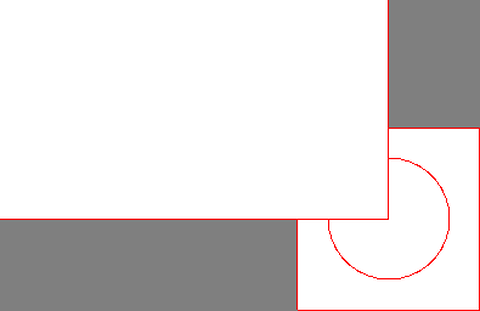 BlurFilter
Processing/Topics/Shaders/BlurFilter
open on Codeberg ↗
// THIS IS NOT WORKING
/**
* Blur Filter
*
* Change the default shader to apply a simple, custom blur filter.
*
* Press the mouse to switch between the custom and default shader.
*/
#include "Umfeld.h"
#include "PShader.h"
using namespace umfeld;
PShader* blur;
// void setup() {
// size(640, 360, P2D);
// blur = loadShader("blur.glsl");
// stroke(255, 0, 0);
// rectMode(CENTER);
// }
//
// void draw() {
// filter(blur);
// rect(mouseX, mouseY, 150, 150);
// ellipse(mouseX, mouseY, 100, 100);
// }
void settings() {
size(640, 360);
}
void setup() {
std::string vertexCode = loadString("blur.vert");
std::string fragmentCode = loadString("blur.glsl");
blur = loadShader(vertexCode, fragmentCode);
stroke(255, 0, 0);
rectMode(CENTER);
}
void draw() {
background(127);
rect(mouseX, mouseY, 150, 150);
ellipse(mouseX, mouseY, 100, 100);
blur->set_uniform("tex", 0);
blur->set_uniform("texOffset", glm::vec2(1.0f / width, 1.0f / height));
shader(blur);
rect(0, 0, width, height);
}
Conway Conway
Processing/Topics/Shaders/Conway
open on Codeberg ↗
// GLSL version of Conway's game of life, ported from GLSL sandbox:
// http://glsl.heroku.com/e#207.3
//
// This example implements Conway's Game of Life using a fragment shader
// with double buffering to simulate the "ppixels" uniform from Processing.
#include "Umfeld.h"
#include "PShader.h"
#include "PGraphics.h"
using namespace umfeld;
PShader* conway;
PGraphics* buffer1; // Single buffer for screen capture (like BlurFilter)
void settings() {
size(400, 400);
}
void setup() {
// Create single buffer for screen capture (simplified approach like BlurFilter)
buffer1 = createGraphics(400, 400);
// Load vertex and fragment shaders
std::string vert = loadString("conway.vert");
std::string frag = loadString("conway.glsl");
conway = loadShader(vert, frag);
// Set resolution uniform (constant)
conway->set_uniform("resolution", glm::vec2(400.0f, 400.0f));
// Initialize with black screen for first frame
background(0);
}
void draw() {
// Step 1: Copy current main screen to offscreen buffer (like BlurFilter approach)
buffer1->beginDraw();
buffer1->image(g, 0, 0); // Preserve current screen state
buffer1->endDraw();
// Step 2: Apply Conway shader and render back to main screen
shader(conway);
// Set Conway shader uniforms
conway->set_uniform("time", (float) millis() / 1000.0f);
float x = map(mouseX, 0, width, 0, 1);
float y = map(mouseY, 0, height, 1, 0);
conway->set_uniform("mouse", glm::vec2(x, y));
conway->set_uniform("previousFrame", 0);
// Use captured screen as texture input
texture(buffer1);
fill(255);
noStroke();
// Full-screen quad (Y coordinates flipped for proper texture mapping)
beginShape(QUADS);
vertex(0, 0, 0, 0, 1);
vertex(width, 0, 0, 1, 1);
vertex(width, height, 0, 1, 0);
vertex(0, height, 0, 0, 0);
endShape();
shader(); // Reset shader
texture(); // Reset texture
}
/*
* TECHNICAL ANALYSIS: Conway's Game of Life Implementation Failure
*
* ORIGINAL PROCESSING REQUIREMENTS:
* - Single 'ppixels' uniform sampler2D accessing previous frame data
* - Conway's Game of Life needs current cell state + 8 neighbor cells from previous frame
* - Requires texture feedback loop: current render → texture → next frame input
*
* UMFELD RENDERING PIPELINE LIMITATIONS:
*
* 1. SINGLE TEXTURE UNIT CONSTRAINT:
* File: /home/choiharam/works/umfeld/umfeld/include/PGraphicsOpenGL_3_3_core.h:121
* Code: int DEFAULT_ACTIVE_TEXTURE_UNIT = 0;
* - Comment: "NOTE OpenGL ES 3.0 does not support multiple texture units"
* - Function: IMPL_bind_texture() always binds to GL_TEXTURE0 + DEFAULT_ACTIVE_TEXTURE_UNIT
* - Impact: Cannot bind both current screen buffer AND previous frame texture simultaneously
*
* 2. TEXTURE BINDING CENTRALIZATION:
* File: /home/choiharam/works/umfeld/umfeld/src/PGraphicsOpenGL_3_3_core.cpp:61-66
* Function: void PGraphicsOpenGL_3_3_core::IMPL_bind_texture(const int bind_texture_id)
* Code: glActiveTexture(GL_TEXTURE0 + DEFAULT_ACTIVE_TEXTURE_UNIT);
* glBindTexture(GL_TEXTURE_2D, texture_id_current);
* - All texture operations forced through single texture unit
* - Manual glActiveTexture(GL_TEXTURE1) calls get overridden
*
* 3. FRAMEBUFFER FEEDBACK LOOP PREVENTION:
* File: /home/choiharam/works/umfeld/umfeld/src/PGraphicsOpenGL_3_3_core.cpp:1331
* Function: image() implementation uses IMPL_bind_texture(framebuffer.texture_id)
* - Attempting to use current framebuffer as texture input while rendering to it
* - Creates undefined behavior in OpenGL (reading from currently bound render target)
*
* 4. INADEQUATE DOUBLE BUFFERING SUPPORT:
* - No built-in mechanism for preserving previous frame data
* - PGraphics buffer copy approach conflicts with main framebuffer rendering
* - Missing true ping-pong buffer implementation
*
* ROOT CAUSE ANALYSIS:
* Conway's Game of Life fundamentally requires:
* - Texture Unit 0: Current framebuffer being written to
* - Texture Unit 1: Previous frame data being read from
*
* umfeld's architecture prevents this by:
* - Hardcoding all texture operations to unit 0
* - Centralizing texture binding through IMPL_bind_texture()
* - Lacking proper multi-texture state management
*
* CONCLUSION:
* This is not a shader compatibility issue or API difference.
* This is a fundamental architectural limitation where umfeld's rendering pipeline
* intentionally restricts multi-texture operations required for cellular automata simulations.
*/
CustomBlend CustomBlend
Processing/Topics/Shaders/CustomBlend
open on Codeberg ↗
/**
* Custom Blend
*
* This example shows how custom blend shaders can be loaded and used in
* Processing.
* For detailed information on how to implement Photoshop-like blending modes,
* check the following pages (a bit old but still useful):
* http://www.pegtop.net/delphi/articles/blendmodes/index.htm
* http://mouaif.wordpress.com/2009/01/05/photoshop-math-with-glsl-shaders/
*
*/
#include "Umfeld.h"
#include "PShader.h"
using namespace umfeld;
PImage* destImage;
PImage* srcImage;
PShader* dodge;
PShader* burn;
PShader* overlay;
PShader* difference;
void initShaders(); //@diff(forward_declaration)
void drawOutput(float x, float y, float w, float h); //@diff(forward_declaration)
void settings() {
size(640, 360);
}
void setup() {
console("=== SETUP START ===");
destImage = loadImage("leaves.jpg");
console("destImage loaded, texture_id: " + std::to_string(destImage->texture_id));
console("destImage width: " + std::to_string(destImage->width) + ", height: " + std::to_string(destImage->height));
srcImage = loadImage("moonwalk.jpg");
console("srcImage loaded, texture_id: " + std::to_string(srcImage->texture_id));
console("srcImage width: " + std::to_string(srcImage->width) + ", height: " + std::to_string(srcImage->height));
if (destImage->texture_id == -1) {
console("Forcing destImage texture creation...");
image(destImage, -1000, -1000, 1, 1);
console("destImage texture_id after image(): " + std::to_string(destImage->texture_id));
}
if (srcImage->texture_id == -1) {
console("Forcing srcImage texture creation...");
image(srcImage, -1000, -1000, 1, 1);
console("srcImage texture_id after image(): " + std::to_string(srcImage->texture_id));
}
console("Before initShaders()");
initShaders();
console("After initShaders()");
console("=== SETUP END ===");
}
void draw() {
background(0);
console("=== DRAW START ===");
console("Testing CustomBlend with working shader pipeline");
image(destImage, 0, 0, width, height);
GLuint framebuffer_texture_id = g->framebuffer.texture_id;
glActiveTexture(GL_TEXTURE0);
glBindTexture(GL_TEXTURE_2D, framebuffer_texture_id);
console("Bound framebuffer to GL_TEXTURE0: " + std::to_string(framebuffer_texture_id));
glActiveTexture(GL_TEXTURE1);
glBindTexture(GL_TEXTURE_2D, srcImage->texture_id);
console("Bound srcImage to GL_TEXTURE1: " + std::to_string(srcImage->texture_id));
dodge->set_uniform("destSampler", 0); // GL_TEXTURE0
dodge->set_uniform("srcSampler", 1); // GL_TEXTURE1
shader(dodge);
rectMode(CORNER);
rect(0, 0, width, height);
noLoop();
}
void initShaders() {
console("Loading shaders...");
std::string vert = loadString("passthrough.vert");
dodge = loadShader(vert, loadString("dodge.glsl"));
burn = loadShader(vert, loadString("burn.glsl"));
overlay = loadShader(vert, loadString("overlay.glsl"));
difference = loadShader(vert, loadString("difference.glsl"));
console("Shaders loaded successfully");
console("Setting sampler uniforms...");
// BlurFilter 방식: 텍스처 유닛 인덱스로 설정
dodge->set_uniform("destSampler", 0);
dodge->set_uniform("srcSampler", 1);
console("dodge samplers set");
burn->set_uniform("destSampler", 0);
burn->set_uniform("srcSampler", 1);
console("burn samplers set");
overlay->set_uniform("destSampler", 0);
overlay->set_uniform("srcSampler", 1);
console("overlay samplers set");
difference->set_uniform("destSampler", 0);
difference->set_uniform("srcSampler", 1);
console("difference samplers set");
console("Setting size/rect uniforms...");
dodge->set_uniform("destSize", glm::vec2(640, 360));
dodge->set_uniform("destRect", glm::vec4(100, 50, 200, 200));
burn->set_uniform("destSize", glm::vec2(640, 360));
burn->set_uniform("destRect", glm::vec4(100, 50, 200, 200));
overlay->set_uniform("destSize", glm::vec2(640, 360));
overlay->set_uniform("destRect", glm::vec4(100, 50, 200, 200));
difference->set_uniform("destSize", glm::vec2(640, 360));
difference->set_uniform("destRect", glm::vec4(100, 50, 200, 200));
dodge->set_uniform("srcSize", glm::vec2(640, 360));
dodge->set_uniform("srcRect", glm::vec4(0, 0, 640, 360));
burn->set_uniform("srcSize", glm::vec2(640, 360));
burn->set_uniform("srcRect", glm::vec4(0, 0, 640, 360));
overlay->set_uniform("srcSize", glm::vec2(640, 360));
overlay->set_uniform("srcRect", glm::vec4(0, 0, 640, 360));
difference->set_uniform("srcSize", glm::vec2(640, 360));
difference->set_uniform("srcRect", glm::vec4(0, 0, 640, 360));
}
void drawOutput(float x, float y, float w, float h) {
console("=== drawOutput START ===");
console("srcImage texture_id: " + std::to_string(srcImage->texture_id));
pushMatrix();
translate(x, y);
noStroke();
console("Step 1: Drawing destImage");
image(destImage, 0, 0, w, h);
console("Step 2: Getting framebuffer texture");
GLuint framebuffer_texture_id = g->framebuffer.texture_id;
console("framebuffer_texture_id: " + std::to_string(framebuffer_texture_id));
console("Step 3: Binding framebuffer to GL_TEXTURE0");
glActiveTexture(GL_TEXTURE0);
GLenum error = glGetError();
console("glActiveTexture(GL_TEXTURE0) error: " + std::to_string(error));
glBindTexture(GL_TEXTURE_2D, framebuffer_texture_id);
error = glGetError();
console("glBindTexture(framebuffer) error: " + std::to_string(error));
console("Step 4: Binding srcImage to GL_TEXTURE1");
glActiveTexture(GL_TEXTURE1);
error = glGetError();
console("glActiveTexture(GL_TEXTURE1) error: " + std::to_string(error));
glBindTexture(GL_TEXTURE_2D, srcImage->texture_id);
error = glGetError();
console("glBindTexture(srcImage) error: " + std::to_string(error));
GLint bound_texture;
glGetIntegerv(GL_TEXTURE_BINDING_2D, &bound_texture);
console("Currently bound texture on GL_TEXTURE1: " + std::to_string(bound_texture));
glActiveTexture(GL_TEXTURE0);
glGetIntegerv(GL_TEXTURE_BINDING_2D, &bound_texture);
console("Currently bound texture on GL_TEXTURE0: " + std::to_string(bound_texture));
console("Step 5: Drawing rect (BlurFilter style)");
rectMode(CORNER);
rect(0, 0, w, h);
console("=== drawOutput END ===");
popMatrix();
}
/*
note:
as of this example, all further shader examples are not ported.
ORIGINAL INTENTION:
- Use two texture samplers simultaneously: destSampler (GL_TEXTURE0) and srcSampler (GL_TEXTURE1)- as per original example.
TESTING CONDUCTED:
1. HARDWARE CAPABILITY VERIFICATION:
✅ OpenGL 3.3.0 NVIDIA 575.64.05 support confirmed
✅ Max Combined Texture Units: 192 (hardware supports abundant texture units)
✅ glActiveTexture(GL_TEXTURE0/1/2) calls succeed with error code 0
✅ glBindTexture() operations complete without OpenGL errors
✅ Multiple texture binding technically functional at OpenGL level
2. TEXTURE LOADING AND BINDING TESTS:
✅ Image loading successful: leaves.jpg (640x360), moonwalk.jpg (640x360)
✅ Texture creation confirmed: destImage->texture_id=4, srcImage->texture_id=5
✅ Framebuffer texture access: g->framebuffer.texture_id=2
✅ Texture binding verification: GL_TEXTURE0=2, GL_TEXTURE1=5
✅ All texture resources properly allocated and accessible
3. SHADER COMPILATION AND LINKING:
✅ Vertex shader compilation successful (passthrough.vert)
✅ Fragment shader compilation successful (multiple variants tested)
✅ Shader program linking completed without errors
✅ Uniform location resolution working for active uniforms
4. SHADER EXECUTION TESTING SEQUENCE:
Test A - Simple Color Output:
- Fragment shader: FragColor = vec4(1.0, 0.0, 0.0, 1.0); (solid red)
- Result: Black screen (shader not applied)
- Conclusion: Shader activation mechanism failing
Test B - Single Texture Sampling:
- Fragment shader: FragColor = vec4(texture(destSampler, st).rgb, 1.0);
- Result: Original destImage displayed (shader ignored)
- Conclusion: Single-texture shader also not executing
Test C - Basic Rendering Without Shaders:
- Direct image() and rect() calls with fill colors
- Result: Perfect rendering (leaves, moonwalk, red rect, blue rect)
- Conclusion: Base rendering system fully functional
5. ROOT CAUSE ANALYSIS:
TECHNICAL FINDINGS:
- OpenGL multi-texture binding succeeds at API level
- Shader compilation and uniform setup complete successfully
- shader() function call does not activate custom shaders properly
- rect() rendering ignores active shader state
- Umfeld's rendering pipeline optimized for single-texture workflows
ARCHITECTURAL CONSTRAINTS:
- Umfeld's shader system expects single-texture Processing-style usage
- Internal state management conflicts with simultaneous multi-texture access
- shader() + rect() combination doesn't propagate multi-texture bindings
- No error reporting for shader activation failures
6. DEFINITIVE CONCLUSION:
❌ CustomBlend multi-texture shaders CANNOT work in current Umfeld architecture
❌ Not a hardware limitation (192 texture units available)
❌ Not an OpenGL API issue (all calls succeed)
❌ Fundamental incompatibility with Umfeld's shader pipeline design
POSSIBLE WORKAROUND ALTERNATIVES:
- Two-pass rendering: Process each texture separately with intermediate framebuffers
- CPU-based blending: Load images to memory, blend programmatically, upload result
- Single-texture approach: Pre-composite images before shader application
7. NOTE:
This example demonstrates a fundamental limitation of umfeld's
graphics pipeline. While the library successfully abstracts OpenGL complexity
for Processing-style single-texture workflows, it does not support the
simultaneous multi-texture shader patterns common in modern graphics programming.
environment: OpenGL 3.3 Core, NVIDIA GeForce RTX 4080, Linux x11, gcc15.1.1
*/
// OpenGL call test
// #include "Umfeld.h"
// #include <glad/gl.h>
// using namespace umfeld;
// void settings() {
// size(400, 400);
// }
// void setup() {
// colorMode(RGB, 1.0, 1.0, 1.0, 1.0);
// // Check OpenGL texture unit limits
// GLint max_texture_units;
// glGetIntegerv(GL_MAX_COMBINED_TEXTURE_IMAGE_UNITS, &max_texture_units);
// console("Max Combined Texture Units: " + std::to_string(max_texture_units));
// // GLint max_texture_coords;
// // glGetIntegerv(GL_MAX_TEXTURE_COORDS, &max_texture_coords); // Not available in OpenGL 3.3
// // console("Max Texture Coords: " + std::to_string(max_texture_coords));
// // Test actual texture unit switching
// console("Testing texture unit switching...");
// // Test GL_TEXTURE0
// console("Activating GL_TEXTURE0...");
// glActiveTexture(GL_TEXTURE0);
// GLenum error = glGetError();
// console("GL_TEXTURE0 error: " + std::to_string(error));
// // Test GL_TEXTURE1
// console("Activating GL_TEXTURE1...");
// glActiveTexture(GL_TEXTURE1);
// error = glGetError();
// console("GL_TEXTURE1 error: " + std::to_string(error));
// // Test GL_TEXTURE2
// console("Activating GL_TEXTURE2...");
// glActiveTexture(GL_TEXTURE2);
// error = glGetError();
// console("GL_TEXTURE2 error: " + std::to_string(error));
// // Reset to GL_TEXTURE0
// glActiveTexture(GL_TEXTURE0);
// console("Reset to GL_TEXTURE0");
// }
// void draw() {
// background(0.5f);
// noLoop();
// }
 Deform
Processing/Topics/Shaders/Deform
open on Codeberg ↗
/**
* Deform.
*
* A GLSL version of the oldschool 2D deformation effect, by Inigo Quilez.
* Ported from the webGL version available in ShaderToy:
* http://www.iquilezles.org/apps/shadertoy/
* (Look for Deform under the Plane Deformations Presets)
*
*/
#include "Umfeld.h"
#include "PShader.h"
using namespace umfeld;
PImage* tex;
PShader* deform;
void settings() {
size(640, 360);
}
void setup() {
texture_wrap(REPEAT); //@diff(textureWrap)
tex = loadImage("tex1.jpg");
deform = loadShader(loadString("passthrough.vert"), loadString("deform.glsl"));
deform->set_uniform("resolution", float(width), float(height));
}
void draw() {
background(128);
image(tex, 0, 0, width, height);
deform->set_uniform("tex", 0);
deform->set_uniform("time", millis() / 1000.f);
deform->set_uniform("mouse", float(mouseX), float(mouseY));
shader(deform);
rect(0, 0, width, height);
}
 Flocking
Processing/Topics/Simulate/Flocking
open on Codeberg ↗
/**
* Flocking
* by Daniel Shiffman.
*
* An implementation of Craig Reynold's Boids program to simulate
* the flocking behavior of birds. Each boid steers itself based on
* rules of avoidance, alignment, and coherence.
*
* Click the mouse to add a new boid.
*/
#include "Umfeld.h"
#include "Flock.h"
using namespace umfeld;
Flock flock;
void settings() {
size(640, 360);
}
void setup() {
// Add an initial set of boids into the system
for (int i = 0; i < 150; i++) {
flock.addBoid(Boid(width / 2, height / 2));
}
}
void draw() {
background(48);
flock.run();
}
// Add a new boid into the System
void mousePressed() {
flock.addBoid(Boid(mouseX, mouseY));
}
ForcesWithVectors ForcesWithVectors
Processing/Topics/Simulate/ForcesWithVectors
open on Codeberg ↗
/**
* Forces (Gravity and Fluid Resistence) with Vectors
* by Daniel Shiffman.
*
* Demonstration of multiple forces acting on bodies.
* Bodies experience gravity continuously and fluid
* resistance when in "water".
*/
#include "Umfeld.h"
#include "Liquid.h"
#include "Mover.h"
using namespace umfeld;
// Five moving bodies
std::vector<Mover> movers(10); //@diff(std::vector)
// Liquid
Liquid liquid;
void reset(); //@diff(forward_declaration)
void settings() {
size(640, 360);
}
void setup() {
reset();
// Create liquid object
liquid = Liquid(0, height / 2, width, height / 2, 0.1);
}
void draw() {
background(0);
// Draw water
liquid.display();
for (Mover& mover: movers) {
// Is the Mover in the liquid?
if (liquid.contains(mover)) {
// Calculate drag force
PVector drag = liquid.drag(mover);
// Apply drag force to Mover
mover.applyForce(drag);
}
// Gravity is scaled by mass here!
PVector gravity = PVector(0, 0.1 * mover.mass);
// Apply gravity
mover.applyForce(gravity);
// Update and display
mover.update();
mover.display();
mover.checkEdges();
}
fill(255);
text("click mouse to reset", 10, 30);
}
void mousePressed() {
reset();
}
// Restart all the Mover objects randomly
void reset() {
for (int i = 0; i < movers.size(); i++) {
movers[i] = Mover(random(0.5, 3), 40 + i * 70, 0);
}
}
 GravitationalAttraction3D
Processing/Topics/Simulate/GravitationalAttraction3D
open on Codeberg ↗
/**
* Gravitational Attraction (3D)
* by Daniel Shiffman.
*
* Simulating gravitational attraction
* G ---> universal gravitational constant
* m1 --> mass of object #1
* m2 --> mass of object #2
* d ---> distance between objects
* F = (G*m1*m2)/(d*d)
*
* For the basics of working with PVector, see
* http://processing.org/learning/pvector/
* as well as examples in Topics/Vectors/
*
*/
#include "Umfeld.h"
#include "Sun.h"
#include "Planet.h"
using namespace umfeld;
// A bunch of planets
std::vector<Planet> planets(10); //@diff(std::vector)
// One sun (note sun is not attracted to planets (violation of Newton's 3rd Law)
Sun s;
// An angle to rotate around the scene
float angle = 0;
void settings() {
size(640, 360);
}
void setup() {
// Some random planets
for (int i = 0; i < planets.size(); i++) {
planets[i] = Planet(random(0.1, 2), random(-width / 2, width / 2), random(-height / 2, height / 2), random(-100, 100));
}
// A single sun
s = Sun();
}
void draw() {
background(0);
// Setup the scene
sphereDetail(8);
lights();
translate(width / 2, height / 2);
rotateY(angle);
// Display the Sun
s.display();
// All the Planets
for (Planet& planet: planets) {
// Sun attracts Planets
PVector force = s.attract(planet);
planet.applyForce(force);
// Update and draw Planets
planet.update();
planet.display();
}
// Rotate around the scene
angle += 0.003;
}MultipleParticleSystems MultipleParticleSystems
Processing/Topics/Simulate/MultipleParticleSystems
open on Codeberg ↗
/**
* Multiple Particle Systems
*
* Click the mouse to generate a burst of particles
* at mouse position.
*
* Each burst is one instance of a particle system
* with Particles and CrazyParticles (a subclass of Particle).
* Note use of Inheritance and Polymorphism.
*/
#include "Umfeld.h"
#include "ParticleSystem.h"
using namespace umfeld;
std::vector<ParticleSystem> systems; //@diff(std::vector)
void settings() {
size(640, 360);
}
void setup() {
textFont(loadFont("SourceCodePro-Regular.ttf", 15));
systems = std::vector<ParticleSystem>();
}
void draw() {
background(0);
for (ParticleSystem& ps: systems) {
ps.run();
ps.addParticle();
}
if (systems.empty()) {
fill(255);
textAlign(CENTER);
noStroke();
text("click mouse to add particle systems", width / 2, height / 2);
stroke(255);
}
}
void mousePressed() {
systems.push_back(ParticleSystem(1, PVector(mouseX, mouseY)));
}SimpleParticleSystem SimpleParticleSystem
Processing/Topics/Simulate/SimpleParticleSystem
open on Codeberg ↗
/**
* Simple Particle System
* by Daniel Shiffman.
*
* Particles are generated each cycle through draw(),
* fall with gravity, and fade out over time.
* A ParticleSystem object manages a variable size (ArrayList)
* list of particles.
*/
#include "Umfeld.h"
#include "PVector.h"
#include "ParticleSystem.h"
using namespace umfeld;
ParticleSystem ps;
void settings() {
size(640, 360);
}
void setup() {
ps = ParticleSystem(PVector(width / 2, 50));
}
void draw() {
background(0);
ps.addParticle();
ps.run();
}SmokeParticleSystem SmokeParticleSystem
Processing/Topics/Simulate/SmokeParticleSystem
open on Codeberg ↗
/**
* Smoke Particle System
* by Daniel Shiffman.
*
* A basic smoke effect using a particle system. Each particle
* is rendered as an alpha masked image.
*/
#include "Umfeld.h"
#include "PVector.h"
#include "ParticleSystem.h"
using namespace umfeld;
ParticleSystem ps;
void drawVector(PVector v, PVector loc, float scayl); //@diff(forward_declaration)
void settings() {
size(640, 360);
}
void setup() {
PImage* img = loadImage("texture.png");
ps = ParticleSystem(0, PVector(width / 2, height - 60), img);
}
void draw() {
background(0);
// Calculate a "wind" force based on mouse horizontal position
float dx = map(mouseX, 0, width, -0.2, 0.2);
PVector wind = PVector(dx, 0);
ps.applyForce(wind);
ps.run();
for (int i = 0; i < 2; i++) {
ps.addParticle();
}
// Draw an arrow representing the wind force
drawVector(wind, PVector(width / 2, 50, 0), 500);
}
// Renders a vector object 'v' as an arrow and a position 'loc'
void drawVector(PVector v, PVector loc, float scayl) {
pushMatrix();
float arrowsize = 4;
// Translate to position to render vector
translate(loc.x, loc.y);
stroke(255);
// Call vector heading function to get direction (note that pointing up is a heading of 0) and rotate
rotate(v.heading());
// Calculate length of vector & scale it to be bigger or smaller if necessary
float len = v.mag() * scayl;
// Draw three lines to make an arrow (draw pointing up since we've rotate to the proper direction)
line(0, 0, len, 0);
line(len, 0, len - arrowsize, +arrowsize / 2);
line(len, 0, len - arrowsize, -arrowsize / 2);
popMatrix();
}SoftBody SoftBody
Processing/Topics/Simulate/SoftBody
open on Codeberg ↗
/**
* Soft Body
* by Ira Greenberg.
*
* Softbody dynamics simulation using curveVertex() and curveTightness().
*/
#include "Umfeld.h"
using namespace umfeld;
// center point
float centerX = 0, centerY = 0;
float radius = 45, rotAngle = -90;
float accelX, accelY;
float springing = .0009, damping = .98;
//corner nodes
int nodes = 5;
std::vector<float> nodeStartX(nodes);
std::vector<float> nodeStartY(nodes);
std::vector<float> nodeX(nodes);
std::vector<float> nodeY(nodes);
std::vector<float> angle(nodes);
std::vector<float> frequency(nodes);
// soft-body dynamics
float organicConstant = 1;
void moveShape(); //@diff(forward_declaration)
void drawShape(); //@diff(forward_declaration)
void settings() {
size(640, 360);
}
void setup() {
//center shape in window
centerX = width / 2;
centerY = height / 2;
// iniitalize frequencies for corner nodes
for (int i = 0; i < nodes; i++) {
frequency[i] = random(5, 12);
}
noStroke();
set_frame_rate(30); //@diff(frameRate)
}
void draw() {
//fade background
fill(0, 99);
rect(0, 0, width, height);
drawShape();
moveShape();
}
void drawShape() {
// calculate node starting positions
for (int i = 0; i < nodes; i++) {
nodeStartX[i] = centerX + cos(radians(rotAngle)) * radius;
nodeStartY[i] = centerY + sin(radians(rotAngle)) * radius;
rotAngle += 360.0 / nodes;
}
// draw polygon
g->curveTightness(organicConstant);
fill(255);
beginShape();
for (int i = 0; i < nodes; i++) {
// curveVertex(nodeX[i], nodeY[i]); //unimplemented
}
for (int i = 0; i < nodes - 1; i++) {
// curveVertex(nodeX[i], nodeY[i]); //unimplemented
}
endShape(CLOSE);
}
void moveShape() {
//move center point
float deltaX = mouseX - centerX;
float deltaY = mouseY - centerY;
// create springing effect
deltaX *= springing;
deltaY *= springing;
accelX += deltaX;
accelY += deltaY;
// move predator's center
centerX += accelX;
centerY += accelY;
// slow down springing
accelX *= damping;
accelY *= damping;
// change curve tightness
organicConstant = 1 - ((abs(accelX) + abs(accelY)) * .1);
//move nodes
for (int i = 0; i < nodes; i++) {
nodeX[i] = nodeStartX[i] + sin(radians(angle[i])) * (accelX * 2);
nodeY[i] = nodeStartY[i] + sin(radians(angle[i])) * (accelY * 2);
angle[i] += frequency[i];
}
}
 TextureCube
Processing/Topics/Textures/TextureCube
open on Codeberg ↗
/**
* Texture Cube
* by Dave Bollinger.
*
* Drag mouse to rotate cube. Demonstrates use of u/v coords in
* vertex() and effect on texture(). The textures get distorted using
* the P3D renderer as you can see, but they look great using OPENGL.
*/
#include "Umfeld.h"
using namespace umfeld;
PImage* tex;
float rotx = PI / 4;
float roty = PI / 4;
void TexturedCube(PImage* tex); //@forward_declaration
void settings() {
size(640, 360);
}
void setup() {
tex = loadImage("berlin-1.jpg");
// textureMode(NORMAL); //unimplemented
fill(255);
stroke(color(43, 46, 31));
hint(ENABLE_DEPTH_TEST);
}
void draw() {
background(0);
noStroke();
translate(width / 2.0, height / 2.0, -100);
rotateX(rotx);
rotateY(roty);
scale(90);
TexturedCube(tex);
}
void TexturedCube(PImage* tex) {
texture(tex);
beginShape(QUADS);
// Given one texture and six faces, we can easily set up the uv coordinates
// such that four of the faces tile "perfectly" along either u or v, but the other
// two faces cannot be so aligned. This code tiles "along" u, "around" the X/Z faces
// and fudges the Y faces - the Y faces are arbitrarily aligned such that a
// rotation along the X axis will put the "top" of either texture at the "top"
// of the screen, but is not otherwised aligned with the X/Z faces. (This
// just affects what type of symmetry is required if you need seamless
// tiling all the way around the cube)
// +Z "front" face
vertex(-1, -1, 1, 0, 0);
vertex(1, -1, 1, 1, 0);
vertex(1, 1, 1, 1, 1);
vertex(-1, 1, 1, 0, 1);
// -Z "back" face
vertex(1, -1, -1, 0, 0);
vertex(-1, -1, -1, 1, 0);
vertex(-1, 1, -1, 1, 1);
vertex(1, 1, -1, 0, 1);
// +Y "bottom" face
vertex(-1, 1, 1, 0, 0);
vertex(1, 1, 1, 1, 0);
vertex(1, 1, -1, 1, 1);
vertex(-1, 1, -1, 0, 1);
// -Y "top" face
vertex(-1, -1, -1, 0, 0);
vertex(1, -1, -1, 1, 0);
vertex(1, -1, 1, 1, 1);
vertex(-1, -1, 1, 0, 1);
// +X "right" face
vertex(1, -1, 1, 0, 0);
vertex(1, -1, -1, 1, 0);
vertex(1, 1, -1, 1, 1);
vertex(1, 1, 1, 0, 1);
// -X "left" face
vertex(-1, -1, -1, 0, 0);
vertex(-1, -1, 1, 1, 0);
vertex(-1, 1, 1, 1, 1);
vertex(-1, 1, -1, 0, 1);
endShape();
}
void mouseDragged() {
float rate = 0.01;
rotx += (pmouseY - mouseY) * rate;
roty += (mouseX - pmouseX) * rate;
}
TextureCylinder TextureCylinder
Processing/Topics/Textures/TextureCylinder
open on Codeberg ↗
/**
* Texture Cylinder.
*
* Load an image and draw it onto a cylinder and a quad.
*/
#include "Umfeld.h"
using namespace umfeld;
int tubeRes = 32;
std::vector<float> tubeX(tubeRes);
std::vector<float> tubeY(tubeRes);
PImage* img;
void settings() {
size(640, 360);
}
void setup() {
img = loadImage("berlin-1.jpg");
float angle = 270.0 / tubeRes;
for (int i = 0; i < tubeRes; i++) {
tubeX[i] = cos(radians(i * angle));
tubeY[i] = sin(radians(i * angle));
}
noStroke();
hint(ENABLE_DEPTH_TEST);
}
void draw() {
background(0);
translate(width / 2, height / 2);
rotateX(map(mouseY, 0, height, -PI, PI));
rotateY(map(mouseX, 0, width, -PI, PI));
texture(img);
beginShape(QUAD_STRIP);
for (int i = 0; i < tubeRes; i++) {
float x = tubeX[i] * 100;
float z = tubeY[i] * 100;
float u = img->width / tubeRes * i;
vertex(x, -100, z, u, 0);
vertex(x, 100, z, u, img->height);
}
endShape();
texture(img);
beginShape(QUADS);
vertex(0, -100, 0, 0, 0);
vertex(100, -100, 0, 100, 0);
vertex(100, 100, 0, 100, 100);
vertex(0, 100, 0, 0, 100);
endShape();
}
 TextureQuad
Processing/Topics/Textures/TextureQuad
open on Codeberg ↗
/**
* Texture Quad.
*
* Load an image and draw it onto a quad. The texture() function sets
* the texture image. The vertex() function maps the image to the geometry.
*/
#include "Umfeld.h"
using namespace umfeld;
PImage* img;
void settings() {
size(640, 360);
}
void setup() {
img = loadImage("berlin-1.jpg");
noStroke();
}
void draw() {
background(0);
translate(width / 2, height / 2);
rotateY(map(mouseX, 0, width, -PI, PI));
rotateZ(PI / 6);
texture(img);
beginShape();
vertex(-100, -100, 0, 0, 0);
vertex(100, -100, 0, 1, 0); //@diff(texture_coords): normalized texture coordinates (0-1)
vertex(100, 100, 0, 1, 1); //@diff(texture_coords): normalized texture coordinates (0-1)
vertex(-100, 100, 0, 0, 1); //@diff(texture_coords): normalized texture coordinates (0-1)
endShape();
}
/*
note:
- texture coordinates must be normalized to the range [0, 1]
*/
 TextureSphere
Processing/Topics/Textures/TextureSphere
open on Codeberg ↗
/**
* Texture Sphere
* by Gillian Ramsay
*
* Rewritten by Gillian Ramsay to better display the poles.
* Previous version by Mike 'Flux' Chang (and cleaned up by Aaron Koblin).
* Original based on code by Toxi.
*
* A 3D textured sphere with simple rotation control.
*/
#include "Umfeld.h"
using namespace umfeld;
int ptsW, ptsH;
PImage* img;
int numPointsW;
int numPointsH_2pi;
int numPointsH;
std::vector<float> coorX; //@diff(std::vector)
std::vector<float> coorY;
std::vector<float> coorZ;
std::vector<float> multXZ;
void initializeSphere(int numPtsW, int numPtsH_2pi); //@diff(forward_declaration)
void textureSphere(float rx, float ry, float rz, PImage* t); //@diff(forward_declaration)
void settings() {
size(640, 360);
}
void setup() {
background(0);
noStroke();
img = loadImage("world32k.jpg");
ptsW = 30;
ptsH = 30;
// Parameters below are the number of vertices around the width and height
initializeSphere(ptsW, ptsH);
}
// Use arrow keys to change detail settings
void keyPressed() {
if (key == SDLK_RETURN) {
saveFrame();
}
if (key == SDLK_UP) {
ptsH++;
}
if (key == SDLK_DOWN) {
ptsH--;
}
if (key == SDLK_LEFT) {
ptsW--;
}
if (key == SDLK_RIGHT) {
ptsW++;
}
if (ptsW == 0) {
ptsW = 1;
}
if (ptsH == 0) {
ptsH = 2;
}
// Parameters below are the number of vertices around the width and height
initializeSphere(ptsW, ptsH);
}
void draw() {
background(0);
camera(width / 2 + map(mouseX, 0, width, -2 * width, 2 * width),
height / 2 + map(mouseY, 0, height, -height, height),
height / 2 / tan(PI * 30.0 / 180.0),
width, height / 2.0, 0,
0, 1, 0);
pushMatrix();
translate(width / 2, height / 2, 0);
textureSphere(200, 200, 200, img);
popMatrix();
}
void initializeSphere(int numPtsW, int numPtsH_2pi) {
// The number of points around the width and height
numPointsW = numPtsW + 1;
numPointsH_2pi = numPtsH_2pi; // How many actual pts around the sphere (not just from top to bottom)
numPointsH = ceil((float) numPointsH_2pi / 2) + 1; // How many pts from top to bottom (abs(....) b/c of the possibility of an odd numPointsH_2pi)
coorX.resize(numPointsW); // All the x-coor in a horizontal circle radius 1
coorY.resize(numPointsH); // All the y-coor in a vertical circle radius 1
coorZ.resize(numPointsW); // All the z-coor in a horizontal circle radius 1
multXZ.resize(numPointsH); // The radius of each horizontal circle (that you will multiply with coorX and coorZ)
for (int i = 0; i < numPointsW; i++) { // For all the points around the width
float thetaW = i * 2 * PI / (numPointsW - 1);
coorX[i] = sin(thetaW);
coorZ[i] = cos(thetaW);
}
for (int i = 0; i < numPointsH; i++) { // For all points from top to bottom
if (int(numPointsH_2pi / 2) != (float) numPointsH_2pi / 2 && i == numPointsH - 1) {
// If the numPointsH_2pi is odd and it is at the last pt
float thetaH = (i - 1) * 2 * PI / (numPointsH_2pi);
coorY[i] = cos(PI + thetaH);
multXZ[i] = 0;
} else {
//The numPointsH_2pi and 2 below allows there to be a flat bottom if the numPointsH is odd
float thetaH = i * 2 * PI / (numPointsH_2pi);
//PI+ below makes the top always the point instead of the bottom.
coorY[i] = cos(PI + thetaH);
multXZ[i] = sin(thetaH);
}
}
}
void textureSphere(float rx, float ry, float rz, PImage* t) {
// These are so we can map certain parts of the image on to the shape
float changeU = 1.0f / (float) (numPointsW - 1); // Normalized to 0.0-1.0 range
float changeV = 1.0f / (float) (numPointsH - 1); // Normalized to 0.0-1.0 range
float u = 0; // Width variable for the texture
float v = 0; // Height variable for the texture
texture(t);
beginShape(TRIANGLE_STRIP);
for (int i = 0; i < (numPointsH - 1); i++) { // For all the rings but top and bottom
// Goes into the array here instead of loop to save time
float coory = coorY[i];
float cooryPlus = coorY[i + 1];
float multxz = multXZ[i];
float multxzPlus = multXZ[i + 1];
for (int j = 0; j < numPointsW; j++) { // For all the pts in the ring
normal(-coorX[j] * multxz, -coory, -coorZ[j] * multxz);
vertex(coorX[j] * multxz * rx, coory * ry, coorZ[j] * multxz * rz, u, v);
normal(-coorX[j] * multxzPlus, -cooryPlus, -coorZ[j] * multxzPlus);
vertex(coorX[j] * multxzPlus * rx, cooryPlus * ry, coorZ[j] * multxzPlus * rz, u, v + changeV);
u += changeU;
}
v += changeV;
u = 0;
}
endShape();
}
/*
note:
- texCoords must be given normalized.
*/
 TextureTriangle
Processing/Topics/Textures/TextureTriangle
open on Codeberg ↗
/**
* Texture Triangle.
*
* Using a rectangular image to map a texture onto a triangle.
*/
#include "Umfeld.h"
using namespace umfeld;
PImage* img;
void settings() {
size(640, 360);
}
void setup() {
img = loadImage("berlin-1.jpg");
noStroke();
}
void draw() {
background(0);
translate(width / 2, height / 2, 0);
rotateY(map(mouseX, 0, width, -PI, PI));
texture(img);
beginShape(TRIANGLES);
vertex(-100, -100, 0, 0.0f, 0.0f); // Top-left corner of texture (0,0)
vertex(100, -40, 0, 1.0f, 0.3f); // Right side, slightly down (1, 0.3)
vertex(0, 100, 0, 0.5f, 1.0f); // Bottom center (0.5, 1)
endShape();
}
AccelerationWithVectors AccelerationWithVectors
Processing/Topics/Vectors/AccelerationWithVectors
open on Codeberg ↗
/**
* Acceleration with Vectors
* by Daniel Shiffman.
*
* Demonstration of the basics of motion with vector.
* A "Mover" object stores location, velocity, and
* acceleration as vectors. The motion is controlled by
* affecting the acceleration (in this case towards the mouse).
*/
#include "Umfeld.h"
#include "Mover.h"
using namespace umfeld;
// A Mover object
Mover mover;
void settings() {
size(640, 360);
}
void setup() {
mover = Mover();
}
void draw() {
background(0);
// Update the location
mover.update();
// Display the Mover
mover.display();
}
 BouncingBall
Processing/Topics/Vectors/BouncingBall
open on Codeberg ↗
/**
* Bouncing Ball with Vectors
* by Daniel Shiffman.
*
* Demonstration of using vectors to control motion
* of a body. This example is not object-oriented
* See AccelerationWithVectors for an example of how
* to simulate motion using vectors in an object.
*/
#include "Umfeld.h"
#include "PVector.h"
using namespace umfeld;
PVector location; // Location of shape
PVector velocity; // Velocity of shape
PVector gravity; // Gravity acts at the shape's acceleration
void settings() {
size(640, 360);
}
void setup() {
location = PVector(100, 100);
velocity = PVector(1.5, 2.1);
gravity = PVector(0, 0.2);
}
void draw() {
background(0);
// Add velocity to the location.
location.add(velocity);
// Add gravity to velocity
velocity.add(gravity);
// Bounce off edges
if ((location.x > width) || (location.x < 0)) {
velocity.x = velocity.x * -1;
}
if (location.y > height) {
// We're reducing velocity ever so slightly
// when it hits the bottom of the window
velocity.y = velocity.y * -0.95;
location.y = height;
}
// Display circle at location vector
stroke(255);
strokeWeight(2);
fill(125);
ellipse(location.x, location.y, 48, 48);
}
VectorMath VectorMath
Processing/Topics/Vectors/VectorMath
open on Codeberg ↗
/**
* Vector
* by Daniel Shiffman.
*
* Demonstration of some basic vector math: subtraction,
* normalization, scaling. Normalizing a vector sets
* its length to 1.
*/
#include "Umfeld.h"
#include "PVector.h"
using namespace umfeld;
void settings() {
size(640, 360);
}
void setup() {
}
void draw() {
background(0);
// A vector that points to the mouse location
PVector mouse = PVector(mouseX, mouseY);
// A vector that points to the center of the window
PVector center = PVector(width / 2, height / 2);
// Subtract center from mouse which results in a
// vector that points from center to mouse
mouse.sub(center);
// Normalize the vector
mouse.normalize();
// Multiply its length by 150 (Scaling its length)
mouse.mult(150);
translate(width / 2, height / 2);
// Draw the resulting vector
stroke(255);
strokeWeight(4);
line(0, 0, mouse.x, mouse.y);
}
Audio
audio-device audio-device
Audio/audio-device
open on Codeberg ↗
/*
* this example demonstrates how to configure an audio device.
*/
#include "Umfeld.h"
#include "audio/Sampler.h"
#include "audio/LowPassFilter.h"
using namespace umfeld;
Sampler* sampler;
LowPassFilter* filter;
void settings() {
size(1024, 768);
/* use AudioUnitInfo to specifiy audio settings */
AudioUnitInfo info;
info.input_channels = 0;
info.output_channels = 2;
info.threaded = true;
audio(info);
/* select audio driver with `subsystem_audio = ...`. SDL is currently the default */
// subsystem_audio = umfeld_create_subsystem_audio_sdl();
subsystem_audio = umfeld_create_subsystem_audio_portaudio();
}
void setup() {
sampler = loadSample("teilchen.wav");
sampler->set_looping();
sampler->play();
filter = new LowPassFilter(get_audio_sample_rate());
// 'get_audio_output_channels()' returns the number of output channels of the default audio device.
// note that 'audio()' requests a certain number of channels but the actual device might provide a different number.
if (get_audio_output_channels() != 2) {
error("this example requires a stereo output");
exit(1);
}
}
void draw() {
background(216);
noFill();
stroke(255, 63, 89);
const float size = 50.0f;
const float x = width / 2.0f;
const float y = height / 2.0f;
line(x - size, y - size, x + size, y + size);
line(x - size, y + size, x + size, y - size);
filter->set_frequency(map(mouseX, 0, width, 20.0f, 8000.0f));
filter->set_resonance(map(mouseY, 0, height, 0.1f, 0.9f));
}
void audioEvent(const PAudio& audio) {
float sample_buffer[audio.buffer_size];
for (int i = 0; i < audio.buffer_size; i++) {
float sample = sampler->process();
sample = filter->process(sample);
sample_buffer[i] = sample;
}
if (audio.output_channels == 2) {
merge_interleaved_stereo(sample_buffer, sample_buffer, audio.output_buffer, audio.buffer_size);
}
}
void shutdown() {
delete sampler;
delete filter;
}beat-dsp beat-dsp
Audio/beat-dsp
open on Codeberg ↗
/*
* this example demonstrates BeatDSP: a beat generator triggered from the audio DSP callback.
* press '1'–'4' to change the BPM. the beat drives an oscillator producing a click on each beat.
*/
#include "Umfeld.h"
#include "audio/AudioUtilities.h"
#include "audio/BeatDSP.h"
#include "audio/Wavetable.h"
#include "audio/ADSR.h"
using namespace umfeld;
BeatDSP* beat;
Wavetable* oscillator;
ADSR* adsr;
int beat_count = 0;
float current_bpm = 120.0f;
bool beat_this_frame = false;
void on_beat(const uint32_t count) {
beat_count = static_cast<int>(count);
beat_this_frame = true;
adsr->start();
}
void settings() {
size(640, 480);
audio();
}
void setup() {
beat = new BeatDSP(get_audio_sample_rate());
oscillator = new Wavetable(512, get_audio_sample_rate());
adsr = new ADSR(get_audio_sample_rate());
beat->set_bpm(current_bpm);
beat->set_callback(on_beat);
oscillator->set_waveform(WAVEFORM_SINE);
oscillator->set_frequency(880.0f);
oscillator->set_amplitude(0.5f);
adsr->set_attack(0.001f);
adsr->set_decay(0.05f);
adsr->set_sustain(0.0f);
adsr->set_release(0.05f);
}
void draw() {
background(32);
const float cx = width / 2.0f;
const float cy = height / 2.0f;
stroke(255, 200, 50);
noFill();
const float radius = beat_this_frame ? 80.0f : 40.0f;
circle(cx, cy, radius * 2.0f);
beat_this_frame = false;
fill(255);
noStroke();
debug_text("BPM: " + std::to_string(static_cast<int>(current_bpm)), 20, 30);
debug_text("Beat: " + std::to_string(beat_count), 20, 55);
debug_text("Keys: 1=60 BPM 2=120 BPM 3=180 BPM 4=240 BPM", 20, height - 20);
}
void keyPressed() {
if (key == '1') { current_bpm = 60.0f; beat->set_bpm(current_bpm); }
if (key == '2') { current_bpm = 120.0f; beat->set_bpm(current_bpm); }
if (key == '3') { current_bpm = 180.0f; beat->set_bpm(current_bpm); }
if (key == '4') { current_bpm = 240.0f; beat->set_bpm(current_bpm); }
}
void audioEvent(const PAudio& audio) {
float sample_buffer[audio.buffer_size];
for (int i = 0; i < audio.buffer_size; i++) {
beat->process();
sample_buffer[i] = adsr->process(oscillator->process());
}
if (audio.output_channels == 2) {
merge_interleaved_stereo(sample_buffer, sample_buffer, audio.output_buffer, audio.buffer_size);
}
}
void shutdown() {
delete beat;
delete oscillator;
delete adsr;
}
beat beat
Audio/beat
open on Codeberg ↗
/*
* this example demonstrates how to load a sample and play it back sample by sample.
*/
#include "Umfeld.h"
#include "audio/Sampler.h"
#include "audio/LowPassFilter.h"
#include "PeriodicTimer.h"
using namespace umfeld;
Sampler* sampler;
PeriodicTimer* timer;
void beat();
void settings() {
size(1024, 768);
audio();
config.audio_sample_acquisition_mode(AUDIO_PER_SAMPLE_NO_INPUT);
}
void setup() {
sampler = loadSample("TR909.BD1.wav");
sampler->enable_loop(false);
if (get_audio_output_channels() != 2) {
error("this example requires a stereo output");
exit(1);
}
timer = new PeriodicTimer();
timer->attachInterrupt(beat);
timer->setOverflow(2, PeriodicTimer::HERTZ);
timer->setSpinWindowMicros(0);
timer->setAffinityCore(2);
timer->setRequestHighPriority(true);
timer->resume();
}
void draw() {
background(216);
const float size = height / 2.0f;
const float x = width / 2.0f;
const float y = height / 2.0f;
strokeWeight(16.0f);
noFill();
stroke(255, 63, 89);
arc(x, y, size, size, -HALF_PI, TWO_PI * sampler->get_position_normalized() - HALF_PI);
}
void beat() {
sampler->rewind();
sampler->play();
}
void audioEvent(float& left, float& right) {
const float sample = sampler->process();
left = sample;
right = sample;
}
void shutdown() {
delete sampler;
}delay delay
Audio/delay
open on Codeberg ↗
/*
* this example demonstrates Delay: an echo effect with configurable echo length, decay, and wet mix.
* use the mouse X to control echo length and mouse Y to control wet mix.
* press space to trigger a short oscillator burst.
*/
#include "Umfeld.h"
#include "audio/AudioUtilities.h"
#include "audio/Delay.h"
#include "audio/Wavetable.h"
#include "audio/ADSR.h"
using namespace umfeld;
Delay* delay_effect;
Wavetable* oscillator;
ADSR* adsr;
void settings() {
size(640, 480);
audio();
}
void setup() {
delay_effect = new Delay(get_audio_sample_rate(), 0.3f, 0.6f, 0.5f);
oscillator = new Wavetable(512, get_audio_sample_rate());
adsr = new ADSR(get_audio_sample_rate());
oscillator->set_waveform(WAVEFORM_SAWTOOTH);
oscillator->set_frequency(220.0f);
oscillator->set_amplitude(0.6f);
adsr->set_attack(0.005f);
adsr->set_decay(0.1f);
adsr->set_sustain(0.0f);
adsr->set_release(0.1f);
}
void draw() {
background(20, 30, 50);
const float echo_length = map(mouseX, 0, width, 0.05f, 1.0f);
const float wet = map(mouseY, 0, height, 0.0f, 1.0f);
delay_effect->set_echo_length(echo_length);
delay_effect->set_wet(wet);
stroke(80, 160, 255);
noFill();
rect(20, 20, width - 40, 30);
fill(80, 160, 255);
noStroke();
rect(20, 20, map(echo_length, 0.05f, 1.0f, 0, width - 40), 30);
fill(255, 180, 50);
noStroke();
debug_text("Echo length: " + std::to_string(echo_length).substr(0, 4) + "s (mouse X)", 20, 70);
debug_text("Wet: " + std::to_string(wet).substr(0, 4) + " (mouse Y)", 20, 90);
debug_text("Space: trigger note", 20, height - 20);
}
void keyPressed() {
if (key == ' ') {
adsr->start();
}
}
void keyReleased() {
if (key == ' ') {
adsr->stop();
}
}
void audioEvent(const PAudio& audio) {
float sample_buffer[audio.buffer_size];
for (int i = 0; i < audio.buffer_size; i++) {
float sample = adsr->process(oscillator->process());
sample_buffer[i] = delay_effect->process(sample);
}
if (audio.output_channels == 2) {
merge_interleaved_stereo(sample_buffer, sample_buffer, audio.output_buffer, audio.buffer_size);
}
}
void shutdown() {
delete delay_effect;
delete oscillator;
delete adsr;
}
distortion distortion
Audio/distortion
open on Codeberg ↗
/*
* this example demonstrates Distortion: nine distortion algorithms applied to a sawtooth oscillator.
* press 0–8 to select the distortion type. mouse X controls amplification.
*/
#include "Umfeld.h"
#include "audio/AudioUtilities.h"
#include "audio/Distortion.h"
#include "audio/Wavetable.h"
using namespace umfeld;
Distortion* distortion;
Wavetable* oscillator;
Wavetable* lfo;
const char* type_names[] = {
"Hard Clipping",
"Foldback",
"Foldback Single",
"Full Wave Rectification",
"Half Wave Rectification",
"Infinite Clipping",
"Soft Clipping Cubic",
"Soft Clipping ArcTangent",
"Bit Crushing"
};
void settings() {
size(640, 480);
audio();
}
void setup() {
distortion = new Distortion();
oscillator = new Wavetable(512, get_audio_sample_rate());
oscillator->set_waveform(WAVEFORM_SAWTOOTH);
oscillator->set_frequency(110.0f);
oscillator->set_amplitude(0.8f);
lfo = new Wavetable(512, get_audio_sample_rate());
lfo->set_waveform(WAVEFORM_SINE);
lfo->set_frequency(0.2f);
lfo->set_amplitude(1.0f);
}
void draw() {
background(40, 10, 10);
noStroke();
fill(255, 80, 50);
text("Type: " + std::string(type_names[distortion->get_type()]), 20, 30);
text("Amplification: " + std::to_string(distortion->get_amplification()).substr(0, 4), 20, 55);
text("Keys 0-8: select type Mouse X: amplification", 20, height - 20);
for (int i = 0; i < 9; i++) {
const bool selected = (distortion->get_type() == i);
fill(selected ? 255 : 80, selected ? 80 : 40, 40);
rect(20, 80 + i * 35, 400, 28);
fill(255);
text(std::to_string(i) + ": " + type_names[i], 28, 90 + i * 35);
}
}
void mouseMoved() {
distortion->set_amplification(map(mouseX, 0, width, 0.5f, 5.0f));
}
void keyPressed() {
if (key >= '0' && key <= '8') {
distortion->set_type(key - '0');
}
}
void audioEvent(const PAudio& audio) {
float sample_buffer[audio.buffer_size];
for (int i = 0; i < audio.buffer_size; i++) {
sample_buffer[i] = distortion->process(oscillator->process() * lfo->process());
}
if (audio.output_channels == 2) {
merge_interleaved_stereo(sample_buffer, sample_buffer, audio.output_buffer, audio.buffer_size);
}
}
void shutdown() {
delete distortion;
delete oscillator;
}
drum-machine drum-machine
Audio/drum-machine
open on Codeberg ↗
/*
* this example demonstrates how to load a sample and apply a low pass filter
* to it. it also shows how to resample a sample to a different sample rate.
*/
#include "Umfeld.h"
#include "audio/Sampler.h"
#include "audio/LowPassFilter.h"
#include "audio/BeatDSP.h"
using namespace umfeld;
Sampler* hihat;
Sampler* kick;
Sampler* snare;
LowPassFilter* filter;
BeatDSP* beat;
void on_beat(uint32_t beat_count);
void settings() {
size(1024, 768);
audio();
}
void setup() {
hihat = loadSample("TR-808Hat_C02.wav");
kick = loadSample("TR-808Kick04.wav");
snare = loadSample("TR-808Snare06.wav");
filter = new LowPassFilter(get_audio_sample_rate());
beat = new BeatDSP(get_audio_sample_rate());
beat->set_bpm(130 * 4);
beat->set_callback(on_beat);
if (get_audio_output_channels() != 2) {
error("this example requires a stereo output");
exit(1);
}
}
void byte_beat(Sampler* sampler, const uint32_t beat_count, const uint32_t pattern, const uint32_t length) {
const uint32_t pattern_counter = beat_count % length;
const uint32_t mask = 1 << (length - 1 - pattern_counter);
if ((pattern & mask) != 0) {
sampler->play();
}
}
void on_beat(const uint32_t beat_count) {
byte_beat(hihat, beat_count, 0b0111111111111111, 16);
if (beat_count % 16 == 0) {
kick->play();
} else if (beat_count % 16 == 10) {
kick->play();
}
if (beat_count % 8 == 4) {
snare->play();
}
if (beat_count % 32 == 7) {
snare->play();
}
}
void draw_sample_progress(const Sampler* sampler, const float size, const float x, const float y) {
strokeWeight(16.0f);
noFill();
stroke(255, 63, 89);
arc(x, y, size, size, -HALF_PI, TWO_PI * sampler->get_position_normalized() - HALF_PI);
}
void draw() {
background(216);
draw_sample_progress(hihat, 200, width * 0.25f, height / 2.0f);
draw_sample_progress(kick, 200, width * 0.5f, height / 2.0f);
draw_sample_progress(snare, 200, width * 0.75f, height / 2.0f);
filter->set_frequency(map(mouseX, 0, width, 20.0f, 8000.0f));
filter->set_resonance(map(mouseY, 0, height, 0.1f, 0.9f));
}
void audioEvent(const PAudio& audio) {
float sample_buffer[audio.buffer_size];
for (int i = 0; i < audio.buffer_size; i++) {
beat->process();
float sample = 0.0f;
sample = kick->process();
sample += hihat->process();
sample += snare->process();
sample = filter->process(sample);
sample_buffer[i] = sample;
}
if (audio.output_channels == 2) {
merge_interleaved_stereo(sample_buffer, sample_buffer, audio.output_buffer, audio.buffer_size);
}
}
void shutdown() {
delete beat;
delete hihat;
delete kick;
delete snare;
delete filter;
}envelope-follower envelope-follower
Audio/envelope-follower
open on Codeberg ↗
/*
* this example demonstrates EnvelopeFollower, ExponentialMovingAverage, and RootMeanSquare.
* audio input is analyzed using all three methods and results visualized as bars.
* requires audio input (microphone).
*/
#include "Umfeld.h"
#include "audio/AudioUtilities.h"
#include "audio/EnvelopeFollower.h"
#include "audio/ExponentialMovingAverage.h"
#include "audio/RootMeanSquare.h"
using namespace umfeld;
EnvelopeFollower* env_follower;
ExponentialMovingAverage* ema;
RootMeanSquare* rms;
float env_value = 0.0f;
float ema_value = 0.0f;
float rms_value = 0.0f;
void settings() {
size(640, 480);
audio(1, 2);
}
void setup() {
env_follower = new EnvelopeFollower(static_cast<float>(get_audio_sample_rate()), 0.005f, 0.1f);
ema = new ExponentialMovingAverage(0.01f);
rms = new RootMeanSquare(512);
}
void draw() {
background(20);
const float bar_width = width / 3.0f - 20;
const float max_h = height - 80.0f;
auto draw_bar = [&](float value, float x, const char* label, int r, int g, int b) {
const float h = value * max_h;
fill(r, g, b, 80);
noStroke();
rect(x, height - 40 - h, bar_width, h);
fill(r, g, b);
debug_text(std::string(label) + ": " + std::to_string(value).substr(0, 5), x, height - 25);
};
draw_bar(env_value, 10, "EnvFollow", 255, 100, 50);
draw_bar(ema_value, 10 + bar_width + 10, "EMA", 50, 200, 255);
draw_bar(rms_value, 10 + (bar_width + 10) * 2, "RMS", 100, 255, 100);
fill(180);
debug_text("Speak or play audio into microphone", 20, 30);
}
void audioEvent(const PAudio& audio) {
for (int i = 0; i < audio.buffer_size; i++) {
const float sample = audio.input_buffer[i];
env_value = env_follower->process(sample);
ema_value = ema->process(sample);
rms_value = rms->process(sample);
}
// pass input through to output
if (audio.output_channels == 2) {
float mono_buffer[audio.buffer_size];
for (int i = 0; i < audio.buffer_size; i++) {
mono_buffer[i] = audio.input_buffer[i];
}
merge_interleaved_stereo(mono_buffer, mono_buffer, audio.output_buffer, audio.buffer_size);
}
}
void shutdown() {
delete env_follower;
delete ema;
delete rms;
}
envelope envelope
Audio/envelope
open on Codeberg ↗
/*
* this example demonstrates Envelope: a multi-stage envelope generator.
* press '1' for a simple attack-decay ramp. press '2' for a multi-stage shape.
* the envelope value is visualized as a moving circle.
*/
#include "Umfeld.h"
#include "audio/AudioUtilities.h"
#include "audio/Envelope.h"
#include "audio/Wavetable.h"
using namespace umfeld;
Envelope* envelope;
Wavetable* oscillator;
float envelope_value = 0.0f;
void settings() {
size(640, 480);
audio();
}
void setup() {
envelope = new Envelope(get_audio_sample_rate());
oscillator = new Wavetable(512, get_audio_sample_rate());
oscillator->set_waveform(WAVEFORM_TRIANGLE);
oscillator->set_frequency(330.0f);
oscillator->set_amplitude(0.7f);
// default envelope: simple ramp up then sustain
envelope->add_stage(0.0f, 0.5f);
envelope->add_stage(1.0f, 2.0f);
envelope->add_stage(0.0f);
}
void draw() {
background(30);
const float cx = width / 2.0f;
const float cy = height / 2.0f;
stroke(50, 200, 100);
noFill();
circle(cx, cy, envelope_value * height * 0.8f);
noStroke();
fill(255);
text("Envelope: " + std::to_string(envelope_value).substr(0, 5), 20, 30);
text("1: simple ramp 2: multi-stage space: restart", 20, height - 20);
}
void keyPressed() {
if (key == '1') {
envelope->clear_stages();
envelope->ramp(0.0f, 1.0f, 1.0f); // 0→1 over 1 second
envelope->start();
}
if (key == '2') {
envelope->clear_stages();
envelope->add_stage(0.0f, 0.2f); // attack: 0→1 in 0.2s
envelope->add_stage(1.0f, 0.1f); // decay: 1→0.5 in 0.1s
envelope->add_stage(0.5f, 1.5f); // sustain: 0.5→0.5 for 1.5s
envelope->add_stage(0.5f, 0.4f); // release: 0.5→0 in 0.4s
envelope->add_stage(0.0f);
envelope->start();
}
if (key == ' ') {
envelope->start();
}
}
void audioEvent(const PAudio& audio) {
float sample_buffer[audio.buffer_size];
for (int i = 0; i < audio.buffer_size; i++) {
envelope_value = envelope->process();
sample_buffer[i] = oscillator->process() * envelope_value;
}
if (audio.output_channels == 2) {
merge_interleaved_stereo(sample_buffer, sample_buffer, audio.output_buffer, audio.buffer_size);
}
}
void shutdown() {
delete envelope;
delete oscillator;
}
 fft-analysis
Audio/fft-analysis
open on Codeberg ↗
/*
* this example demonstrates how to generate a wavetable oscillator sound with ADSR envelope and reverb.
*/
#include "Umfeld.h"
#include "audio/AudioUtilities.h"
#include "audio/Wavetable.h"
#include "audio/FFT.h"
using namespace umfeld;
Wavetable* wavetable_oscillator;
std::vector<std::pair<float, float>> spectrum;
void settings() {
size(1024, 768);
audio();
}
void setup() {
fft_start(get_audio_buffer_size(), get_audio_sample_rate());
wavetable_oscillator = new Wavetable(1024, get_audio_sample_rate());
wavetable_oscillator->set_waveform(WAVEFORM_SINE);
wavetable_oscillator->set_frequency(220.0f);
wavetable_oscillator->set_amplitude(0.7f);
}
void draw() {
background(216);
noFill();
stroke(255, 63, 89);
wavetable_oscillator->set_frequency(map(mouseX, 0, width, 20.0f, 800.0f));
wavetable_oscillator->set_amplitude(map(mouseY, 0, height, 0.7f, 0.0f));
if (spectrum.size() > 0) {
const float bin_width = width / spectrum.size();
noStroke();
fill(0, 127, 255);
for (const auto& [freq, db]: spectrum) {
const float xx = map(freq, 20.0f, 800.0f, 0.0f, width);
const float h = map(db, 0.0f, 50.0f, height, 0.0f);
rect(xx - bin_width * 0.5f, h, bin_width, height - h);
}
}
}
void audioEvent(const PAudio& audio) {
float sample_buffer[audio.buffer_size];
for (int i = 0; i < audio.buffer_size; i++) {
sample_buffer[i] = wavetable_oscillator->process();
}
spectrum = fft_process(sample_buffer, 20.0f, 800.0f);
if (audio.output_channels == 2) {
merge_interleaved_stereo(sample_buffer, sample_buffer, audio.output_buffer, audio.buffer_size);
}
}
void shutdown() {
delete wavetable_oscillator;
fft_stop();
}filter-vowel-formant filter-vowel-formant
Audio/filter-vowel-formant
open on Codeberg ↗
/*
* this example demonstrates FilterVowelFormant: a formant filter that shapes a signal to sound like vowels.
* press 'a', 'e', 'i', 'o', 'u' to select vowels.
* move the mouse horizontally to smoothly morph between two vowels.
*/
#include "Umfeld.h"
#include "audio/AudioUtilities.h"
#include "audio/FilterVowelFormant.h"
#include "audio/Wavetable.h"
using namespace umfeld;
FilterVowelFormant* vowel_filter;
Wavetable* oscillator;
uint8_t vowel_a = FilterVowelFormant::VOWEL_A;
uint8_t vowel_b = FilterVowelFormant::VOWEL_E;
float lerp_value = 0.0f;
const char* vowel_names[] = {"A", "E", "I", "O", "U"};
void settings() {
size(640, 480);
audio();
}
void setup() {
vowel_filter = new FilterVowelFormant();
oscillator = new Wavetable(512, get_audio_sample_rate());
oscillator->set_waveform(WAVEFORM_SAWTOOTH);
oscillator->set_frequency(45.0f);
oscillator->set_amplitude(0.75f); // formant filter has high resonant gain (~5x); keep input low to avoid clipping
}
void draw() {
background(10, 20, 40);
lerp_value = map(mouseX, 0, width, 0.0f, 1.0f);
vowel_filter->lerp_vowel(vowel_a, vowel_b, static_cast<double>(lerp_value));
// draw vowel selector buttons
for (int i = 0; i < 5; i++) {
const float x = 20 + i * 120.0f;
const bool is_a = (i == vowel_a);
const bool is_b = (i == vowel_b);
fill(is_a ? 50 : (is_b ? 50 : 20),
is_a ? 180 : 20,
is_b ? 180 : 20);
noStroke();
rect(x, 60, 100, 50);
fill(255);
debug_text(std::string(vowel_names[i]) + (is_a ? " [A]" : (is_b ? " [B]" : "")), x + 10, 90);
}
fill(200);
debug_text("Lerp: " + std::to_string(lerp_value).substr(0, 4) + " (mouse X morphs between A and B)", 20, 150);
debug_text("Keys a/e/i/o/u: set vowel A (left) A/E/I/O/U: set vowel B (right)", 20, height - 20);
}
void keyPressed() {
if (key == 'a') vowel_a = FilterVowelFormant::VOWEL_A;
else if (key == 'e') vowel_a = FilterVowelFormant::VOWEL_E;
else if (key == 'i') vowel_a = FilterVowelFormant::VOWEL_I;
else if (key == 'o') vowel_a = FilterVowelFormant::VOWEL_O;
else if (key == 'u') vowel_a = FilterVowelFormant::VOWEL_U;
else if (key == 'A') vowel_b = FilterVowelFormant::VOWEL_A;
else if (key == 'E') vowel_b = FilterVowelFormant::VOWEL_E;
else if (key == 'I') vowel_b = FilterVowelFormant::VOWEL_I;
else if (key == 'O') vowel_b = FilterVowelFormant::VOWEL_O;
else if (key == 'U') vowel_b = FilterVowelFormant::VOWEL_U;
}
void audioEvent(const PAudio& audio) {
float sample_buffer[audio.buffer_size];
for (int i = 0; i < audio.buffer_size; i++) {
sample_buffer[i] = vowel_filter->process(oscillator->process());
}
if (audio.output_channels == 2) {
merge_interleaved_stereo(sample_buffer, sample_buffer, audio.output_buffer, audio.buffer_size);
}
}
void shutdown() {
delete vowel_filter;
delete oscillator;
}
fm-synthesis fm-synthesis
Audio/fm-synthesis
open on Codeberg ↗
/*
* this example demonstrates FMSynthesis: frequency modulation synthesis with two wavetable oscillators.
* mouse X controls carrier frequency. mouse Y controls modulation depth.
* press '1'–'4' to change the modulator frequency ratio.
*/
#include "Umfeld.h"
#include "audio/AudioUtilities.h"
#include "audio/FMSynthesis.h"
#include "audio/Reverb.h"
using namespace umfeld;
FMSynthesis* fm;
Reverb* reverb;
float base_frequency = 220.0f;
float modulator_ratio = 2.0f;
void settings() {
size(640, 480);
audio();
}
void setup() {
fm = new FMSynthesis(512, get_audio_sample_rate());
reverb = new Reverb();
fm->get_carrier()->set_frequency(base_frequency);
fm->get_modulator()->set_frequency(base_frequency * modulator_ratio);
fm->set_modulation_depth(50.0f);
fm->set_amplitude(0.5f);
reverb->set_wet(0.3f);
reverb->set_roomsize(0.6f);
}
void draw() {
background(15, 10, 30);
const float carrier_freq = map(mouseX, 0, width, 50.0f, 880.0f);
const float mod_depth = map(mouseY, 0, height, 0.0f, 20.0f);
fm->get_carrier()->set_frequency(carrier_freq);
fm->get_modulator()->set_frequency(carrier_freq * modulator_ratio);
fm->set_modulation_depth(mod_depth);
fill(180, 100, 255);
noStroke();
debug_text("Carrier: " + std::to_string(static_cast<int>(carrier_freq)) + " Hz (mouse X)", 20, 30);
debug_text("Mod depth: " + std::to_string(static_cast<int>(mod_depth)) + " (mouse Y)", 20, 55);
debug_text("Mod ratio: " + std::to_string(modulator_ratio).substr(0, 3) + " (keys 1–4)", 20, 80);
debug_text("1: ratio 1 2: ratio 2 3: ratio 3 4: ratio 7", 20, height - 20);
}
void keyPressed() {
if (key == '1') modulator_ratio = 1.0f;
else if (key == '2') modulator_ratio = 2.0f;
else if (key == '3') modulator_ratio = 3.0f;
else if (key == '4') modulator_ratio = 7.0f;
}
void audioEvent(const PAudio& audio) {
float sample_buffer[audio.buffer_size];
for (int i = 0; i < audio.buffer_size; i++) {
sample_buffer[i] = reverb->process(fm->process());
}
if (audio.output_channels == 2) {
merge_interleaved_stereo(sample_buffer, sample_buffer, audio.output_buffer, audio.buffer_size);
}
}
void shutdown() {
delete fm;
delete reverb;
}
gain-clamp gain-clamp
Audio/gain-clamp
open on Codeberg ↗
/*
* this example demonstrates Gain, Clamp, and Ramp.
* Gain amplifies the signal. Clamp hard-limits it. Ramp linearly interpolates a value.
* mouse X controls gain. space starts a 2-second frequency ramp from 110 to 880 Hz.
*/
#include "Umfeld.h"
#include "audio/AudioUtilities.h"
#include "audio/Gain.h"
#include "audio/Clamp.h"
#include "audio/Ramp.h"
#include "audio/Wavetable.h"
using namespace umfeld;
Gain* gain;
Clamp* clamp_processor;
Ramp* ramp;
Wavetable* oscillator;
void settings() {
size(640, 480);
audio();
}
void setup() {
gain = new Gain();
clamp_processor = new Clamp();
ramp = new Ramp(get_audio_sample_rate());
oscillator = new Wavetable(512, get_audio_sample_rate());
oscillator->set_waveform(WAVEFORM_SINE);
oscillator->set_frequency(220.0f);
oscillator->set_amplitude(0.5f);
ramp->set(110.0f, 880.0f, 2.0f);
gain->set_gain(1.0f);
clamp_processor->set_min(-0.5f);
clamp_processor->set_max(0.5f);
}
void draw() {
background(20, 40, 20);
gain->set_gain(map(mouseX, 0, width, 0.0f, 4.0f));
fill(100, 255, 100);
noStroke();
debug_text("Gain: " + std::to_string(gain->get_gain()).substr(0, 4) + " (mouse X)", 20, 30);
debug_text("Clamp range: [" + std::to_string(clamp_processor->get_min()).substr(0, 4)
+ ", " + std::to_string(clamp_processor->get_max()).substr(0, 4) + "]", 20, 55);
debug_text("Ramp done: " + std::string(ramp->is_done() ? "yes" : "no"), 20, 80);
debug_text("Space: start frequency ramp (110→880 Hz over 2s)", 20, height - 20);
}
void keyPressed() {
if (key == ' ') {
ramp->start();
}
}
void audioEvent(const PAudio& audio) {
float sample_buffer[audio.buffer_size];
for (int i = 0; i < audio.buffer_size; i++) {
oscillator->set_frequency(ramp->process());
float sample = oscillator->process();
sample = gain->process(sample);
sample_buffer[i] = clamp_processor->process(sample);
}
if (audio.output_channels == 2) {
merge_interleaved_stereo(sample_buffer, sample_buffer, audio.output_buffer, audio.buffer_size);
}
}
void shutdown() {
delete gain;
delete clamp_processor;
delete ramp;
delete oscillator;
}
 midi-input
Audio/midi-input
open on Codeberg ↗
/*
* this example shows how to use the MIDI to receive MIDI messages
*/
#include "Umfeld.h"
#include "MIDI.h"
using namespace umfeld;
MIDI midi;
bool print_all_midi_messages = false;
color_t red_color = color(255, 63, 89);
color_t blue_color = color(127, 216, 255);
static constexpr int PAD_COUNT = 8;
bool pad_pressed[PAD_COUNT]{false};
void settings() {
size(1024, 768);
}
void setup() {
midi.print_available_ports();
midi.open_input_port("Arturia BeatStep");
strokeWeight(6);
stroke(0);
}
void draw() {
background(216);
for (int i = 0; i < PAD_COUNT; ++i) {
float circle_size;
if (pad_pressed[i]) {
circle_size = 100;
if (i >= PAD_COUNT / 2) {
fill(red_color);
} else {
fill(blue_color);
}
} else {
circle_size = 50;
noFill();
}
circle(width / 2.0f + ((float) i - PAD_COUNT * 0.5f + 0.5f) * 100, height / 2.0f, circle_size);
}
}
void note_on(const int channel, const int note, const int velocity) {
println("received note_on via callback : ", channel, ", ", note, ", ", velocity);
const int index = (note + 4) % PAD_COUNT;
pad_pressed[index] = true;
println("index: ", index);
}
void note_off(const int channel, const int note) {
println("received note_off via callback: ", channel, ", ", note);
const int index = (note + 4) % PAD_COUNT;
pad_pressed[index] = false;
println("index: ", index);
}
void midi_message(const std::vector<unsigned char>& message) {
if (print_all_midi_messages) {
if (message.size() > 0) {
print("received midi_message via callback: ");
for (size_t i = 0; i < message.size(); ++i) {
print(static_cast<int>(message[i]), " ");
}
println();
}
}
}
midi-listener midi-listener
Audio/midi-listener
open on Codeberg ↗
/*
* this example shows how to use the MIDIListener interface
*/
#include "Umfeld.h"
#include "MIDI.h"
using namespace umfeld;
MIDI midi;
class MyMIDI final : public MIDIListener {
void midi_message(const std::vector<unsigned char>& message) override {
print("received midi_message via listener: ");
for (size_t i = 0; i < message.size(); ++i) {
print(static_cast<int>(message[i]), " ");
}
println();
}
void note_off(int channel, int note) override { println("received note_off via listener"); }
void note_on(int channel, int note, int velocity) override { println("received note_on via listener"); }
void control_change(int channel, int control, int value) override {}
void program_change(int channel, int program) override {}
void pitch_bend(int channel, int value) override {}
void sys_ex(const std::vector<unsigned char>& message) override {}
};
MyMIDI midiListener;
void settings() {
size(1024, 768);
}
void setup() {
midi.print_available_ports();
midi.open_input_port(0);
midi.callback(&midiListener);
background(0);
}
void draw() {}
midi-output midi-output
Audio/midi-output
open on Codeberg ↗
/*
* this example shows how to send MIDI messages using the MIDI class
*/
#include "Umfeld.h"
#include "MIDI.h"
using namespace umfeld;
MIDI midi;
void settings() {
size(1024, 768);
}
void setup() {
midi.print_available_ports();
midi.open_output_port("IAC Driver Bus 1");
background(0);
}
void draw() {}
void mousePressed() {
println("send note_on");
midi.note_on(0, 60, 112);
}
void mouseReleased() {
println("send note_off");
midi.note_off(0, 60);
}
noise-generators noise-generators
Audio/noise-generators
open on Codeberg ↗
/*
* this example demonstrates Noise: white, pink, Gaussian white, and simplex noise generators.
* press '1'–'5' to select noise type. mouse X controls amplitude.
* the noise is visualized as a waveform strip.
*/
#include "Umfeld.h"
#include "audio/AudioUtilities.h"
#include "audio/Noise.h"
using namespace umfeld;
Noise* noise_gen;
static constexpr int HISTORY_SIZE = 512;
float history[HISTORY_SIZE]{};
int history_idx = 0;
const char* noise_type_names[] = {
"White",
"White Fast",
"Pink",
"Gaussian White Fast",
"Gaussian White",
"Simplex"
};
void settings() {
size(640, 480);
audio();
}
void setup() {
noise_gen = new Noise();
noise_gen->set_type(AudioUtilities::NOISE_WHITE);
}
void draw() {
background(10, 10, 30);
noise_gen->set_amplitude(map(mouseX, 0, width, 0.0f, 1.0f));
stroke(100, 200, 255);
noFill();
beginShape();
for (int i = 0; i < HISTORY_SIZE; i++) {
const int idx = (history_idx + i) % HISTORY_SIZE;
vertex(map(static_cast<float>(i), 0, HISTORY_SIZE, 0, static_cast<float>(width)),
height * 0.5f - history[idx] * height * 0.4f);
}
endShape();
noStroke();
fill(255);
debug_text("Type: " + std::string(noise_type_names[noise_gen->get_type()]), 20, 30);
debug_text("Amplitude: " + std::to_string(noise_gen->get_amplitude()).substr(0, 4) + " (mouse X)", 20, 55);
debug_text("Keys 1–6: White / WhiteFast / Pink / GaussianFast / Gaussian / Simplex", 20, height - 20);
}
void keyPressed() {
if (key == '1') noise_gen->set_type(AudioUtilities::NOISE_WHITE);
else if (key == '2') noise_gen->set_type(AudioUtilities::NOISE_WHITE_FAST);
else if (key == '3') noise_gen->set_type(AudioUtilities::NOISE_PINK);
else if (key == '4') noise_gen->set_type(AudioUtilities::NOISE_GAUSSIAN_WHITE_FAST);
else if (key == '5') noise_gen->set_type(AudioUtilities::NOISE_GAUSSIAN_WHITE);
else if (key == '6') noise_gen->set_type(AudioUtilities::NOISE_SIMPLEX);
}
void audioEvent(const PAudio& audio) {
float sample_buffer[audio.buffer_size];
for (int i = 0; i < audio.buffer_size; i++) {
const float sample = noise_gen->process();
history[history_idx] = sample;
history_idx = (history_idx + 1) % HISTORY_SIZE;
sample_buffer[i] = sample;
}
if (audio.output_channels == 2) {
merge_interleaved_stereo(sample_buffer, sample_buffer, audio.output_buffer, audio.buffer_size);
}
}
void shutdown() {
delete noise_gen;
}
note-scale note-scale
Audio/note-scale
open on Codeberg ↗
/*
* this example demonstrates Note and Scale: MIDI note constants and musical scale helpers.
* click anywhere to trigger a note from the selected scale.
* press '1'–'6' to change scale. mouse X selects the scale degree.
*/
#include "Umfeld.h"
#include "audio/AudioUtilities.h"
#include "audio/Note.h"
#include "audio/Scale.h"
#include "audio/Wavetable.h"
#include "audio/ADSR.h"
using namespace umfeld;
Wavetable* oscillator;
ADSR* adsr;
const ScaleData* current_scale = &Scale::MAJOR;
const char* scale_name = "Major";
int base_note = Note::C_4;
void play_note(int scale_degree) {
const int midi = Scale::note(*current_scale, base_note, scale_degree);
const float freq = AudioUtilities::midi_note_to_frequency(static_cast<uint8_t>(midi));
oscillator->set_frequency(freq);
adsr->start();
}
void settings() {
size(640, 480);
audio();
}
void setup() {
oscillator = new Wavetable(512, get_audio_sample_rate());
adsr = new ADSR(get_audio_sample_rate());
oscillator->set_waveform(WAVEFORM_SINE);
oscillator->set_frequency(261.63f);
oscillator->set_amplitude(0.6f);
adsr->set_attack(0.01f);
adsr->set_decay(0.2f);
adsr->set_sustain(0.0f);
adsr->set_release(0.0f);
}
void draw() {
background(30, 20, 40);
const int degree = static_cast<int>(map(mouseX, 0, width, 0, static_cast<float>(current_scale->length()) - 0.01f));
const int midi = Scale::note(*current_scale, base_note, degree);
const float freq = AudioUtilities::midi_note_to_frequency(static_cast<uint8_t>(midi));
noStroke();
fill(200, 150, 255);
debug_text("Scale: " + std::string(scale_name), 20, 30);
debug_text("Degree: " + std::to_string(degree) + " MIDI: " + std::to_string(midi)
+ " Freq: " + std::to_string(static_cast<int>(freq)) + " Hz", 20, 55);
debug_text("1: Major 2: Minor 3: Pentatonic 4: Chromatic 5: Diminished 6: Fifth", 20, height - 40);
debug_text("Click: play note at mouse X position Base: C4 (MIDI " + std::to_string(base_note) + ")", 20, height - 20);
// draw scale step indicators
const int n = static_cast<int>(current_scale->length());
for (int i = 0; i < n; i++) {
const float x = map(static_cast<float>(i), 0, static_cast<float>(n), 20, width - 20.0f);
fill(i == degree ? 255 : 100, i == degree ? 200 : 80, 255);
rect(x - 10, height * 0.4f, 20, height * 0.3f);
}
}
void mousePressed() {
const int degree = static_cast<int>(map(mouseX, 0, width, 0, static_cast<float>(current_scale->length()) - 0.01f));
play_note(degree);
}
void keyPressed() {
if (key == '1') { current_scale = &Scale::MAJOR; scale_name = "Major"; }
else if (key == '2') { current_scale = &Scale::MINOR; scale_name = "Minor"; }
else if (key == '3') { current_scale = &Scale::MINOR_PENTATONIC; scale_name = "Minor Pentatonic"; }
else if (key == '4') { current_scale = &Scale::CHROMATIC; scale_name = "Chromatic"; }
else if (key == '5') { current_scale = &Scale::DIMINISHED; scale_name = "Diminished"; }
else if (key == '6') { current_scale = &Scale::FIFTH; scale_name = "Fifth"; }
}
void audioEvent(const PAudio& audio) {
float sample_buffer[audio.buffer_size];
for (int i = 0; i < audio.buffer_size; i++) {
sample_buffer[i] = adsr->process(oscillator->process());
}
if (audio.output_channels == 2) {
merge_interleaved_stereo(sample_buffer, sample_buffer, audio.output_buffer, audio.buffer_size);
}
}
void shutdown() {
delete oscillator;
delete adsr;
}
oscillator-adsr oscillator-adsr
Audio/oscillator-adsr
open on Codeberg ↗
/*
* this example demonstrates how to generate a wavetable oscillator sound with ADSR envelope and reverb.
*/
#include "Umfeld.h"
#include "audio/AudioUtilities.h"
#include "audio/ADSR.h"
#include "audio/Wavetable.h"
#include "audio/Reverb.h"
using namespace umfeld;
ADSR* adsr;
Reverb* reverb;
Wavetable* wavetable_oscillator;
void settings() {
size(1024, 768);
audio();
}
void setup() {
adsr = new ADSR(get_audio_sample_rate());
reverb = new Reverb();
wavetable_oscillator = new Wavetable(1024, get_audio_sample_rate());
wavetable_oscillator->set_waveform(WAVEFORM_TRIANGLE);
wavetable_oscillator->set_frequency(220.0f);
wavetable_oscillator->set_amplitude(0.7f);
}
void draw() {
background(216);
noFill();
stroke(255, 63, 89);
const float size = 50.0f;
const float x = width / 2.0f;
const float y = height / 2.0f;
line(x - size, y - size, x + size, y + size);
line(x - size, y + size, x + size, y - size);
wavetable_oscillator->set_frequency(map(mouseX, 0, width, 20.0f, 880.0f));
}
void keyPressed() {
if (key == '1') {
if (adsr->is_idle()) {
adsr->start();
}
}
}
void keyReleased() {
if (key == '1') {
adsr->stop();
}
}
void audioEvent(const PAudio& audio) {
float sample_buffer[audio.buffer_size];
for (int i = 0; i < audio.buffer_size; i++) {
float sample = wavetable_oscillator->process();
sample = adsr->process(sample);
sample = reverb->process(sample);
sample_buffer[i] = sample;
}
if (audio.output_channels == 2) {
merge_interleaved_stereo(sample_buffer, sample_buffer, audio.output_buffer, audio.buffer_size);
}
}
void shutdown() {
delete adsr;
delete reverb;
delete wavetable_oscillator;
}oscillator-function oscillator-function
Audio/oscillator-function
open on Codeberg ↗
/*
* this example demonstrates OscillatorFunction: a waveform generator that computes shapes analytically.
* unlike Wavetable, OscillatorFunction uses mathematical functions directly without a lookup table.
* press '1'–'5' to switch waveform. mouse X controls frequency.
*/
#include "Umfeld.h"
#include "audio/AudioUtilities.h"
#include "audio/OscillatorFunction.h"
using namespace umfeld;
OscillatorFunction* osc;
const char* waveform_names[] = {"Sine", "Triangle", "Sawtooth", "Square", "Noise"};
const int waveform_ids[] = {WAVEFORM_SINE, WAVEFORM_TRIANGLE, WAVEFORM_SAWTOOTH, WAVEFORM_SQUARE, WAVEFORM_NOISE};
int selected_waveform = 0;
void settings() {
size(640, 480);
audio();
}
void setup() {
osc = new OscillatorFunction(get_audio_sample_rate());
osc->set_waveform(WAVEFORM_SINE);
osc->set_amplitude(0.5f);
osc->set_frequency(220.0f);
}
void draw() {
background(25, 20, 35);
osc->set_frequency(map(mouseX, 0, width, 20.0f, 880.0f));
noStroke();
fill(220, 150, 255);
debug_text("Waveform: " + std::string(waveform_names[selected_waveform]), 20, 30);
debug_text("Frequency: " + std::to_string(static_cast<int>(osc->get_frequency())) + " Hz (mouse X)", 20, 55);
debug_text("Keys 1–5: Sine / Triangle / Sawtooth / Square / Noise", 20, height - 20);
for (int i = 0; i < 5; i++) {
const bool sel = (i == selected_waveform);
fill(sel ? 200 : 60, sel ? 100 : 40, sel ? 255 : 80);
rect(20 + i * 120.0f, 80, 110, 40);
fill(255);
debug_text(to_string(1 + i) + ": " + waveform_names[i], 28 + i * 120, 106);
}
}
void keyPressed() {
if (key >= '1' && key <= '5') {
selected_waveform = key - '1';
osc->set_waveform(waveform_ids[selected_waveform]);
}
}
void audioEvent(const PAudio& audio) {
float sample_buffer[audio.buffer_size];
for (int i = 0; i < audio.buffer_size; i++) {
sample_buffer[i] = osc->process();
}
if (audio.output_channels == 2) {
merge_interleaved_stereo(sample_buffer, sample_buffer, audio.output_buffer, audio.buffer_size);
}
}
void shutdown() {
delete osc;
}
oscillator-loudness-compensator oscillator-loudness-compensator
Audio/oscillator-loudness-compensator
open on Codeberg ↗
/*
* this example demonstrates how to generate a wavetable oscillator sound with ADSR envelope and reverb.
*/
#include "Umfeld.h"
#include "audio/AudioUtilities.h"
#include "audio/LoudnessCompensator.h"
#include "audio/Wavetable.h"
#include "audio/Reverb.h"
using namespace umfeld;
Reverb* reverb;
LoudnessCompensator* loudness;
Wavetable* wavetable_oscillator;
float loudness_gain = 1.0f;
void settings() {
size(1024, 768);
audio();
}
void setup() {
wavetable_oscillator = new Wavetable(1024, get_audio_sample_rate());
wavetable_oscillator->set_waveform(WAVEFORM_TRIANGLE);
wavetable_oscillator->set_frequency(220.0f);
wavetable_oscillator->set_amplitude(0.6f);
reverb = new Reverb();
loudness = new LoudnessCompensator(get_audio_sample_rate());
// compGain = loudness->gain(wavetable_oscillator->get_waveform(), wavetable_oscillator->get_frequency());
}
void draw() {
background(216);
noFill();
stroke(255, 63, 89);
const float size = 50.0f;
const float x = width / 2.0f;
const float y = height / 2.0f;
strokeWeight(16.0f);
line(x - size, y - size, x + size, y + size);
line(x - size, y + size, x + size, y - size);
wavetable_oscillator->set_frequency(map(mouseX, 0, width, 10.0f, 2000.0f));
loudness_gain = loudness->gain(wavetable_oscillator->get_waveform(), wavetable_oscillator->get_frequency());
fill(0);
text(to_string("frequency ....... : ", floor(wavetable_oscillator->get_frequency()), "Hz"), 10, 10);
text(to_string("loudness gain ... : ", loudness_gain), 10, 20);
text(to_string("waveform ........ : ", wavetable_oscillator->get_waveform()), 10, 30);
}
void audioEvent(const PAudio& audio) {
float sample_buffer[audio.buffer_size];
for (int i = 0; i < audio.buffer_size; i++) {
float sample = wavetable_oscillator->process();
sample = sample * loudness_gain;
sample = reverb->process(sample);
sample_buffer[i] = sample;
}
if (audio.output_channels == 2) {
merge_interleaved_stereo(sample_buffer, sample_buffer, audio.output_buffer, audio.buffer_size);
}
}
void shutdown() {
delete reverb;
delete wavetable_oscillator;
}passthrough passthrough
Audio/passthrough
open on Codeberg ↗
/*
* this example demonstrates how to generate a wavetable oscillator sound with ADSR envelope and reverb.
*/
#include "Umfeld.h"
#include "audio/AudioUtilities.h"
using namespace umfeld;
float energy = 0.0f;
void settings() {
size(1024, 768);
audio(1, 2);
}
void setup() {
if (get_audio_output_channels() != 2) {
println("this example requires a stereo output");
exit();
}
}
void draw() {
background(216);
noFill();
stroke(255, 63, 89);
circle(width * 0.5f, height * 0.5f, energy * 0.5f * height + 0.25f * height);
}
void audioEvent(const PAudio& audio) {
float sample_buffer[audio.buffer_size];
energy = 0.0f;
for (uint32_t i = 0; i < audio.buffer_size; ++i) {
sample_buffer[i] = audio.input_buffer[i];
energy += abs(sample_buffer[i]);
}
energy /= audio.buffer_size;
if (audio.output_channels == 2) {
merge_interleaved_stereo(sample_buffer, sample_buffer, audio.output_buffer, audio.buffer_size);
}
// mix_mono_to_stereo(src_sample_buffer, audio); // NOTE mix mono sample buffer to audio’s stereo output ( assumes audio.output_channels == 2 and evaluates audio.is_interleaved )
// mix_mono_to_stereo(src_sample_buffer, // NOTE mix mono input to stereo output ( evaluates interleaved state )
// dst_sample_buffer,
// src_dst_buffer_size, // NOTE buffer_size i.e number of frames must match
// is_interleaved);
// mix_stereo_to_mono(src_sample_buffer_left, // NOTE mix stereo input to mono output ( evaluates interleaved state )
// src_sample_buffer_right,
// dst_sample_buffer,
// src_dst_buffer_size, // NOTE buffer_size i.e number of frames must match
// is_interleaved);
// merge_interleaved_stereo(sample_buffer_left,
// sample_buffer_right,
// dst_buffer_stereo,
// buffer_size);
}
void shutdown() {}resonator resonator
Audio/resonator
open on Codeberg ↗
/*
* this example demonstrates Resonator: a biquad resonant filter applied to a noise_generation source.
* mouse X controls resonant frequency. mouse Y controls Q factor.
*/
#include "Umfeld.h"
#include "audio/AudioUtilities.h"
#include "audio/Resonator.h"
#include "audio/Noise.h"
using namespace umfeld;
Resonator* resonator;
Noise* noise_generation;
void settings() {
size(640, 480);
audio();
}
void setup() {
resonator = new Resonator(static_cast<float>(get_audio_sample_rate()), 440.0f, 10.0f);
noise_generation = new Noise();
noise_generation->set_amplitude(0.3f);
noise_generation->set_type(AudioUtilities::NOISE_PINK);
}
void draw() {
background(10, 30, 10);
const float freq = map(mouseX, 0, width, 80.0f, 8000.0f);
const float q = map(mouseY, 0, height, 1.0f, 50.0f);
resonator->set_frequency(freq);
resonator->set_Q(q);
noStroke();
fill(80, 255, 80);
debug_text("Resonant freq: " + std::to_string(static_cast<int>(freq)) + " Hz (mouse X)", 20, 30);
debug_text("Q factor: " + std::to_string(q).substr(0, 5) + " (mouse Y)", 20, 55);
debug_text("Source: pink noise_generation passed through resonant filter", 20, height - 20);
}
void audioEvent(const PAudio& audio) {
float sample_buffer[audio.buffer_size];
for (int i = 0; i < audio.buffer_size; i++) {
sample_buffer[i] = resonator->process(noise_generation->process());
}
if (audio.output_channels == 2) {
merge_interleaved_stereo(sample_buffer, sample_buffer, audio.output_buffer, audio.buffer_size);
}
}
void shutdown() {
delete resonator;
delete noise_generation;
}
sam-speech sam-speech
Audio/sam-speech
open on Codeberg ↗
/*
* this example demonstrates SAM (Software Automatic Mouth): a text-to-speech synthesizer.
* SAM converts text to phonemes and synthesizes speech audio.
* press space to speak a phrase. press '1'–'3' for different phrases.
* use mouse X/Y to control speed and pitch.
*/
#include "Umfeld.h"
#include "audio/AudioUtilities.h"
#include "audio/SAM.h"
using namespace umfeld;
SAM* sam;
uint32_t sam_buffer_size = 65536;
const char* phrases[] = {
"hello i am sam software automatic mouth",
"umfeld is a multimedia framework",
"frequency modulation synthesis sounds great"
};
int phrase_index = 0;
void synthesize() {
uint8_t spd = static_cast<uint8_t>(map(mouseX, 0, width, 20.0f, 150.0f));
uint8_t pch = static_cast<uint8_t>(map(mouseY, 0, height, 20.0f, 120.0f));
sam->set_speed(spd);
sam->set_pitch(pch);
uint32_t needed = sam->estimate_buffer_size(phrases[phrase_index], spd);
if (needed > sam_buffer_size) {
delete sam;
sam_buffer_size = needed;
sam = new SAM(sam_buffer_size, get_audio_sample_rate());
sam->set_speed(spd);
sam->set_pitch(pch);
}
sam->speak(phrases[phrase_index]);
}
void settings() {
size(640, 480);
audio();
}
void setup() {
sam = new SAM(sam_buffer_size, get_audio_sample_rate());
synthesize();
}
void draw() {
background(10, 20, 40);
noStroke();
fill(100, 200, 255);
debug_text("SAM: Software Automatic Mouth", 20, 30);
debug_text("Phrase: \"" + std::string(phrases[phrase_index]) + "\"", 20, 55);
debug_text("Speed: " + std::to_string(static_cast<int>(map(mouseX, 0, width, 20, 150))) + " (mouse X)", 20, 80);
debug_text("Pitch: " + std::to_string(static_cast<int>(map(mouseY, 0, height, 20, 120))) + " (mouse Y)", 20, 105);
debug_text("Buffer: " + std::to_string(sam_buffer_size) + " bytes", 20, 130);
debug_text("Space: replay with new settings 1–3: select phrase", 20, height - 20);
}
void keyPressed() {
if (key == ' ') {
synthesize();
}
if (key >= '1' && key <= '3') {
phrase_index = key - '1';
synthesize();
}
}
void audioEvent(const PAudio& audio) {
float sample_buffer[audio.buffer_size];
sam->process(sample_buffer, audio.buffer_size);
if (audio.output_channels == 2) {
merge_interleaved_stereo(sample_buffer, sample_buffer, audio.output_buffer, audio.buffer_size);
}
}
void shutdown() {
delete sam;
}
sampler-per-sample sampler-per-sample
Audio/sampler-per-sample
open on Codeberg ↗
/*
* this example demonstrates how to load a sample and play it back sample by sample.
*/
#include "Umfeld.h"
#include "audio/Sampler.h"
#include "audio/LowPassFilter.h"
using namespace umfeld;
Sampler* sampler;
void settings() {
size(1024, 768);
audio();
config.audio_sample_acquisition_mode(AUDIO_PER_SAMPLE_NO_INPUT);
}
void setup() {
sampler = loadSample("teilchen.wav");
sampler->set_looping();
sampler->play();
if (get_audio_output_channels() != 2) {
error("this example requires a stereo output");
exit(1);
}
}
void draw() {
background(216);
const float size = height / 2.0f;
const float x = width / 2.0f;
const float y = height / 2.0f;
strokeWeight(16.0f);
noFill();
stroke(255, 63, 89);
arc(x, y, size, size, -HALF_PI, TWO_PI * sampler->get_position_normalized() - HALF_PI);
}
void audioEvent(float& left, float& right) {
const float sample = sampler->process();
left = sample;
right = sample;
}
void shutdown() {
delete sampler;
}sampler sampler
Audio/sampler
open on Codeberg ↗
/*
* this example demonstrates how to load a sample and apply a low pass filter
* to it. it also shows how to resample a sample to a different sample rate.
*/
#include "Umfeld.h"
#include "audio/Sampler.h"
#include "audio/LowPassFilter.h"
using namespace umfeld;
Sampler* sampler;
LowPassFilter* filter;
void settings() {
size(1024, 768);
audio();
}
void setup() {
sampler = loadSample("teilchen.wav");
// resample sample to double the sample rate i.e the amount of samples per second
// const float sampler_sample_rate = sampler->get_sample_rate();
// sampler->resample(sampler_sample_rate, sampler_sample_rate * 2);
sampler->set_looping();
sampler->play();
filter = new LowPassFilter(get_audio_sample_rate());
if (get_audio_output_channels() != 2) {
error("this example requires a stereo output");
exit(1);
}
}
void draw() {
background(216);
const float size = height / 2.0f;
const float x = width / 2.0f;
const float y = height / 2.0f;
strokeWeight(16.0f);
noFill();
stroke(255, 63, 89);
arc(x, y, size, size, -HALF_PI, TWO_PI * sampler->get_position_normalized() - HALF_PI);
filter->set_frequency(map(mouseX, 0, width, 20.0f, 8000.0f));
filter->set_resonance(map(mouseY, 0, height, 0.1f, 0.9f));
}
void keyPressed() {
if (key == '1') {
sampler->rewind();
sampler->play();
}
}
void keyReleased() {
if (key == '2') {
sampler->stop();
}
}
void audioEvent(const PAudio& audio) {
float sample_buffer[audio.buffer_size];
for (int i = 0; i < audio.buffer_size; i++) {
float sample = sampler->process();
sample = filter->process(sample);
sample_buffer[i] = sample;
}
if (audio.output_channels == 2) {
merge_interleaved_stereo(sample_buffer, sample_buffer, audio.output_buffer, audio.buffer_size);
}
}
void shutdown() {
delete sampler;
delete filter;
}shaped-envelope shaped-envelope
Audio/shaped-envelope
open on Codeberg ↗
/*
* this example demonstrates ShapedEnvelope: a multi-stage envelope whose stages
* each interpolate along their own selectable curve (not just linear, like Envelope).
*
* the envelope has two shaped stages :: a rise (stage A) and a fall (stage B) —
* each with an independent shape. keys 1..8 set the shape of the *selected* stage;
* 's' switches which stage is selected. '+' / '-' change the bend param.
* 'l' toggles looping. space retriggers.
*
* the full two-stage envelope is drawn as a curve; a circle pulses with the live
* envelope value driving a triangle oscillator.
*/
#include "Umfeld.h"
#include "audio/AudioUtilities.h"
#include "audio/ShapedEnvelope.h"
#include "audio/Wavetable.h"
using namespace umfeld;
using Shape = ShapedEnvelope::Shape;
ShapedEnvelope* envelope;
Wavetable* oscillator;
float envelope_value = 0.0f;
Shape shape_a = Shape::SMOOTH; // rise: 0 → 1
Shape shape_b = Shape::LOGARITHMIC; // fall: 1 → 0
float param = 4.0f; // bend for EXPONENTIAL / LOGARITHMIC / CURVE
int edit_stage = 0; // 0 = stage A, 1 = stage B
bool looping = false;
const float DUR_A = 0.4f;
const float DUR_B = 0.8f;
// a custom shape: smoothstep applied twice → a sharper S-curve. param is unused
// here, but the signature must match ShapedEnvelope::ShapeFn (t, param).
static float custom_double_smooth(const float t, const float /*param*/) {
const float a = t * t * (3.0f - 2.0f * t);
return a * a * (3.0f - 2.0f * a);
}
static float eval_shape(const Shape s, const float t) {
return s == Shape::CUSTOM ? custom_double_smooth(t, param)
: ShapedEnvelope::shape(t, s, param);
}
static const char* shape_name(const Shape s) {
switch (s) {
case Shape::LINEAR: return "LINEAR";
case Shape::SMOOTH: return "SMOOTH";
case Shape::SMOOTHER: return "SMOOTHER";
case Shape::SINE: return "SINE";
case Shape::EXPONENTIAL: return "EXPONENTIAL";
case Shape::LOGARITHMIC: return "LOGARITHMIC";
case Shape::CURVE: return "CURVE";
case Shape::CUSTOM: return "CUSTOM";
}
return "?";
}
static void rebuild_envelope() {
envelope->clear_stages();
envelope->add_stage(0.0f, DUR_A, shape_a, param, custom_double_smooth); // stage A: rise 0 → 1
envelope->add_stage(1.0f, DUR_B, shape_b, param, custom_double_smooth); // stage B: fall 1 → 0
envelope->add_stage(0.0f);
envelope->enable_loop(looping);
envelope->start();
}
void settings() {
size(640, 480);
audio();
}
void setup() {
envelope = new ShapedEnvelope(get_audio_sample_rate());
oscillator = new Wavetable(512, get_audio_sample_rate());
oscillator->set_waveform(WAVEFORM_TRIANGLE);
oscillator->set_frequency(220.0f);
oscillator->set_amplitude(0.7f);
rebuild_envelope();
}
void draw() {
background(30);
const float pad = 60.0f;
const float x0 = pad;
const float x1 = width - pad;
const float y0 = height - pad; // value 0 at the bottom
const float y1 = pad; // value 1 at the top
const float total = DUR_A + DUR_B;
const float split = DUR_A / total; // x-fraction where stage A ends and B begins
// axes
stroke(80);
line(x0, y0, x1, y0);
line(x0, y0, x0, y1);
// marker at the A/B boundary
stroke(60);
line(x0 + split * (x1 - x0), y0, x0 + split * (x1 - x0), y1);
// the full two-stage envelope, reconstructed from each stage's shape
const int steps = 192;
for (int i = 0; i < steps; i++) {
const float fa = static_cast<float>(i) / steps; // time fraction along the whole envelope
const float fb = static_cast<float>(i + 1) / steps;
// value(f): stage A rises 0→1 over [0,split], stage B falls 1→0 over [split,1]
auto value_at = [&](const float f) {
if (f < split) return eval_shape(shape_a, f / split); // 0 → 1
return 1.0f - eval_shape(shape_b, (f - split) / (1.0f - split)); // 1 → 0
};
// colour the active half by which stage owns this segment
const bool in_a = fa < split;
if ((edit_stage == 0) == in_a) stroke(50, 200, 100); else stroke(50, 110, 70);
line(x0 + fa * (x1 - x0), y0 + value_at(fa) * (y1 - y0),
x0 + fb * (x1 - x0), y0 + value_at(fb) * (y1 - y0));
}
// live envelope value as a pulsing circle
noStroke();
fill(200, 120, 50);
circle(width / 2.0f, height / 2.0f, envelope_value * 120.0f + 4.0f);
fill(255);
debug_text("stage A (rise): " + std::string(shape_name(shape_a)) + (edit_stage == 0 ? " <-- editing" : ""), 20, 24);
debug_text("stage B (fall): " + std::string(shape_name(shape_b)) + (edit_stage == 1 ? " <-- editing" : ""), 20, 44);
debug_text("param (bend): " + std::to_string(param).substr(0, 4) + " loop: " + (looping ? "ON" : "off"), 20, 64);
debug_text("value: " + std::to_string(envelope_value).substr(0, 5), 20, 84);
debug_text("1:LIN 2:SMOOTH 3:SMOOTHER 4:SINE 5:EXP 6:LOG 7:CURVE 8:CUSTOM", 20, height - 36);
debug_text("s: switch stage +/-: bend l: loop space: retrigger", 20, height - 16);
}
void keyPressed() {
Shape& target = edit_stage == 0 ? shape_a : shape_b;
switch (key) {
case '1': target = Shape::LINEAR; break;
case '2': target = Shape::SMOOTH; break;
case '3': target = Shape::SMOOTHER; break;
case '4': target = Shape::SINE; break;
case '5': target = Shape::EXPONENTIAL; break;
case '6': target = Shape::LOGARITHMIC; break;
case '7': target = Shape::CURVE; break;
case '8': target = Shape::CUSTOM; break;
case 's': edit_stage = 1 - edit_stage; return; // no rebuild: only changes selection
case 'l': looping = !looping; break;
case '+': param = min(param + 1.0f, ShapedEnvelope::CURVE_MAX); break;
case '-': param = max(param - 1.0f, -ShapedEnvelope::CURVE_MAX); break;
case ' ': break;
default: return;
}
rebuild_envelope();
}
void audioEvent(const PAudio& audio) {
float sample_buffer[audio.buffer_size];
for (int i = 0; i < audio.buffer_size; i++) {
envelope_value = envelope->process();
sample_buffer[i] = oscillator->process() * envelope_value;
}
if (audio.output_channels == 2) {
merge_interleaved_stereo(sample_buffer, sample_buffer, audio.output_buffer, audio.buffer_size);
}
}
void shutdown() {
delete envelope;
delete oscillator;
}
stream stream
Audio/stream
open on Codeberg ↗
/*
* this example demonstrates Stream: a circular buffer streamer with segmented reload.
* a StreamDataProvider generates sine-wave segments on demand.
* press '1'–'4' to change the streaming frequency. mouse X controls playback speed.
*/
#include "Umfeld.h"
#include "audio/AudioUtilities.h"
#include "audio/Stream.h"
#include <cmath>
using namespace umfeld;
static float stream_frequency = 220.0f;
class SineProvider : public StreamDataProvider {
public:
void fill_buffer(float* buffer, const uint32_t length) override {
static float phase = 0.0f;
const float step = 2.0f * static_cast<float>(M_PI) * stream_frequency / 44100.0f;
for (uint32_t i = 0; i < length; i++) {
buffer[i] = 0.5f * std::sin(phase);
phase += step;
if (phase > 2.0f * static_cast<float>(M_PI)) phase -= 2.0f * static_cast<float>(M_PI);
}
}
};
SineProvider* provider;
Stream* audio_stream;
void settings() {
size(640, 480);
audio();
}
void setup() {
provider = new SineProvider();
audio_stream = new Stream(provider, get_audio_sample_rate(), 4096, 4, 1);
audio_stream->set_speed(1.0f);
}
void draw() {
background(20, 30, 20);
const float speed = map(mouseX, 0, width, 0.25f, 4.0f);
audio_stream->set_speed(speed);
noStroke();
fill(100, 255, 120);
debug_text("Stream: segmented circular buffer with on-demand fill", 20, 30);
debug_text("Frequency: " + std::to_string(static_cast<int>(stream_frequency)) + " Hz (keys 1–4)", 20, 55);
debug_text("Speed: " + std::to_string(speed).substr(0, 4) + "x (mouse X)", 20, 80);
debug_text("Sector: " + std::to_string(audio_stream->get_sector()), 20, 105);
debug_text("1: 110 Hz 2: 220 Hz 3: 440 Hz 4: 880 Hz", 20, height - 20);
}
void keyPressed() {
if (key == '1') stream_frequency = 110.0f;
else if (key == '2') stream_frequency = 220.0f;
else if (key == '3') stream_frequency = 440.0f;
else if (key == '4') stream_frequency = 880.0f;
}
void audioEvent(const PAudio& audio) {
float sample_buffer[audio.buffer_size];
for (int i = 0; i < audio.buffer_size; i++) {
sample_buffer[i] = audio_stream->process();
}
if (audio.output_channels == 2) {
merge_interleaved_stereo(sample_buffer, sample_buffer, audio.output_buffer, audio.buffer_size);
}
}
void shutdown() {
delete audio_stream;
delete provider;
}
threaded threaded
Audio/threaded
open on Codeberg ↗
/*
* this example demonstrates how to load a sample and apply a low pass filter
* to it. it also shows how to resample a sample to a different sample rate.
*/
#include "Umfeld.h"
#include "audio/Sampler.h"
#include "audio/LowPassFilter.h"
using namespace umfeld;
Sampler* sampler;
LowPassFilter* filter;
void settings() {
size(1024, 768);
AudioUnitInfo info;
info.threaded = true;
audio(info);
}
void setup() {
sampler = loadSample("teilchen.wav");
const float sampler_sample_rate = sampler->get_sample_rate();
filter = new LowPassFilter(sampler_sample_rate);
sampler->set_looping();
sampler->play();
if (get_audio_output_channels() != 2) {
error("this example requires a stereo output");
exit(1);
}
console_once("Main Thread ID :", pthread_self());
}
void draw() {
console_once("Draw Thread ID :", pthread_self());
background(218);
noFill();
stroke(255, 63, 91);
const float size = 50.0f;
const float x = width / 2.0f;
const float y = height / 2.0f;
line(x - size, y - size, x + size, y + size);
line(x - size, y + size, x + size, y - size);
filter->set_frequency(map(mouseX, 0, width, 20.0f, 8000.0f));
filter->set_resonance(map(mouseY, 0, height, 0.1f, 0.9f));
}
void audioEvent(const PAudio& audio) {
console_once("Audio Thread ID :", pthread_self());
float sample_buffer[audio.buffer_size];
for (int i = 0; i < audio.buffer_size; i++) {
float sample = sampler->process();
sample = filter->process(sample);
sample_buffer[i] = sample;
}
if (audio.output_channels == 2) {
merge_interleaved_stereo(sample_buffer, sample_buffer, audio.output_buffer, audio.buffer_size);
}
}
void shutdown() {
delete sampler;
delete filter;
}trigger-listener trigger-listener
Audio/trigger-listener
open on Codeberg ↗
#include "Umfeld.h"
#include "audio/ADSR.h"
#include "audio/Trigger.h"
#include "audio/Wavetable.h"
using namespace umfeld;
Wavetable* wavetable_oscillator;
Wavetable* lfo;
ADSR* adsr;
Trigger* trigger;
bool toggle = false;
class MyTriggerListener final : public TriggerListener {
public:
void trigger(const int event) override {
if (event == EVENT_RISING_EDGE) {
adsr->start();
toggle = true;
} else if (event == EVENT_FALLING_EDGE) {
adsr->stop();
toggle = false;
}
}
};
MyTriggerListener trigger_listener;
void settings() {
size(1024, 768);
audio();
}
void setup() {
adsr = new ADSR(get_audio_sample_rate());
trigger = new Trigger();
trigger->add_listener(&trigger_listener);
lfo = new Wavetable(2048, get_audio_sample_rate());
lfo->set_waveform(WAVEFORM_SINE);
lfo->set_frequency(1.0f);
wavetable_oscillator = new Wavetable(1024, get_audio_sample_rate());
wavetable_oscillator->set_waveform(WAVEFORM_SQUARE_HARMONICS, 8);
wavetable_oscillator->set_frequency(110.0f);
wavetable_oscillator->set_amplitude(0.5f);
if (get_audio_output_channels() != 2) {
error("this example requires a stereo output");
exit(1);
}
}
void draw() {
background(216);
if (toggle) {
noStroke();
fill(127, 216, 255);
circle(width / 2.0f, height / 2.0f, 100);
} else {
noFill();
stroke(127, 216, 255);
circle(width / 2.0f, height / 2.0f, 100);
}
lfo->set_frequency(map(mouseY, 0, height, 0.1f, 10.0f));
}
void audioEvent(const PAudio& audio) {
float sample_buffer[audio.buffer_size];
for (int i = 0; i < audio.buffer_size; i++) {
/* feed lfo to trigger */
trigger->process(lfo->process());
/* process sample */
float sample = wavetable_oscillator->process();
sample = adsr->process(sample);
sample_buffer[i] = sample;
}
if (audio.output_channels == 2) {
merge_interleaved_stereo(sample_buffer, sample_buffer, audio.output_buffer, audio.buffer_size);
}
}
void shutdown() {
delete wavetable_oscillator;
delete lfo;
delete adsr;
delete trigger;
}trigger-swing trigger-swing
Audio/trigger-swing
open on Codeberg ↗
#include <atomic>
#include "Umfeld.h"
#include "audio/ADSR.h"
#include "audio/Trigger.h"
#include "audio/Wavetable.h"
using namespace umfeld;
/*
* swing rhythm from a phase-offset oscillator pair driving two Triggers.
*
* osc_a (phase 0) -> trig_a -> downbeat, evenly spaced (tempo = f)
* osc_b (phase phi) -> trig_b -> offbeat, pushed late as phi grows (swing)
*
* phi = 0.5 -> straight ; phi -> 0.66 -> heavy swing (long-short groove).
* both triggers retrigger one shared pluck voice; swing is heard as timing only.
*
* mouseX -> swing (phi) , mouseY -> tempo (f).
*/
Wavetable* osc_a; // LFO firing downbeats
Wavetable* osc_b; // LFO firing offbeats (phase-offset)
Wavetable* voice; // shared audible pluck
ADSR* adsr;
Trigger* trig_a;
Trigger* trig_b;
// --- cross-thread timebase (audio -> draw) --------------------------------
// sample counter incremented in the audio loop; beat timestamps derive from it
// so the timeline is stable regardless of frame rate.
std::atomic<uint64_t> sample_counter{0};
// --- ring buffer of beat events (audio writes, draw reads) ----------------
// RT-safe: audio thread only writes POD into a preallocated buffer, no locks,
// no allocation. single writer / single reader; a torn read at worst draws one
// marker slightly wrong for one frame :: acceptable for a visualiser.
struct Beat {
double t; // seconds
bool down; // true = downbeat, false = offbeat
};
static constexpr int BEAT_RING_SIZE = 256;
Beat beat_ring[BEAT_RING_SIZE];
std::atomic<uint32_t> beat_write_index{0};
static void push_beat(const bool down) {
const uint32_t i = beat_write_index.load(std::memory_order_relaxed);
beat_ring[i % BEAT_RING_SIZE] = {static_cast<double>(sample_counter.load(std::memory_order_relaxed)) / get_audio_sample_rate(), down};
beat_write_index.store(i + 1, std::memory_order_release);
}
// current phi/f, written by draw (control thread), read by audio :: plain floats,
// benign races (audio just picks up the latest value).
float swing_phi = 0.5f;
float tempo_f = 2.0f;
void beat_down(const int event) {
if (event == EVENT_RISING_EDGE) {
adsr->start();
push_beat(true);
}
}
void beat_off(const int event) {
if (event == EVENT_RISING_EDGE) {
adsr->start();
push_beat(false);
}
}
void settings() {
size(1024, 768);
audio(0, 2);
}
void setup() {
if (get_audio_output_channels() != 2) {
error("this example requires a stereo output");
exit(1);
}
adsr = new ADSR(get_audio_sample_rate());
adsr->set_attack(0.002f);
adsr->set_decay(0.20f);
adsr->set_sustain(0.0f);
adsr->set_release(0.05f);
voice = new Wavetable(1024, get_audio_sample_rate());
voice->set_waveform(WAVEFORM_SAWTOOTH_HARMONICS, 8);
voice->set_frequency(220.0f);
voice->set_amplitude(0.5f);
osc_a = new Wavetable(2048, get_audio_sample_rate());
osc_a->set_waveform(WAVEFORM_TRIANGLE);
osc_a->set_frequency(tempo_f);
osc_b = new Wavetable(2048, get_audio_sample_rate());
osc_b->set_waveform(WAVEFORM_TRIANGLE);
osc_b->set_frequency(tempo_f);
osc_b->set_phase_offset(swing_phi);
trig_a = new Trigger();
trig_a->trigger_falling_edge(false); // rising edge only -> one fire per period
trig_a->set_callback(beat_down);
trig_b = new Trigger();
trig_b->trigger_falling_edge(false);
trig_b->set_callback(beat_off);
}
void draw() {
background(216);
swing_phi = map(mouseX, 0, width, 0.5f, 0.75f);
tempo_f = map(mouseY, 0, height, 0.5f, 4.0f);
osc_b->set_phase_offset(swing_phi);
osc_a->set_frequency(tempo_f);
osc_b->set_frequency(tempo_f);
// --- scrolling beat timeline ------------------------------------------
const double now = static_cast<double>(sample_counter.load(std::memory_order_relaxed)) / get_audio_sample_rate();
const float right_edge = width - 40.0f;
const float scroll_speed = 200.0f; // px per second
const float base_y = height / 2.0f;
stroke(150);
line(0, base_y, width, base_y);
const uint32_t w = beat_write_index.load(std::memory_order_acquire);
const uint32_t count = w < BEAT_RING_SIZE ? w : BEAT_RING_SIZE;
for (uint32_t k = 0; k < count; ++k) {
const Beat& b = beat_ring[(w - 1 - k) % BEAT_RING_SIZE];
const float x = right_edge - static_cast<float>(now - b.t) * scroll_speed;
if (x < 0) { continue; }
noStroke();
if (b.down) {
fill(40);
} else {
fill(255, 63, 89);
}
rect(x - 2, base_y - 30, 4, 60);
}
const float swing_pct = swing_phi * 100.0f;
const float bpm = tempo_f * 60.0f;
fill(0);
debug_text("swing: " + to_string(nf(swing_pct, 0)) + " %", 20, 30);
debug_text("tempo: " + to_string(tempo_f) + " Hz (~" + to_string(bpm) + " BPM)", 20, 50);
debug_text("mouseX = swing mouseY = tempo", 20, 70);
}
void audioEvent(const PAudio& audio) {
float sample_buffer[audio.buffer_size];
for (int i = 0; i < audio.buffer_size; i++) {
trig_a->process(osc_a->process()); // fires downbeat
trig_b->process(osc_b->process()); // fires offbeat
sample_buffer[i] = adsr->process(voice->process());
sample_counter.fetch_add(1, std::memory_order_relaxed);
}
if (audio.output_channels == 2) {
merge_interleaved_stereo(sample_buffer, sample_buffer, audio.output_buffer, audio.buffer_size);
}
}
void shutdown() {
delete osc_a;
delete osc_b;
delete voice;
delete adsr;
delete trig_a;
delete trig_b;
}
 trigger
Audio/trigger
open on Codeberg ↗
#include "Umfeld.h"
#include "audio/ADSR.h"
#include "audio/Trigger.h"
#include "audio/Wavetable.h"
using namespace umfeld;
Wavetable* wavetable_oscillator;
Wavetable* lfo;
ADSR* adsr;
Trigger* trigger;
bool toggle = false;
void settings() {
size(1024, 768);
audio(0, 2);
}
void beat(const int event) {
if (event == EVENT_RISING_EDGE) {
adsr->start();
toggle = true;
} else {
adsr->stop();
toggle = false;
}
}
void setup() {
adsr = new ADSR(get_audio_sample_rate());
trigger = new Trigger();
trigger->set_callback(beat);
lfo = new Wavetable(2048, get_audio_sample_rate());
lfo->set_waveform(WAVEFORM_TRIANGLE);
lfo->set_frequency(1.0f);
wavetable_oscillator = new Wavetable(1024, get_audio_sample_rate());
wavetable_oscillator->set_waveform(WAVEFORM_SAWTOOTH_HARMONICS, 8);
wavetable_oscillator->set_frequency(110.0f);
wavetable_oscillator->set_amplitude(0.5f);
if (get_audio_output_channels() != 2) {
error("this example requires a stereo output");
exit(1);
}
}
void draw() {
background(216);
if (toggle) {
noStroke();
fill(255, 63, 89);
circle(width / 2.0f, height / 2.0f, 100);
} else {
noFill();
stroke(255, 63, 89);
circle(width / 2.0f, height / 2.0f, 100);
}
lfo->set_frequency(map(mouseY, 0, height, 0.1f, 10.0f));
}
void audioEvent(const PAudio& audio) {
float sample_buffer[audio.buffer_size];
for (int i = 0; i < audio.buffer_size; i++) {
/* feed lfo to trigger */
trigger->process(lfo->process());
/* process sample */
float sample = wavetable_oscillator->process();
sample = adsr->process(sample);
sample_buffer[i] = sample;
}
if (audio.output_channels == 2) {
merge_interleaved_stereo(sample_buffer, sample_buffer, audio.output_buffer, audio.buffer_size);
}
}
void shutdown() {
delete wavetable_oscillator;
delete lfo;
delete adsr;
delete trigger;
}vocoder vocoder
Audio/vocoder
open on Codeberg ↗
/*
* this example demonstrates Vocoder: a channel vocoder that superimposes voice (modulator)
* onto a carrier signal (sawtooth oscillator).
* the microphone input is the modulator. press space to toggle carrier on/off.
* requires audio input (microphone).
*/
#include "Umfeld.h"
#include "audio/AudioUtilities.h"
#include "audio/Vocoder.h"
#include "audio/Wavetable.h"
using namespace umfeld;
Vocoder* vocoder;
Wavetable* carrier_osc;
bool carrier_active = true;
void settings() {
size(640, 480);
audio(1, 2);
}
void setup() {
vocoder = new Vocoder(get_audio_sample_rate(), 24, 4);
carrier_osc = new Wavetable(512, get_audio_sample_rate());
carrier_osc->set_waveform(WAVEFORM_SQUARE);
carrier_osc->set_frequency(140.0f);
carrier_osc->set_amplitude(1.8f);
vocoder->set_reaction_time(0.03f);
}
void draw() {
background(20, 10, 30);
carrier_osc->set_frequency(map(mouseX, 0, width, 10.0f, 100.0f));
noStroke();
fill(180, 80, 255);
debug_text("Carrier: " + std::string(carrier_active ? "ON" : "OFF") + " (space toggle)", 20, 30);
debug_text("Carrier freq: " + std::to_string(static_cast<int>(carrier_osc->get_frequency())) + " Hz (mouse X)", 20, 55);
debug_text("Speak into microphone to modulate the carrier", 20, 80);
debug_text("Bands: 24 Filters/band: 4", 20, height - 20);
}
void keyPressed() {
if (key == ' ') carrier_active = !carrier_active;
}
void audioEvent(const PAudio& audio) {
float carrier_buffer[audio.buffer_size];
float output_buffer[audio.buffer_size];
for (int i = 0; i < audio.buffer_size; i++) {
carrier_buffer[i] = carrier_active ? carrier_osc->process() : 0.0f;
}
vocoder->process(carrier_buffer, audio.input_buffer, output_buffer, audio.buffer_size);
if (audio.output_channels == 2) {
merge_interleaved_stereo(output_buffer, output_buffer, audio.output_buffer, audio.buffer_size);
}
}
void shutdown() {
delete vocoder;
delete carrier_osc;
}
waveshaper waveshaper
Audio/waveshaper
open on Codeberg ↗
/*
* this example demonstrates Waveshaper: five non-linear distortion algorithms.
* press '1'–'5' to select algorithm. mouse X controls the amount (drive).
*/
#include "Umfeld.h"
#include "audio/AudioUtilities.h"
#include "audio/Waveshaper.h"
#include "audio/Wavetable.h"
using namespace umfeld;
Waveshaper* waveshaper;
Wavetable* oscillator;
const char* type_names[] = {"SIN", "ATAN", "TANH", "CUBIC", "HARDCLIP"};
void settings() {
size(640, 480);
audio();
}
void setup() {
waveshaper = new Waveshaper();
oscillator = new Wavetable(512, get_audio_sample_rate());
oscillator->set_waveform(WAVEFORM_SINE);
oscillator->set_frequency(110.0f);
oscillator->set_amplitude(0.7f);
waveshaper->set_type(Waveshaper::ATAN);
waveshaper->set_amount(1.0f);
}
void draw() {
background(40, 20, 10);
const float amount = map(mouseX, 0, width, 1.0f, 20.0f);
waveshaper->set_amount(amount);
noStroke();
fill(255, 150, 50);
debug_text("Type: " + std::string(type_names[waveshaper->get_type() < 5 ? waveshaper->get_type() : 0]), 20, 30);
debug_text("Amount: " + std::to_string(amount).substr(0, 5) + " (mouse X)", 20, 55);
debug_text("Keys 1–5: SIN / ATAN / TANH / CUBIC / HARDCLIP", 20, height - 20);
for (int i = 0; i < 5; i++) {
const bool sel = (waveshaper->get_type() == i);
fill(sel ? 255 : 80, sel ? 120 : 40, sel ? 20 : 10);
rect(20 + i * 120.0f, 80, 110, 40);
fill(255);
debug_text(std::to_string(i + 1) + ": " + type_names[i], 28 + i * 120, 106);
}
}
void keyPressed() {
if (key == '1') waveshaper->set_type(Waveshaper::SIN);
else if (key == '2') waveshaper->set_type(Waveshaper::ATAN);
else if (key == '3') waveshaper->set_type(Waveshaper::TAN_H);
else if (key == '4') waveshaper->set_type(Waveshaper::CUBIC);
else if (key == '5') waveshaper->set_type(Waveshaper::HARDCLIP);
}
void audioEvent(const PAudio& audio) {
float sample_buffer[audio.buffer_size];
for (int i = 0; i < audio.buffer_size; i++) {
sample_buffer[i] = waveshaper->process(oscillator->process());
}
if (audio.output_channels == 2) {
merge_interleaved_stereo(sample_buffer, sample_buffer, audio.output_buffer, audio.buffer_size);
}
}
void shutdown() {
delete waveshaper;
delete oscillator;
}
Advanced
OSC OSC
Advanced/OSC
open on Codeberg ↗
/*
* this example shows how to use the OSC to send and receive OSC messages.
*/
#include "Umfeld.h"
#include "OSC.h"
using namespace umfeld;
OSC mOSC{"127.0.0.1", 7000, 7001};
int message_counter = 0;
bool received_message = false;
void settings() {
size(1024, 768);
}
void setup() {
background(0.0f);
}
void draw() {
if (received_message) {
received_message = false;
fill(255);
constexpr int num_rects = 20;
const float size_rect = width / num_rects;
const float x = (message_counter % num_rects) * size_rect;
const float y = (message_counter / num_rects) * size_rect;
rect(x, y, size_rect, size_rect);
message_counter++;
if (message_counter > num_rects * num_rects) {
message_counter = 0;
background(0);
}
}
}
void keyPressed() {
if (key == 's') {
std::cout << "send OSC message" << std::endl;
mOSC.send("/test_send_1", 23, "hello", 42);
OscMessage msg("/test_send_2");
msg.add(mouseY);
mOSC.send(msg, NetAddress("localhost", 8000));
}
}
void oscEvent(const OscMessage& message) {
///* print the address pattern and the typetag of the received OscMessage */
print("### received an osc message.");
print(" addrpattern: " + message.addrPattern());
println(" typetag: " + message.typetag());
received_message = true;
//if (theOscMessage.checkTypetag("i")) {
// println("received .... : " + theOscMessage.get(0).intValue() +
// "(" + "" + nf(hour(), 2)+ ":" +nf( minute(), 2)+ ":" + nf(second(), 2) + ")");
//}
}application-bundle-macOS application-bundle-macOS
Advanced/application-bundle-macOS
open on Codeberg ↗
#include "Umfeld.h"
using namespace umfeld;
PFont* mFont;
int mWidth = 1024;
int mHeight = 768;
void settings() {
size(mWidth, mHeight);
}
void setup() {
if (!resource_file_exists("RobotoMono-Regular.ttf")) {
println("cannot find required files at: ", sketchPath());
println("... exiting");
exit();
}
mFont = loadFont("RobotoMono-Regular.ttf", 48);
textFont(mFont);
}
void draw() {
background(255);
noStroke();
fill(0);
text("42", mouseX, mouseY);
}
 camera-begin-end
Advanced/camera-begin-end
open on Codeberg ↗
/*
* camera-begin-end
*
* Demonstrates beginCamera() and endCamera() for advanced camera customization.
* Inside a beginCamera()/endCamera() block, translate() and rotate() operate
* on the camera matrix rather than the model matrix :: letting you build a
* view transform from scratch using the standard transform stack.
*
* From https://processing.org/reference/beginCamera_.html
*/
#include "Umfeld.h"
using namespace umfeld;
float angle = 0;
void settings() {
size(800, 600, P3D);
}
void setup() {
noStroke();
}
void draw() {
background(50);
lights();
// --- advanced camera block ---
// Equivalent to: look at the scene from an orbiting position.
// beginCamera() / endCamera() let us use translate/rotate on the VIEW matrix.
beginCamera();
camera(); // reset to Processing default
translate(0, 0, -500); // pull camera back
rotateY(angle); // orbit horizontally
rotateX(sin(angle * 0.3f) * 0.3f); // slight vertical bob
endCamera();
// --- scene ---
fill(200, 100, 50);
translate(width / 2.0f, height / 2.0f, 0);
pushMatrix();
translate(-120, 0, 0);
sphere(80);
popMatrix();
pushMatrix();
translate(120, 0, 0);
box(120);
popMatrix();
fill(100, 180, 240);
pushMatrix();
translate(0, 100, 0);
box(240, 10, 240);
popMatrix();
angle += 0.01f;
}
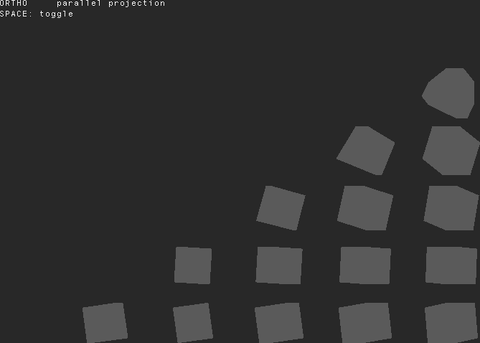 camera-ortho
Advanced/camera-ortho
open on Codeberg ↗
/*
* camera-ortho
*
* Demonstrates ortho() with and without arguments.
*
* ortho()
* :: no-arg form; applies Processing defaults:
* left = -width/2, right = width/2
* bottom = -height/2, top = height/2
* near = -height, far = height
*
* ortho(left, right, bottom, top, near, far)
* :: full custom form
*
* In orthographic projection objects do not shrink with distance.
* Press SPACE to toggle between perspective and orthographic.
*
* From https://processing.org/reference/ortho_.html
*/
#include "Umfeld.h"
using namespace umfeld;
bool use_ortho = true;
void settings() {
size(800, 600, P3D);
}
void setup() {
noStroke();
}
void keyPressed() {
if (key == ' ') {
use_ortho = !use_ortho;
}
}
void draw() {
background(40);
lights();
if (use_ortho) {
ortho(); // default: centered, parallel projection
} else {
perspective(); // default perspective for comparison
}
// Place camera so we see the grid clearly
camera(width / 2.0f, height / 2.0f, 600,
width / 2.0f, height / 2.0f, 0,
0, 1, 0);
// Draw a grid of boxes at various depths to show the effect
noStroke();
for (int row = -2; row <= 2; ++row) {
for (int col = -2; col <= 2; ++col) {
const float x = width / 2.0f + col * 120.0f;
const float y = height / 2.0f + row * 80.0f;
const float z = (col + row) * 60.0f; // vary depth
pushMatrix();
translate(x, y, z);
rotateY(frameCount * 0.01f + col * 0.3f);
rotateX(frameCount * 0.007f + row * 0.2f);
fill(map(col, -2, 2, 80, 220), 120, map(row, -2, 2, 80, 220));
box(50);
popMatrix();
}
}
// 2D overlay :: restore default camera/projection (matches Processing convention)
camera();
perspective();
noLights();
fill(240);
debug_text(use_ortho ? "ORTHO :: parallel projection" : "PERSPECTIVE :: foreshortening", 10, 10);
debug_text("SPACE: toggle", 10, 25);
}
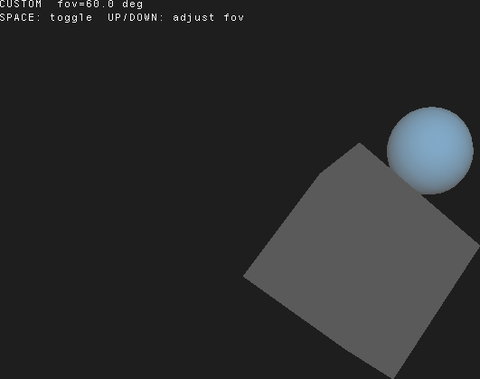 camera-perspective
Advanced/camera-perspective
open on Codeberg ↗
/*
* camera-perspective
*
* Demonstrates perspective() with and without arguments.
*
* perspective()
* :: no-arg form; applies Processing defaults:
* fovy = PI/3 (60 degrees, in radians)
* aspect = width/height
* zNear = cameraZ / 10
* zFar = cameraZ * 10
*
* perspective(fovy, aspect, zNear, zFar)
* :: custom form; fovy is in RADIANS.
*
* Press UP/DOWN to change the field of view.
* Press SPACE to toggle between default and custom perspective.
*
* From https://processing.org/reference/perspective_.html
*/
#include "Umfeld.h"
using namespace umfeld;
float fov = PI / 3.0f; // 60 degrees default
bool use_defaults = false;
void settings() {
size(800, 600, P3D);
}
void setup() {
noStroke();
}
void keyPressed() {
if (key == ' ') {
use_defaults = !use_defaults;
}
if (keyCode == UP && fov > 0.2f) {
fov -= 0.05f;
}
if (keyCode == DOWN && fov < 2.8f) {
fov += 0.05f;
}
}
void draw() {
background(30);
lights();
if (use_defaults) {
perspective(); // Processing-matching defaults
} else {
const float aspect = static_cast<float>(width) / static_cast<float>(height);
const float cameraZ = (height / 2.0f) / tan(fov / 2.0f);
perspective(fov, aspect, cameraZ / 10.0f, cameraZ * 10.0f);
}
camera(width / 2.0f, height / 2.0f, (height / 2.0f) / tan(fov / 2.0f),
width / 2.0f, height / 2.0f, 0,
0, 1, 0);
translate(width / 2.0f, height / 2.0f, 0);
rotateY(frameCount * 0.01f);
rotateX(frameCount * 0.005f);
fill(200, 140, 50);
box(160);
fill(80, 160, 220);
pushMatrix();
translate(0, 0, 160);
sphere(50);
popMatrix();
// 2D overlay (restore default projection first)
camera();
perspective();
noLights();
fill(240);
const std::string mode = use_defaults ? "DEFAULT perspective()" : "CUSTOM fov=" + nf(degrees(fov), 1, 1) + " deg";
debug_text(mode, 10, 10);
debug_text("SPACE: toggle UP/DOWN: adjust fov", 10, 25);
}
 camera
Advanced/camera
open on Codeberg ↗
// TODO WIP there are still a lot of things very broken here …
/*
* this example shows how to use the camera
* from https://processing.org/reference/camera_.html
*/
#include "Umfeld.h"
using namespace umfeld;
void settings() {
size(1024, 768, P3D);
}
void setup() {
strokeWeight(4);
rectMode(CENTER);
}
void draw() {
background(216);
fill(0);
debug_text("FPS : " + nf(frameRate, 1), 10, 10);
camera();
noFill();
stroke(0);
pushMatrix();
translate(width / 2, height / 2, 0);
rotateX(frameCount * 0.1f);
rotateY(frameCount * 0.037f);
square(0, 0, 100);
popMatrix();
constexpr float fov = DEFAULT_CAMERA_FOV_RADIANS;
const float cameraDistance = (height / 2.0f) / tan(fov / 2.0f) * 0.5;
const float look_at_x = map(mouseX, 0, width, -20 * 60, 20 * 60);
const float look_at_z = map(mouseY, 0, height, -20 * 60, 20 * 60);
camera(0, cameraDistance, 0,
look_at_x, 0, look_at_z,
0, -1, 0);
pushMatrix();
translate(look_at_x, 0, look_at_z);
noStroke();
fill(0);
sphere(20);
popMatrix();
fill(255, 63, 89);
stroke(0);
for (int x = -20; x < 20; ++x) {
for (int z = -20; z < 20; ++z) {
pushMatrix();
translate(x * 60, 0, z * 60);
box(20);
popMatrix();
}
}
}
capture-ffmpeg capture-ffmpeg
Advanced/capture-ffmpeg
open on Codeberg ↗
// demonstrates the FFmpeg/avdevice-backed capture path (`CaptureFFmpeg`).
//
// prefer `Capture` (SDL3-backed, see Advanced/capture) for new code. keep this
// path in mind for devices SDL3's camera backend does not see :: e.g. an
// iPhone used as a webcam via Continuity Camera: SDL3's macOS discovery only
// queries AVCaptureDeviceTypeExternalUnknown + BuiltInWideAngleCamera, not
// AVCaptureDeviceTypeContinuityCamera, so it never shows up in `Capture::list()`.
// FFmpeg's avfoundation input (and thus `CaptureFFmpeg`) sees it fine.
//
// CaptureFFmpeg has known rough edges (background decode thread, reload()
// must be called every frame regardless of availability, re-init leaks) that
// are not hardened in this pass :: see CaptureFFmpeg.h.
#include "Umfeld.h"
#include "CaptureFFmpeg.h"
using namespace umfeld;
static CaptureFFmpeg* cam = nullptr;
static bool cam_ready = false;
void settings() {
size(1280, 720);
}
void setup() {
const std::vector<std::string> devices = CaptureFFmpeg::list();
console("found ", devices.size(), " camera device(s):");
for (size_t i = 0; i < devices.size(); ++i) {
console(" [", i, "] ", devices[i]);
CaptureFFmpeg::list_capabilities(devices[i]);
}
// to target a specific device (e.g. an iPhone via Continuity Camera),
// pass its name from the list above instead of nullptr:
// cam->init("d3Phone Camera", "1280x720", "30", "nv12");
cam = new CaptureFFmpeg();
cam_ready = cam->init(nullptr, nullptr, nullptr, nullptr);
if (cam_ready) {
cam->start();
} else {
warning("failed to initialize any capture device.");
}
}
void draw() {
background(32);
if (cam_ready) {
// NOTE unlike `Capture`, there is no available()/read() poll pair here —
// reload() unconditionally pulls whatever frame the decode thread has
// ready. Calling it every frame regardless of new-frame-availability
// is the documented (if rough) usage pattern for this class.
cam->reload();
if (cam->pixels != nullptr && cam->width > 0 && cam->height > 0) {
image(cam, 0, 0, width, height);
}
}
fill(255);
noStroke();
if (!cam_ready) {
debug_text("no camera found", 20, 20);
} else {
debug_text(to_string("device : ", cam->name()), 20, 20);
debug_text(to_string("frame rate : ", cam->frameRate()), 20, 20 + debug_text_char_height());
}
}
capture-multiple capture-multiple
Advanced/capture-multiple
open on Codeberg ↗
// demonstrates two simultaneous Capture instances side by side. the second
// camera is optional: if only one device is connected the right pane just
// reports that no second camera was found instead of failing.
#include "Umfeld.h"
#include "Capture.h"
using namespace umfeld;
static Capture* cam_a = nullptr;
static Capture* cam_b = nullptr;
static bool has_frame(const Capture* cam) {
return cam != nullptr && cam->pixels != nullptr && cam->width > 0 && cam->height > 0;
}
void settings() {
size(1280, 480);
}
void setup() {
const std::vector<std::string> devices = Capture::list();
console("found ", devices.size(), " camera device(s):");
for (size_t i = 0; i < devices.size(); ++i) {
console(" [", i, "] ", devices[i]);
}
if (!devices.empty()) {
cam_a = new Capture(devices[0]);
cam_a->start();
} else {
warning("no camera found for the first instance.");
}
if (devices.size() > 1) {
cam_b = new Capture(devices[1]);
cam_b->start();
} else {
console("only one camera device found; second instance skipped.");
}
}
void draw() {
background(32);
if (cam_a != nullptr && cam_a->available()) {
cam_a->read();
}
if (cam_b != nullptr && cam_b->available()) {
cam_b->read();
}
const float pane_width = width / 2.0f;
fill(255);
noStroke();
if (has_frame(cam_a)) {
image(cam_a, 0, 0, pane_width, height);
debug_text(to_string("device A: ", cam_a->name()), 20, 20);
} else {
debug_text("device A: no camera", 20, 20);
}
if (has_frame(cam_b)) {
image(cam_b, pane_width, 0, pane_width, height);
debug_text(to_string("device B: ", cam_b->name()), pane_width + 20, 20);
} else {
debug_text("device B: ( no second camera found )", pane_width + 20, 20);
}
}
capture capture
Advanced/capture
open on Codeberg ↗
// demonstrates camera capture: lists devices, opens the default camera, and
// shows the live feed with a small HUD. SPACE toggles start()/stop(), 'c' cycles
// through connected devices (exercising close/reopen).
#include "Umfeld.h"
#include "Capture.h"
using namespace umfeld;
static Capture* cam = nullptr;
static std::vector<std::string> devices;
static size_t device_index = 0;
static void open_device(const std::string& device_name) {
delete cam;
cam = device_name.empty() ? new Capture() : new Capture(device_name);
cam->start();
}
void settings() {
size(1280, 720);
}
void setup() {
devices = Capture::list();
console("found ", devices.size(), " camera device(s):");
for (size_t i = 0; i < devices.size(); ++i) {
console(" [", i, "] ", devices[i]);
}
open_device(devices.empty() ? "" : devices[0]);
}
void draw() {
background(32);
if (cam != nullptr && cam->available()) {
cam->read();
}
// guard against drawing before the first frame has sized the pixel buffer
const bool has_frame = cam != nullptr && cam->pixels != nullptr && cam->width > 0 && cam->height > 0;
if (has_frame) {
image(cam, 0, 0, width, height);
}
fill(255);
noStroke();
if (devices.empty()) {
debug_text("no camera found", 20, 20);
} else if (!has_frame) {
debug_text(to_string("opening \"", cam->name(), "\" ..."), 20, 20);
} else {
debug_text(to_string("device : ", cam->name()), 20, 20);
debug_text(to_string("resolution : ", static_cast<int>(cam->width), "x", static_cast<int>(cam->height)), 20, 20 + debug_text_char_height());
debug_text(to_string("frame rate : ", cam->frameRate()), 20, 20 + 2 * debug_text_char_height());
debug_text(to_string("capturing : ", cam->isCapturing() ? "yes" : "no ( SPACE to resume )"), 20, 20 + 3 * debug_text_char_height());
debug_text("SPACE start/stop capture c cycle device", 20, 20 + 4 * debug_text_char_height());
}
}
void keyPressed() {
if (key == ' ') {
if (cam == nullptr) {
return;
}
if (cam->isCapturing()) {
cam->stop();
} else {
cam->start();
}
} else if (key == 'c') {
if (devices.empty()) {
return;
}
device_index = (device_index + 1) % devices.size();
open_device(devices[device_index]);
}
}
clipboard-image clipboard-image
Advanced/clipboard-image
open on Codeberg ↗
#include "Umfeld.h"
#include "UmfeldClipboard.h"
using namespace umfeld;
static PImage* pasted_img = nullptr;
void settings() {
size(640, 480);
}
void setup() {}
void draw() {
background(48);
if (pasted_img != nullptr) {
image(pasted_img, 0, 0, static_cast<float>(width), static_cast<float>(height));
} else {
fill(180);
debug_text("press C to copy framebuffer, V to paste image from clipboard", 20, height / 2.0f - 8);
}
fill(220);
debug_text("C = copy | V = paste | D = clear", 20, static_cast<float>(height) - 20);
}
void keyPressed() {
if (key == 'c' || key == 'C') {
if (g == nullptr) { return; }
const int fw = g->framebuffer.width;
const int fh = g->framebuffer.height;
std::vector<unsigned char> raw;
if (!g->read_framebuffer(raw)) {
warning("clipboard_copy_image: could not read framebuffer");
return;
}
// OpenGL origin is bottom-left :: flip vertically
std::vector<unsigned char> flipped(static_cast<size_t>(fw) * fh * 4);
for (int y = 0; y < fh; ++y) {
memcpy(flipped.data() + static_cast<size_t>(fh - 1 - y) * fw * 4,
raw.data() + static_cast<size_t>(y) * fw * 4,
static_cast<size_t>(fw) * 4);
}
PImage snap(flipped.data(), fw, fh, 4);
if (clipboard_copy_image(&snap)) {
console("copied framebuffer to clipboard (", fw, "x", fh, ")");
}
} else if (key == 'v' || key == 'V') {
delete pasted_img;
pasted_img = clipboard_paste_image();
if (pasted_img != nullptr) {
console("pasted image (", static_cast<int>(pasted_img->width), "x", static_cast<int>(pasted_img->height), ")");
} else {
console("no image on clipboard");
}
} else if (key == 'd' || key == 'D') {
delete pasted_img;
pasted_img = nullptr;
clipboard_clear();
console("clipboard cleared");
}
}
void shutdown() {
delete pasted_img;
pasted_img = nullptr;
}
clipboard-text clipboard-text
Advanced/clipboard-text
open on Codeberg ↗
#include "Umfeld.h"
#include "UmfeldClipboard.h"
using namespace umfeld;
static std::string pasted_text;
void settings() {
size(640, 240);
}
void setup() {
pasted_text = "press C to copy, V to paste";
}
void draw() {
background(32);
fill(220);
debug_text(pasted_text, 20, height / 2.0f - 8);
}
void keyPressed() {
if (key == 'c' || key == 'C') {
const std::string msg = "Hello from Umfeld clipboard!";
if (clipboard_set(msg)) {
console("copied: ", msg);
}
} else if (key == 'v' || key == 'V') {
if (clipboard_has()) {
pasted_text = clipboard_get();
console("pasted: ", pasted_text);
} else {
console("clipboard empty");
}
}
}
close-window close-window
Advanced/close-window
open on Codeberg ↗
// close the window at runtime, then keep running headless for a few more frames
// before quitting. `close_window()` tears down the graphics + HID subsystems
// ( window, GL context ) but leaves the process running: `update()` keeps firing
// and `draw()` is suspended ( `g` is null ). when done, `exit()` quits.
#include "Umfeld.h"
using namespace umfeld;
static constexpr int FRAMES_WITH_WINDOW = 120; // close window after this many drawn frames
static constexpr int FRAMES_HEADLESS = 60; // keep running this many frames after close
static int headless_frames = 0;
static bool window_open = true;
void settings() {
size(640, 480);
}
void setup() {
set_frame_rate(60);
}
void draw() {
// only runs while the window exists
background(0.1f);
fill(1.0f);
debug_text(to_string("frame ", frameCount, " ( window open )"), 20, 30);
if (frameCount >= FRAMES_WITH_WINDOW) {
console("closing window, continuing headless...");
close_window();
window_open = false;
}
}
void windowClosed() {
// last callback while `g` is still valid :: clean up GPU resources here
console("windowClosed() fired :: graphics about to be torn down");
}
void update() {
// keeps firing after the window is gone
if (!window_open) {
headless_frames++;
console("headless frame ", headless_frames, "/", FRAMES_HEADLESS);
if (headless_frames >= FRAMES_HEADLESS) {
console("done :: quitting");
exit();
}
}
}
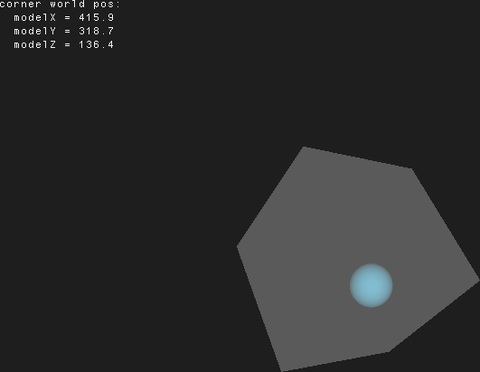 coordinates-model
Advanced/coordinates-model
open on Codeberg ↗
/*
* coordinates-model
*
* Demonstrates modelX(), modelY(), modelZ().
*
* These functions return the world-space position of a point AFTER
* the current model transform (translate, rotate, scale) has been applied.
* Useful for reading back where an object is in world space so you can
* anchor other elements to it without tracking matrices manually.
*
* This example:
* - Rotates a box around the center.
* - Uses modelX/Y/Z to find the world position of one corner.
* - Draws a sphere at that corner position using a fresh pushMatrix.
*
* From https://processing.org/reference/modelX_.html
*/
#include "Umfeld.h"
using namespace umfeld;
void settings() {
size(800, 600, P3D);
}
void setup() {
noStroke();
}
void draw() {
background(30);
lights();
camera();
pushMatrix();
translate(width / 2.0f, height / 2.0f, 0);
rotateY(frameCount * 0.02f);
rotateX(frameCount * 0.013f);
// Query the world position of a local-space corner.
// modelX/Y/Z reads the current model matrix, so call after transforms are applied.
const float cornerLocalX = 80;
const float cornerLocalY = -80;
const float cornerLocalZ = 80;
const float wx = modelX(cornerLocalX, cornerLocalY, cornerLocalZ);
const float wy = modelY(cornerLocalX, cornerLocalY, cornerLocalZ);
const float wz = modelZ(cornerLocalX, cornerLocalY, cornerLocalZ);
// Draw the main box
fill(180, 100, 40);
box(160);
popMatrix(); // back to world-space identity
// Draw a sphere at the tracked corner's world position
fill(80, 200, 240);
pushMatrix();
translate(wx, wy, wz);
sphere(18);
popMatrix();
// 2D overlay :: restore default camera/projection
camera();
perspective();
noLights();
fill(240);
debug_text("corner world pos:", 10, 10);
debug_text(" modelX = " + nf(wx, 1, 1), 10, 25);
debug_text(" modelY = " + nf(wy, 1, 1), 10, 40);
debug_text(" modelZ = " + nf(wz, 1, 1), 10, 55);
}
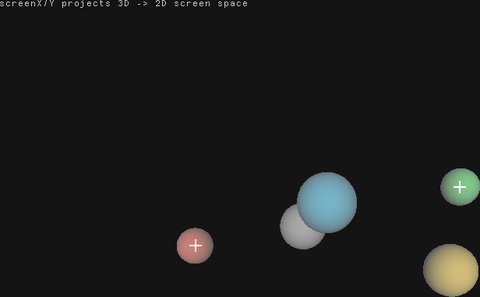 coordinates-screen
Advanced/coordinates-screen
open on Codeberg ↗
/*
* coordinates-screen
*
* Demonstrates screenX(), screenY(), screenZ().
*
* These functions project a 3D world-space point through the full MVP
* (model-view-projection) transform and return where it appears on the
* 2D screen. Useful for drawing HUD labels, connecting lines, or
* implementing picking/hover effects anchored to 3D objects.
*
* This example:
* - Animates several spheres orbiting a center point in 3D.
* - Projects each sphere's 3D center to screen space with screenX/Y.
* - Draws a 2D label at the projected position.
*
* From https://processing.org/reference/screenX_.html
*/
#include "Umfeld.h"
using namespace umfeld;
struct Orbiter {
float radius;
float speed;
float phase;
float tilt;
color_t col;
};
static const int NUM_ORBITERS = 4;
static Orbiter orbiters[NUM_ORBITERS] = {
{200, 0.020f, 0.0f, 0.0f, color(220, 80, 60)},
{150, 0.033f, PI / 2.0f, PI / 6.0f, color(60, 180, 220)},
{250, 0.015f, PI, PI / 4.0f, color(80, 220, 100)},
{180, 0.045f, 3.0f * PI / 2, -PI / 5.0f, color(240, 200, 60)},
};
void settings() {
size(800, 600, P3D);
}
void setup() {
noStroke();
}
void draw() {
background(20);
lights();
// --- 3D pass ---
camera();
perspective();
translate(width / 2.0f, height / 2.0f, 0);
// Central hub
fill(160);
sphere(30);
// Draw each orbiter and record its screen position
float sx[NUM_ORBITERS], sy[NUM_ORBITERS];
for (int i = 0; i < NUM_ORBITERS; ++i) {
const float t = frameCount * orbiters[i].speed + orbiters[i].phase;
const float ox = cos(t) * orbiters[i].radius;
const float oz = sin(t) * orbiters[i].radius;
const float oy = sin(t * 0.7f + orbiters[i].tilt) * 60.0f;
pushMatrix();
translate(ox, oy, oz);
// Capture screen coords BEFORE drawing (model matrix is set by translate)
sx[i] = screenX(0, 0, 0);
sy[i] = screenY(0, 0, 0);
fill(orbiters[i].col);
sphere(28);
popMatrix();
}
// --- 2D overlay pass ---
// Restore default camera/projection so screen coordinates map correctly.
camera();
perspective();
noLights();
// Draw labels at projected positions
for (int i = 0; i < NUM_ORBITERS; ++i) {
const std::string label = "obj " + std::to_string(i + 1)
+ " (" + nf(sx[i], 1, 0) + ", " + nf(sy[i], 1, 0) + ")";
// Small crosshair at projected position
stroke(255, 200);
strokeWeight(1);
line(sx[i] - 8, sy[i], sx[i] + 8, sy[i]);
line(sx[i], sy[i] - 8, sx[i], sy[i] + 8);
noStroke();
fill(orbiters[i].col);
text(label, sx[i] + 12, sy[i] - 4);
}
fill(200);
noStroke();
debug_text("screenX/Y projects 3D -> 2D screen space", 10, 10);
}
custom-cursor custom-cursor
Advanced/custom-cursor
open on Codeberg ↗
#include "Umfeld.h"
using namespace umfeld;
PImage* custom_cursor;
void settings() {
size(1024, 768);
}
void setup() {
custom_cursor = loadImage("cross.png");
cursor(custom_cursor, custom_cursor->width / 2, custom_cursor->height / 2);
noStroke();
fill(0);
}
void draw() {
background(216);
circle(mouseX, mouseY, custom_cursor->width * 2);
}
debug-text debug-text
Advanced/debug-text
open on Codeberg ↗
#include "Umfeld.h"
using namespace umfeld;
int memory_location;
const char* memory_chunk = reinterpret_cast<char*>(&memory_location);
int memory_chunk_counter = 0;
void settings() {
size(1024, 768);
}
void setup() {
noStroke();
}
void draw() {
background(50);
int char_counter = 0;
fill(255);
for (float y = 0; y < height; y += debug_text_char_height()) {
for (float x = 0; x < width; x += debug_text_char_width()) {
// NOTE will eventually crash … until then, happy memory browsing
char memory_char = memory_chunk[memory_chunk_counter + char_counter];
const float hue = map(float(char_counter % 8192), 0.0f, 8192.0f, 0.0f, 360.0f) + frameCount;
const color_t c = hsb_to_rgba32(hue, 1.0f, 1.0f, 1.0f);
fill(c);
debug_text(to_string(memory_char), x, y);
char_counter++;
}
}
if (isKeyPressed) {
memory_chunk_counter += char_counter;
}
flush(); // this draws all debug text to the screen immediately
fill(255);
rect(0, 0, debug_text_char_width() * 24, debug_text_char_height() * 4.0f);
fill(0);
debug_text(to_string("FRAMERATE: ", nf(frameRate, 1)), debug_text_char_width() * 2.0f, debug_text_char_height());
debug_text(to_string("MEMORY : ", memory_chunk_counter), debug_text_char_width() * 2.0f, debug_text_char_height() * 2.0f);
}fullscreen fullscreen
Advanced/fullscreen
open on Codeberg ↗
#include "Umfeld.h"
using namespace umfeld;
void settings() {
size(1024, 768);
}
void setup() {
noStroke();
fill(0);
}
void draw() {
background(216);
debug_text(to_string(nf((int) mouseX, 4), "x", nf((int) mouseY, 4)), mouseX, mouseY);
}
void keyPressed() {
if (key == 'f') {
fullScreen(800, 600, 2);
}
if (key == 'w') {
windowed();
}
println(width, "×", height, "px");
}
 gamepads
Advanced/gamepads
open on Codeberg ↗
/*
* this example demonstrates how to integrate game controllers i.e Nintendo Joy-Con ( in detached mode ).
*/
#include "Umfeld.h"
#include "Gamepad.h"
#include "PVector.h"
using namespace umfeld;
using namespace umfeld::subsystem;
struct Circle {
uint32_t color;
PVector position;
PVector speed;
float size;
};
Circle circle_red;
Circle circle_blue;
int gamepad_id = -1;
float move_speed = 10.0f;
float size_step = 5.0f;
void settings() {
size(1024, 768);
enable_gamepads();
gamepad_resync();
}
void setup() {
circle_red.color = color(255, 91, 89);
circle_red.position.set(width / 2, height / 2 - 10);
circle_red.size = 50;
circle_blue.color = color(127, 216, 255);
circle_blue.position.set(width / 2, height / 2 + 10);
circle_blue.size = 50;
}
void draw() {
circle_red.position.add(circle_red.speed);
circle_blue.position.add(circle_blue.speed);
background(216);
noStroke();
fill(circle_red.color);
circle(circle_red.position.x, circle_red.position.y, circle_red.size);
fill(circle_blue.color);
circle(circle_blue.position.x, circle_blue.position.y, circle_blue.size);
if (gamepad_id != GAMEPAD_NOT_CONNECTED) {
stroke(0);
noFill();
circle(width / 2, height / 2, 50);
}
}
void gamepad_axis(const int id, const int axis, const float value) {
/*
* right/red joy-con: ↑2↓ ←3→
* left/blue joy-con: ↑0↓ ←1→
*/
if (axis == 3) {
circle_red.speed.x = -value;
}
if (axis == 2) {
circle_red.speed.y = value;
}
if (axis == 1) {
circle_blue.speed.x = value;
}
if (axis == 0) {
circle_blue.speed.y = -value;
}
}
void gamepad_button(const int id, const int button, const bool down) {
/*
* right/red joy-con: ↑2 ←0 →3 ↓1 + 8
* left/blue joy-con: ↑14 ←11 →12 ↓13 + 7
*/
if (down) {
if (button == 2) {
circle_red.size += size_step;
}
if (button == 1) {
circle_red.size -= size_step;
}
if (button == 8) {
circle_red.position.set(width / 2, height / 2 - 10);
}
if (button == 14) {
circle_blue.size += size_step;
}
if (button == 13) {
circle_blue.size -= size_step;
}
if (button == 7) {
circle_blue.position.set(width / 2, height / 2 + 10);
}
if (button == 0) {
const float low_frequency = mouseY / height;
const float high_frequency = mouseX / width;
console("rumble: ", low_frequency, " , ", high_frequency);
gamepad_rumble(gamepad_id, low_frequency, high_frequency, 500);
}
}
}
void gamepad_added(const int id) {
println("Gamepad added with ID : ", id);
gamepad_id = id;
}
void gamepad_removed(const int id) {
println("Gamepad removed with ID: ", id);
gamepad_id = GAMEPAD_NOT_CONNECTED;
}
void keyPressed() {
if (key == ' ') {
gamepad_resync(true);
}
if (key == 'r') {
gamepad_rumble(gamepad_id, 0.5f, 0.5f, 500);
}
}
 handheld
Advanced/handheld
open on Codeberg ↗
#include "Umfeld.h"
#include "Gamepad.h"
using namespace umfeld;
const color_t light_green = color(171, 255, 0);
const color_t soft_red = color(255, 63, 89);
float offset = 0;
void settings() {
size(640, 480);
config.antialiasing(NO_ANTIALIASING); // recommended for small devices
config.vsync(true); // R36S/ArkOS require to enable vsync
config.fullscreen(true); // R36S/ArkOS recommended to set fullscreen
hint(ENABLE_HANDHELD_GAMEPAD_FIX); // R36S/ROCKNIX require this hint to fix gamepad
umfeld::subsystem::enable_gamepads();
umfeld::subsystem::gamepad_resync();
}
void setup() {
strokeWeight(8);
noStroke();
}
void draw() {
background(216);
const float size = 100.0;
const float x = width / 2.0;
const float y = height / 2.0;
fill(soft_red);
circle(x - size * 2.2 + offset, y + size, size);
fill(light_green);
circle(x - size, y + size + offset, size);
}
void gamepad_button(const int id, const int button, const bool down) {
if (down && button == RG40XXV_GAMEPAD_BUTTON_B) {
exit();
}
if (down && button == RG40XXV_GAMEPAD_DPAD_LEFT) {
offset -= 10;
}
if (down && button == RG40XXV_GAMEPAD_DPAD_RIGHT) {
offset += 10;
}
}
headless-audio headless-audio
Advanced/headless-audio
open on Codeberg ↗
/*
* headless audio / background synth
*
* `profile(HEADLESS)` + `audio(0, 2)` runs a background synth with NO window.
* In headless mode audio is forced onto its own thread, so the synth keeps
* running at full sample rate independently of the 1 fps headless `draw()`.
*
* IMPORTANT: there is no renderer in headless mode ( global `g` is null ), so
* `draw()` must not call any graphics function :: keep it empty or compute-only.
*/
#include "Umfeld.h"
#include "audio/AudioUtilities.h"
#include "audio/OscillatorFunction.h"
using namespace umfeld;
OscillatorFunction* osc;
void settings() {
profile(HEADLESS); // no window, 1 fps draw, audio forced threaded
audio(0, 2); // 0 input channels, 2 output channels
}
void setup() {
osc = new OscillatorFunction(get_audio_sample_rate());
osc->set_waveform(WAVEFORM_SINE);
osc->set_amplitude(0.25f);
osc->set_frequency(220.0f);
console("headless synth running :: 220 Hz sine on the audio thread. exit() after 5 s.");
}
void draw() {
// headless: no graphics. tick once per second only.
if (frameCount >= 5) {
exit();
}
}
void audioEvent(const PAudio& audio) {
float sample_buffer[audio.buffer_size];
for (int i = 0; i < audio.buffer_size; i++) {
sample_buffer[i] = osc->process();
}
if (audio.output_channels == 2) {
merge_interleaved_stereo(sample_buffer, sample_buffer, audio.output_buffer, audio.buffer_size);
}
}
void shutdown() {
delete osc;
}
headless headless
Advanced/headless
open on Codeberg ↗
/*
* headless / low-CPU background mode
*
* `profile(HEADLESS)` runs an Umfeld app with NO window and NO graphics as a
* near-zero-CPU background process. `draw()` is still called :: at the headless
* default of 1 fps :: so you can poll, compute, drive OSC, etc.
*
* IMPORTANT: in headless mode there is no renderer ( the global `g` is null ).
* Calling any graphics free-function ( `background()`, `line()`, `fill()`, … )
* will dereference the null renderer and SEGFAULT. Do compute / I/O only.
*
* Tune the iterate cadence ( the upper bound on per-loop sleep, which caps
* `exit()` / event latency independently of the frame rate ) with
* `config.idle_cap(seconds)` in `settings()`.
*/
#include "Umfeld.h"
using namespace umfeld;
void settings() {
// no size() -> no window, no graphics. profile(HEADLESS) makes it explicit
// and also sets the frame rate to 1 fps and disables event callbacks.
profile(HEADLESS);
}
void setup() {
console("running headless :: draw() ticks once per second. Ctrl-C or exit() to stop.");
}
void draw() {
println("headless tick :: frameCount: ", frameCount);
if (frameCount >= 5) {
console("done :: calling exit().");
exit();
}
}
 homebrew
Advanced/homebrew
open on Codeberg ↗
#include "Umfeld.h"
using namespace umfeld;
const color_t light_green = color(171, 255, 0);
const color_t soft_red = color(255, 63, 89);
void settings() {
size(1024, 768);
}
void setup() {
strokeWeight(8);
noStroke();
}
void draw() {
background(216);
const float size = 100.0;
const float x = width / 2.0;
const float y = height / 2.0;
fill(soft_red);
circle(x - size * 2.2, y + size, size);
fill(light_green);
circle(x - size, y + size, size);
}
instance-cloud instance-cloud
Advanced/instance-cloud
open on Codeberg ↗
#include "Umfeld.h"
#include "ShaderSource.h"
#include "VertexBuffer.h"
#include "PShader.h"
#include "UmfeldSDLOpenGL.h"
#include "InstanceCloudOpenGL.h"
using namespace umfeld;
PImage* cross_image;
InstanceCloudOpenGL instance_cloud;
bool rotate_instance_cloud = true;
int rotation_counter = 0;
bool animate_z_rotation = false;
bool enable_depth = true;
void shuffle_instances();
std::vector<VertexSimple> create_base_mesh();
void settings() {
size(1024, 768);
}
void setup() {
profile(PROFILE_3D);
cross_image = loadImage("cross.png");
const std::vector<VertexSimple> base_mesh = create_base_mesh();
instance_cloud.init(g, base_mesh, 100000);
shuffle_instances();
instance_cloud.use_texture = true;
}
void draw() {
background(216);
if (isKeyPressed && key == ' ') {
// update positions in instance cloud vector
int index = 0;
for (auto& p: instance_cloud.instances()) {
constexpr float speed = 0.5f;
p.position[0] += sin(static_cast<float>(frameCount) * 0.01f + static_cast<float>(index)) * speed;
p.position[1] += cos(static_cast<float>(frameCount) * 0.01f + static_cast<float>(index)) * speed;
p.position[2] += sin(static_cast<float>(frameCount) * 0.01f + static_cast<float>(index)) * speed;
index++;
}
instance_cloud.update();
}
if (animate_z_rotation) {
int index = 0;
const float z_rotation_speed = 0.04f;
for (auto& p: instance_cloud.instances()) {
p.rotation[2] += sin((float) frameCount * 0.001f + (float) index * 0.1f) * z_rotation_speed;
index++;
}
instance_cloud.update();
}
fill(0);
debug_begin(10, 10);
debug_print("FPS", nf(frameRate, 1));
debug_print("SHAPES", to_string(instance_cloud.get_num_instances()));
debug_print("z :: Z-ROTATION", animate_z_rotation ? "ON" : "OFF");
debug_print("t :: TEXTURE", instance_cloud.use_texture ? "ON" : "OFF");
debug_print("r :: ROTATE CLOUD", rotate_instance_cloud ? "ON" : "OFF");
debug_print("d :: ENABLE DEPTH", enable_depth ? "ON" : "OFF");
debug_end();
translate(width * 0.5f, height * 0.5f);
if (rotate_instance_cloud) {
rotation_counter++;
}
rotateY((float) rotation_counter * 0.01f);
texture(cross_image);
blendMode(BLEND);
instance_cloud.draw(g, enable_depth);
texture();
}
void keyPressed() {
if (key == 't') {
instance_cloud.use_texture = !instance_cloud.use_texture;
}
if (key == 'r') {
rotate_instance_cloud = !rotate_instance_cloud;
}
if (key == 'z') {
animate_z_rotation = !animate_z_rotation;
}
if (key == 'd') {
enable_depth = !enable_depth;
}
if (key == 'm') {
instance_cloud.resize(500000);
shuffle_instances();
}
}
void shuffle_instances() {
for (auto& data: instance_cloud.instances()) {
data.position = glm::vec3(random(-1, 1), random(-1, 1), random(-1, 1));
data.position = glm::normalize(data.position);
data.position *= random(height * 0.2f, height * 0.3f);
const float s = random(10.0f, 30.0f);
data.scale = glm::vec3(s, s, s);
data.color.r = random(1.0f);
data.color.g = random(1.0f);
data.color.b = 0.5f;
data.color.a = 1.0f;
data.rotation = glm::vec3(random(-PI, PI), random(-PI, PI), random(-PI, PI));
}
instance_cloud.update();
}
std::vector<VertexSimple> create_base_mesh() {
// base mesh: box with position, normal, and texture coordinates
const std::vector<VertexSimple> base_mesh = {
// Front (+Z) - normal: (0, 0, 1)
{{-0.5f, -0.5f, 0.5f}, {0.0f, 0.0f, 1.0f}, {0.0f, 0.0f}},
{{0.5f, -0.5f, 0.5f}, {0.0f, 0.0f, 1.0f}, {1.0f, 0.0f}},
{{-0.5f, 0.5f, 0.5f}, {0.0f, 0.0f, 1.0f}, {0.0f, 1.0f}},
{{-0.5f, 0.5f, 0.5f}, {0.0f, 0.0f, 1.0f}, {0.0f, 1.0f}},
{{0.5f, -0.5f, 0.5f}, {0.0f, 0.0f, 1.0f}, {1.0f, 0.0f}},
{{0.5f, 0.5f, 0.5f}, {0.0f, 0.0f, 1.0f}, {1.0f, 1.0f}},
// Back (-Z) - normal: (0, 0, -1)
{{0.5f, -0.5f, -0.5f}, {0.0f, 0.0f, -1.0f}, {1.0f, 0.0f}},
{{-0.5f, -0.5f, -0.5f}, {0.0f, 0.0f, -1.0f}, {0.0f, 0.0f}},
{{0.5f, 0.5f, -0.5f}, {0.0f, 0.0f, -1.0f}, {1.0f, 1.0f}},
{{0.5f, 0.5f, -0.5f}, {0.0f, 0.0f, -1.0f}, {1.0f, 1.0f}},
{{-0.5f, -0.5f, -0.5f}, {0.0f, 0.0f, -1.0f}, {0.0f, 0.0f}},
{{-0.5f, 0.5f, -0.5f}, {0.0f, 0.0f, -1.0f}, {0.0f, 1.0f}},
// Left (-X) - normal: (-1, 0, 0)
{{-0.5f, -0.5f, -0.5f}, {-1.0f, 0.0f, 0.0f}, {0.0f, 0.0f}},
{{-0.5f, -0.5f, 0.5f}, {-1.0f, 0.0f, 0.0f}, {1.0f, 0.0f}},
{{-0.5f, 0.5f, -0.5f}, {-1.0f, 0.0f, 0.0f}, {0.0f, 1.0f}},
{{-0.5f, 0.5f, -0.5f}, {-1.0f, 0.0f, 0.0f}, {0.0f, 1.0f}},
{{-0.5f, -0.5f, 0.5f}, {-1.0f, 0.0f, 0.0f}, {1.0f, 0.0f}},
{{-0.5f, 0.5f, 0.5f}, {-1.0f, 0.0f, 0.0f}, {1.0f, 1.0f}},
// Right (+X) - normal: (1, 0, 0)
{{0.5f, -0.5f, 0.5f}, {1.0f, 0.0f, 0.0f}, {0.0f, 0.0f}},
{{0.5f, -0.5f, -0.5f}, {1.0f, 0.0f, 0.0f}, {1.0f, 0.0f}},
{{0.5f, 0.5f, 0.5f}, {1.0f, 0.0f, 0.0f}, {0.0f, 1.0f}},
{{0.5f, 0.5f, 0.5f}, {1.0f, 0.0f, 0.0f}, {0.0f, 1.0f}},
{{0.5f, -0.5f, -0.5f}, {1.0f, 0.0f, 0.0f}, {1.0f, 0.0f}},
{{0.5f, 0.5f, -0.5f}, {1.0f, 0.0f, 0.0f}, {1.0f, 1.0f}},
// Top (+Y) - normal: (0, 1, 0)
{{-0.5f, 0.5f, 0.5f}, {0.0f, 1.0f, 0.0f}, {0.0f, 0.0f}},
{{0.5f, 0.5f, 0.5f}, {0.0f, 1.0f, 0.0f}, {1.0f, 0.0f}},
{{-0.5f, 0.5f, -0.5f}, {0.0f, 1.0f, 0.0f}, {0.0f, 1.0f}},
{{-0.5f, 0.5f, -0.5f}, {0.0f, 1.0f, 0.0f}, {0.0f, 1.0f}},
{{0.5f, 0.5f, 0.5f}, {0.0f, 1.0f, 0.0f}, {1.0f, 0.0f}},
{{0.5f, 0.5f, -0.5f}, {0.0f, 1.0f, 0.0f}, {1.0f, 1.0f}},
// Bottom (-Y) - normal: (0, -1, 0)
{{-0.5f, -0.5f, -0.5f}, {0.0f, -1.0f, 0.0f}, {0.0f, 0.0f}},
{{0.5f, -0.5f, -0.5f}, {0.0f, -1.0f, 0.0f}, {1.0f, 0.0f}},
{{-0.5f, -0.5f, 0.5f}, {0.0f, -1.0f, 0.0f}, {0.0f, 1.0f}},
{{-0.5f, -0.5f, 0.5f}, {0.0f, -1.0f, 0.0f}, {0.0f, 1.0f}},
{{0.5f, -0.5f, -0.5f}, {0.0f, -1.0f, 0.0f}, {1.0f, 0.0f}},
{{0.5f, -0.5f, 0.5f}, {0.0f, -1.0f, 0.0f}, {1.0f, 1.0f}},
};
return base_mesh;
}library-vendored library-vendored
Advanced/library-vendored
open on Codeberg ↗
#include "Umfeld.h"
#include "UmfeldImGui.h"
using namespace umfeld;
UmfeldImGui imgui_library;
void settings() {
size(1024, 768);
}
void setup() {
colorMode(RGB, 1.0, 1.0, 1.0, 1.0);
register_library(&imgui_library);
}
void draw() {
background(0.85f);
imgui_library.begin_frame();
ImGui::Begin("Minimal Example");
ImGui::Text("FPS %.1f", frameRate);
ImGui::End();
imgui_library.end_frame();
}
imgui-demo imgui-demo
Advanced/library-vendored/library/imgui/examples/imgui-demo
open on Codeberg ↗
#include "Umfeld.h"
#include "UmfeldImGui.h"
using namespace umfeld;
UmfeldImGui imgui_library;
void settings() {
size(1024, 768);
}
void setup() {
colorMode(RGB, 1.0, 1.0, 1.0, 1.0);
register_library(&imgui_library);
}
void draw() {
background(0.85f);
imgui_library.begin_frame();
ImGui::ShowDemoWindow();
imgui_library.end_frame();
}
imgui-website-examples imgui-website-examples
Advanced/library-vendored/library/imgui/examples/imgui-website-examples
open on Codeberg ↗
#include "Umfeld.h"
#include "UmfeldImGui.h"
using namespace umfeld;
UmfeldImGui imgui_library;
bool show_demo_window = false;
bool show_another_window = false;
bool my_tool_active = true;
auto clear_color = glm::vec3(0.45f, 0.55f, 0.60f);
auto my_color = glm::vec4(0.45f, 0.55f, 0.60f, 1.0f);
void settings() {
size(1024, 768);
}
void setup() {
colorMode(RGB, 1.0, 1.0, 1.0, 1.0);
imgui_library.style = UmfeldImGui::Style::LIGHT;
register_library(&imgui_library);
noFill();
stroke(1.0f, 0.25f, 0.35f);
}
void draw() {
background(clear_color.r, clear_color.g, clear_color.b);
const float size = 50.0f;
const float x = width / 2.0f;
const float y = height / 2.0f;
line(x - size, y - size, x + size, y + size);
line(x - size, y + size, x + size, y - size);
imgui_library.begin_frame();
if (show_demo_window) {
ImGui::ShowDemoWindow(&show_demo_window);
}
{ // from https://github.com/ocornut/imgui/tree/master/examples/example_sdl3_opengl3
static float f = 0.0f;
static int counter = 0;
ImGui::Begin("Hello, world!"); // Create a window called "Hello, world!" and append into it.
ImGui::Text("This is some useful text."); // Display some text (you can use a format strings too)
ImGui::Checkbox("Demo Window", &show_demo_window); // Edit bools storing our window open/close state
ImGui::Checkbox("Another Window", &show_another_window);
ImGui::SliderFloat("float", &f, 0.0f, 1.0f); // Edit 1 float using a slider from 0.0f to 1.0f
ImGui::ColorEdit3("clear color", (float*) &clear_color); // Edit 3 floats representing a color
if (ImGui::Button("Button")) { // Buttons return true when clicked (most widgets return true when edited/activated)
counter++;
}
ImGui::SameLine();
ImGui::Text("counter = %d", counter);
ImGui::Text("Application average %.3f ms/frame (%.1f FPS)", 1000.0f / frameRate, frameRate);
ImGui::End();
}
if (show_another_window) { // from https://github.com/ocornut/imgui/tree/master
// Create a window called "My First Tool", with a menu bar.
ImGui::Begin("My First Tool", &my_tool_active, ImGuiWindowFlags_MenuBar);
if (ImGui::BeginMenuBar()) {
if (ImGui::BeginMenu("File")) {
if (ImGui::MenuItem("Open..", "Ctrl+O")) { /* Do stuff */
}
if (ImGui::MenuItem("Save", "Ctrl+S")) { /* Do stuff */
}
if (ImGui::MenuItem("Close", "Ctrl+W")) { my_tool_active = false; }
ImGui::EndMenu();
}
ImGui::EndMenuBar();
}
// Edit a color stored as 4 floats
ImGui::ColorEdit4("Color", (float*) &my_color);
// Generate samples and plot them
float samples[100];
for (int n = 0; n < 100; n++) {
samples[n] = sinf(n * 0.2f + ImGui::GetTime() * 1.5f);
}
ImGui::PlotLines("Samples", samples, 100);
// Display contents in a scrolling region
ImGui::TextColored(ImVec4(1, 1, 0, 1), "Important Stuff");
ImGui::BeginChild("Scrolling");
for (int n = 0; n < 50; n++) {
ImGui::Text("%04d: Some text", n);
}
ImGui::EndChild();
ImGui::End();
}
imgui_library.end_frame();
}
void keyPressed() {
if (key == 'd') {
show_demo_window = !show_demo_window;
}
}
minimal minimal
Advanced/library-vendored/library/imgui/examples/minimal
open on Codeberg ↗
#include "Umfeld.h"
#include "UmfeldImGui.h"
using namespace umfeld;
UmfeldImGui imgui_library;
void settings() {
size(1024, 768);
}
void setup() {
colorMode(RGB, 1.0, 1.0, 1.0, 1.0);
register_library(&imgui_library);
}
void draw() {
background(0.85f);
imgui_library.begin_frame();
ImGui::Begin("Minimal Example");
ImGui::Text("FPS %.1f", frameRate);
ImGui::End();
imgui_library.end_frame();
}
logging-to-file logging-to-file
Advanced/logging/logging-to-file
open on Codeberg ↗
#include "Umfeld.h"
#include <SDL3/SDL.h>
#include <fstream>
static std::ofstream logFile;
using namespace umfeld;
void my_sdl_log_output(void* userdata, int category, SDL_LogPriority priority, const char* message) {
// Write to file
if (logFile.is_open()) {
logFile << message << std::endl;
}
// also print to stderr
fprintf(stderr, "%s\n", message);
}
void setup() {
// open log file
logFile.open("app.log", std::ios::out | std::ios::app);
// set SDL's log output function
SDL_SetLogOutputFunction(my_sdl_log_output, nullptr);
// Now redirect umfeld logging to SDL_Log
set_console_output_function([](const std::string& message) {
SDL_Log("%s", message.c_str());
});
set_warning_output_function([](const std::string& message) {
SDL_LogWarn(SDL_LOG_CATEGORY_APPLICATION, "%s", message.c_str());
});
set_error_output_function([](const std::string& message) {
SDL_LogError(SDL_LOG_CATEGORY_APPLICATION, "%s", message.c_str());
});
// umfeld logs now go through SDL's logging system to file + stderr
umfeld::console("reporting a console message");
umfeld::warning("reporting a warning");
umfeld::error("reporting an error");
exit(0);
}logging-with-SDL logging-with-SDL
Advanced/logging/logging-with-SDL
open on Codeberg ↗
#include "Umfeld.h"
#include <SDL3/SDL.h>
void settings() {
umfeld::console_emit_timestamp = false;
umfeld::warning_emit_timestamp = false;
umfeld::error_emit_timestamp = false;
}
void setup() {
// redirect console output to SDL_Log (info level)
umfeld::set_console_output_function([](const std::string& message) {
SDL_Log("%s", message.c_str());
});
// redirect warning output to SDL_LogWarn
umfeld::set_warning_output_function([](const std::string& message) {
SDL_LogWarn(SDL_LOG_CATEGORY_APPLICATION, "%s", message.c_str());
});
// redirect error output to SDL_LogError
umfeld::set_error_output_function([](const std::string& message) {
SDL_LogError(SDL_LOG_CATEGORY_APPLICATION, "%s", message.c_str());
});
umfeld::console("this goes to SDL_Log");
umfeld::warning("this goes to SDL_LogWarn");
umfeld::error("this goes to SDL_LogError");
exit(0);
}
movie-audio-dsp movie-audio-dsp
Advanced/movie-audio-dsp
open on Codeberg ↗
/*
* movie-audio-dsp :: movie audio routed into audioEvent for DSP
*
* Demonstrates:
* - movie->connect_audio() to route decoded audio into audioEvent()
* - dispatching by audio.unique_id: the movie virtual device fires with
* audio.unique_id == movie->audio_unique_id(); the hardware device fires
* with its own unique_id.
* - applying a gain control (mouseX) and a one-pole low-pass filter (mouseY)
* to the movie's samples, then mixing the processed result into the
* hardware output buffer.
* - drawing the audio waveform from the processed block.
* - writing raw decoded audio to debug_loop.wav (press 'w') to inspect the
* loop boundary; useful to verify gapless looping.
*
* Requires a movie with an audio track (data/teilchen.mp4).
*/
#include "Umfeld.h"
#include "Movie.h"
#include <vector>
#include <cmath>
#include <mutex>
#include <cstring>
#include <cstdio>
#include <cstdint>
using namespace umfeld;
Movie* movie;
// waveform + bridge buffer shared between movie and hardware audio callbacks
static std::mutex bridge_mutex;
static std::vector<float> processed_block; // interleaved
static int processed_channels = 0;
static std::vector<float> waveform;
static float lpf_state_l = 0.0f;
static float lpf_state_r = 0.0f;
// ── WAV capture ───────────────────────────────────────────────────────────────
// Captures raw decoded movie audio (pre-DSP) to disk for loop-gap analysis.
// Toggle with 'w': first 'w' starts capture, second 'w' (or after 10 s) writes.
static std::mutex capture_mutex;
static std::vector<float> capture_buf;
static int capture_channels = 0;
static int capture_rate = 0;
static bool capture_active = false;
static constexpr double kCaptureDuration = 10.0; // seconds
static void write_wav_f32(const std::string& path,
const std::vector<float>& samples,
int channels, int sample_rate) {
if (samples.empty() || channels <= 0 || sample_rate <= 0) return;
FILE* f = fopen(path.c_str(), "wb");
if (!f) { error("+++ write_wav: cannot open ", path); return; }
const uint32_t data_bytes = static_cast<uint32_t>(samples.size()) * 4;
const uint32_t riff_size = 36 + data_bytes;
const uint32_t byte_rate = static_cast<uint32_t>(sample_rate) * static_cast<uint32_t>(channels) * 4;
const uint16_t block_align = static_cast<uint16_t>(channels * 4);
// RIFF header
fwrite("RIFF", 1, 4, f);
fwrite(&riff_size, 4, 1, f);
fwrite("WAVE", 1, 4, f);
// fmt chunk :: IEEE float PCM (format 3)
fwrite("fmt ", 1, 4, f);
const uint32_t fmt_size = 16;
const uint16_t fmt_type = 3; // IEEE float
const uint16_t nch = static_cast<uint16_t>(channels);
const uint32_t sr = static_cast<uint32_t>(sample_rate);
const uint16_t bits = 32;
fwrite(&fmt_size, 4, 1, f);
fwrite(&fmt_type, 2, 1, f);
fwrite(&nch, 2, 1, f);
fwrite(&sr, 4, 1, f);
fwrite(&byte_rate, 4, 1, f);
fwrite(&block_align, 2, 1, f);
fwrite(&bits, 2, 1, f);
// data chunk
fwrite("data", 1, 4, f);
fwrite(&data_bytes, 4, 1, f);
fwrite(samples.data(), 4, samples.size(), f);
fclose(f);
const double duration = static_cast<double>(samples.size()) /
static_cast<double>(channels) /
static_cast<double>(sample_rate);
console("WAV written: ", path, " (", duration, " s, ", channels, " ch, ", sample_rate, " Hz)");
}
void settings() {
size(1024, 768);
audio(0, 2);
}
void setup() {
movie = new Movie("teilchen.mp4");
if (movie == nullptr) {
debug_text("failed to load movie!", 12, 20);
noLoop();
return;
}
movie->connect_audio(); // decoded audio fires audioEvent() with movie's unique_id
movie->loop();
}
void movieEvent(Movie* m) {
m->read();
}
// ── audio callback (hardware thread) ─────────────────────────────────────────
// Fires twice per audio block:
// 1) movie virtual device :: `audio.input_buffer` holds decoded movie samples.
// 2) hardware device :: `audio.output_buffer` is what the speakers play.
// The movie pump runs before the hardware callback (see SubsystemAudio.h), so
// the hardware branch can consume samples the movie branch just produced.
void audioEvent(const PAudio& audio) {
// ── movie branch: apply DSP, stash processed samples for hardware ────────
if (audio.unique_id == movie->audio_unique_id()) {
if (!audio.input_buffer || audio.buffer_size == 0) return;
const float gain = 2.0f * static_cast<float>(mouseX) / static_cast<float>(width);
const float cutoff = 1.0f - static_cast<float>(mouseY) / static_cast<float>(height);
const float alpha = std::max(0.0f, std::min(1.0f, cutoff));
const int ch = audio.input_channels > 0 ? audio.input_channels : 1;
const float* in = audio.input_buffer;
// Capture raw pre-DSP samples for WAV analysis
{
std::lock_guard<std::mutex> lock(capture_mutex);
if (capture_active) {
capture_channels = ch;
capture_rate = static_cast<int>(audio.sample_rate);
const size_t max_frames = static_cast<size_t>(kCaptureDuration * audio.sample_rate);
const size_t have = capture_buf.size() / static_cast<size_t>(ch);
if (have < max_frames) {
const size_t space = (max_frames - have) * static_cast<size_t>(ch);
const size_t add = std::min(space,
static_cast<size_t>(audio.buffer_size) *
static_cast<size_t>(ch));
capture_buf.insert(capture_buf.end(), in, in + add);
}
if (static_cast<double>(capture_buf.size() / static_cast<size_t>(ch)) /
static_cast<double>(audio.sample_rate) >= kCaptureDuration) {
capture_active = false; // capture complete :: write triggered from main thread
}
}
}
std::vector<float> out(audio.buffer_size * ch);
std::vector<float> wave(audio.buffer_size);
for (uint32_t i = 0; i < audio.buffer_size; i++) {
const float l = in[i * ch + 0] * gain;
const float r = (ch > 1) ? in[i * ch + 1] * gain : l;
lpf_state_l = alpha * l + (1.0f - alpha) * lpf_state_l;
lpf_state_r = alpha * r + (1.0f - alpha) * lpf_state_r;
out[i * ch + 0] = lpf_state_l;
if (ch > 1) out[i * ch + 1] = lpf_state_r;
wave[i] = lpf_state_l;
}
std::lock_guard<std::mutex> lock(bridge_mutex);
processed_block = std::move(out);
processed_channels = ch;
waveform = std::move(wave);
return;
}
// ── hardware branch: copy stashed movie samples into output ─────────────
if (!audio.output_buffer || audio.output_channels == 0) return;
std::vector<float> block;
int in_ch = 0;
{
std::lock_guard<std::mutex> lock(bridge_mutex);
block = processed_block;
in_ch = processed_channels;
}
const int out_ch = audio.output_channels;
const uint32_t have = in_ch > 0 ? static_cast<uint32_t>(block.size() / in_ch) : 0;
for (uint32_t i = 0; i < audio.buffer_size; i++) {
const float l = (i < have) ? block[i * in_ch + 0] : 0.0f;
const float r = (i < have && in_ch > 1) ? block[i * in_ch + 1] : l;
audio.output_buffer[i * out_ch + 0] = l;
if (out_ch > 1) audio.output_buffer[i * out_ch + 1] = r;
}
}
// ── draw ─────────────────────────────────────────────────────────────────────
void draw() {
background(50);
// video
imageMode(CENTER);
image(movie, width / 2, height / 2);
// waveform
stroke(0, 255, 100);
noFill();
const int wh = 80;
const int wy = height - wh - 20;
const float midY = wy + wh / 2.0f;
std::vector<float> snapshot;
{
std::lock_guard<std::mutex> lock(bridge_mutex);
snapshot = waveform;
}
const int n = static_cast<int>(snapshot.size());
if (n > 1) {
beginShape();
for (int i = 0; i < n; i++) {
const float x = static_cast<float>(i) / static_cast<float>(n - 1) * width;
vertex(x, midY - snapshot[i] * (wh / 2.0f));
}
endShape();
}
// Check if capture finished :: write WAV from main thread (not audio thread)
std::vector<float> wav_buf;
int wav_ch = 0, wav_sr = 0;
{
std::lock_guard<std::mutex> lock(capture_mutex);
if (!capture_active && !capture_buf.empty() && capture_channels > 0 && capture_rate > 0) {
wav_buf.swap(capture_buf);
wav_ch = capture_channels;
wav_sr = capture_rate;
capture_channels = 0;
capture_rate = 0;
}
}
if (!wav_buf.empty())
write_wav_f32("debug_loop.wav", wav_buf, wav_ch, wav_sr);
// HUD
noStroke();
fill(255);
debug_text("gain (mouseX): " + std::to_string(2.0f * static_cast<float>(mouseX) / static_cast<float>(width)).substr(0, 4), 12, 20);
debug_text("lpf (mouseY): " + std::to_string(1.0f - static_cast<float>(mouseY) / static_cast<float>(height)).substr(0, 4), 12, 36);
{
std::lock_guard<std::mutex> lock(capture_mutex);
if (capture_active) {
const double captured_s = capture_channels > 0 && capture_rate > 0
? static_cast<double>(capture_buf.size()) /
static_cast<double>(capture_channels) /
static_cast<double>(capture_rate) : 0.0;
debug_text("capturing: " + std::to_string(captured_s).substr(0, 4) + " / " +
std::to_string(kCaptureDuration).substr(0, 4) + " s", 12, 68);
}
}
debug_text("[w] start/stop WAV capture [q] quit", 12, 52);
}
void keyPressed() {
if (key == 'q') exit();
if (key == 'w') {
std::lock_guard<std::mutex> lock(capture_mutex);
if (!capture_active) {
capture_buf.clear();
capture_channels = 0;
capture_rate = 0;
capture_active = true;
console("WAV capture started (", kCaptureDuration, " s)");
} else {
capture_active = false;
console("WAV capture stopped early");
}
}
}
movie-listener movie-listener
Advanced/movie-listener
open on Codeberg ↗
/*
* movie-listener :: MovieListener callback pattern
*
* Demonstrates: subclassing MovieListener to receive video and audio events.
* Requires a movie file with an audio track (video-with-audio.mp4).
* Generate test asset:
* ffmpeg -f lavfi -i "testsrc=duration=10:size=320x240:rate=30" \
* -f lavfi -i "sine=frequency=440:duration=10" \
* -c:v libx264 -c:a aac -shortest data/video-with-audio.mp4
*/
#include "Umfeld.h"
#include "Movie.h"
using namespace umfeld;
class LoggingListener final : public MovieListener {
public:
void movieVideoEvent(Movie* m) override {
videoFrames++;
}
void movieAudioEvent(Movie* m, float* /*buf*/, int length, int channels) override {
audioBlocks++;
console("+++ MovieListener: audio block frames=", length, " channels=", channels,
" video_frames_so_far=", videoFrames);
}
int videoFrames{0};
int audioBlocks{0};
};
Movie* movie;
LoggingListener listener;
void settings() {
size(640, 480);
}
void setup() {
movie = new Movie("video.mp4");
movie->set_listener(&listener);
movie->loop();
}
void movieEvent(Movie* m) {
m->read();
}
void draw() {
background(20);
image(movie, (width - movie->width) / 2, (height - movie->height) / 2);
debug_text("video frames decoded: " + std::to_string(listener.videoFrames), 12, 20);
debug_text("audio blocks decoded: " + std::to_string(listener.audioBlocks), 12, 36);
debug_text("[q] quit", 12, 52);
}
void keyPressed() {
if (key == 'q') exit();
}
movie-seek movie-seek
Advanced/movie-seek
open on Codeberg ↗
/*
* movie-seek :: jump() and speed() demonstration
*
* Demonstrates: precise seeking (no post-seek artifacts) and speed control.
* Keys:
* < / > jump ±5 s
* + / - speed × 2 / ÷ 2
* 0 reset speed to 1×
* p / s play / pause
* q quit
*/
#include "Umfeld.h"
#include "Movie.h"
using namespace umfeld;
Movie* movie;
float currentSpeed = 1.0f;
void settings() {
size(1024, 600);
}
void setup() {
movie = new Movie("video.mp4");
movie->loop();
}
void movieEvent(Movie* m) {
m->read();
}
void draw() {
background(20);
image(movie, (width - movie->width) / 2, 40);
const float t = movie->time();
const float dur = movie->duration();
const int bar = dur > 0.0f ? static_cast<int>(t / dur * width) : 0;
// progress bar
fill(60);
noStroke();
rect(0, height - 20, width, 20);
fill(0, 200, 100);
rect(0, height - 20, bar, 20);
debug_text("time: " + std::to_string(t).substr(0, 5) + " / " + std::to_string(dur).substr(0, 5) + " s speed: " + std::to_string(currentSpeed).substr(0, 4) + "x", 12, 20);
debug_text("[</>] jump 5 s [+/-] speed [0] reset [p] play [s] pause", 12, height - 30);
}
void keyPressed() {
if (key == 'q') exit();
if (key == 'p') movie->play();
if (key == 's') movie->pause();
if (key == ',') movie->jump(std::max(0.0f, movie->time() - 5.0f));
if (key == '.') movie->jump(std::min(movie->duration(), movie->time() + 5.0f));
if (key == '+') { currentSpeed *= 2.0f; movie->speed(currentSpeed); }
if (key == '-') { currentSpeed /= 2.0f; movie->speed(currentSpeed); }
if (key == '0') { currentSpeed = 1.0f; movie->speed(currentSpeed); }
}
movie movie
Advanced/movie
open on Codeberg ↗
/*
* movie :: basic video playback
*
* Demonstrates: play/pause/stop/loop, jump, speed, on-screen HUD.
* The movieEvent callback fires when a new frame is ready; call m->read()
* there (or call available()+read() in draw :: both patterns work).
*/
#include "Umfeld.h"
#include "Movie.h"
using namespace umfeld;
Movie* movie;
void settings() {
size(1024, 768);
}
void setup() {
movie = new Movie("video.mp4");
movie->loop();
}
// Processing-compatible callback: fires on decode thread when frame is ready.
// Calling read() here swaps the pixel buffer; the GPU upload happens in draw().
void movieEvent(Movie* m) {
m->read();
}
void draw() {
background(50);
image(movie, (width - movie->width) / 2, (height - movie->height) / 2);
// HUD
const float t = movie->time();
const float dur = movie->duration();
debug_text("time: " + std::to_string(t).substr(0, 5) + " / " + std::to_string(dur).substr(0, 5) + " s", 12, 20);
debug_text("framerate: " + std::to_string(static_cast<int>(movie->frameRate())) + " fps", 12, 36);
debug_text("[p] play [s] pause [S] stop [l] loop [+/-] speed [</>] jump 5 s", 12, 52);
}
void keyPressed() {
if (key == 'q') exit();
if (key == 'p') movie->play();
if (key == 's') movie->pause();
if (key == 'S') movie->stop();
if (key == 'l') movie->loop();
if (key == '+') movie->speed(2.0f);
if (key == '-') movie->speed(0.5f);
if (key == '0') movie->speed(1.0f);
if (key == ',') movie->jump(std::max(0.0f, movie->time() - 5.0f));
if (key == '.') movie->jump(movie->time() + 5.0f);
}
noop noop
Advanced/noop
open on Codeberg ↗
#include "Umfeld.h"
using namespace umfeld;
PFont* font;
PImage* image;
SubsystemGraphics* umfeld_create_subsystem_graphics_template();
void settings() {
size(1024, 768);
// NOTE use custom graphics subsystem
// subsystem_graphics = umfeld_create_subsystem_graphics_template();
// NOTE use default ( in this case SDL2D )
subsystem_graphics = nullptr;
}
void setup() {
noFill();
stroke(255, 63, 89);
}
void draw() {
background(216);
const float size = 50.0f;
const float x = width / 2.0f;
const float y = height / 2.0f;
line(x - size, y - size, x + size, y + size);
line(x - size, y + size, x + size, y - size);
}
 offscreen
Advanced/offscreen
open on Codeberg ↗
/*
* this example shows how to use the offscreen graphics subsystem
* to render to a PGraphics object using OpenGL.
*/
#include "Umfeld.h"
#include "PGraphics.h"
using namespace umfeld;
PGraphics* pg = nullptr;
bool toggle_draw_mode = false;
void settings() {
size(200, 100);
}
void setup() {
pg = createGraphics(100, 100);
imageMode(CENTER);
}
void draw() {
background(216);
noStroke();
fill(0);
circle(150, 50, 100);
fill(191);
circle(50, 50, 100);
if (toggle_draw_mode) {
pg->beginDraw();
pg->stroke(255, 0, 0);
pg->line(pg->width * 0.5, pg->height * 0.5, mouseX, mouseY);
pg->endDraw();
} else {
pg->beginDraw();
pg->background(102, 127);
pg->stroke(255);
pg->line(pg->width * 0.5, pg->height * 0.5, mouseX, mouseY);
pg->endDraw();
}
fill(255);
image(pg, 150, 50);
}
void keyPressed() {
toggle_draw_mode = !toggle_draw_mode;
if (toggle_draw_mode) {
// clear background once
pg->beginDraw();
pg->clear();
pg->endDraw();
}
}point-cloud point-cloud
Advanced/point-cloud
open on Codeberg ↗
#include "Umfeld.h"
#include "ShaderSource.h"
#include "VertexBuffer.h"
#include "PShader.h"
#include "UmfeldSDLOpenGL.h"
#include "PointCloudOpenGL.h"
using namespace umfeld;
PImage* cross_image;
PointCloudOpenGL point_cloud;
bool rotate_instance_cloud = true;
int rotation_counter = 0;
bool animate_z_rotation = false;
bool enable_depth = false;
void shuffle_points();
void settings() {
size(1024, 768);
}
void setup() {
profile(PROFILE_3D);
cross_image = loadImage("cross.png");
point_cloud.init(g, 5000);
shuffle_points();
}
void draw() {
background(216);
if (isKeyPressed && key == ' ') {
// update positions in point cloud vector
int index = 0;
for (auto& p: point_cloud.points()) {
constexpr float speed = 0.5f;
p.position[0] += sin(static_cast<float>(frameCount) * 0.01f + static_cast<float>(index)) * speed;
p.position[1] += cos(static_cast<float>(frameCount) * 0.01f + static_cast<float>(index)) * speed;
p.position[2] += sin(static_cast<float>(frameCount) * 0.01f + static_cast<float>(index)) * speed;
index++;
}
point_cloud.update();
}
if (animate_z_rotation) {
int index = 0;
float z_rotation_speed = 0.04f;
for (auto& p: point_cloud.points()) {
p.rotation += sin((float) frameCount * 0.001f + (float) index * 0.1f) * z_rotation_speed;
index++;
}
point_cloud.update();
}
fill(0);
debug_begin(10, 10);
debug_print("FPS", nf(frameRate, 1));
debug_print("SHAPES", to_string(point_cloud.get_num_points()));
debug_print("z :: Z-ROTATION", animate_z_rotation ? "ON" : "OFF");
debug_print("t :: TEXTURE", point_cloud.use_texture ? "ON" : "OFF");
debug_print("c :: CIRCULAR", point_cloud.circular ? "ON" : "OFF");
debug_print("r :: ROTATE CLOUD", rotate_instance_cloud ? "ON" : "OFF");
debug_print("d :: ENABLE DEPTH", enable_depth ? "ON" : "OFF");
debug_end();
translate(width * 0.5f, height * 0.5f);
if (rotate_instance_cloud) {
rotation_counter++;
}
rotateY((float) rotation_counter * 0.01f);
texture(cross_image);
point_cloud.draw(g, enable_depth);
texture();
}
void keyPressed() {
if (key == 't') {
point_cloud.use_texture = !point_cloud.use_texture;
}
if (key == 'c') {
point_cloud.circular = !point_cloud.circular;
}
if (key == 'r') {
rotate_instance_cloud = !rotate_instance_cloud;
}
if (key == 'z') {
animate_z_rotation = !animate_z_rotation;
}
if (key == 'd') {
enable_depth = !enable_depth;
}
if (key == 'm') {
point_cloud.resize(1000000);
shuffle_points();
}
}
void shuffle_points() {
for (auto& data: point_cloud.points()) {
data.position = glm::vec3(random(-1, 1), random(-1, 1), random(-1, 1));
data.position = glm::normalize(data.position);
data.position *= random(height * 0.2f, height * 0.3f);
data.size = random(3.0f, 15.0f);
data.color.r = random(1.0f);
data.color.g = random(1.0f);
data.color.b = 0.5f;
data.color.a = 1.0f;
data.rotation = random(-PI, PI); // Initialize with random Z rotation
}
point_cloud.update();
}
 precompiled-library
Advanced/precompiled-library
open on Codeberg ↗
#include "Umfeld.h"
using namespace umfeld;
const color_t light_green = color(171, 255, 0);
const color_t soft_red = color(255, 63, 89);
void settings() {
size(1024, 768);
}
void setup() {
strokeWeight(8);
noStroke();
}
void draw() {
background(216);
const float size = 100.0;
const float diameter_red = size + sin(frameCount * 0.05) * 15.0;
const float diameter_green = size + sin(frameCount * 0.033) * 15.0;
const float x = width / 2.0;
const float y = height / 2.0;
fill(soft_red);
circle(x - size * 2.2, y + size, diameter_red);
fill(light_green);
circle(x - size, y + size, diameter_green);
}
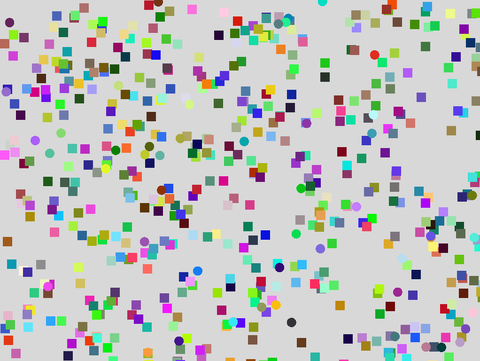 profiling
Advanced/profiling
open on Codeberg ↗
#include "Umfeld.h"
#include "VertexBuffer.h"
using namespace umfeld;
void settings() {
size(1024, 768);
profile(PROFILE_3D);
}
void setup() {
noStroke();
}
void profile_draw_circles() {
TRACE_SCOPE_N("DRAW_CIRCLES");
for (int i = 0; i < 50; i++) {
const float x = random(width);
const float y = random(height);
fill(random(255), random(255), random(255));
circle(x, y, 20);
}
}
void profile_draw_rectangles() {
TRACE_SCOPE_N("DRAW_RECTANGLES");
for (int i = 0; i < 500; i++) {
const float x = random(width);
const float y = random(height);
fill(random(255), random(255), random(255));
square(x, y, 20);
}
}
void profile_flush() {
TRACE_SCOPE_N("FLUSH");
flush();
}
void draw() {
TRACE_FRAME;
background(216);
profile_draw_circles();
profile_draw_rectangles();
profile_flush();
}
void keyPressed() {
if (key == '1') {
g->set_render_mode(RENDER_MODE_SORTED_BY_SUBMISSION_ORDER); // NOTE this render mode is used in `profile(2D)`. it is still very naive and slow ...
}
if (key == '2') {
g->set_render_mode(RENDER_MODE_SORTED_BY_Z_ORDER); // NOTE this render mode is used in `profile(3D)`.
}
}
pshape-buffered pshape-buffered
Advanced/pshape-buffered
open on Codeberg ↗
/*
* PShape::set_buffered() :: opt-in GPU/VBO retained path (Umfeld extension).
*
* NOT in Processing. A buffered PShape tessellates its fill ONCE and uploads
* the triangles to a VertexBuffer; every later shape() replays the cached GPU
* geometry instead of re-tessellating on the CPU each frame. Pays off for
* heavy, static fills drawn many times per frame.
*
* Press 'b' to toggle buffering and watch the frame rate. The visual output is
* identical either way :: only the cost changes.
*
* Notes:
* - OpenGL-only. On non-GL renderers set_buffered() is a no-op (CPU fallback).
* - Only the FILL is buffered; stroke is still rebuilt per frame, so this demo
* uses noStroke() to keep the comparison about the buffered path.
* - The buffer auto-rebuilds when the geometry or per-vertex colours change.
*/
#include "Umfeld.h"
using namespace umfeld;
static constexpr int GRID = 12; // GRID x GRID copies of the shape per frame
static constexpr int BLOBV = 720; // vertices per blob (heavy fill on purpose)
PShape* blob = nullptr;
bool use_buffer = true;
// a many-vertex wobbly disc :: expensive to tessellate, cheap once buffered
static PShape* make_blob(const float radius, const int segments) {
PShape* s = createShape();
s->beginShape(POLYGON);
s->noStroke();
s->fill(255, 180, 40);
for (int i = 0; i < segments; ++i) {
const float a = TWO_PI * static_cast<float>(i) / static_cast<float>(segments);
const float r = radius * (0.75f + 0.25f * sin(a * 9.0f));
s->fill(map(i, 0, segments, 60, 255), 180, 40);
s->vertex(cos(a) * r, sin(a) * r);
}
s->endShape(true);
return s;
}
void settings() {
size(1024, 768);
}
void setup() {
blob = make_blob(40, BLOBV);
blob->set_buffered(use_buffer);
}
void draw() {
background(20);
const float cell = static_cast<float>(width) / GRID;
for (int y = 0; y < GRID; ++y) {
for (int x = 0; x < GRID; ++x) {
shape(blob, (x + 0.5f) * cell, (y + 0.5f) * cell + 16);
}
}
debug_text("buffered: " + std::string(blob->is_buffered() ? "ON" : "OFF") + " (press 'b' to toggle)", 10, 16);
debug_text("shapes/frame: " + std::to_string(GRID * GRID) + " verts/shape: " + std::to_string(BLOBV), 10, 30);
debug_text("frame rate: " + std::to_string(static_cast<int>(frameRate)), 10, 44);
}
void keyPressed() {
if (key == 'b') {
use_buffer = !use_buffer;
blob->set_buffered(use_buffer);
console("buffered: ", use_buffer ? "ON" : "OFF");
}
}
void shutdown() {
delete blob;
}
pshape-create pshape-create
Advanced/pshape-create
open on Codeberg ↗
/*
* createShape() :: retained-mode PShape (Umfeld P1).
*
* builds a custom polygon and a 2-child GROUP once in setup(), then replays
* them every frame with shape(). retained geometry is recorded into the shape,
* not re-issued through beginShape()/vertex() each draw.
*/
#include "Umfeld.h"
using namespace umfeld;
PShape* star;
PShape* group;
static PShape* make_star(const float r_outer, const float r_inner, const int points) {
PShape* s = createShape();
s->beginShape(POLYGON);
s->fill(255, 204, 0);
const float step = TWO_PI / static_cast<float>(points * 2);
for (int i = 0; i < points * 2; ++i) {
const float r = (i % 2 == 0) ? r_outer : r_inner;
const float a = static_cast<float>(i) * step - HALF_PI;
s->vertex(cos(a) * r, sin(a) * r);
}
s->endShape(true);
return s;
}
void settings() {
size(640, 480);
}
void setup() {
star = make_star(70, 30, 5);
// a GROUP that owns two coloured squares; deleting the group frees both
group = createShape(GROUP);
PShape* a = createShape();
a->beginShape(QUADS);
a->fill(220, 50, 50);
a->vertex(0, 0);
a->vertex(80, 0);
a->vertex(80, 80);
a->vertex(0, 80);
a->endShape(true);
PShape* b = createShape();
b->beginShape(QUADS);
b->fill(50, 120, 220);
b->vertex(100, 0);
b->vertex(180, 0);
b->vertex(180, 80);
b->vertex(100, 80);
b->endShape(true);
group->addChild(a);
group->addChild(b);
}
void draw() {
background(30);
shape(star, width * 0.5f, height * 0.5f);
shape(group, 60, 60);
}
void shutdown() {
delete star;
delete group; // recursively deletes its two children
}
pshape-rasterize pshape-rasterize
Advanced/pshape-rasterize
open on Codeberg ↗
/*
* SVG -> PImage rasterization (Umfeld extension).
*
* NOT in Processing. Two umfeld-only ways to turn vector SVG into a bitmap:
*
* 1. loadSVGImage(file, scale) free function -> PImage, rasterized at
* load time at the requested scale.
* 2. shape->rasterize(w, h) re-rasterizes an already-loaded SVG
* PShape into a fresh PImage at any size,
* fit + centred into w x h.
*
* Useful when a static vector asset is drawn a lot: rasterize once, then blit
* the PImage instead of re-tessellating the vector geometry every frame.
*
* Left: the vector PShape (loadShape), drawn live.
* Middle: loadSVGImage("icon.svg", 2.0) :: pre-rasterized at 2x.
* Right: vectorShape->rasterize(220, 220) :: re-rasterized on demand.
*
* Note: rasterize() returns nullptr for non-SVG shapes; SVG <text> is dropped
* by the rasterizer (vector text still renders via shape()).
*/
#include "Umfeld.h"
using namespace umfeld;
PShape* icon = nullptr; // vector
PImage* icon_load = nullptr; // via loadSVGImage()
PImage* icon_rast = nullptr; // via PShape::rasterize()
void settings() {
size(800, 360);
}
void setup() {
icon = loadShape("icon.svg");
icon_load = loadSVGImage("icon.svg", 2.0f);
icon_rast = icon->rasterize(220, 220);
}
void draw() {
background(30);
// left :: live vector shape (200x200 viewBox), scaled to ~220
pushMatrix();
translate(20, 70);
scale(1.1f);
shape(icon, 0, 0);
popMatrix();
debug_text("vector shape()", 20, 60);
// middle :: pre-rasterized PImage from loadSVGImage(scale=2)
if (icon_load != nullptr) {
image(icon_load, 290, 70, 220, 220);
}
debug_text("loadSVGImage(2x)", 290, 60);
// right :: PImage from shape->rasterize(220,220)
if (icon_rast != nullptr) {
image(icon_rast, 560, 70, 220, 220);
}
debug_text("rasterize(220,220)", 560, 60);
}
void shutdown() {
delete icon;
delete icon_load;
delete icon_rast;
}
render-options render-options
Advanced/render-options
open on Codeberg ↗
#include "Umfeld.h"
using namespace umfeld;
const color_t light_green = color(171, 255, 0);
const color_t soft_red = color(255, 63, 89);
const color_t soft_blue = color(0, 127, 255);
bool z_offset = true;
Profile render_mode = PROFILE_3D;
void settings() {
size(1024, 768);
}
void setup() {
profile(PROFILE_2D);
strokeWeight(16);
}
void draw() {
background(216);
const float size = 200.0;
const float diameter_red = size + sin(frameCount * 0.05) * 15.0;
const float diameter_green = size + sin(frameCount * 0.033) * 15.0;
const float diameter_blue = size + sin(frameCount * 0.0137) * 15.0;
const float x = width / 2.0;
const float y = height / 2.0;
const float z_depth = z_offset ? 10.0 : 0;
fill(0);
debug_text("Press '2' for PROFILE_2D, '3' for PROFILE_3D, SPACE to toggle z_offset", 10, 10);
debug_text(render_mode == PROFILE_3D ? "PROFILE_3D" : "PROFILE_2D", 10, 25);
debug_text(z_offset ? "z_offset ON" : "z_offset OFF", 10, 40);
pushMatrix();
translate(x, y);
rotateX(frameCount * 0.01);
rotateY(frameCount * 0.037);
fill(255);
noStroke();
box(size * 0.75);
popMatrix();
translate(0, 0, z_depth);
fill(soft_red);
stroke(0);
circle(x - size * 0.33, y, diameter_red);
translate(0, 0, z_depth);
fill(light_green);
stroke(255);
circle(x, y, diameter_green);
translate(0, 0, z_depth);
fill(soft_blue);
stroke(0);
circle(x + size * 0.33, y, diameter_blue);
}
void keyPressed() {
if (key == '2') {
render_mode = PROFILE_2D;
profile(PROFILE_2D);
// same as
// g->set_render_mode(RENDER_MODE_SORTED_BY_SUBMISSION_ORDER);
// g->set_stroke_render_mode(STROKE_RENDER_MODE_TRIANGULATE_2D);
// g->set_point_render_mode(POINT_RENDER_MODE_TRIANGULATE);
// hint(ENABLE_SMOOTH_LINES);
}
if (key == '3') {
render_mode = PROFILE_3D;
profile(PROFILE_3D);
// same as
// g->set_render_mode(RENDER_MODE_SORTED_BY_Z_ORDER);
// g->set_stroke_render_mode(STROKE_RENDER_MODE_LINE_SHADER);
// g->set_point_render_mode(POINT_RENDER_MODE_POINT_SHADER);
}
if (key == ' ') {
z_offset = !z_offset;
}
}sdl2-backend-audio sdl2-backend-audio
Advanced/sdl2-backend-audio
open on Codeberg ↗
/*
* SDL2 backend + PortAudio example
*
* Demonstrates running Umfeld with the SDL2 backend while generating audio via
* PortAudio. Mouse X controls oscillator frequency, mouse Y controls amplitude.
* Press SPACE to mute/unmute.
*
* The SDL3 audio subsystem is unavailable in SDL2 builds; PortAudio is wired
* explicitly in settings() via create_subsystem_audio.
*/
#include "Umfeld.h"
#include "audio/Wavetable.h"
#include "audio/AudioUtilities.h"
using namespace umfeld;
Wavetable* osc = nullptr;
bool muted = false;
void settings() {
size(800, 600);
audio();
create_subsystem_audio = umfeld_create_subsystem_audio_portaudio;
}
void setup() {
osc = new Wavetable(2048, get_audio_sample_rate());
osc->set_waveform(WAVEFORM_SINE);
osc->set_frequency(440.0f);
osc->set_amplitude(0.3f);
}
void draw() {
background(30);
const float freq = map(mouseX, 0, width, 80.0f, 1200.0f);
const float amp = map(mouseY, 0, height, 0.6f, 0.0f);
osc->set_frequency(freq);
osc->set_amplitude(muted ? 0.0f : amp);
// frequency arc
stroke(255, 80, 60);
noFill();
const float cx = width * 0.5f;
const float cy = height * 0.5f;
const float r = map(freq, 80.0f, 1200.0f, 40.0f, min(width, height) * 0.45f);
circle(cx, cy, r * 2.0f);
// amplitude ring
stroke(60, 160, 255);
const float r2 = map(amp, 0.0f, 0.6f, 10.0f, min(width, height) * 0.45f);
circle(cx, cy, r2 * 2.0f);
// crosshair at mouse
stroke(200);
line(mouseX - 8, mouseY, mouseX + 8, mouseY);
line(mouseX, mouseY - 8, mouseX, mouseY + 8);
// labels
fill(200);
noStroke();
debug_text("freq " + nf(freq, 1, 1) + " Hz", 12, 20);
debug_text("amp " + nf(amp, 1, 2), 12, 36);
debug_text(muted ? "MUTED (SPACE)" : "playing (SPACE to mute)", 12, 52);
debug_text("backend: SDL2 + PortAudio", 12, height - 12);
}
void keyPressed() {
if (key == ' ') {
muted = !muted;
}
}
void audioEvent(const PAudio& audio) {
for (uint32_t i = 0; i < audio.buffer_size; ++i) {
const float s = osc->process();
audio.output_buffer[i * audio.output_channels] = s;
if (audio.output_channels > 1) {
audio.output_buffer[i * audio.output_channels + 1] = s;
}
}
}
void shutdown() {
delete osc;
}
serial serial
Advanced/serial
open on Codeberg ↗
#include "Umfeld.h"
#include "Serial.h"
using namespace umfeld;
// socat -d -d pty,raw,echo=0 pty,raw,echo=0 // create virtual serial ports
// # possbile output:
// > 2025/05/19 12:13:34 socat[58594] N PTY is /dev/ttys001
// > 2025/05/19 12:13:34 socat[58594] N PTY is /dev/ttys002
// echo -n "hello world" > /dev/ttys001 // send message to application
// screen /dev/ttys001 115200 // listen to the virtual serial port
Serial serial("/dev/ttys002", 115200);
void settings() {
size(1024, 768);
}
void setup() {
noFill();
stroke(255, 63, 89);
printArray(Serial::list());
}
void update() {
serial.poll(); // this needs to be called to receive data
}
void draw() {
background(216);
const float size = 50.0f;
const float x = width / 2.0f;
const float y = height / 2.0f;
line(x - size, y - size, x + size, y + size);
line(x - size, y + size, x + size, y - size);
if (serial.available() > 0) {
std::string message = serial.readString();
console("Received: ", message.c_str());
}
}
void keyPressed() {
if (key == 's') {
console("Sending message");
serial.write("hello world\n");
}
}
shader-bloom shader-bloom
Advanced/shader-bloom
open on Codeberg ↗
/*
* bloom effect using the built-in blur shader on an offscreen FBO
*
* 100 white circles move slowly on a dark background.
* the scene is rendered into an offscreen FBO, composited
* normally, then composited again with the blur shader and
* additive blending :: the bright blurred pass creates the bloom glow.
*
* +/- keys adjust blur radius
*/
#include "Umfeld.h"
#include "PGraphics.h"
#include "PShader.h"
#include "ShaderSourceBlur.h"
using namespace umfeld;
static constexpr int NUM_CIRCLES = 100;
struct Circle {
float x, y, radius, vx, vy;
};
Circle circles[NUM_CIRCLES];
PGraphics* scene = nullptr;
PShader* blur_shader = nullptr;
float blur_radius = 2.0f;
void settings() {
size(1024, 768);
}
void setup() {
scene = createGraphics(width, height);
blur_shader = loadShader(shader_source_blur);
for (auto& c : circles) {
c.x = random(width);
c.y = random(height);
c.radius = random(4, 22);
float angle = random(TWO_PI);
float speed = random(0.15f, 0.7f);
c.vx = cos(angle) * speed;
c.vy = sin(angle) * speed;
}
}
void draw() {
for (auto& c : circles) {
c.x += c.vx;
c.y += c.vy;
if (c.x < -c.radius) c.x = width + c.radius;
if (c.x > width + c.radius) c.x = -c.radius;
if (c.y < -c.radius) c.y = height + c.radius;
if (c.y > height + c.radius) c.y = -c.radius;
}
scene->beginDraw();
scene->background(0);
scene->noStroke();
scene->fill(255);
for (const auto& c : circles) {
scene->circle(c.x, c.y, c.radius * 2.0f);
}
scene->endDraw();
// base pass :: sharp circles
background(40);
blendMode(BLEND);
tint(255);
image(scene, 0, 0);
// bloom pass :: blurred scene composited additively
blendMode(ADD);
shader(blur_shader);
blur_shader->set_uniform("resolution", glm::vec2((float) width, (float) height));
blur_shader->set_uniform("blur_radius", blur_radius);
tint(255,0);
image(scene, 0, 0);
shader();
}
void keyPressed() {
if (key == '+') blur_radius = min(blur_radius + 0.5f, 20.0f);
if (key == '-') blur_radius = max(blur_radius - 0.5f, 0.0f);
}
shader-blur shader-blur
Advanced/shader-blur
open on Codeberg ↗
/*
* real time image blurring
*/
#include "Umfeld.h"
#include "PShader.h"
#include "ShaderSourceBlur.h"
using namespace umfeld;
PShader* blur_shader;
PImage* umfeld_image;
bool enable_shader = true;
void settings() {
size(1024, 768);
}
void setup() {
umfeld_image = loadImage("umfeld-small-device.png");
blur_shader = loadShader(shader_source_blur);
}
void draw() {
background(216);
fill(255);
noStroke();
shader(blur_shader);
blur_shader->set_uniform("resolution", glm::vec2((float) width, (float) height));
blur_shader->set_uniform("blur_radius", map(mouseY, 0, height, 0.0f, 4.0f));
imageMode(CENTER);
translate(width / 2.0f, height / 2.0f);
image(umfeld_image, 0, 0, umfeld_image->width / 2.0f, umfeld_image->height / 2.0f);
shader();
}
void keyPressed() {
enable_shader = !enable_shader;
}
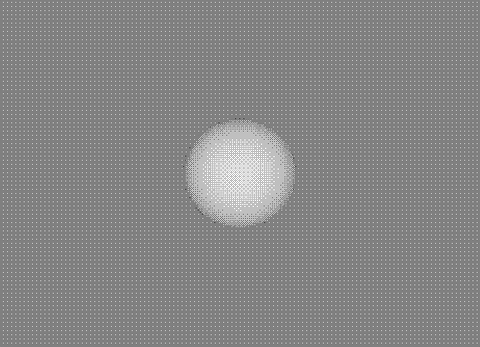 shader-dither
Advanced/shader-dither
open on Codeberg ↗
#include "Umfeld.h"
#include "PShader.h"
#include "shaders/ShaderSourceBayerDither.h"
#include "shaders/ShaderSourceFloydSteinbergDither.h"
using namespace umfeld;
PGraphics* pg = nullptr;
PShader* bayer_dither_shader;
PShader* floyd_steinberg_dither_shader;
void settings() {
size(1024, 768);
}
void setup() {
noStroke();
fill(255);
profile(PROFILE_3D);
bayer_dither_shader = loadShader(shader_source_bayer_dither);
floyd_steinberg_dither_shader = loadShader(shader_source_floyd_steinberg_dither);
floyd_steinberg_dither_shader->set_uniform("resolution", width, height);
floyd_steinberg_dither_shader->set_uniform("u_levels", 2.0f); // 2 = black/white, 4 = 4 shades, …
floyd_steinberg_dither_shader->set_uniform("u_strength", 0.9f);
pg = createGraphics(width, height);
profile(PROFILE_3D, pg);
pg->noStroke();
pg->fill(255);
}
void draw_sphere(PGraphics* pg, const float x, const float y, const float size) {
if (!pg) {
return;
}
pg->pushMatrix();
pg->translate(x, y);
pg->sphere(size);
pg->popMatrix();
}
void draw() {
background(0);
pg->beginDraw();
pg->lights();
pg->background(map(mouseX, 0, width, 0.0f, 255.0f));
draw_sphere(pg, mouseX, mouseY, 120);
draw_sphere(pg, width * 0.5f, height * 0.5f, 110);
pg->noLights();
pg->endDraw();
fill(255);
if (isMousePressed) {
shader(floyd_steinberg_dither_shader);
} else {
shader(bayer_dither_shader);
}
image(pg, 50, 50, pg->width - 100, pg->height - 100);
shader();
}shader shader
Advanced/shader
open on Codeberg ↗
/*
* real time image dithering: https://github.com/deeptronix/dithering_halftoning
*/
#include "Umfeld.h"
#include "PShader.h"
#include "ShaderSource.h"
#include "shaders/ShaderSourceBayerDither.h"
using namespace umfeld;
PShader* source_bayer_dither_shader;
PImage* umfeld_image;
bool enable_shader = true;
void settings() {
size(1024, 768);
}
void setup() {
umfeld_image = loadImage("umfeld-small-device.png");
source_bayer_dither_shader = loadShader(shader_source_bayer_dither);
}
void draw() {
background(216);
fill(171, 255, 0);
noStroke();
shader(source_bayer_dither_shader);
imageMode(CENTER);
translate(width / 2.0f, height / 2.0f);
rotateX(mouseX * 0.01f);
// rotateY(mouseY * 0.01f);
image(umfeld_image, 0, 0, umfeld_image->width / 2.0f, umfeld_image->height / 2.0f);
shader();
}
void keyPressed() {
enable_shader = !enable_shader;
}
shapes-stroke-and-fill shapes-stroke-and-fill
Advanced/shapes-stroke-and-fill
open on Codeberg ↗
#include "Umfeld.h"
#include "Geometry.h"
using namespace umfeld;
int stroke_join_mode = MITER;
int stroke_cap_mode = ROUND;
float stroke_weight = 30;
bool close_shape = false;
void settings() {
size(1024, 768);
}
void setup() {
strokeJoin(stroke_join_mode);
strokeCap(stroke_cap_mode);
strokeWeight(stroke_weight);
hint(ENABLE_SMOOTH_LINES);
g->stroke_properties(radians(10), radians(10), 179);
g->set_stroke_render_mode(STROKE_RENDER_MODE_TRIANGULATE_2D);
}
void draw() {
background(216);
stroke(0);
fill(127, 216, 255);
beginShape(POLYGON);
vertex(412, 204);
vertex(522, 204);
vertex(mouseX, mouseY);
vertex(632, 314);
vertex(632, 424);
vertex(412, 424);
vertex(312, 314);
endShape(close_shape);
noFill();
stroke(255, 63, 89);
line(width / 2.0f - 30, height / 2 - 100, width / 2.0f + 30, height / 2 - 40);
}
void keyPressed() {
if (key == '-') {
stroke_weight -= 0.25f;
if (stroke_weight < 0) { stroke_weight = 0; }
strokeWeight(stroke_weight);
console("stroke_weight: ", stroke_weight);
}
if (key == '+') {
stroke_weight += 0.25f;
strokeWeight(stroke_weight);
console("stroke_weight: ", stroke_weight);
}
if (key == '1') {
stroke_join_mode = NONE;
strokeJoin(NONE);
console("NONE");
}
if (key == '2') {
stroke_join_mode = BEVEL;
strokeJoin(BEVEL);
console("BEVEL");
}
if (key == '3') {
stroke_join_mode = MITER;
strokeJoin(MITER);
console("MITER");
}
if (key == '4') {
stroke_join_mode = ROUND;
strokeJoin(ROUND);
console("ROUND");
}
if (key == '5') {
stroke_join_mode = MITER_FAST;
strokeJoin(MITER_FAST);
console("MITER_FAST");
}
if (key == '6') {
stroke_join_mode = BEVEL_FAST;
strokeJoin(BEVEL_FAST);
console("BEVEL_FAST");
}
if (key == 'q') {
stroke_cap_mode = POINTED;
strokeCap(POINTED);
console("POINTED");
}
if (key == 'w') {
stroke_cap_mode = PROJECT;
strokeCap(PROJECT);
console("PROJECT");
}
if (key == 'e') {
stroke_cap_mode = ROUND;
strokeCap(ROUND);
console("ROUND");
}
if (key == 'r') {
stroke_cap_mode = SQUARE;
strokeCap(SQUARE);
console("SQUARE");
}
if (key == ' ') {
close_shape = !close_shape;
}
if (key == 'a') {
g->set_stroke_render_mode(STROKE_RENDER_MODE_TRIANGULATE_2D);
console("STROKE_RENDER_MODE_TRIANGULATE_2D");
}
if (key == 's') {
g->set_stroke_render_mode(STROKE_RENDER_MODE_NATIVE);
console("STROKE_RENDER_MODE_NATIVE");
}
if (key == 'd') {
g->set_stroke_render_mode(STROKE_RENDER_MODE_TUBE_3D); // TODO this is WIP
console("STROKE_RENDER_MOSTROKE_RENDER_MODE_TUBE_3DDE_NATIVE");
}
if (key == 'f') {
g->set_stroke_render_mode(STROKE_RENDER_MODE_LINE_SHADER); // TODO this is WIP
console("STROKE_RENDER_MODE_LINE_SHADER");
}
}
shapes-stroke-and-point-rendering-modes shapes-stroke-and-point-rendering-modes
Advanced/shapes-stroke-and-point-rendering-modes
open on Codeberg ↗
/*
* draws all stroke and point rendering mode variants in a grid.
* each cell shows a shape rendered with a single (mode, join) combo,
* with a debug_text label beneath it.
*
* GEOMETRY_SHADER modes fall back to LINE_SHADER / POINT_SHADER on
* OpenGL ES 3.0 :: the grid cell will still render, just via fallback.
*/
#include "Umfeld.h"
using namespace umfeld;
static constexpr int COLS = 4;
static constexpr int ROWS = 3;
static constexpr int CELL_W = 256;
static constexpr int CELL_H = 256;
static constexpr int PAD = 24;
static constexpr int STROKE_WEIGHT = 10;
static constexpr int POINT_WEIGHT = 10;
struct Cell {
const char* label;
enum class Kind { STROKE,
POINT } kind;
int mode; // StrokeRenderMode or PointRenderMode
int join; // StrokeJoin (only used for STROKE)
};
static const Cell CELLS[] = {
{"stroke TRIANGULATE_2D", Cell::Kind::STROKE, STROKE_RENDER_MODE_TRIANGULATE_2D, BEVEL},
{"stroke NATIVE", Cell::Kind::STROKE, STROKE_RENDER_MODE_NATIVE, BEVEL},
{"stroke LINE_SHADER / BEVEL", Cell::Kind::STROKE, STROKE_RENDER_MODE_LINE_SHADER, BEVEL},
{"stroke LINE_SHADER / MITER", Cell::Kind::STROKE, STROKE_RENDER_MODE_LINE_SHADER, MITER},
{"stroke LINE_SHADER / ROUND", Cell::Kind::STROKE, STROKE_RENDER_MODE_LINE_SHADER, ROUND},
{"stroke BARYCENTRIC_SHADER", Cell::Kind::STROKE, STROKE_RENDER_MODE_BARYCENTRIC_SHADER, BEVEL},
{"stroke GEOMETRY_SHADER", Cell::Kind::STROKE, STROKE_RENDER_MODE_GEOMETRY_SHADER, BEVEL},
{"point TRIANGULATE", Cell::Kind::POINT, POINT_RENDER_MODE_TRIANGULATE, 0},
{"point NATIVE", Cell::Kind::POINT, POINT_RENDER_MODE_NATIVE, 0},
{"point POINT_SHADER", Cell::Kind::POINT, POINT_RENDER_MODE_POINT_SHADER, 0},
{"point GEOMETRY_SHADER", Cell::Kind::POINT, POINT_RENDER_MODE_GEOMETRY_SHADER, 0},
};
static constexpr int NUM_CELLS = sizeof(CELLS) / sizeof(CELLS[0]);
static void draw_stroke_motif(float cx, float cy) {
// bent line across three points :: exposes join behavior
const float x0 = cx - 80, x1 = cx - 10, x2 = cx + 80;
const float y0 = cy + 30, y1 = cy - 40, y2 = cy + 30;
beginShape(LINE_STRIP);
vertex(x0, y0);
vertex(x1, y1);
vertex(x2, y2);
endShape();
}
static void draw_point_motif(float cx, float cy) {
// small cluster of points; confirms all point sizes render
point(cx - 60, cy);
point(cx - 20, cy);
point(cx + 20, cy);
point(cx + 60, cy);
point(cx, cy - 40);
point(cx, cy + 40);
}
void settings() {
size(COLS * CELL_W, ROWS * CELL_H);
}
void setup() {
noFill();
// mixing stroke/point render modes per shape requires submission order;
// z-order path picks a single shader at flush time and all shapes in the
// frame share it.
set_render_mode(RENDER_MODE_SORTED_BY_SUBMISSION_ORDER);
}
void draw() {
background(255);
// grid frame pass :: draw all divider lines in NATIVE mode, then flush so
// they are rendered before we start switching per-cell render modes.
// stroke/point render mode is read once at flush time for the whole batch,
// so each cell needs its own flush.
stroke(200);
strokeWeight(1);
set_stroke_render_mode(STROKE_RENDER_MODE_NATIVE);
for (int col = 1; col < COLS; ++col) {
line(col * CELL_W, 0, col * CELL_W, ROWS * CELL_H);
}
for (int row = 1; row < ROWS; ++row) {
line(0, row * CELL_H, COLS * CELL_W, row * CELL_H);
}
flush();
// per-cell pass :: each cell flushes independently so its render mode
// applies only to its own motif
for (int i = 0; i < NUM_CELLS; ++i) {
const Cell& c = CELLS[i];
const float ox = (i % COLS) * CELL_W;
const float oy = (i / COLS) * CELL_H;
const float cx = ox + CELL_W * 0.5f;
const float cy = oy + CELL_H * 0.5f - 10.0f;
stroke(0, 127);
strokeWeight(c.kind == Cell::Kind::STROKE ? STROKE_WEIGHT : POINT_WEIGHT);
if (c.kind == Cell::Kind::STROKE) {
set_stroke_render_mode(static_cast<StrokeRenderMode>(c.mode));
strokeJoin(c.join);
draw_stroke_motif(cx, cy);
} else {
set_point_render_mode(static_cast<PointRenderMode>(c.mode));
draw_point_motif(cx, cy);
}
flush();
}
// labels pass last :: debug_text uses current fill color
fill(0);
for (int i = 0; i < NUM_CELLS; ++i) {
const Cell& c = CELLS[i];
const float ox = (i % COLS) * CELL_W;
const float oy = (i / COLS) * CELL_H;
debug_text(c.label, ox + PAD, oy + CELL_H - PAD);
}
}
 texture-coordinates
Advanced/texture-coordinates
open on Codeberg ↗
#include "Umfeld.h"
using namespace umfeld;
PGraphics* pg;
color_t pg_background = color(255, 0);
void settings() {
size(1024, 768);
}
void setup() {
pg = createGraphics(512, 512);
noStroke();
fill(0);
pg->beginDraw();
pg->background(pg_background);
pg->endDraw();
}
void draw_into_texture() {
// draw into PGraphics texture
if (isMousePressed) {
pg->beginDraw();
pg->noStroke();
pg->fill(255);
pg->circle(mouseX, mouseY, 10);
pg->endDraw();
}
}
void draw_info_frame(std::string info, float frame_width, float frame_height) {
strokeWeight(1);
noFill();
stroke(255);
rect(0, 0, frame_width, frame_height);
strokeWeight(1);
fill(0);
debug_text(info, 10, 10);
}
void draw_texture_as_image() {
fill(255);
image(pg, 0, 0);
draw_info_frame("image", pg->width, pg->height);
}
void draw_texture_as_shape_with_tex_coords_flipped() {
// draw image with texture coordinates 'u, v' ( last 2 paramaters in 'vertex' ) also flipped image via texture coordinates.
pushMatrix();
translate(pg->width, 0);
noStroke();
fill(255);
texture(pg);
beginShape(QUADS);
vertex(0, 0, 0, 0, 1);
vertex(pg->width, 0, 0, 1, 1);
vertex(pg->width, pg->height, 0, 1, 0);
vertex(0, pg->height, 0, 0, 0);
endShape();
texture();
draw_info_frame("begin-end-shape (flipped)", pg->width, pg->height);
popMatrix();
}
void draw_texture_clipped() {
// clip texture with texture coordinates, note the flipped v coordinates
/*
(x0,y0) (x1,y0)
(u0,v1) (u1,v1)
+-----------------------+
| |
| |
| |
+-----------------------+
(x0,y1) (x1,y1)
(u0,v0) (u1,v0)
*/
float x0 = 0;
float y0 = 0;
float x1 = 320;
float y1 = 240;
float u0 = 0.0;
float u1 = x1 / pg->width; // normalize coords
float v0 = 1.0 - y1 / pg->height; // normalize coords and offset for flip
float v1 = 1.0;
pushMatrix();
translate(0, pg->height);
noStroke();
fill(255);
texture(pg);
beginShape(QUADS);
vertex(x0, y0, u0, v1);
vertex(x1, y0, u1, v1);
vertex(x1, y1, u1, v0);
vertex(x0, y1, u0, v0);
endShape();
texture();
draw_info_frame("clip texture", 320, 240);
popMatrix();
// draw debug
noFill();
stroke(255, 127);
rect(0, 0, 320, 240);
}
void image_texture_region(PGraphics* pg, float x0, float y0, float x1, float y1) {
// clip texture with texture coordinates, note the flipped v coordinates
/*
(x0,y0) (x1,y0)
(u0,v1) (u1,v1)
+-----------------------+
| |
| |
| |
+-----------------------+
(x0,y1) (x1,y1)
(u0,v0) (u1,v0)
*/
float rect_width = x1 - x0;
float rect_height = y1 - y0;
float u0 = x0 / pg->width; // normalize coords
float u1 = x1 / pg->width; // normalize coords
float v0 = 1.0f - y1 / pg->height; // normalize coords and offset for flip
float v1 = 1.0f - y0 / pg->height; // normalize coords and offset for flip
beginShape(QUADS);
vertex(0, 0, u0, v1);
vertex(rect_width, 0, u1, v1);
vertex(rect_width, rect_height, u1, v0);
vertex(0, rect_height, u0, v0);
endShape();
}
void draw_image_texture_region() {
pushMatrix();
translate(pg->width, pg->height);
noStroke();
fill(255);
texture(pg);
image_texture_region(pg, 100, 100, 320 + 100, 240 + 100);
texture();
draw_info_frame("region", 320, 240);
popMatrix();
noFill();
stroke(255, 127);
rect(100, 100, 320, 240);
}
void draw() {
background(216);
fill(0);
debug_text(to_string(nf(mouseX, 3, 0), ", ", nf(mouseY)),
mouseX,
mouseY - 10);
draw_into_texture();
draw_texture_as_image();
draw_texture_as_shape_with_tex_coords_flipped();
draw_texture_clipped();
draw_image_texture_region();
}
void keyPressed() {
pg->beginDraw();
pg->background(pg_background);
pg->endDraw();
}texture-filtering texture-filtering
Advanced/texture-filtering
open on Codeberg ↗
#include "Umfeld.h"
using namespace umfeld;
PImage* umfeld_image;
PImage* umfeld_image_pixelated;
void settings() {
size(1024, 768);
}
void setup() {
umfeld_image = loadImage("umfeld-logotype-64.png");
umfeld_image_pixelated = new PImage(*umfeld_image);
umfeld_image->set_texture_filter(LINEAR); // set to LINEAR for smooth texture filtering
umfeld_image_pixelated->set_texture_filter(NEAREST); // set to NEAREST for pixelated effect
rectMode(CENTER);
imageMode(CENTER);
noStroke();
}
void draw() {
background(216);
fill(0);
debug_text("FPS: " + nf(frameRate, 3, 1), 10, 10);
fill(255);
image(umfeld_image, mouseX - 256, mouseY, 512, 512);
texture(umfeld_image_pixelated); // set texture to copy of loaded image
rect(mouseX + 256, mouseY, 512, 512); // draw rectangle with texture
texture(); // reset texture to default
}
// NOTE to test wrapping modes ( e.g REPEAT, CLAMP_TO_EDGE, ... ) the texture coordinates need to be manipulated e.g:
// ```
// stroke(1.0f, 1.0f, 1.0f, 0.0f); // use `stroke` to set the border color
// texture_wrap(CLAMP_TO_BORDER); // set texture wrap to clamp to border
// constexpr float texture_scale = 4.0f;
// beginShape(QUADS);
// vertex(mouseX, mouseY - 256, 0, 0, 0);
// vertex(mouseX + 512, mouseY - 256, 0, texture_scale, 0);
// vertex(mouseX + 512, mouseY + 256, 0, texture_scale, texture_scale);
// vertex(mouseX, mouseY + 256, 0, 0, texture_scale);
// endShape();
// ```
 vertexbuffer
Advanced/vertexbuffer
open on Codeberg ↗
/*
* this example shows how to draw a mesh by using a vertex buffer. the mesh data is
* uploaded to the GPU and rendered in 3D space. the vertices can be dynamically
* added to the mesh, and the mesh will be updated accordingly. this is very fast
* for high numbers of vertices.
*/
// TODO adding vertices dynamically is currently not working on Windows
#include "Umfeld.h"
#include "Geometry.h"
#include "VertexBuffer.h"
using namespace umfeld;
VertexBuffer mesh_shape;
void settings() {
size(1024, 768);
}
void setup() {
hint(ENABLE_SMOOTH_LINES);
mesh_shape.set_shape(TRIANGLES);
for (int i = 0; i < 2048; ++i) {
mesh_shape.add_vertex(Vertex(glm::vec3(width / 2 + random(-10, 10), height / 2 + random(-10, 10), random(-10, 10)),
glm::vec4(random(1.0f), random(1.0f), random(1.0f), 1.0f),
glm::vec3(0.0f)));
}
mesh_shape.update();
}
void draw() {
background(216);
if (!isMousePressed) {
for (auto& v: mesh_shape.vertices_data()) {
v.position.x += random(-1, 1);
v.position.y += random(-1, 1);
v.position.z += random(-1, 1);
}
for (int i = 0; i < 256; ++i) {
mesh_shape.add_vertex(Vertex(glm::vec3(mouseX + random(-10, 10), mouseY + random(-10, 10), random(-10, 10)),
glm::vec4(random(1.0f), random(1.0f), random(1.0f), 1.0f),
glm::vec3(0.0f)));
}
// NOTE vertices are uploaded to GPU next time mesh/vertexbuffer is drawn
}
pushMatrix();
translate(width * 0.5f, height * 0.5f);
rotateX(sin(frameCount * 0.07f) * 0.07f);
rotateY(sin(frameCount * 0.1f) * 0.1f);
rotateZ(sin(frameCount * 0.083f) * 0.083f);
translate(-width * 0.5f, -height * 0.5f);
mesh(&mesh_shape);
popMatrix();
fill(0);
debug_text("FPS : " + nf(frameRate, 1), 10, 10);
debug_text("SHAPES: " + to_string(mesh_shape.vertices_data().size()), 10, 25);
}
void keyPressed() {
if (key == ' ') {
mesh_shape.clear();
}
if (key == '1') {
mesh_shape.set_shape(TRIANGLES);
}
if (key == '2') {
mesh_shape.set_shape(LINES);
}
if (key == '3') {
mesh_shape.set_shape(LINE_STRIP);
}
}
Experimental
renderer-OpenGL_ES_2.0 renderer-OpenGL_ES_2.0
Experimental/renderer-OpenGL_ES_2.0
open on Codeberg ↗
#include "Umfeld.h"
using namespace umfeld;
PImage* umfeld_image;
void settings() {
size(1024, 768, RENDERER_OPENGL_ES_2_0);
}
void setup() {
umfeld_image = loadImage("umfeld.png");
fill(255);
noStroke();
}
void draw() {
background(216);
imageMode(CENTER);
translate(width / 2.0f, height / 2.0f);
rotateX(mouseX * 0.01f);
rotateY(mouseY * 0.01f);
image(umfeld_image, 0, 0, umfeld_image->width / 2.0f, umfeld_image->height / 2.0f);
}
renderer-SDL_2D renderer-SDL_2D
Experimental/renderer-SDL_2D
open on Codeberg ↗
#include "Umfeld.h"
using namespace umfeld;
PImage* umfeld_image;
PGraphics* offscreen;
void settings() {
size(1024, 768, RENDERER_SDL_2D);
}
void setup() {
umfeld_image = loadImage("umfeld.png");
offscreen = createGraphics(512, 512);
offscreen->beginDraw();
offscreen->background(128);
offscreen->endDraw();
fill(255);
noStroke();
}
void draw_scene(PGraphics* pg) {
pg->beginDraw();
// pg->background(128);
pg->fill(255, 0, 0);
pg->ellipse(pg->width * 0.5, pg->height * 0.5, pg->width * 0.25, pg->height * 0.25);
pg->fill(255);
pg->image(umfeld_image, 0, 0, umfeld_image->width / 2.0f, umfeld_image->height / 2.0f);
pg->endDraw();
}
void draw() {
background(216);
pushMatrix();
imageMode(CENTER);
translate(width / 2.0f, height / 2.0f);
rotateX(mouseX * 0.01f);
rotateY(mouseY * 0.01f);
draw_scene(offscreen);
image(offscreen, 0, 0, offscreen->width * 0.5, offscreen->height * 0.5);
popMatrix();
}
void keyPressed() {
if (key == '1') {
umfeld_image->resize(umfeld_image->width * 0.5, umfeld_image->height * 0.5);
}
if (key == '2') {
umfeld_image->clear(g, color(0, 0xFF, 0, 0xFF));
}
if (key == '3') {
offscreen->beginDraw();
offscreen->clear();
offscreen->endDraw();
}
if (key == '4') {
for (int i = 0; i < 1000; ++i) {
const int x = random(umfeld_image->width);
const int y = random(umfeld_image->height);
umfeld_image->set(x, y, color(0xFF, 0xFF, 0xFF, 0xFF));
}
umfeld_image->updatePixels(g);
}
if (key == '5') {
umfeld_image->loadPixels(g);
for (int i = 0; i < umfeld_image->width * umfeld_image->height; ++i) {
umfeld_image->pixels[i] = color(0x00, 0x88, 0xFF, i % 0xFF);
}
umfeld_image->updatePixels(g);
}
}